
Introduction
Database Monitoring Tools are specialized software solutions designed to continuously track, analyze, and optimize the performance, availability, and health of databases. They help teams understand what is happening inside databases in real time—such as slow queries, resource bottlenecks, locking issues, replication lag, and unexpected failures—before these problems impact users or business operations.
In today’s data-driven world, databases sit at the core of almost every application, whether it’s an e-commerce platform, healthcare system, financial application, or SaaS product. Even a few minutes of database downtime or poor performance can lead to revenue loss, customer dissatisfaction, and reputational damage. This makes proactive monitoring not just a technical necessity, but a business-critical capability.
Key real-world use cases include:
- Identifying slow or inefficient queries before they escalate
- Detecting outages, replication failures, or storage issues early
- Capacity planning and performance optimization
- Ensuring compliance, auditability, and data security
- Supporting high-availability and mission-critical systems
When choosing a database monitoring tool, users should evaluate factors such as database coverage, real-time visibility, alerting accuracy, ease of setup, scalability, security features, integrations, and cost-effectiveness. The right tool provides actionable insights—not just raw metrics.
Best for:
Database Monitoring Tools are ideal for DBAs, backend engineers, DevOps teams, SREs, CTOs, and IT managers across startups, SMBs, mid-market companies, and large enterprises. Industries like finance, healthcare, SaaS, e-commerce, logistics, and media benefit the most due to their reliance on always-available, high-performance databases.
Not ideal for:
These tools may be excessive for very small applications, static websites, or early-stage projects with minimal database usage. In such cases, basic logging or cloud-native metrics may be sufficient until the system scales.
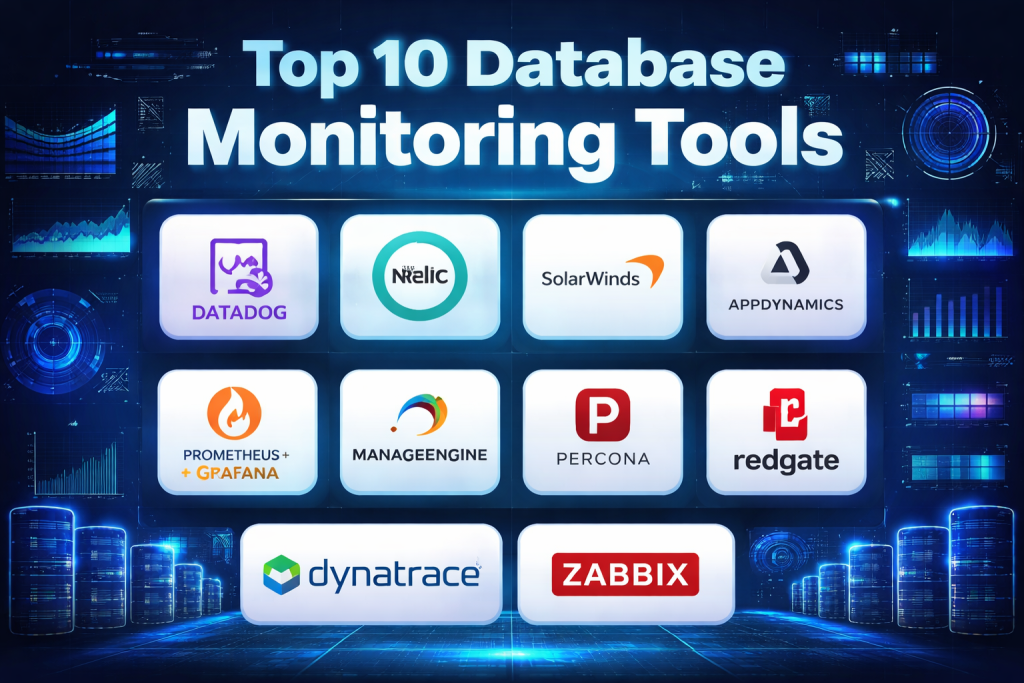
Top 10 Database Monitoring Tools
1 — Datadog Database Monitoring
Short description:
Datadog Database Monitoring provides deep, real-time visibility into query performance, resource utilization, and database health across cloud and on-prem environments. It is designed for DevOps and engineering teams managing modern, distributed systems.
Key features:
- Query-level performance analytics and wait analysis
- Real-time dashboards for database health metrics
- Automatic anomaly detection and alerts
- Supports multiple databases including relational and cloud-native
- Tight integration with application and infrastructure monitoring
- Historical performance analysis for trend tracking
Pros:
- Excellent end-to-end observability across the stack
- Powerful visualizations and alerting capabilities
- Strong integration ecosystem
Cons:
- Pricing can become expensive at scale
- Requires learning time for advanced features
Security & compliance:
SSO, role-based access control, encryption in transit and at rest, SOC 2, GDPR support.
Support & community:
High-quality documentation, enterprise support plans, large and active user community.
2 — New Relic Database Monitoring
Short description:
New Relic Database Monitoring focuses on correlating database performance with application behavior, helping teams quickly identify root causes of latency and errors.
Key features:
- Query execution and throughput monitoring
- Transaction tracing with application context
- Custom alerts and performance baselines
- Cloud and hybrid deployment support
- Unified observability platform
Pros:
- Strong application-database correlation
- User-friendly dashboards
- Scales well for growing teams
Cons:
- Some advanced features require higher-tier plans
- UI complexity for new users
Security & compliance:
SSO, encryption, audit logs, SOC 2, GDPR.
Support & community:
Comprehensive documentation, training resources, active community forums.
3 — SolarWinds Database Performance Analyzer
Short description:
SolarWinds DPA is a specialized tool built specifically for database performance troubleshooting and optimization, widely used by experienced DBAs.
Key features:
- Wait-time analysis for performance bottlenecks
- Query tuning recommendations
- Cross-platform database support
- Historical performance tracking
- On-prem and hybrid deployment
Pros:
- Deep, DBA-focused insights
- Excellent for root cause analysis
- Mature and stable product
Cons:
- Interface feels dated to some users
- Primarily focused on databases, not full-stack monitoring
Security & compliance:
Role-based access, encryption options, compliance varies by deployment.
Support & community:
Strong enterprise support, extensive documentation, long-standing user base.
4 — AppDynamics Database Monitoring
Short description:
AppDynamics Database Monitoring provides enterprise-grade visibility into database performance with a strong focus on business impact and transaction health.
Key features:
- End-to-end transaction monitoring
- Database health and query analysis
- Business impact mapping
- Advanced alerting and baselines
- Enterprise scalability
Pros:
- Excellent for large, complex environments
- Strong correlation between business metrics and performance
- Robust analytics
Cons:
- High cost for smaller teams
- Setup and configuration can be complex
Security & compliance:
SSO, encryption, audit logs, SOC 2, ISO standards support.
Support & community:
Enterprise-grade support, professional services, detailed documentation.
5 — Prometheus + Grafana (Database Monitoring Stack)
Short description:
Prometheus combined with Grafana offers a flexible, open-source approach to database monitoring, favored by engineering teams that prefer customization and control.
Key features:
- Metrics-based monitoring via exporters
- Highly customizable dashboards
- Alerting through Alertmanager
- Strong cloud-native and Kubernetes support
- Open-source ecosystem
Pros:
- No licensing cost
- Highly customizable and extensible
- Strong community support
Cons:
- Requires setup and maintenance effort
- Limited out-of-the-box database insights
Security & compliance:
Varies / N/A (depends on deployment and configuration).
Support & community:
Very large open-source community, extensive tutorials, community-driven support.
6 — ManageEngine Applications Manager
Short description:
ManageEngine Applications Manager provides integrated monitoring for databases, applications, and infrastructure, targeting SMBs and mid-market organizations.
Key features:
- Database performance and availability monitoring
- Preconfigured dashboards and alerts
- On-prem and cloud support
- Application dependency mapping
- Capacity planning insights
Pros:
- Affordable pricing
- Easy to deploy and use
- Broad monitoring coverage
Cons:
- UI less modern than premium tools
- Limited advanced analytics
Security & compliance:
Role-based access, encryption, compliance varies by edition.
Support & community:
Good documentation, responsive vendor support, moderate user community.
7 — Percona Monitoring and Management (PMM)
Short description:
Percona Monitoring and Management is an open-source database monitoring solution tailored for MySQL, PostgreSQL, and MongoDB environments.
Key features:
- Query analytics and performance dashboards
- Resource usage and replication monitoring
- Open-source and self-hosted
- Integrates with Grafana
- Backup and optimization insights
Pros:
- Free and open-source
- Deep database-specific insights
- Strong performance diagnostics
Cons:
- Limited UI polish
- Focused on specific database engines
Security & compliance:
Varies / N/A (self-managed security).
Support & community:
Active open-source community, optional enterprise support.
8 — Redgate SQL Monitor
Short description:
Redgate SQL Monitor is purpose-built for SQL Server environments, offering deep insights into performance, availability, and query behavior.
Key features:
- Real-time SQL Server monitoring
- Query performance analysis
- Custom alerts and reports
- Historical trend analysis
- Easy installation
Pros:
- Excellent for SQL Server specialists
- Intuitive interface
- Strong reporting features
Cons:
- Limited to SQL Server ecosystems
- Not suitable for heterogeneous databases
Security & compliance:
Role-based access, encryption options, enterprise compliance support.
Support & community:
High-quality documentation, strong vendor support, active SQL community.
9 — Dynatrace Database Monitoring
Short description:
Dynatrace uses AI-driven analytics to deliver automated insights into database performance and dependencies within complex enterprise environments.
Key features:
- AI-powered root cause analysis
- Automatic discovery of database dependencies
- Real-time performance baselining
- Full-stack observability
- Enterprise scalability
Pros:
- Minimal manual configuration
- Advanced AI insights
- Strong automation
Cons:
- Premium pricing
- Can be overwhelming for small teams
Security & compliance:
SSO, encryption, audit logs, SOC 2, GDPR, ISO.
Support & community:
Enterprise support, training programs, growing user community.
10 — Zabbix Database Monitoring
Short description:
Zabbix is an open-source monitoring platform that can be configured for database monitoring, suitable for teams with strong system administration skills.
Key features:
- Agent-based and agentless monitoring
- Custom database templates
- Flexible alerting rules
- Scalable architecture
- On-prem and cloud support
Pros:
- Free and open-source
- Highly flexible
- Strong scalability
Cons:
- Steep learning curve
- Requires manual configuration
Security & compliance:
Varies / N/A (depends on implementation).
Support & community:
Large open-source community, optional paid support.
Comparison Table
| Tool Name | Best For | Platform(s) Supported | Standout Feature | Rating |
|---|---|---|---|---|
| Datadog | DevOps & cloud-native teams | Cloud, Hybrid | Full-stack observability | N/A |
| New Relic | App-centric monitoring | Cloud, Hybrid | App-DB correlation | N/A |
| SolarWinds DPA | DBA-focused performance tuning | On-prem, Hybrid | Wait-time analysis | N/A |
| AppDynamics | Large enterprises | Cloud, Hybrid | Business impact mapping | N/A |
| Prometheus + Grafana | Engineering-driven teams | Cloud, On-prem | Open-source flexibility | N/A |
| ManageEngine | SMBs & mid-market | Cloud, On-prem | Cost-effective monitoring | N/A |
| Percona PMM | Open-source DB users | On-prem | Deep MySQL/Postgres insights | N/A |
| Redgate SQL Monitor | SQL Server teams | On-prem | SQL-specific optimization | N/A |
| Dynatrace | Enterprise observability | Cloud, Hybrid | AI-driven insights | N/A |
| Zabbix | System administrators | Cloud, On-prem | Highly customizable | N/A |
Evaluation & Scoring of Database Monitoring Tools
| Evaluation Criteria | Weight | Score (1–10) | Weighted Score |
|---|---|---|---|
| Core features | 25% | 9 | 2.25 |
| Ease of use | 15% | 8 | 1.20 |
| Integrations & ecosystem | 15% | 8 | 1.20 |
| Security & compliance | 10% | 8 | 0.80 |
| Performance & reliability | 10% | 9 | 0.90 |
| Support & community | 10% | 8 | 0.80 |
| Price / value | 15% | 7 | 1.05 |
| Total Score | 100% | 8.20 / 10 |
Which Database Monitoring Tools Tool Is Right for You?
Choosing the right database monitoring tool depends heavily on your team size, budget, technical maturity, and compliance needs.
- Solo users & startups:
Lightweight or open-source tools like Prometheus, Percona PMM, or Zabbix provide flexibility without high costs. - SMBs & mid-market:
Tools like ManageEngine or New Relic balance ease of use with sufficient depth. - Enterprises:
Datadog, AppDynamics, and Dynatrace excel in scalability, security, and automation for complex environments. - Budget-conscious teams:
Open-source solutions offer strong capabilities but require more setup and expertise. - Compliance-driven industries:
Enterprise tools with strong audit logs, encryption, and certifications are preferable.
Frequently Asked Questions (FAQs)
1. What is a database monitoring tool?
It is software that tracks database performance, health, and availability in real time.
2. Why is database monitoring important?
It prevents downtime, improves performance, and ensures reliable application behavior.
3. Do small teams need database monitoring?
Yes, but simpler or open-source tools may be sufficient initially.
4. Can one tool monitor multiple database types?
Many modern tools support multiple engines, though some specialize in specific databases.
5. Are open-source tools reliable?
Yes, but they require proper configuration and maintenance.
6. How do alerts work in these tools?
They notify teams when metrics cross predefined thresholds or anomalies occur.
7. Do these tools impact database performance?
Most use lightweight agents with minimal overhead.
8. Are cloud databases supported?
Yes, most tools support major cloud and managed databases.
9. How long does setup usually take?
From minutes for SaaS tools to days for complex self-hosted setups.
10. What is the biggest mistake buyers make?
Choosing a tool that is either too complex or too limited for their needs.
Conclusion
Database Monitoring Tools play a critical role in maintaining performance, reliability, and scalability in modern applications. From open-source stacks to enterprise-grade platforms, each tool offers a unique balance of features, cost, and complexity.
The most important takeaway is that there is no single “best” database monitoring tool for everyone. The right choice depends on your environment, team expertise, budget, and long-term growth plans. By carefully evaluating your needs and aligning them with the strengths of each tool, you can ensure your databases remain fast, reliable, and ready to support your business goals.

Find Trusted Cardiac Hospitals
Compare heart hospitals by city and services — all in one place.
Explore Hospitals