
Introduction
Digital Reading & Annotation Apps are tools designed to consume, highlight, annotate, organize, and revisit digital text—from books and PDFs to research papers, articles, and web content. Unlike simple e-readers, these platforms turn reading into an active, structured thinking process, allowing users to highlight passages, add notes, tag insights, and often sync them across devices.
In today’s information-heavy world, professionals and learners are overwhelmed by content. These apps help users read smarter, not more, by improving retention, speeding up research, and centralizing knowledge. Whether it’s a student reviewing textbooks, a researcher annotating academic papers, or a professional saving insights from long articles, digital reading and annotation tools play a critical role.
When choosing a tool in this category, users should evaluate annotation depth, format support (PDF, EPUB, web), sync reliability, searchability, export options, integrations, and long-term knowledge reuse. Ease of use and platform compatibility are equally important, especially for daily reading workflows.
Best for:
Students, researchers, writers, consultants, product managers, legal professionals, educators, analysts, and knowledge workers across startups, SMBs, enterprises, education, healthcare, law, and technology.
Not ideal for:
Users who only read occasionally, prefer physical books exclusively, or do not annotate or revisit content. Simple e-readers or basic PDF viewers may be sufficient in such cases.
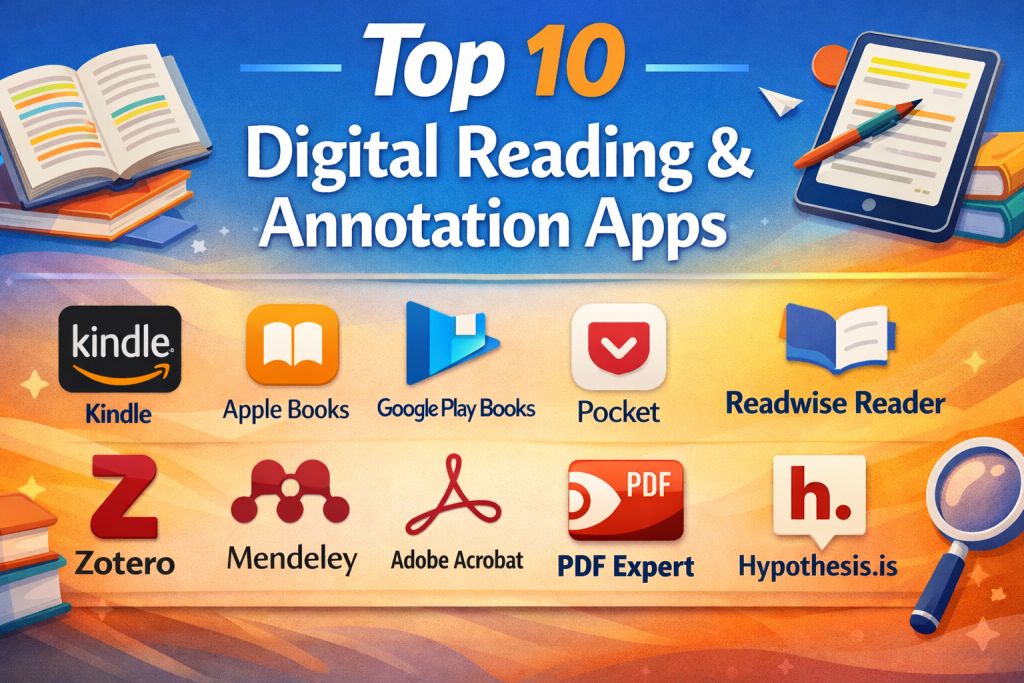
Top 10 Digital Reading & Annotation Apps Tools
1 — Kindle
Short description:
A widely used e-reading platform optimized for long-form reading, highlights, and notes across books and documents.
Key features
- Highlighting and inline notes
- Dictionary and translation tools
- Cloud sync across devices
- Popular highlights and bookmarks
- PDF and document support
- Offline reading mode
Pros
- Excellent reading experience
- Massive content ecosystem
- Reliable cross-device sync
Cons
- Limited advanced annotation
- Weak export options
- Closed ecosystem
Security & compliance: Varies / N/A
Support & community: Strong documentation, large global user base
2 — Apple Books
Short description:
A polished reading and annotation app tightly integrated into the Apple ecosystem.
Key features
- Clean EPUB and PDF annotations
- Highlight color coding
- Inline notes and bookmarks
- iCloud sync
- Reading goals and tracking
Pros
- Excellent UI/UX
- Seamless Apple integration
- Stable performance
Cons
- Apple-only platforms
- Limited collaboration
- Fewer research tools
Security & compliance: Apple data protection standards
Support & community: Strong Apple documentation, limited community forums
3 — Google Play Books
Short description:
A flexible reading platform for books and uploaded PDFs with cloud-based annotations.
Key features
- PDF and EPUB annotation
- Cross-device sync
- Dictionary and translation
- Note export
- Web-based reader
Pros
- Platform-independent
- Easy PDF uploads
- Simple annotations
Cons
- Basic note organization
- Limited tagging
- Not research-focused
Security & compliance: Varies / N/A
Support & community: Standard Google help resources
4 — Pocket
Short description:
A read-it-later tool optimized for article reading and light highlighting.
Key features
- Clean article view
- Highlighting and tagging
- Offline reading
- Text-to-speech
- Cross-device sync
Pros
- Excellent for web articles
- Minimal distractions
- Easy to use
Cons
- Limited annotation depth
- No PDF markup
- Not ideal for books
Security & compliance: GDPR compliant
Support & community: Good documentation, email support
5— Readwise Reader
Short description:
A powerful reading and annotation hub designed for knowledge retention and reuse.
Key features
- Deep highlighting and notes
- Web, PDF, EPUB support
- Tagging and search
- Daily review resurfacing
- Export to note tools
Pros
- Excellent knowledge recall
- Strong annotation system
- Built for thinkers
Cons
- Paid-focused pricing
- Learning curve
- Limited offline use
Security & compliance: GDPR compliant
Support & community: High-quality docs, active community
6 — Zotero
Short description:
An academic research tool with strong PDF annotation and citation management.
Key features
- PDF highlighting and notes
- Citation management
- Tags and collections
- Cloud sync
- Browser research capture
Pros
- Ideal for researchers
- Open-source
- Strong academic adoption
Cons
- Dated UI
- Not for casual reading
- Limited mobile experience
Security & compliance: Varies / N/A
Support & community: Large academic community, extensive guides
7 — Mendeley
Short description:
A research-focused reading and annotation platform integrated with academic workflows.
Key features
- PDF annotation
- Reference management
- Citation tools
- Cloud library
- Collaboration groups
Pros
- Research-centric
- Collaboration support
- Citation automation
Cons
- Elsevier ecosystem lock-in
- Performance issues reported
- Limited customization
Security & compliance: Varies / N/A
Support & community: Academic support channels, forums
8 — Adobe Acrobat Reader
Short description:
Industry-standard PDF reader with robust annotation capabilities.
Key features
- Highlighting and comments
- Drawing and markup tools
- Cloud storage integration
- Form filling
- Cross-platform support
Pros
- Best-in-class PDF handling
- Enterprise acceptance
- Reliable performance
Cons
- Heavy interface
- Premium features locked
- Not for books/articles
Security & compliance: SOC 2, ISO, GDPR (enterprise plans)
Support & community: Strong enterprise support, extensive docs
9 — PDF Expert
Short description:
A fast, professional PDF reading and annotation app for Apple users.
Key features
- Smooth PDF annotations
- File organization
- OCR support
- Apple Pencil support
- Cloud sync
Pros
- Excellent performance
- Intuitive annotation
- Professional-grade tools
Cons
- Apple-only
- Paid model
- No web content capture
Security & compliance: Apple security standards
Support & community: Responsive support, strong documentation
10 — Hypothes.is
Short description:
A collaborative web annotation platform for public and private discussions on text.
Key features
- Web-based annotations
- Public and private groups
- PDF and HTML support
- Educational integrations
- Open annotations
Pros
- Collaboration-first
- Open standards
- Ideal for education
Cons
- Not a reader app
- Limited offline use
- UI feels academic
Security & compliance: GDPR compliant
Support & community: Strong education community, open documentation
Comparison Table
| Tool Name | Best For | Platform(s) Supported | Standout Feature | Rating |
|---|---|---|---|---|
| Kindle | Book readers | iOS, Android, Web | Seamless book reading | N/A |
| Apple Books | Apple users | iOS, macOS | Polished UX | N/A |
| Google Play Books | Casual readers | Web, Android, iOS | Platform flexibility | N/A |
| Article readers | Web, iOS, Android | Distraction-free reading | N/A | |
| Readwise Reader | Knowledge workers | Web, iOS, Android | Highlight resurfacing | N/A |
| Zotero | Researchers | Windows, macOS, Linux | Citation + annotation | N/A |
| Mendeley | Academic teams | Web, Desktop | Research collaboration | N/A |
| Adobe Acrobat Reader | Professionals | All major platforms | PDF standard | N/A |
| PDF Expert | Apple professionals | iOS, macOS | Fast PDF annotation | N/A |
| Hypothes.is | Educators | Web | Collaborative annotation | N/A |
Evaluation & Scoring of Digital Reading & Annotation Apps
| Tool | Core Features (25%) | Ease of Use (15%) | Integrations (15%) | Security (10%) | Performance (10%) | Support (10%) | Price/Value (15%) | Total |
|---|---|---|---|---|---|---|---|---|
| Readwise Reader | 23 | 13 | 14 | 8 | 9 | 9 | 13 | 89 |
| Kindle | 20 | 14 | 10 | 7 | 9 | 9 | 14 | 83 |
| Zotero | 22 | 11 | 13 | 7 | 8 | 9 | 14 | 84 |
| Adobe Acrobat | 21 | 12 | 14 | 9 | 9 | 9 | 11 | 85 |
Which Digital Reading & Annotation Apps Tool Is Right for You?
- Solo users: Kindle, Apple Books, Pocket
- SMBs & professionals: Readwise Reader, PDF Expert
- Researchers & academia: Zotero, Mendeley, Hypothes.is
- Enterprises: Adobe Acrobat Reader
Budget-conscious users may prefer free or open-source tools, while premium users benefit from advanced annotation, sync, and reuse features. Security-sensitive environments should prioritize enterprise-grade compliance and encryption.
Frequently Asked Questions (FAQs)
1. Are digital reading apps better than traditional e-readers?
Yes, for active reading, annotation, and knowledge reuse.
2. Can I export my highlights and notes?
Some tools support exports; others are limited.
3. Are these tools suitable for teams?
Only a few support real collaboration.
4. Do they work offline?
Most do, but syncing varies.
5. Are free versions enough?
For basic reading, yes. Advanced users often need paid plans.
6. Are annotations searchable?
High-end tools provide global search.
7. Can I annotate web articles?
Tools like Pocket and Readwise Reader support this.
8. Are these tools secure?
Enterprise tools offer stronger compliance controls.
9. Can students use them effectively?
Yes, especially Zotero and Hypothes.is.
10. What’s the biggest mistake buyers make?
Choosing based on popularity instead of workflow fit.
Conclusion
Digital Reading & Annotation Apps transform reading into a strategic knowledge activity. The right tool improves comprehension, retention, and long-term value from content. While no single app fits everyone, evaluating use case, depth of annotation, integration needs, and budget will lead to the best choice. Focus on what supports your thinking—not just what reads text.

Find Trusted Cardiac Hospitals
Compare heart hospitals by city and services — all in one place.
Explore Hospitals