
Introduction
Habit Building Apps are digital tools designed to help individuals create, track, and sustain positive habits over time. Instead of relying on motivation alone, these apps use behavioral science, reminders, streaks, data visualization, and rewards to turn small daily actions into long-term routines.
In today’s fast-paced world, habits often decide productivity, health, learning, and mental well-being. Whether it’s exercising regularly, reading daily, meditating, drinking enough water, or reducing screen time, habit apps provide structure and accountability where willpower alone falls short.
Real-world use cases include personal productivity, employee wellness programs, student self-discipline, mental health improvement, and lifestyle change initiatives. The best habit apps go beyond checklists — they focus on consistency, reflection, and gradual improvement.
When choosing a Habit Building App, users should evaluate:
- Ease of daily use and friction-free tracking
- Motivation mechanisms (streaks, rewards, insights)
- Flexibility for different habit types
- Cross-platform availability
- Data privacy and reliability
Best for:
Habit Building Apps are ideal for individual professionals, students, entrepreneurs, wellness-focused teams, coaches, and productivity-driven organizations. They work well across industries such as education, health & fitness, technology, corporate wellness, and personal development.
Not ideal for:
They may be less useful for users who prefer completely unstructured routines, those resistant to reminders or digital tracking, or organizations requiring heavy workflow automation rather than personal behavior change.
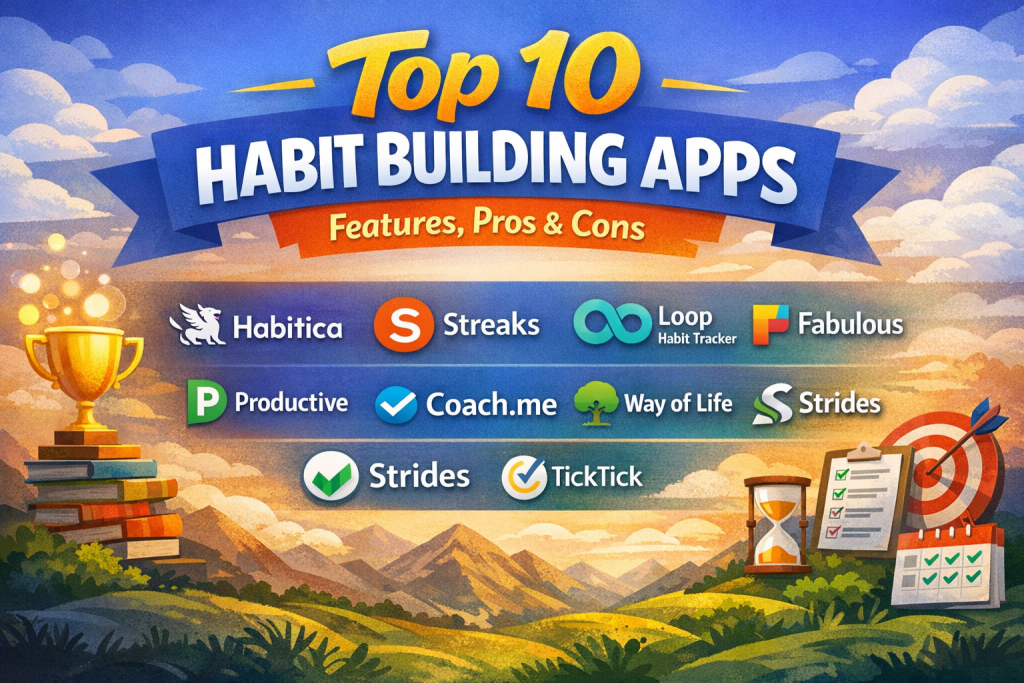
Top 10 Habit Building Apps Tools
1 — Habitica
Short description:
Habitica turns habit building into a game, using RPG-style rewards to motivate users who enjoy gamification and social accountability.
Key features:
- Gamified habit tracking with avatars and levels
- Daily habits, to-dos, and long-term goals
- Party quests and social accountability
- Custom rewards and penalties
- Streak tracking with visual progress
- Cross-platform sync
Pros:
- Highly motivating for game-oriented users
- Strong community engagement
- Makes habits fun and engaging
Cons:
- Can feel overwhelming for minimalists
- Less suitable for professional environments
Security & compliance:
Varies / N/A (basic data protection, no enterprise compliance focus)
Support & community:
Active community forums, documentation, and community-driven support
2 — Streaks
Short description:
Streaks focuses on simplicity, helping users build habits by maintaining visual streaks, ideal for iOS users seeking minimalism.
Key features:
- Streak-based habit tracking
- Clean and distraction-free UI
- Custom habit schedules
- Apple Health integration
- Detailed progress statistics
- Widget support
Pros:
- Extremely easy to use
- Strong motivation through streaks
Cons:
- Limited customization
- iOS-centric ecosystem
Security & compliance:
Varies / N/A (device-level security)
Support & community:
Clear documentation, responsive app support, limited community interaction
3 — Loop Habit Tracker
Short description:
Loop is a lightweight, open-source habit tracker designed for users who value privacy and offline usage.
Key features:
- Offline-first habit tracking
- No account or login required
- Habit strength graphs
- Custom reminders
- Open-source transparency
- Minimal battery usage
Pros:
- Privacy-friendly
- Completely free
Cons:
- Android-only
- No cloud sync
Security & compliance:
N/A (local-only data storage)
Support & community:
Open-source community support and documentation
4 — Fabulous
Short description:
Fabulous blends habit building with behavioral science coaching, focusing on holistic wellness routines.
Key features:
- Science-based habit journeys
- Personalized coaching flows
- Morning and evening routines
- Motivation through storytelling
- Wellness-focused habit design
- Progress reflection prompts
Pros:
- Strong psychological foundation
- Excellent for lifestyle transformation
Cons:
- Premium pricing
- Less flexible for custom habits
Security & compliance:
Varies / GDPR-aligned practices
Support & community:
Guided onboarding, in-app support, educational resources
5 — Done
Short description:
Done helps users break bad habits and reinforce good ones with daily accountability and visual progress.
Key features:
- Simple habit counters
- Custom frequency rules
- Visual progress charts
- Daily reminders
- Streak and goal limits
- Clean interface
Pros:
- Clear and focused
- Easy habit setup
Cons:
- Limited integrations
- Basic analytics
Security & compliance:
Varies / N/A
Support & community:
Standard app support, limited community features
6 — Productive
Short description:
Productive combines habit tracking with daily planning, ideal for professionals seeking structure.
Key features:
- Habit scheduling with reminders
- Daily task planning
- Analytics and insights
- Streak tracking
- Motivational challenges
- Calendar-style views
Pros:
- Well-designed UI
- Balances habits and productivity
Cons:
- Premium required for advanced features
- No team collaboration
Security & compliance:
Varies / N/A
Support & community:
Good onboarding guides, app-based support
7 — Coach.me
Short description:
Coach.me blends habit tracking with human coaching for accountability-focused users.
Key features:
- Habit tracking dashboard
- Access to professional coaches
- Community discussions
- Streak and progress metrics
- Personalized feedback
- Habit reminders
Pros:
- Human accountability option
- Strong community support
Cons:
- Coaching is paid separately
- UI feels dated
Security & compliance:
Varies / N/A
Support & community:
Active community, coach network, standard documentation
8 — Way of Life
Short description:
Way of Life focuses on mindful habit reflection, helping users understand patterns and triggers.
Key features:
- Color-coded habit tracking
- Daily journaling notes
- Trend analysis
- Flexible habit scoring
- Calendar view
- iCloud sync
Pros:
- Encourages self-reflection
- Visual insights are intuitive
Cons:
- Limited automation
- Smaller ecosystem
Security & compliance:
Varies / N/A
Support & community:
Basic documentation, small but loyal user base
9 — Strides
Short description:
Strides supports complex goal and habit tracking with measurable targets and milestones.
Key features:
- SMART goal tracking
- Multiple goal types
- Progress charts and reports
- Habit reminders
- Flexible measurement options
- iCloud synchronization
Pros:
- Highly customizable
- Excellent for measurable goals
Cons:
- Learning curve for beginners
- iOS-focused
Security & compliance:
Varies / N/A
Support & community:
Well-written documentation, responsive support
10 — TickTick (Habit Module)
Short description:
TickTick integrates habit tracking within a broader task and productivity ecosystem.
Key features:
- Habit tracking with reminders
- Task and calendar integration
- Cross-platform support
- Analytics and statistics
- Focus timer integration
- Cloud sync
Pros:
- All-in-one productivity tool
- Strong cross-platform availability
Cons:
- Habit features less specialized
- Can feel busy for habit-only users
Security & compliance:
Varies / GDPR-aligned practices
Support & community:
Extensive documentation, global user community, premium support options
Comparison Table
| Tool Name | Best For | Platform(s) Supported | Standout Feature | Rating |
|---|---|---|---|---|
| Habitica | Gamified motivation | iOS, Android, Web | RPG-style habit building | N/A |
| Streaks | Minimalists | iOS | Streak visualization | N/A |
| Loop Habit Tracker | Privacy-focused users | Android | Offline tracking | N/A |
| Fabulous | Wellness routines | iOS, Android | Science-based coaching | N/A |
| Done | Simple habit control | iOS | Habit limits | N/A |
| Productive | Structured planners | iOS | Habit + planning | N/A |
| Coach.me | Accountability seekers | iOS, Android | Human coaching | N/A |
| Way of Life | Mindful reflection | iOS | Pattern analysis | N/A |
| Strides | Measurable goals | iOS | Advanced metrics | N/A |
| TickTick | Productivity users | iOS, Android, Web | Habit + tasks | N/A |
Evaluation & Scoring of Habit Building Apps
| Criteria | Weight | Description |
|---|---|---|
| Core features | 25% | Habit creation, tracking, analytics |
| Ease of use | 15% | Simplicity and daily usability |
| Integrations & ecosystem | 15% | Calendars, health apps, productivity tools |
| Security & compliance | 10% | Data protection and privacy |
| Performance & reliability | 10% | Stability and sync reliability |
| Support & community | 10% | Documentation, help, community |
| Price / value | 15% | Cost vs benefits |
Which Habit Building Apps Tool Is Right for You?
- Solo users: Streaks, Done, Loop
- SMBs & professionals: Productive, TickTick
- Wellness-focused users: Fabulous, Way of Life
- Gamification lovers: Habitica
- Accountability seekers: Coach.me
Budget-conscious users may prefer free or one-time-purchase apps, while premium users benefit from coaching, analytics, and integrations. Choose ease of use for consistency, or feature depth for complex habit systems. Security-sensitive users should prioritize local data storage or privacy-focused apps.
Frequently Asked Questions (FAQs)
1. Do habit apps really work?
Yes, when used consistently, they reinforce behavior through reminders, feedback, and accountability.
2. Are habit apps suitable for mental health habits?
Many apps support mindfulness, journaling, and wellness routines.
3. How many habits should I track at once?
Experts recommend starting with 1–3 habits to avoid overload.
4. Are free habit apps enough?
For basic tracking, yes. Premium plans add insights and coaching.
5. Do these apps work offline?
Some do, but many rely on cloud sync.
6. Are habit apps secure?
Most use standard app-level security; enterprise compliance is rare.
7. Can teams use habit apps together?
A few support social or group accountability, but most are individual-focused.
8. What’s the biggest mistake users make?
Tracking too many habits at once.
9. Can habit apps replace coaching?
They complement coaching but don’t fully replace human guidance.
10. How long does it take to build a habit?
Typically 21–66 days, depending on complexity and consistency.
Conclusion
Habit Building Apps provide structure, motivation, and clarity in building lasting behaviors. The best tools balance simplicity, psychology, and consistency while fitting naturally into daily life. There is no universal “best” app — the right choice depends on personal goals, motivation style, and lifestyle needs. Choose the tool that encourages you to show up every day, because consistency—not perfection—builds habits that last.

Find Trusted Cardiac Hospitals
Compare heart hospitals by city and services — all in one place.
Explore Hospitals