
Introduction
Incident Reporting (Safety) Tools are specialized software platforms designed to capture, track, investigate, and resolve workplace incidents such as injuries, near-misses, unsafe conditions, environmental spills, and compliance violations. These tools replace paper-based forms and fragmented spreadsheets with centralized, real-time systems that improve safety visibility and accountability.
In today’s regulatory-driven and people-first workplaces, incident reporting is no longer just about documentation. It plays a critical role in preventing accidents, reducing operational risk, ensuring compliance, and building a proactive safety culture. Whether it’s a factory floor injury, a construction site near-miss, or a hospital exposure incident, accurate and timely reporting can make the difference between prevention and recurrence.
Why Incident Reporting Tools Matter
- Enable faster response to safety events
- Improve root cause analysis and corrective actions
- Support compliance with safety and labor regulations
- Reduce downtime, injuries, and legal exposure
- Provide data-driven insights for continuous improvement
Key Real-World Use Cases
- Employee injury and illness reporting
- Near-miss and hazard identification
- Safety audits and investigations
- Corrective and preventive action (CAPA) tracking
- Regulatory and insurance reporting
What to Look for When Choosing a Tool
- Ease of reporting (especially mobile-first)
- Configurable workflows and forms
- Analytics and trend reporting
- Integration with HR, EHS, or ERP systems
- Strong security, compliance, and audit controls
Best for:
Incident Reporting (Safety) Tools are ideal for manufacturing, construction, healthcare, energy, logistics, education, and corporate offices, benefiting safety managers, EHS leaders, HR teams, operations heads, and frontline workers across SMBs to large enterprises.
Not ideal for:
Very small teams with minimal safety risks or organizations that only need basic issue tracking may find these tools excessive. In such cases, lightweight internal forms or general-purpose ticketing systems may suffice.
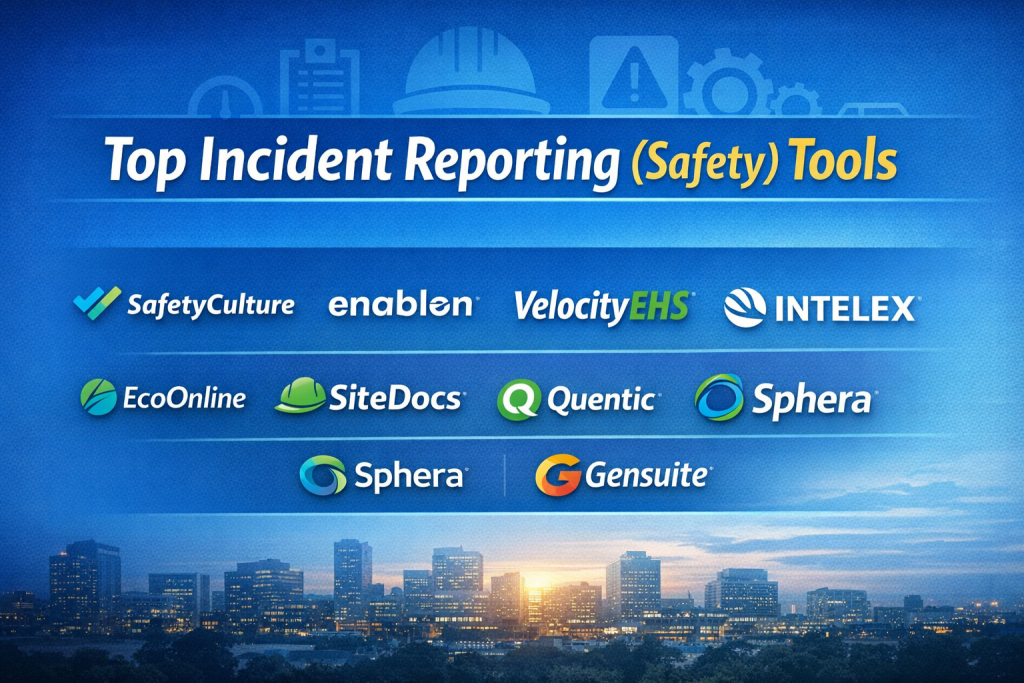
Top 10 Incident Reporting (Safety) Tools
1 — SafetyCulture
Short description:
A widely adopted safety and quality platform known for mobile-first incident reporting and inspections.
Key features:
- Mobile incident and near-miss reporting
- Customizable inspection and incident templates
- Real-time dashboards and analytics
- Photo, video, and signature capture
- Automated corrective actions
- Offline data capture
- Team collaboration tools
Pros:
- Extremely user-friendly mobile experience
- Strong analytics and reporting
Cons:
- Advanced customization can require setup time
- Pricing scales with users
Security & compliance:
SSO, encryption, GDPR-ready, audit logs
Support & community:
Strong documentation, onboarding support, active global user base
2 — Enablon
Short description:
Enterprise-grade EHS and risk management platform with deep incident management capabilities.
Key features:
- End-to-end incident lifecycle management
- Root cause analysis and investigations
- Regulatory reporting automation
- Advanced analytics and BI
- Global compliance frameworks
- Integration with enterprise systems
Pros:
- Highly scalable for global enterprises
- Deep compliance capabilities
Cons:
- Complex implementation
- Premium pricing
Security & compliance:
ISO-aligned controls, SOC frameworks, GDPR support
Support & community:
Dedicated enterprise support, professional services available
3 — VelocityEHS
Short description:
A modern EHS platform focused on usability, safety intelligence, and incident prevention.
Key features:
- Incident and near-miss tracking
- Predictive safety analytics
- Mobile reporting tools
- Corrective action workflows
- Environmental and safety modules
- Custom dashboards
Pros:
- Clean, intuitive interface
- Strong focus on prevention
Cons:
- Limited customization for niche workflows
- Some advanced analytics require add-ons
Security & compliance:
Encryption, GDPR-ready, role-based access
Support & community:
Responsive support team, guided onboarding
4 — Intelex
Short description:
Highly configurable EHSQ platform used by safety-focused organizations worldwide.
Key features:
- Custom incident reporting workflows
- Integrated risk assessments
- Audit and inspection tools
- CAPA tracking
- Real-time reporting
- Mobile access
Pros:
- Very flexible configuration
- Strong compliance support
Cons:
- Interface can feel complex initially
- Setup requires planning
Security & compliance:
SSO, encryption, ISO standards support
Support & community:
Enterprise-level support, extensive documentation
5 — Cority
Short description:
A comprehensive health, safety, and environmental platform with strong incident analytics.
Key features:
- Incident and injury management
- Medical case tracking
- Regulatory reporting
- Advanced analytics
- Workflow automation
- Integration-ready architecture
Pros:
- Excellent reporting depth
- Strong healthcare and industrial fit
Cons:
- Learning curve for new users
- Enterprise-focused pricing
Security & compliance:
HIPAA-ready, GDPR, audit logging
Support & community:
Professional onboarding, strong enterprise support
6 — EcoOnline
Short description:
User-friendly safety and compliance software emphasizing employee participation.
Key features:
- Simple incident and hazard reporting
- Chemical safety modules
- Training and compliance tracking
- Mobile-first reporting
- Real-time dashboards
Pros:
- Easy adoption for frontline workers
- Clean interface
Cons:
- Limited advanced analytics
- Fewer enterprise integrations
Security & compliance:
GDPR-ready, encryption in transit
Support & community:
Helpful onboarding, growing user community
7 — SiteDocs
Short description:
Construction-focused safety software designed for field incident reporting.
Key features:
- Incident and injury reporting
- Digital safety forms
- Toolbox talks
- Mobile offline access
- Supervisor dashboards
Pros:
- Excellent for construction sites
- Offline-first functionality
Cons:
- Limited cross-industry use
- Reporting customization is basic
Security & compliance:
Standard encryption, role-based access
Support & community:
Industry-focused support, practical documentation
8 — Quentic
Short description:
Modular EHS platform with a strong emphasis on transparency and reporting.
Key features:
- Incident and near-miss reporting
- Risk assessments
- Audit management
- Multi-language support
- Custom dashboards
Pros:
- Flexible modular approach
- Strong visualization tools
Cons:
- UI can feel dense
- Advanced features require configuration
Security & compliance:
GDPR, ISO-aligned practices
Support & community:
Structured onboarding, enterprise support
9 — Sphera
Short description:
Enterprise risk and safety management solution with deep analytical capabilities.
Key features:
- Incident investigation workflows
- Root cause and trend analysis
- Regulatory compliance tracking
- Enterprise integrations
- Advanced reporting
Pros:
- Powerful analytics
- Suitable for complex environments
Cons:
- Heavy enterprise focus
- Longer deployment cycles
Security & compliance:
SOC-aligned controls, encryption, audit trails
Support & community:
Dedicated enterprise account management
10 — Gensuite
Short description:
Cloud-based EHS solution emphasizing collaboration and data visibility.
Key features:
- Incident and hazard tracking
- Mobile data capture
- Workflow automation
- Real-time dashboards
- Cross-functional collaboration
Pros:
- Strong collaboration features
- Scalable cloud architecture
Cons:
- UI may feel dated to some users
- Reporting customization varies
Security & compliance:
SSO, GDPR-ready, audit logging
Support & community:
Enterprise support, knowledge base
Comparison Table
| Tool Name | Best For | Platform(s) Supported | Standout Feature | Rating |
|---|---|---|---|---|
| SafetyCulture | SMB to enterprise | Web, iOS, Android | Mobile-first reporting | N/A |
| Enablon | Large enterprises | Web | Deep compliance & risk | N/A |
| VelocityEHS | Safety-driven teams | Web, Mobile | Predictive analytics | N/A |
| Intelex | Regulated industries | Web, Mobile | High configurability | N/A |
| Cority | Healthcare & industry | Web | Advanced analytics | N/A |
| EcoOnline | SMBs | Web, Mobile | Ease of use | N/A |
| SiteDocs | Construction | Web, Mobile | Offline reporting | N/A |
| Quentic | Modular EHS needs | Web | Visual dashboards | N/A |
| Sphera | Complex risk ops | Web | Enterprise analytics | N/A |
| Gensuite | Collaborative teams | Web, Mobile | Cloud collaboration | N/A |
Evaluation & Scoring of Incident Reporting (Safety) Tools
| Criteria | Weight | Score (Avg) |
|---|---|---|
| Core features | 25% | High |
| Ease of use | 15% | Medium–High |
| Integrations & ecosystem | 15% | Medium |
| Security & compliance | 10% | High |
| Performance & reliability | 10% | High |
| Support & community | 10% | Medium–High |
| Price / value | 15% | Medium |
Which Incident Reporting (Safety) Tool Is Right for You?
- Solo users / Small teams: Look for simple, mobile-first tools with minimal setup.
- SMBs: Balance usability with reporting depth and compliance support.
- Mid-market: Prioritize integrations, analytics, and scalable workflows.
- Enterprise: Focus on configurability, global compliance, and advanced security.
Budget-conscious teams should favor ease of use and core reporting.
Premium buyers gain value from analytics, automation, and enterprise support.
Choose feature depth if compliance is critical, or simplicity for frontline adoption.
Frequently Asked Questions (FAQs)
- What is an incident reporting tool?
A system for recording, investigating, and resolving safety-related incidents. - Are mobile apps important for incident reporting?
Yes, they enable real-time reporting directly from the field. - Do these tools support near-miss reporting?
Most modern tools include near-miss tracking. - Are they suitable for small businesses?
Many tools offer SMB-friendly plans and interfaces. - How secure is incident data?
Most platforms use encryption and access controls. - Can reports be customized?
Yes, though depth of customization varies. - Do they integrate with HR systems?
Many enterprise tools support integrations. - How long does implementation take?
From days for simple tools to months for enterprise platforms. - Are these tools industry-specific?
Some are general-purpose; others target construction or healthcare. - What’s the biggest mistake when choosing a tool?
Ignoring frontline usability and adoption.
Conclusion
Incident Reporting (Safety) Tools are essential for building safer, more compliant, and more resilient workplaces. The right platform helps organizations capture incidents early, analyze root causes, and prevent future harm.
There is no universal “best” tool. The ideal choice depends on organization size, industry risk, regulatory needs, budget, and user adoption goals. By focusing on usability, core safety features, and long-term scalability, teams can select a solution that truly strengthens their safety culture rather than just checking a compliance box.

Find Trusted Cardiac Hospitals
Compare heart hospitals by city and services — all in one place.
Explore Hospitals
