
Introduction
Inventory Management Systems (IMS) are software solutions designed to help businesses track, manage, and optimize their inventory across the entire supply chain. From monitoring stock levels and managing purchase orders to forecasting demand and preventing overstock or stockouts, these systems play a critical role in day-to-day operations. In today’s competitive and fast-moving markets, manual inventory tracking or spreadsheets are no longer sufficient for accuracy, scalability, or efficiency.
Inventory management is important because it directly impacts cash flow, customer satisfaction, and operational efficiency. Poor inventory control can lead to lost sales, excess holding costs, wastage, or delayed deliveries. On the other hand, a well-implemented inventory management system enables real-time visibility, better planning, and data-driven decision-making.
Common real-world use cases include retail stock management, warehouse and logistics operations, manufacturing material planning, multi-location inventory tracking, and eCommerce order fulfillment. When choosing an inventory management system, users should evaluate factors such as core features, ease of use, scalability, integration capabilities, reporting depth, security standards, and overall value for money.
Best for: Inventory Management Systems are ideal for retailers, wholesalers, manufacturers, distributors, eCommerce sellers, supply chain managers, operations teams, and finance leaders across startups, SMBs, and large enterprises.
Not ideal for: Very small businesses with extremely simple inventory needs, freelancers, or service-only companies that do not manage physical goods may find these tools unnecessary or overly complex.
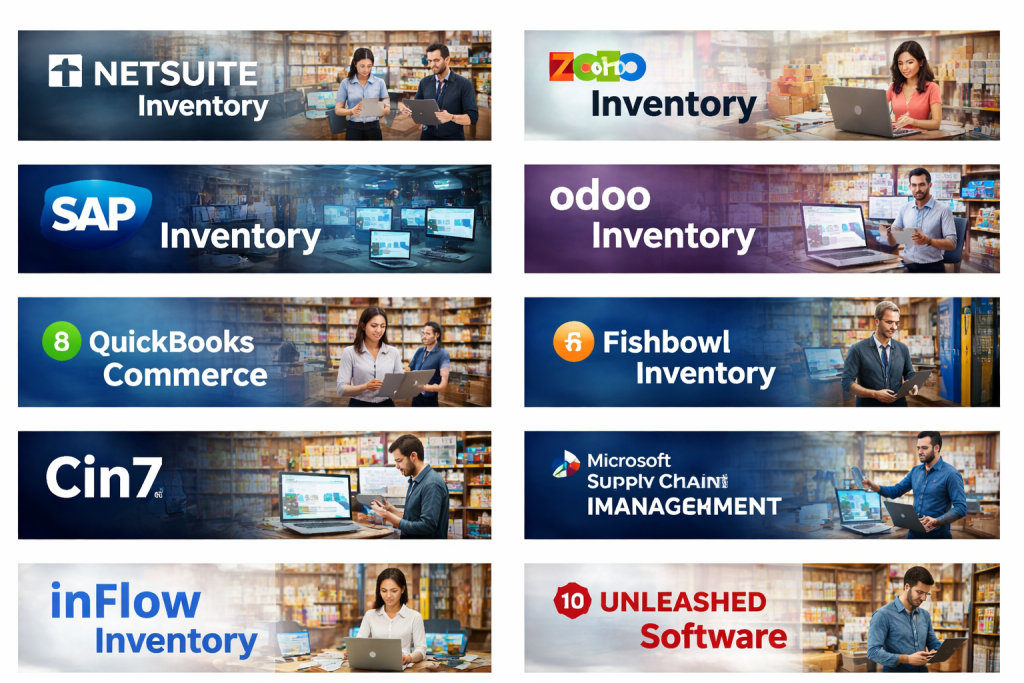
Top 10 Inventory Management Systems Tools
1 — NetSuite Inventory Management
Short description:
NetSuite Inventory Management is an enterprise-grade solution designed for growing and large organizations that need deep visibility across complex supply chains and multiple locations.
Key features:
- Real-time inventory visibility across warehouses
- Demand planning and forecasting
- Multi-location and multi-subsidiary support
- Automated replenishment rules
- Lot and serial number tracking
- Integrated financial and ERP modules
- Advanced reporting and dashboards
Pros:
- Highly scalable for complex operations
- Strong integration with ERP and finance
- Robust automation and controls
Cons:
- High cost compared to SMB tools
- Implementation can be time-consuming
- Requires training for full utilization
Security & compliance:
SSO support, role-based access control, encryption, audit logs, SOC-aligned controls, GDPR support.
Support & community:
Enterprise-level support, detailed documentation, implementation partners, and a strong professional ecosystem.
2 — Zoho Inventory
Short description:
Zoho Inventory is a cloud-based inventory solution tailored for small to mid-sized businesses, especially those already using the Zoho ecosystem.
Key features:
- Inventory tracking across channels
- Order and warehouse management
- Batch and serial number tracking
- Automated stock updates
- Integration with accounting and CRM
- Shipping and fulfillment tools
Pros:
- Affordable pricing for SMBs
- Clean and intuitive interface
- Strong integration within Zoho suite
Cons:
- Limited advanced forecasting
- Not ideal for very large enterprises
- Customization options are limited
Security & compliance:
Encryption in transit and at rest, role-based access, GDPR compliance.
Support & community:
Good documentation, email and chat support, active user community.
3 — SAP Inventory Management
Short description:
SAP Inventory Management is part of the SAP ecosystem, built for enterprises requiring deep control, compliance, and global-scale inventory operations.
Key features:
- Real-time stock monitoring
- Material requirements planning
- Batch and valuation management
- Integration with manufacturing and procurement
- Advanced analytics and reporting
- Global supply chain support
Pros:
- Extremely powerful and comprehensive
- Suitable for regulated industries
- Highly customizable
Cons:
- Expensive licensing and setup
- Steep learning curve
- Overkill for small businesses
Security & compliance:
Enterprise-grade security, audit trails, ISO standards, GDPR support, industry compliance options.
Support & community:
Global support network, extensive documentation, certified consultants.
4 — Odoo Inventory
Short description:
Odoo Inventory is an open and modular inventory solution that fits businesses seeking flexibility and customization at a reasonable cost.
Key features:
- Real-time inventory updates
- Barcode and RFID support
- Multi-warehouse management
- Automated replenishment
- Manufacturing and dropshipping support
- Integration with Odoo ERP modules
Pros:
- Modular and customizable
- Strong open-source ecosystem
- Good balance of features and cost
Cons:
- Requires technical setup for customization
- UI can feel complex initially
- Performance depends on hosting
Security & compliance:
Role-based access, data encryption, compliance varies by deployment.
Support & community:
Strong open-source community, paid enterprise support available.
5 — TradeGecko (QuickBooks Commerce)
Short description:
QuickBooks Commerce is designed for wholesalers and distributors who need simple yet powerful inventory and order management.
Key features:
- Centralized inventory tracking
- Multi-channel order management
- Purchase and sales order automation
- Demand forecasting
- Supplier management
- Accounting integration
Pros:
- Easy to set up and use
- Strong wholesale-focused workflows
- Good reporting for SMBs
Cons:
- Limited advanced customization
- Less suitable for manufacturing
- Feature updates are slower
Security & compliance:
Standard cloud security practices, encryption, GDPR compliance.
Support & community:
Email and help center support, moderate user community.
6 — Fishbowl Inventory
Short description:
Fishbowl Inventory is a popular choice for manufacturers and warehouses that need strong inventory control integrated with accounting systems.
Key features:
- Manufacturing inventory management
- Bill of materials tracking
- Warehouse management
- Barcode scanning
- Order and asset tracking
- Accounting system integration
Pros:
- Strong manufacturing focus
- One-time licensing option
- Good warehouse controls
Cons:
- UI feels dated
- Limited cloud-native features
- Scaling can be challenging
Security & compliance:
Role-based permissions, encryption varies by deployment.
Support & community:
Phone and email support, onboarding assistance, moderate community.
7 — Cin7
Short description:
Cin7 is an all-in-one inventory management platform built for fast-growing retail and eCommerce brands.
Key features:
- Real-time inventory syncing
- POS and eCommerce integrations
- Automated reorder points
- Warehouse management
- Reporting and analytics
- B2B and wholesale support
Pros:
- Excellent for omnichannel retail
- Automation reduces manual work
- Scales well for growing brands
Cons:
- Pricing increases with scale
- Setup can be complex
- Reporting customization is limited
Security & compliance:
Encryption, access controls, GDPR compliance.
Support & community:
Knowledge base, onboarding support, responsive customer service.
8 — Microsoft Dynamics 365 Supply Chain Management
Short description:
Microsoft Dynamics 365 Supply Chain Management is an enterprise-level solution offering advanced inventory and logistics capabilities.
Key features:
- AI-driven demand forecasting
- Real-time inventory insights
- Warehouse and transportation management
- IoT-enabled tracking
- ERP and CRM integration
- Advanced analytics
Pros:
- Deep integration with Microsoft ecosystem
- Highly scalable and flexible
- Strong analytics and AI features
Cons:
- High implementation cost
- Requires experienced consultants
- Learning curve for new users
Security & compliance:
Enterprise-grade security, ISO standards, SOC compliance, GDPR support.
Support & community:
Global enterprise support, extensive documentation, large partner network.
9 — inFlow Inventory
Short description:
inFlow Inventory is a user-friendly inventory management tool aimed at small and mid-sized businesses needing quick setup and clarity.
Key features:
- Stock and order tracking
- Barcode scanning
- Sales and purchase orders
- Inventory forecasting
- Reporting and alerts
- Multi-location support
Pros:
- Very easy to use
- Fast implementation
- Affordable pricing
Cons:
- Limited enterprise features
- Basic analytics
- Fewer integrations
Security & compliance:
Standard cloud security, encryption, access controls.
Support & community:
Helpful documentation, email and chat support, small community.
10 — Unleashed Software
Short description:
Unleashed Software focuses on inventory control for product-based businesses, particularly manufacturers and distributors.
Key features:
- Real-time inventory tracking
- Batch and serial tracking
- Demand planning
- Multi-warehouse support
- Costing and margin analysis
- Accounting integrations
Pros:
- Strong inventory accuracy
- Excellent reporting
- Designed for product businesses
Cons:
- Interface can feel complex
- Pricing may be high for small teams
- Limited customization
Security & compliance:
Encryption, role-based access, GDPR compliance.
Support & community:
Good onboarding, responsive support, growing user community.
Comparison Table
| Tool Name | Best For | Platform(s) Supported | Standout Feature | Rating |
|---|---|---|---|---|
| NetSuite Inventory | Large enterprises | Cloud | ERP-integrated inventory | N/A |
| Zoho Inventory | SMBs | Cloud | Affordability & simplicity | N/A |
| SAP Inventory | Global enterprises | Cloud / On-premise | Enterprise compliance | N/A |
| Odoo Inventory | Customizable setups | Cloud / On-premise | Modular open-source | N/A |
| QuickBooks Commerce | Wholesalers | Cloud | Wholesale workflows | N/A |
| Fishbowl Inventory | Manufacturing | On-premise / Hybrid | BOM management | N/A |
| Cin7 | Omnichannel retail | Cloud | Real-time channel sync | N/A |
| Dynamics 365 SCM | Enterprises | Cloud | AI-driven insights | N/A |
| inFlow Inventory | Small businesses | Cloud / Desktop | Ease of use | N/A |
| Unleashed Software | Product businesses | Cloud | Inventory accuracy | N/A |
Evaluation & Scoring of Inventory Management Systems
| Criteria | Weight | Evaluation Focus |
|---|---|---|
| Core features | 25% | Inventory tracking, automation, forecasting |
| Ease of use | 15% | UI, onboarding, learning curve |
| Integrations & ecosystem | 15% | Accounting, ERP, eCommerce |
| Security & compliance | 10% | Access control, data protection |
| Performance & reliability | 10% | Stability, uptime |
| Support & community | 10% | Documentation, responsiveness |
| Price / value | 15% | Cost vs features |
Which Inventory Management Systems Tool Is Right for You?
Choosing the right inventory management system depends on your business size, complexity, and goals.
- Solo users or very small teams: Lightweight tools with simple interfaces and low costs work best.
- SMBs: Look for balanced solutions offering automation, integrations, and affordability.
- Mid-market companies: Focus on scalability, multi-location support, and analytics.
- Enterprises: Prioritize advanced forecasting, compliance, ERP integration, and security.
Budget-conscious businesses should focus on core features and ease of use, while premium solutions are better suited for complex operations. If integrations and scalability are critical, choose platforms with strong ecosystems. For regulated industries, security and compliance should be non-negotiable.
Frequently Asked Questions (FAQs)
1. What is an Inventory Management System?
It is software that helps track, manage, and optimize stock levels across the supply chain.
2. Who needs inventory management software?
Retailers, manufacturers, wholesalers, distributors, and eCommerce businesses.
3. Can small businesses use inventory management systems?
Yes, many tools are designed specifically for small and growing businesses.
4. Are cloud-based inventory systems secure?
Most modern systems use encryption and access controls to protect data.
5. How long does implementation take?
It ranges from a few days for simple tools to several months for enterprise systems.
6. Do these tools support multiple warehouses?
Most mid-market and enterprise tools support multi-location inventory.
7. Can inventory systems integrate with accounting software?
Yes, integration with accounting and ERP systems is common.
8. What are common mistakes when choosing an inventory tool?
Overbuying features, ignoring scalability, and underestimating training needs.
9. Are open-source inventory systems reliable?
They can be reliable but often require technical expertise for maintenance.
10. Is there a single best inventory management system?
No, the best system depends on business size, complexity, and requirements.
Conclusion
Inventory Management Systems are essential for businesses that deal with physical products and complex supply chains. The right tool can reduce costs, improve customer satisfaction, and enable smarter decision-making. Key factors to consider include core features, ease of use, integrations, security, and overall value.
There is no universal “best” inventory management system. Each solution serves different business needs, industries, and scales. By clearly understanding your requirements and evaluating tools accordingly, you can select a system that supports your growth today and adapts to your future needs.

Find Trusted Cardiac Hospitals
Compare heart hospitals by city and services — all in one place.
Explore Hospitals
This is a really clear and helpful comparison of inventory management systems! I like how each tool is broken down with simple explanations of its features along with practical pros and cons — it makes choosing the right solution much easier. For anyone trying to streamline stock control, prevent shortages, or improve order accuracy, this article gives great insights without being overwhelming. Very useful overview!