
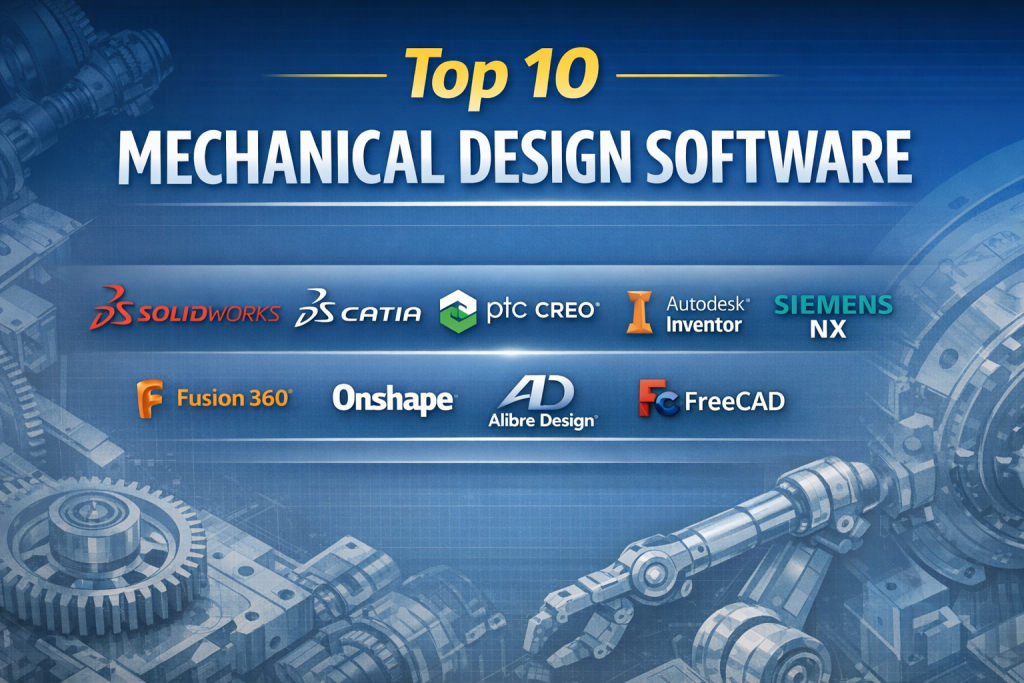
Introduction
Mechanical Design Software is the backbone of modern engineering and manufacturing. It enables engineers, designers, and product development teams to conceptualize, model, simulate, and refine mechanical components and assemblies before they are physically built. From a single precision gear to complex automotive or aerospace systems, these tools help transform ideas into manufacturable, high-quality products.
The importance of mechanical design software lies in accuracy, speed, and risk reduction. Digital design eliminates costly trial-and-error, reduces material waste, and allows teams to detect errors early in the design lifecycle. It also supports collaboration across disciplines—design, analysis, manufacturing, and quality—within a single digital workflow.
Real-world use cases include product design, machine design, tooling and fixture development, sheet metal fabrication, plastic part design, industrial equipment engineering, and integration with simulation and manufacturing systems.
When choosing a mechanical design tool, users should evaluate parametric modeling strength, assembly handling, simulation capabilities, manufacturability tools, interoperability, performance, ease of use, and long-term scalability. Licensing flexibility, ecosystem maturity, and enterprise readiness are also critical considerations.
Best for:
Mechanical engineers, product designers, CAD professionals, manufacturers, startups building physical products, SMB engineering teams, and large enterprises in automotive, aerospace, industrial machinery, electronics, and consumer goods.
Not ideal for:
Teams focused only on architectural drafting, pure 2D documentation, non-engineering creative design, or organizations that require only lightweight visualization without parametric modeling or engineering accuracy.
Top 10 Mechanical Design Software Tools
1 — SolidWorks
Short description:
A widely adopted parametric 3D CAD platform known for its balance of power, usability, and strong ecosystem. Designed for mechanical engineers and product designers across industries.
Key features
- Parametric solid and surface modeling
- Advanced assembly design and configuration management
- Integrated simulation and motion analysis
- Sheet metal, weldments, and mold tools
- Drawing automation and BOM generation
- Extensive add-ins and partner ecosystem
Pros
- Intuitive interface with short learning curve
- Strong industry adoption and talent availability
Cons
- Premium licensing cost
- Performance can degrade with very large assemblies
Security & compliance:
SSO support, data encryption, role-based access; compliance varies by deployment.
Support & community:
Excellent documentation, large global community, strong reseller and enterprise support.
2 — CATIA
Short description:
A high-end mechanical design and PLM solution built for complex, large-scale engineering projects in regulated industries.
Key features
- Advanced parametric and surface modeling
- Multi-disciplinary engineering support
- Digital mock-up for large assemblies
- Integrated PLM and lifecycle management
- High-precision geometry handling
- Industry-specific workbenches
Pros
- Unmatched capability for complex systems
- Deep integration with enterprise PLM
Cons
- Very steep learning curve
- High implementation and licensing cost
Security & compliance:
Enterprise-grade security, access controls, auditability, ISO-aligned processes.
Support & community:
Strong enterprise support, structured training, smaller but expert-level community.
3 — PTC Creo
Short description:
A robust parametric and direct modeling platform emphasizing performance, scalability, and advanced engineering workflows.
Key features
- Parametric, direct, and freestyle modeling
- Large assembly performance optimization
- Integrated simulation and generative design
- Additive and subtractive manufacturing tools
- Model-based definition (MBD)
- Augmented reality visualization
Pros
- Excellent handling of large assemblies
- Strong innovation roadmap
Cons
- Interface less intuitive for beginners
- Smaller user base compared to peers
Security & compliance:
SSO, encryption, enterprise access controls; compliance varies.
Support & community:
Solid enterprise support, professional documentation, moderate community size.
4 — Autodesk Inventor
Short description:
A professional mechanical design tool focused on parametric modeling, automation, and seamless integration with manufacturing workflows.
Key features
- Parametric and assembly modeling
- Sheet metal and frame generator
- Integrated stress and motion analysis
- Rule-based design automation
- Drawing and documentation tools
- Strong interoperability with Autodesk ecosystem
Pros
- Good value within Autodesk suite
- Strong automation and configurability
Cons
- Less advanced surfacing than premium tools
- Best value only within Autodesk workflows
Security & compliance:
SSO, cloud security controls, compliance varies by subscription tier.
Support & community:
Extensive documentation, large user base, reliable professional support.
5 — Siemens NX
Short description:
An integrated CAD/CAM/CAE platform designed for high-performance mechanical engineering and manufacturing environments.
Key features
- Advanced parametric and direct modeling
- High-end surface and freeform design
- Integrated simulation and manufacturing
- Digital twin and systems engineering
- Large assembly optimization
- Enterprise PLM integration
Pros
- Exceptional precision and scalability
- Single platform for design to manufacturing
Cons
- Complex setup and learning curve
- Premium enterprise pricing
Security & compliance:
Enterprise-grade security, audit trails, ISO-aligned compliance.
Support & community:
Strong enterprise support, structured training, professional user base.
6 — Fusion 360
Short description:
A cloud-connected design platform combining CAD, CAM, and simulation for agile teams and modern product development.
Key features
- Parametric and direct modeling
- Integrated CAM and simulation
- Cloud collaboration and version control
- Generative design tools
- Electronics and PCB integration
- Cross-platform accessibility
Pros
- Affordable and modern workflow
- Excellent collaboration capabilities
Cons
- Cloud dependency may limit offline work
- Less depth for very complex assemblies
Security & compliance:
Cloud encryption, access control; compliance varies by region.
Support & community:
Active community, good tutorials, responsive vendor support.
#7 — Onshape
Short description:
A fully cloud-native mechanical design platform built for real-time collaboration and version control.
Key features
- Browser-based parametric modeling
- Real-time multi-user collaboration
- Built-in versioning and branching
- Assembly and drawing tools
- API-driven extensibility
- Zero local installation
Pros
- Excellent collaboration and access control
- No hardware or installation overhead
Cons
- Internet dependency
- Advanced features require higher tiers
Security & compliance:
Strong cloud security, SSO, SOC-aligned practices.
Support & community:
Good documentation, growing community, enterprise-grade support.
8 — Alibre Design
Short description:
A cost-effective parametric CAD solution tailored for small businesses and independent professionals.
Key features
- Solid and assembly modeling
- Sheet metal tools
- 2D drawings and BOM
- Direct and parametric workflows
- Local data ownership
- Lightweight system requirements
Pros
- Affordable one-time licensing options
- Simple and efficient workflow
Cons
- Limited advanced surfacing
- Smaller ecosystem
Security & compliance:
Local security depends on deployment; minimal compliance certifications.
Support & community:
Responsive support, smaller but helpful user community.
9— FreeCAD
Short description:
An open-source parametric 3D CAD platform suitable for experimentation, education, and basic mechanical design.
Key features
- Parametric solid modeling
- Modular workbench architecture
- Scriptable with Python
- Community-driven extensions
- Cross-platform support
- Open file formats
Pros
- Free and open source
- Highly customizable
Cons
- Steep learning curve
- Limited professional support
Security & compliance:
N/A (open-source, self-managed).
Support & community:
Active community forums, documentation varies in quality.
10 — DraftSight
Short description:
A CAD solution primarily focused on 2D drafting with supplementary 3D capabilities for mechanical documentation.
Key features
- Professional 2D drafting tools
- DWG compatibility
- Basic 3D modeling
- API customization
- Familiar CAD interface
- Lightweight performance
Pros
- Easy transition from traditional CAD
- Cost-effective for drafting-centric teams
Cons
- Limited advanced 3D design tools
- Not ideal for complex assemblies
Security & compliance:
Standard desktop security; compliance varies.
Support & community:
Good documentation, moderate user community, commercial support available.
Comparison Table
| Tool Name | Best For | Platform(s) Supported | Standout Feature | Rating |
|---|---|---|---|---|
| SolidWorks | General mechanical design | Windows | Ease of use + ecosystem | N/A |
| CATIA | Complex enterprise systems | Windows | Advanced surface & PLM | N/A |
| PTC Creo | Large assemblies | Windows | Performance scalability | N/A |
| Autodesk Inventor | Manufacturing workflows | Windows | Design automation | N/A |
| Siemens NX | End-to-end engineering | Windows | Integrated CAD/CAM/CAE | N/A |
| Fusion 360 | Agile product teams | Windows, macOS | Cloud collaboration | N/A |
| Onshape | Distributed teams | Browser-based | Real-time collaboration | N/A |
| Alibre Design | SMBs and freelancers | Windows | Cost efficiency | N/A |
| FreeCAD | Education & hobbyists | Cross-platform | Open source flexibility | N/A |
| DraftSight | 2D-centric design | Windows, macOS | Drafting efficiency | N/A |
Evaluation & Scoring of Mechanical Design Software
| Tool | Core Features (25%) | Ease of Use (15%) | Integrations (15%) | Security (10%) | Performance (10%) | Support (10%) | Price / Value (15%) | Total Score |
|---|---|---|---|---|---|---|---|---|
| SolidWorks | 23 | 14 | 14 | 8 | 8 | 9 | 10 | 86 |
| CATIA | 25 | 8 | 15 | 10 | 9 | 9 | 5 | 81 |
| PTC Creo | 24 | 10 | 14 | 9 | 9 | 8 | 7 | 81 |
| Inventor | 22 | 13 | 14 | 8 | 8 | 9 | 11 | 85 |
| Siemens NX | 25 | 9 | 15 | 10 | 10 | 9 | 5 | 83 |
| Fusion 360 | 20 | 14 | 13 | 8 | 7 | 8 | 14 | 84 |
| Onshape | 19 | 14 | 12 | 9 | 7 | 8 | 13 | 82 |
| Alibre | 18 | 13 | 10 | 6 | 7 | 7 | 14 | 75 |
| FreeCAD | 15 | 8 | 9 | 5 | 6 | 6 | 15 | 64 |
| DraftSight | 14 | 13 | 8 | 6 | 7 | 7 | 13 | 68 |
Which Mechanical Design Software Tool Is Right for You?
- Solo users & freelancers: Affordable tools like Fusion 360, Alibre Design, or FreeCAD offer strong value with manageable complexity.
- SMBs: SolidWorks and Inventor provide balanced features, productivity, and support.
- Mid-market & enterprise: Siemens NX, CATIA, and PTC Creo excel in scalability, compliance, and complex systems.
- Budget-conscious teams: Open-source or subscription-based tools reduce upfront costs.
- Premium needs: High-end tools deliver precision, simulation depth, and lifecycle integration.
- Ease vs depth: Beginners benefit from intuitive platforms, while advanced teams need deeper parametric control.
- Integration & scalability: Enterprise workflows demand PLM, ERP, and manufacturing integration.
- Security & compliance: Regulated industries should prioritize enterprise-grade access control and auditability.
Frequently Asked Questions (FAQs)
1. What is mechanical design software used for?
It is used to design, model, and document mechanical components and assemblies digitally.
2. Is mechanical design software only for large companies?
No. Tools range from free open-source solutions to enterprise platforms.
3. Do I need simulation features?
Simulation is helpful for validation but not mandatory for all projects.
4. Are cloud-based tools secure?
Most modern platforms use encryption and enterprise-grade access controls.
5. Which tool is easiest for beginners?
User-friendly interfaces and tutorials make some tools easier to learn.
6. Can these tools handle manufacturing workflows?
Many integrate directly with CAM and production systems.
7. How important is community support?
Strong communities reduce learning time and problem-solving effort.
8. Are open-source tools viable professionally?
They work well for basic needs but may lack enterprise support.
9. What mistakes do buyers commonly make?
Overbuying complexity or underestimating future scalability.
10. Is there a single best tool for everyone?
No. The best choice depends on workflow, budget, and complexity.
Conclusion
Mechanical design software is a critical investment that shapes product quality, speed to market, and engineering efficiency. From cost-effective solutions for individuals to enterprise-grade platforms powering global manufacturing, the market offers tools for every need.
What matters most is alignment with your workflow, team size, technical depth, and long-term goals. The “best” mechanical design software is not a universal winner—it is the one that fits your specific design challenges, integrates smoothly into your ecosystem, and scales with your ambitions.

Find Trusted Cardiac Hospitals
Compare heart hospitals by city and services — all in one place.
Explore Hospitals