
Introduction
Medical Imaging PACS (Picture Archiving and Communication Systems) are the digital backbone of modern radiology and diagnostic workflows. These systems store, retrieve, manage, and distribute medical images—such as X-rays, CT scans, MRIs, ultrasounds, and mammography—across hospitals, diagnostic centers, and clinics. By replacing physical film and manual processes, PACS systems enable faster diagnosis, improved collaboration, and safer long-term image storage.
In today’s healthcare environment, PACS is no longer just a radiology tool. It plays a critical role in clinical decision-making, tele-radiology, multidisciplinary care, and regulatory compliance. From emergency departments needing instant image access to large hospital networks managing millions of studies, PACS systems help ensure accuracy, efficiency, and continuity of care.
When choosing a Medical Imaging PACS system, buyers should evaluate image quality, performance speed, scalability, interoperability (DICOM/HL7/FHIR), security and compliance, cloud vs on-premise deployment, workflow customization, AI-readiness, and total cost of ownership. The right PACS can significantly improve productivity and patient outcomes—while the wrong choice can slow operations and increase risk.
Best for:
Radiologists, imaging centers, hospitals, multi-specialty clinics, teleradiology providers, and healthcare networks of all sizes that rely heavily on diagnostic imaging.
Not ideal for:
Small practices with minimal imaging volume, facilities relying entirely on outsourced imaging, or non-clinical organizations where simpler image viewers or EHR-integrated viewers may suffice.
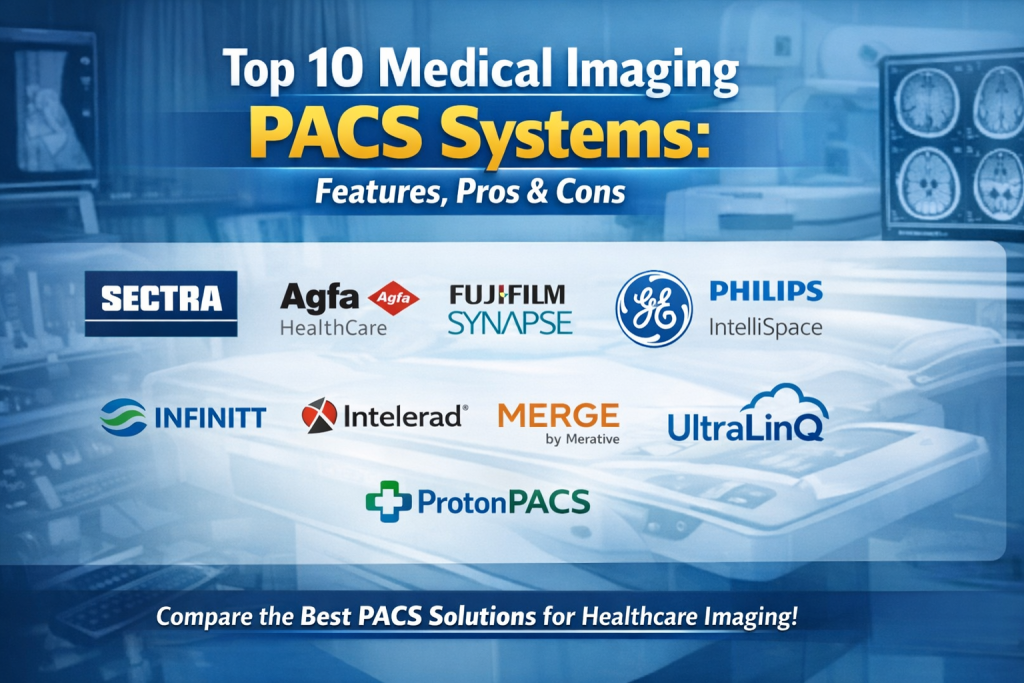
Top 10 Medical Imaging PACS Systems Tools
1 — GE Healthcare Centricity PACS
Short description:
An enterprise-grade PACS designed for large hospitals and imaging networks requiring high performance, advanced workflows, and deep radiology integration.
Key features
- High-speed image acquisition and rendering
- Advanced diagnostic viewers and tools
- Tight integration with RIS and EHR systems
- Supports large-scale, multi-site deployments
- Vendor-neutral image management options
- Workflow automation for radiology departments
Pros
- Extremely robust for high imaging volumes
- Strong reputation in enterprise healthcare
Cons
- Higher cost of ownership
- Requires experienced IT resources
Security & compliance
HIPAA-aligned, encryption, role-based access, audit trails, enterprise security controls
Support & community
Enterprise-grade support, structured onboarding, strong documentation, global presence
2 — Philips IntelliSpace PACS
Short description:
A comprehensive imaging platform built for integrated diagnostics, collaboration, and advanced visualization.
Key features
- Unified diagnostic workspace
- Multi-modality image support
- Advanced visualization and reporting
- Strong cardiology and radiology workflows
- Interoperability with enterprise systems
- Scalable on-prem and hybrid deployments
Pros
- Excellent image quality and visualization
- Strong clinical workflow design
Cons
- Premium pricing
- Customization may require vendor support
Security & compliance
HIPAA, GDPR-ready, encryption, access controls, audit logging
Support & community
Strong enterprise support, training programs, global clinical user base
3 — Siemens Healthineers Syngo Carbon
Short description:
A modern, cloud-ready PACS ecosystem focused on scalability, interoperability, and AI-enabled imaging workflows.
Key features
- Cloud-native architecture
- AI and advanced analytics integration
- Vendor-neutral image management
- Cross-department imaging support
- High availability and disaster recovery
- Enterprise interoperability
Pros
- Future-ready cloud design
- Strong performance across large networks
Cons
- Implementation complexity
- Best suited for larger organizations
Security & compliance
HIPAA, GDPR, ISO-aligned controls, encryption, audit trails
Support & community
Enterprise support, strong documentation, growing user community
4 — Agfa HealthCare Enterprise Imaging
Short description:
A vendor-neutral PACS platform designed for enterprise-wide imaging beyond radiology.
Key features
- Vendor-neutral archive (VNA)
- Enterprise imaging across specialties
- Unified viewer for all imaging types
- Strong lifecycle management
- Scalable multi-site deployment
- Standards-based interoperability
Pros
- Excellent for large health systems
- Reduces vendor lock-in
Cons
- Requires careful planning
- Higher upfront investment
Security & compliance
HIPAA, GDPR, encryption, access controls, audit logs
Support & community
Enterprise support, structured onboarding, strong healthcare presence
5 — Sectra PACS
Short description:
A highly secure, performance-focused PACS widely used in radiology and defense healthcare environments.
Key features
- High-speed image handling
- Strong cybersecurity architecture
- Modular radiology workflows
- Vendor-neutral capabilities
- Scalable enterprise deployment
- Integrated reporting tools
Pros
- Excellent security reputation
- Fast and reliable performance
Cons
- Limited small-practice focus
- Premium pricing
Security & compliance
HIPAA, GDPR, ISO-certified security practices, encryption, auditing
Support & community
High-quality enterprise support, strong European and global adoption
6 — FUJIFILM Healthcare Synapse PACS
Short description:
A flexible and efficient PACS solution suitable for hospitals, imaging centers, and outpatient facilities.
Key features
- Fast image loading and display
- Multi-modality support
- Web-based and desktop viewers
- Customizable workflows
- Strong integration options
- Cloud and on-prem support
Pros
- User-friendly interface
- Reliable performance
Cons
- Advanced analytics may be limited
- Some features require add-ons
Security & compliance
HIPAA-aligned, encryption, access controls, audit trails
Support & community
Good documentation, responsive support, broad clinical adoption
7 — Carestream Health Vue PACS
Short description:
A cost-effective PACS solution designed for imaging centers and mid-sized healthcare organizations.
Key features
- Multi-modality image management
- Diagnostic-quality viewers
- Workflow automation tools
- Integration with RIS and EHR
- Flexible deployment models
- Scalable architecture
Pros
- Competitive pricing
- Solid core PACS functionality
Cons
- UI feels dated to some users
- Limited AI-native features
Security & compliance
HIPAA-aligned, encryption, role-based access, audit logs
Support & community
Reliable support, practical documentation, established user base
8 — Novarad NovaPACS
Short description:
A modern, cloud-friendly PACS built for flexibility, remote access, and teleradiology workflows.
Key features
- Cloud and hybrid deployment
- Zero-footprint web viewer
- Strong teleradiology support
- AI integration readiness
- Fast image streaming
- Custom workflow tools
Pros
- Excellent for remote reading
- Modern UI and accessibility
Cons
- Smaller ecosystem than major vendors
- Advanced enterprise features may vary
Security & compliance
HIPAA-aligned, encryption, secure access, audit trails
Support & community
Responsive support, growing community, good onboarding
9 — RamSoft PowerServer PACS
Short description:
A cloud-native PACS designed for imaging centers and radiology groups seeking agility and scalability.
Key features
- Cloud-first architecture
- Vendor-neutral imaging
- Integrated workflow and reporting
- Built-in disaster recovery
- Scalable subscription model
- Web-based access
Pros
- Lower infrastructure overhead
- Fast deployment
Cons
- Cloud dependence may concern some users
- Limited customization for niche workflows
Security & compliance
HIPAA-aligned, encryption, access controls, audit logs
Support & community
Good customer support, modern documentation, active user base
10 — INFINITT Healthcare PACS
Short description:
A feature-rich PACS platform supporting advanced radiology workflows and enterprise imaging needs.
Key features
- Advanced diagnostic tools
- Multi-modality image handling
- Workflow automation
- Vendor-neutral capabilities
- Customizable reporting
- Enterprise scalability
Pros
- Strong clinical functionality
- Flexible workflow configuration
Cons
- UI learning curve
- Implementation planning required
Security & compliance
HIPAA, GDPR-ready, encryption, role-based access, audit logging
Support & community
Enterprise support options, solid documentation, global user presence
Comparison Table
| Tool Name | Best For | Platform(s) Supported | Standout Feature | Rating |
|---|---|---|---|---|
| GE Centricity PACS | Large hospitals | On-prem, hybrid | Enterprise performance | N/A |
| Philips IntelliSpace | Integrated diagnostics | On-prem, hybrid | Advanced visualization | N/A |
| Siemens Syngo Carbon | Health systems | Cloud, hybrid | AI-ready architecture | N/A |
| Agfa Enterprise Imaging | Multi-site networks | On-prem, hybrid | Vendor-neutral imaging | N/A |
| Sectra PACS | Secure environments | On-prem, hybrid | Cybersecurity strength | N/A |
| Fujifilm Synapse | Hospitals & clinics | Cloud, on-prem | Speed and usability | N/A |
| Carestream Vue PACS | Imaging centers | On-prem, hybrid | Cost efficiency | N/A |
| Novarad NovaPACS | Teleradiology | Cloud, hybrid | Remote access | N/A |
| RamSoft PowerServer | Imaging groups | Cloud | Cloud-native PACS | N/A |
| INFINITT PACS | Radiology departments | On-prem, hybrid | Workflow customization | N/A |
Evaluation & Scoring of Medical Imaging PACS Systems
| Criteria | Weight | Evaluation Focus |
|---|---|---|
| Core features | 25% | Image quality, modality support, workflows |
| Ease of use | 15% | UI, learning curve, efficiency |
| Integrations & ecosystem | 15% | EHR, RIS, VNA, standards |
| Security & compliance | 10% | HIPAA, GDPR, encryption |
| Performance & reliability | 10% | Speed, uptime, scalability |
| Support & community | 10% | Training, responsiveness |
| Price / value | 15% | Cost vs functionality |
Which Medical Imaging PACS Systems Tool Is Right for You?
- Solo users & small clinics: Look for cloud-based, easy-to-deploy PACS with minimal IT overhead.
- SMBs & imaging centers: Balance cost, performance, and workflow customization.
- Mid-market hospitals: Focus on scalability, integration, and diagnostic tools.
- Enterprise health systems: Prioritize vendor-neutral imaging, security, and multi-site performance.
Budget-conscious buyers may prefer cloud-native solutions, while premium users may value advanced visualization and enterprise integrations. Always align features with compliance and growth needs.
Frequently Asked Questions (FAQs)
1. What is a PACS system used for?
It stores, manages, and distributes medical images digitally across healthcare facilities.
2. Is PACS only for radiology?
No, modern PACS supports cardiology, pathology, orthopedics, and more.
3. Cloud vs on-prem PACS—what’s better?
Cloud offers flexibility; on-prem offers control. Choice depends on compliance and IT strategy.
4. Are PACS systems secure?
Most enterprise PACS include encryption, access controls, and audit logs.
5. Can PACS integrate with EHR systems?
Yes, most support standard healthcare integrations.
6. How scalable are PACS platforms?
Leading systems scale from small clinics to multi-hospital networks.
7. Do PACS systems support AI?
Many modern platforms are AI-ready or already integrated.
8. What are common PACS implementation mistakes?
Underestimating data migration and workflow planning.
9. How long does deployment take?
From weeks for cloud PACS to months for enterprise deployments.
10. Is vendor-neutral PACS important?
Yes, it prevents lock-in and supports long-term flexibility.
Conclusion
Medical Imaging PACS systems are essential to efficient, accurate, and secure diagnostic imaging. The best platforms combine high performance, strong security, seamless integration, and scalable architecture. There is no single “best” PACS for everyone—the right choice depends on your organization’s size, imaging volume, budget, compliance requirements, and future growth plans. By carefully evaluating these factors, healthcare organizations can select a PACS solution that truly supports better clinical outcomes and operational excellence.

Find Trusted Cardiac Hospitals
Compare heart hospitals by city and services — all in one place.
Explore Hospitals