
Introduction
Meeting Notes Automation Tools are software solutions designed to capture, transcribe, summarize, and organize meeting conversations automatically. Instead of relying on manual note-taking—which is often incomplete, inconsistent, and distracting—these tools listen to meetings in real time or from recordings and convert discussions into structured, searchable notes.
In today’s fast-paced work environment, meetings generate a massive amount of information: decisions, tasks, deadlines, risks, and follow-ups. When these details are missed or poorly documented, teams face misalignment, delays, and accountability gaps. Meeting notes automation tools solve this problem by turning conversations into reliable knowledge assets.
Why Meeting Notes Automation Tools Matter
- Reduce cognitive load during meetings
- Ensure key decisions and action items are never lost
- Improve collaboration across distributed and remote teams
- Create a searchable record of institutional knowledge
Common Real-World Use Cases
- Leadership and board meetings
- Sales discovery and customer calls
- Product planning and sprint reviews
- HR interviews and performance discussions
- Compliance-driven or regulated meetings
What to Look for When Choosing a Tool (Evaluation Criteria)
- Accuracy of transcription and summaries
- Speaker identification and context awareness
- Action item extraction and follow-up tracking
- Integrations with calendars, video tools, and CRMs
- Security, privacy, and compliance controls
- Ease of use and onboarding
Best for:
Meeting Notes Automation Tools are ideal for knowledge workers, managers, consultants, sales teams, product teams, founders, and enterprises that rely heavily on meetings for decision-making. They are especially valuable for remote-first organizations, fast-growing startups, and compliance-sensitive industries.
Not ideal for:
Teams that rarely hold meetings, organizations with strict no-recording policies, or environments where conversations are highly informal and not decision-driven may find limited value.
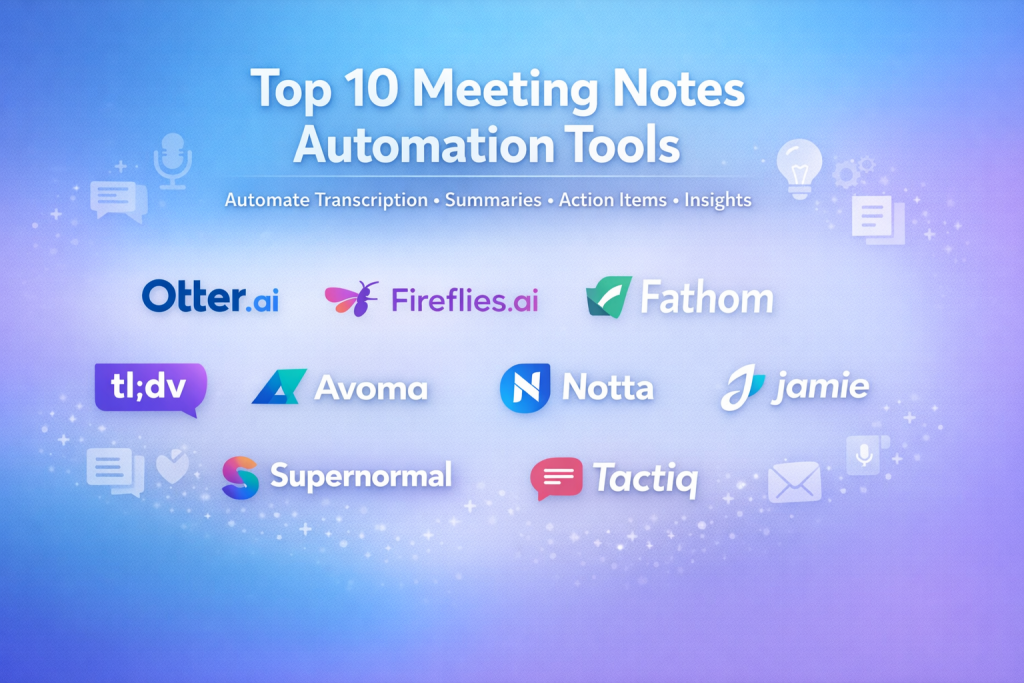
Top 10 Meeting Notes Automation Tools
1 — Otter.ai
Short description:
Otter.ai is a widely adopted AI meeting assistant that provides real-time transcription, summaries, and searchable notes for individuals and teams.
Key features
- Live transcription during meetings
- Automated meeting summaries
- Speaker identification
- Keyword search across conversations
- Action item detection
- Collaboration and shared folders
Pros
- High transcription accuracy
- Very easy to get started
- Strong collaboration features
Cons
- Advanced features require paid plans
- Limited customization for summaries
Security & compliance:
Encryption in transit and at rest, GDPR aligned, SOC 2 Type II.
Support & community:
Good documentation, responsive support, large user base.
2 — Fireflies.ai
Short description:
Fireflies.ai focuses on automated meeting recording, transcription, and actionable insights, particularly for sales and customer conversations.
Key features
- Automatic meeting recording
- AI-generated summaries
- Topic and sentiment analysis
- CRM and productivity integrations
- Searchable meeting library
- Team analytics dashboard
Pros
- Strong automation with minimal setup
- Excellent integration ecosystem
- Useful analytics for managers
Cons
- Can feel complex for solo users
- UI may overwhelm first-time users
Security & compliance:
SOC 2 Type II, GDPR compliant, SSO available.
Support & community:
Solid onboarding guides and enterprise-grade support.
3 — Fathom
Short description:
Fathom is a lightweight meeting notes tool designed for professionals who want quick summaries without heavy configuration.
Key features
- Automatic recording and transcription
- Highlight key moments
- Instant post-meeting summaries
- CRM syncing for sales calls
- Speaker-based segmentation
Pros
- Extremely simple to use
- Fast summaries
- Clean, minimal interface
Cons
- Limited customization
- Fewer analytics features
Security & compliance:
Encryption at rest and in transit, GDPR aligned.
Support & community:
Good documentation, smaller but active user community.
4 — Sembly
Short description:
Sembly provides enterprise-grade meeting intelligence with deep analysis of discussions, risks, and commitments.
Key features
- Automated transcription and summaries
- Decision and task detection
- Multi-meeting insights
- Enterprise analytics
- Cross-team knowledge base
Pros
- Strong intelligence beyond transcription
- Suitable for large organizations
- Advanced analytics
Cons
- Learning curve for new users
- Premium pricing
Security & compliance:
SOC 2, GDPR, enterprise security controls.
Support & community:
Enterprise onboarding and dedicated support.
5 — tl;dv
Short description:
tl;dv focuses on async collaboration by letting teams record meetings and share key moments instead of full replays.
Key features
- Meeting recording and transcription
- Timestamped highlights
- Async sharing of insights
- Multi-language support
- Team libraries
Pros
- Great for remote teams
- Encourages async culture
- Simple sharing model
Cons
- Limited AI analysis
- Not ideal for compliance use cases
Security & compliance:
GDPR compliant, encryption enabled.
Support & community:
Helpful documentation and growing community.
6 — Avoma
Short description:
Avoma blends meeting notes automation with revenue intelligence, making it popular among sales-driven teams.
Key features
- AI transcription and summaries
- Agenda and note templates
- Deal intelligence
- Coaching insights
- CRM integration
Pros
- Excellent for sales and customer success
- Structured meeting workflows
- Strong analytics
Cons
- Overkill for non-sales teams
- Higher cost
Security & compliance:
SOC 2 Type II, GDPR compliant.
Support & community:
Strong customer success focus and onboarding.
7 — Notta
Short description:
Notta emphasizes fast, accurate transcription with support for multiple languages and export formats.
Key features
- Real-time transcription
- Multi-language support
- Audio and video imports
- Text editing and export
- Cloud sync
Pros
- High transcription speed
- Language flexibility
- Affordable pricing
Cons
- Limited summary intelligence
- Fewer enterprise controls
Security & compliance:
Encryption enabled, GDPR aligned.
Support & community:
Decent documentation and email support.
8 — Jamie AI
Short description:
Jamie AI creates concise meeting summaries without requiring bots to join meetings.
Key features
- Privacy-focused note creation
- Automatic summaries
- Works from audio sources
- No meeting interruption
- Clean output format
Pros
- Strong privacy stance
- Minimal intrusion
- Clear summaries
Cons
- No live transcription
- Limited integrations
Security & compliance:
Strong data privacy focus, GDPR compliant.
Support & community:
Smaller community, responsive support.
9 — Supernormal
Short description:
Supernormal automatically generates structured notes from meetings, focusing on clarity and readability.
Key features
- Auto-generated meeting notes
- Topic-based summaries
- Collaboration tools
- Calendar integration
- Export to documentation tools
Pros
- Clean, readable notes
- Easy collaboration
- Good formatting
Cons
- Limited analytics
- Smaller integration set
Security & compliance:
Encryption, GDPR aligned.
Support & community:
Good onboarding materials and tutorials.
10 — Tactiq
Short description:
Tactiq is a lightweight transcription tool designed for quick note capture during live meetings.
Key features
- Live captions
- Manual highlights
- Exportable notes
- Works without recording
- Browser-based usage
Pros
- Simple and fast
- No recording required
- Affordable
Cons
- Manual effort required
- Limited automation
Security & compliance:
Varies / N/A.
Support & community:
Basic documentation and email support.
Comparison Table
| Tool Name | Best For | Platform(s) Supported | Standout Feature | Rating |
|---|---|---|---|---|
| Otter.ai | Teams & individuals | Web, mobile | Real-time transcription | N/A |
| Fireflies.ai | Sales & ops teams | Web | Deep integrations | N/A |
| Fathom | Solo professionals | Web | Instant summaries | N/A |
| Sembly | Enterprises | Web | Meeting intelligence | N/A |
| tl;dv | Remote teams | Web | Async sharing | N/A |
| Avoma | Sales-led orgs | Web | Revenue insights | N/A |
| Notta | Multilingual users | Web, mobile | Language support | N/A |
| Jamie AI | Privacy-focused users | Desktop | Bot-free summaries | N/A |
| Supernormal | Documentation teams | Web | Structured notes | N/A |
| Tactiq | Quick note takers | Browser | Live captions | N/A |
Evaluation & Scoring of Meeting Notes Automation Tools
| Criteria | Weight | Description |
|---|---|---|
| Core features | 25% | Transcription, summaries, action items |
| Ease of use | 15% | Setup, UI, learning curve |
| Integrations & ecosystem | 15% | Calendar, CRM, collaboration tools |
| Security & compliance | 10% | Data protection, certifications |
| Performance & reliability | 10% | Accuracy and uptime |
| Support & community | 10% | Documentation and assistance |
| Price / value | 15% | ROI relative to cost |
Which Meeting Notes Automation Tool Is Right for You?
- Solo users: Lightweight tools with fast summaries
- SMBs: Balanced tools with automation and integrations
- Mid-market: Analytics, collaboration, and scaling support
- Enterprise: Security, compliance, and governance controls
Budget-conscious teams may prioritize simplicity, while regulated industries should focus on compliance and auditability.
Frequently Asked Questions (FAQs)
1. Are meeting notes automation tools accurate?
Accuracy is generally high, but results depend on audio quality and speaker clarity.
2. Do these tools replace human note-takers?
They significantly reduce manual work but may still need review.
3. Are recordings mandatory?
Some tools work without recording; others require it.
4. Can they extract action items automatically?
Yes, many tools detect tasks and decisions.
5. Are these tools secure?
Most offer encryption and compliance, but levels vary.
6. Do they work with remote teams?
Yes, remote and hybrid teams benefit the most.
7. Can notes be shared across teams?
Most tools support sharing and collaboration.
8. Are they expensive?
Pricing ranges from free tiers to enterprise plans.
9. Do they support multiple languages?
Some tools offer extensive language support.
10. What is the biggest mistake buyers make?
Choosing based on features alone instead of workflow fit.
Conclusion
Meeting Notes Automation Tools have become essential for modern, meeting-driven workplaces. They improve clarity, accountability, and productivity by transforming conversations into structured knowledge.
When choosing a tool, focus on accuracy, usability, integrations, and security, not just feature lists. There is no universal best solution—the right tool depends on your team size, workflow, budget, and compliance needs. By aligning the tool with real-world use cases, organizations can turn meetings from time-consuming obligations into valuable assets.

Find Trusted Cardiac Hospitals
Compare heart hospitals by city and services — all in one place.
Explore Hospitals