
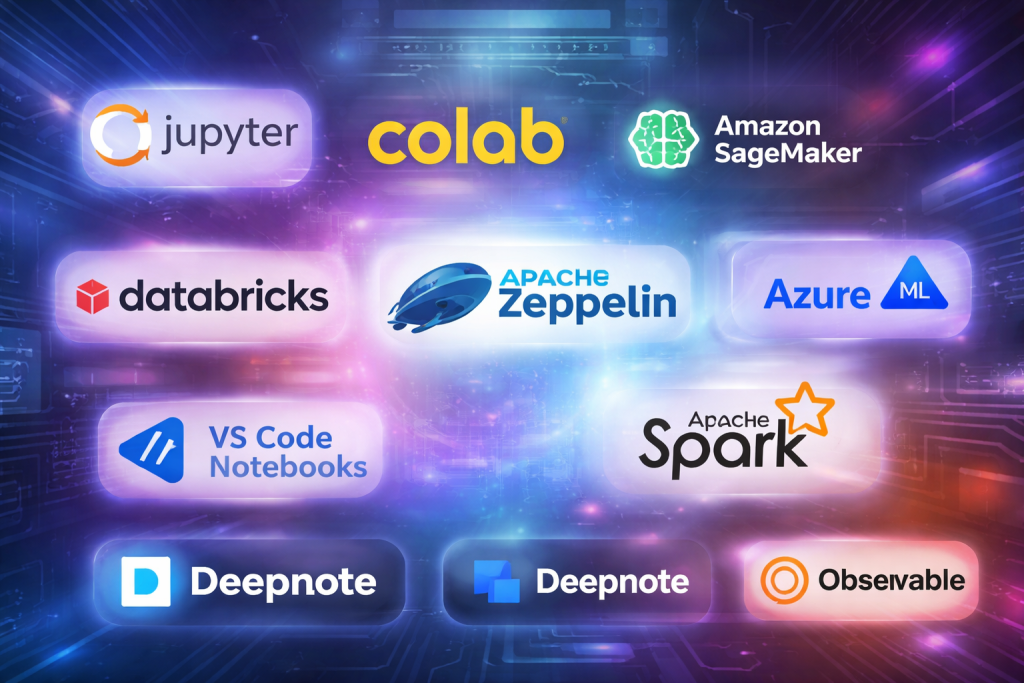
Introduction
Notebook environments are interactive computing platforms that allow users to combine code, text, visualizations, and results in a single, shareable workspace. They have become a cornerstone of modern data workflows, enabling experimentation, documentation, collaboration, and reproducibility in one place. From data science and machine learning to research, education, and analytics, notebook environments bridge the gap between raw computation and human understanding.
Their importance lies in how they accelerate learning, experimentation, and decision-making. Instead of writing isolated scripts, users can run code step by step, visualize outputs instantly, explain logic in plain language, and iterate quickly. This makes notebooks ideal for exploratory analysis, prototyping models, teaching concepts, and communicating insights to both technical and non-technical audiences.
Key real-world use cases
- Data exploration and cleaning
- Machine learning experimentation and model prototyping
- Academic and scientific research
- Teaching, training, and tutorials
- Business analytics and reporting
- Collaborative analysis across teams
What to look for when choosing a notebook environment
When evaluating notebook environments, users should consider:
- Language support (Python, R, SQL, Scala, Julia, etc.)
- Ease of use and learning curve
- Collaboration and sharing capabilities
- Performance and scalability
- Security and access control
- Integration with data sources and tools
- Deployment flexibility (local, cloud, enterprise)
Best for:
Notebook environments are ideal for data scientists, analysts, researchers, ML engineers, educators, and students, as well as startups to large enterprises that rely on iterative data-driven workflows across industries like technology, healthcare, finance, education, and research.
Not ideal for:
They may be less suitable for high-performance production systems, simple one-off scripts, or teams that require strictly linear, automated batch processing without interactive exploration. In such cases, traditional IDEs, ETL tools, or workflow orchestrators may be better alternatives.
Top 10 Notebook Environments Tools
#1 — Jupyter Notebook / JupyterLab
Short description:
Jupyter is the most widely adopted notebook environment, designed for interactive computing and data exploration. It supports multiple languages and is used extensively in academia, industry, and education.
Key features
- Support for Python, R, Julia, and many other languages
- Rich Markdown and visualization support
- Interactive cell-based execution
- JupyterLab provides a modern, extensible UI
- Large ecosystem of extensions
- Local and cloud deployment options
Pros
- Open-source and free to use
- Massive community and plugin ecosystem
- Flexible and language-agnostic
Cons
- Collaboration features are limited without add-ons
- Requires setup and environment management
- Not ideal for large-scale enterprise governance out of the box
Security & compliance
- Authentication and encryption vary by deployment
- Enterprise security requires additional configuration
Support & community
- Extensive documentation and tutorials
- Very large global community
- Commercial support available via third parties
#2 — Google Colab
Short description:
Google Colab is a cloud-based notebook environment focused on Python, offering free access to GPUs and TPUs for experimentation and learning.
Key features
- No local setup required
- Free and paid GPU/TPU access
- Seamless integration with cloud storage
- Real-time collaboration
- Automatic environment management
- Ideal for ML and deep learning demos
Pros
- Extremely easy to start
- Free compute resources
- Strong collaboration features
Cons
- Limited session duration
- Not suitable for long-running production workloads
- Restricted customization
Security & compliance
- Managed security by provider
- Compliance varies based on usage tier
Support & community
- Strong documentation
- Large user base
- Limited direct enterprise support
#3 — Amazon SageMaker Studio Notebooks
Short description:
A fully managed notebook environment designed for machine learning workflows within cloud ecosystems, from experimentation to deployment.
Key features
- Managed Jupyter-based notebooks
- Integrated ML lifecycle tools
- Scalable compute resources
- Built-in experiment tracking
- Strong integration with cloud services
- Role-based access control
Pros
- Enterprise-grade scalability
- Deep ML and MLOps integration
- Secure and compliant by design
Cons
- Higher cost compared to open-source tools
- Cloud vendor lock-in
- Steeper learning curve
Security & compliance
- SSO, encryption, audit logs
- Supports SOC 2, GDPR, HIPAA, ISO standards
Support & community
- Professional enterprise support
- Extensive official documentation
- Growing developer community
#4 — Azure Machine Learning Notebooks
Short description:
An enterprise-focused notebook environment integrated with a broader machine learning and analytics platform.
Key features
- Managed Jupyter notebooks
- Enterprise identity and access management
- Built-in ML experiment tracking
- Scalable compute clusters
- Integration with data services
- Collaboration within organizations
Pros
- Strong enterprise security
- Seamless cloud integration
- Suitable for regulated industries
Cons
- Requires platform familiarity
- Cost management can be complex
- Less flexible outside the ecosystem
Security & compliance
- SSO, encryption, audit logs
- SOC 2, ISO, GDPR, HIPAA support
Support & community
- Enterprise-grade support
- Strong documentation
- Active professional community
#5 — Databricks Notebooks
Short description:
Databricks notebooks are built for large-scale data engineering and analytics, optimized for distributed processing and collaboration.
Key features
- Multi-language support (Python, SQL, Scala, R)
- Collaborative notebooks with real-time editing
- Integrated big data processing
- Versioning and job scheduling
- Optimized performance for large datasets
- Built-in visualization tools
Pros
- Excellent for big data workloads
- Strong collaboration features
- High performance and scalability
Cons
- Expensive for small teams
- Requires platform expertise
- Overkill for simple analysis
Security & compliance
- Enterprise-grade security
- SOC 2, ISO, GDPR compliance
Support & community
- Enterprise support available
- Growing professional community
- Strong documentation
#6 — Zeppelin Notebook
Short description:
An open-source notebook environment focused on data analytics and big data processing with strong multi-language support.
Key features
- Web-based notebook interface
- Support for multiple interpreters
- Integration with big data frameworks
- Collaborative editing
- Visualization support
- Pluggable architecture
Pros
- Open-source and flexible
- Good for data engineering
- Multi-language capabilities
Cons
- Smaller community
- UI less polished
- Slower development pace
Security & compliance
- Depends on deployment
- Enterprise security requires customization
Support & community
- Community-driven support
- Moderate documentation quality
#7 — Apache Spark Notebooks (Integrated Platforms)
Short description:
Notebook environments integrated directly with distributed computing engines for large-scale data processing.
Key features
- Native integration with distributed data engines
- Scalable execution
- Multi-language support
- Cluster-based resource management
- Optimized for performance
- Integration with data lakes
Pros
- Handles massive datasets
- High performance
- Ideal for data engineering
Cons
- Complex setup
- Requires infrastructure knowledge
- Less beginner-friendly
Security & compliance
- Varies by platform
- Enterprise deployments support compliance standards
Support & community
- Strong open-source community
- Enterprise support via vendors
#8 — VS Code Notebooks
Short description:
Notebook support within a modern code editor, combining traditional IDE capabilities with interactive notebook execution.
Key features
- Integrated notebook interface
- Strong debugging tools
- Extension ecosystem
- Local and remote execution
- Version control integration
- Multi-language support
Pros
- Ideal for developers
- Powerful editing and debugging
- Lightweight and flexible
Cons
- Less focused on collaboration
- Requires local setup
- Not purpose-built for teaching
Security & compliance
- Depends on local environment
- Enterprise policies supported via configuration
Support & community
- Very large developer community
- Extensive documentation
- Strong extension support
#9 — Deepnote
Short description:
A modern, cloud-native notebook environment designed for real-time collaboration and team-based data work.
Key features
- Real-time multi-user collaboration
- Cloud-based execution
- Version history and comments
- Built-in integrations
- Automatic environment management
- Shareable interactive reports
Pros
- Excellent collaboration experience
- Easy onboarding
- Modern UI
Cons
- Cloud-only
- Limited offline usage
- Pricing may scale quickly
Security & compliance
- SSO and encryption
- SOC 2 and GDPR support
Support & community
- Good documentation
- Responsive support
- Growing user community
#10 — Observable Notebooks
Short description:
An interactive notebook environment focused on reactive programming and data visualization, especially for web-based analytics.
Key features
- Reactive execution model
- JavaScript-centric notebooks
- Advanced visualization capabilities
- Shareable interactive dashboards
- Cloud-based execution
- Versioned notebooks
Pros
- Excellent for visual storytelling
- Web-native interactivity
- Clean, modern interface
Cons
- Limited language support
- Not ideal for ML workloads
- Learning curve for reactive model
Security & compliance
- Managed security
- Compliance varies by plan
Support & community
- Clear documentation
- Active visualization-focused community
Comparison Table
| Tool Name | Best For | Platform(s) Supported | Standout Feature | Rating |
|---|---|---|---|---|
| Jupyter Notebook | General-purpose analysis | Local, Cloud | Open ecosystem | N/A |
| Google Colab | Learning & ML demos | Cloud | Free GPU access | N/A |
| SageMaker Notebooks | Enterprise ML | Cloud | End-to-end ML lifecycle | N/A |
| Azure ML Notebooks | Regulated enterprises | Cloud | Enterprise security | N/A |
| Databricks Notebooks | Big data analytics | Cloud | Distributed processing | N/A |
| Zeppelin | Data engineering | Web-based | Multi-interpreter support | N/A |
| Spark-integrated Notebooks | Massive datasets | Cluster-based | Scalability | N/A |
| VS Code Notebooks | Developers | Local, Remote | IDE integration | N/A |
| Deepnote | Team collaboration | Cloud | Real-time collaboration | N/A |
| Observable | Data visualization | Cloud | Reactive notebooks | N/A |
Evaluation & Scoring of Notebook Environments
| Criteria | Weight | Description |
|---|---|---|
| Core features | 25% | Language support, execution model |
| Ease of use | 15% | Learning curve, UI |
| Integrations & ecosystem | 15% | Data sources, tools |
| Security & compliance | 10% | Access control, standards |
| Performance & reliability | 10% | Stability, scalability |
| Support & community | 10% | Documentation, help |
| Price / value | 15% | Cost-effectiveness |
Which Notebook Environments Tool Is Right for You?
- Solo users & students: Lightweight, easy-to-use tools with minimal setup work best.
- SMBs: Balance ease of use with collaboration and cost control.
- Mid-market teams: Look for scalability, integrations, and governance.
- Enterprises: Prioritize security, compliance, and lifecycle management.
Budget-conscious users should favor open-source or free cloud options, while premium users benefit from enterprise-managed platforms.
Choose feature depth if working with large data and ML pipelines, or ease of use for education and rapid experimentation. Integration needs and compliance requirements should guide final decisions.
Frequently Asked Questions (FAQs)
- What is a notebook environment?
An interactive workspace combining code, text, and outputs for analysis and documentation. - Are notebook environments only for data scientists?
No, they are used by analysts, researchers, educators, and developers. - Can notebooks be used in production?
They are best for experimentation; production systems usually require additional tooling. - Do notebooks support collaboration?
Many modern tools offer real-time collaboration and sharing features. - Are notebook environments secure?
Security depends on the platform and deployment model. - What languages are supported?
Commonly Python, R, SQL, Scala, Julia, and JavaScript. - Do I need cloud access?
Not always; many notebooks can run locally. - Are notebooks scalable?
Yes, especially when integrated with distributed computing platforms. - What are common mistakes?
Using notebooks as production codebases without proper controls. - How do I choose the right tool?
Match your needs around scale, collaboration, security, and budget.
Conclusion
Notebook environments have transformed how individuals and organizations explore data, build models, and communicate insights. From open-source classics to enterprise-grade platforms, each tool offers unique strengths and trade-offs. The most important factors are usability, scalability, integration, and security, aligned with your specific workflow.
There is no single “best” notebook environment for everyone. The right choice depends on who you are, what you build, and how you collaborate. By understanding your requirements and evaluating tools carefully, you can select a notebook environment that truly enhances productivity and insight generation.

Find Trusted Cardiac Hospitals
Compare heart hospitals by city and services — all in one place.
Explore Hospitals
This article offers a well-organized and insightful comparison of the top notebook environments, making it easier for readers to understand how each option fits different development workflows. The breakdown of key features, strengths, and limitations helps both beginners and experienced users evaluate platforms based on performance, collaboration tools, language support, and usability. Highlighting practical differences rather than just names allows readers to choose the right environment for data science, machine learning, or exploratory programming. Overall, this post is a helpful reference for anyone looking to improve productivity and make informed decisions about notebook tools in real-world projects.