
Introduction
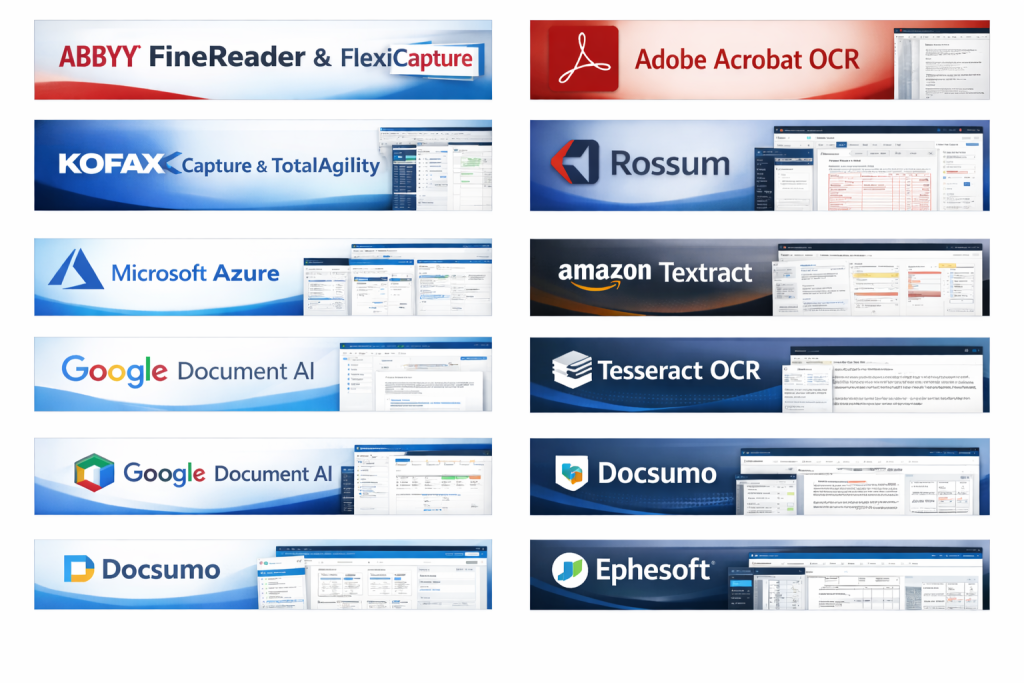
OCR & Document Capture Software refers to digital tools that convert scanned images, PDFs, photos, and paper documents into machine-readable, searchable, and editable data. Using Optical Character Recognition (OCR), intelligent data extraction, and automation technologies, these tools bridge the gap between physical documents and digital workflows.
In today’s data-driven world, organizations deal with invoices, contracts, IDs, medical records, forms, receipts, and reports every day. Manually entering this information is slow, error-prone, and costly. OCR & document capture software automates this process, improving accuracy, speed, and operational efficiency.
Why it matters:
- Reduces manual data entry and human errors
- Accelerates business processes and approvals
- Improves data accessibility and searchability
- Supports compliance and audit readiness
- Enables digital transformation and automation
Common real-world use cases include:
- Invoice and expense processing
- Contract and legal document digitization
- Healthcare records management
- Banking KYC and onboarding
- Government forms and identity verification
- HR document and employee record management
What to look for when choosing OCR & Document Capture Software:
- Accuracy across languages and document types
- Structured and unstructured data extraction
- Ease of use and onboarding
- Integration with existing systems (ERP, CRM, DMS)
- Security, compliance, and data privacy
- Scalability and performance under volume
- Total cost of ownership
Best for:
OCR & Document Capture Software is ideal for operations teams, finance departments, HR teams, healthcare providers, legal firms, banks, SMBs, enterprises, and organizations undergoing digital transformation where document volume and accuracy are critical.
Not ideal for:
These tools may be unnecessary for individuals with very low document volume, teams that already receive fully structured digital data, or workflows where manual review is legally mandatory and automation adds limited value.
Top 10 OCR & Document Capture Software Tools
1 — ABBYY FineReader & ABBYY Vantage
Short description:
ABBYY offers enterprise-grade OCR and intelligent document processing solutions designed for high-accuracy text recognition and complex document workflows across industries.
Key features:
- Advanced OCR with industry-leading accuracy
- Intelligent document classification
- Structured data extraction using AI
- Supports 200+ languages
- PDF editing and comparison tools
- Scalable cloud and on-prem deployments
Pros:
- Extremely high OCR accuracy
- Excellent for complex and multilingual documents
- Trusted by large enterprises
Cons:
- Premium pricing
- Requires configuration for advanced workflows
Security & compliance:
Enterprise-grade encryption, GDPR support, ISO-aligned controls, audit logging (varies by deployment).
Support & community:
Strong documentation, enterprise onboarding, professional services, and dedicated support plans.
2 — Adobe Acrobat AI OCR
Short description:
Adobe Acrobat integrates OCR into its document ecosystem, enabling users to convert scanned PDFs into searchable and editable files effortlessly.
Key features:
- High-quality OCR for scanned PDFs
- AI-powered text recognition
- Seamless PDF editing and annotation
- Cloud document storage
- Cross-device access
- Digital signature support
Pros:
- Very easy to use
- Trusted PDF standard
- Excellent for everyday document work
Cons:
- Limited advanced data extraction
- Less suitable for large-scale automation
Security & compliance:
Encryption at rest and transit, SOC-aligned controls, GDPR compliance.
Support & community:
Extensive documentation, tutorials, global support ecosystem.
3 — Kofax OmniPage & Kofax TotalAgility
Short description:
Kofax delivers powerful OCR and intelligent automation tools designed for document-heavy, regulated industries.
Key features:
- Intelligent document capture and OCR
- Workflow automation
- Invoice and form processing
- Multi-channel document ingestion
- AI-based classification
- Strong integration capabilities
Pros:
- Excellent for finance and compliance-driven workflows
- Highly scalable
- Mature automation platform
Cons:
- Complex setup
- Higher learning curve
Security & compliance:
SOC 2-aligned practices, GDPR support, role-based access, audit trails.
Support & community:
Enterprise support, professional services, strong partner network.
4 — Microsoft Azure Form Recognizer
Short description:
A cloud-based AI service that extracts text, tables, and key-value pairs from documents using machine learning.
Key features:
- Prebuilt and custom models
- Extracts text, tables, and forms
- Integrates with Azure ecosystem
- REST APIs for automation
- Scales for high-volume processing
Pros:
- Flexible and developer-friendly
- Strong AI capabilities
- Pay-as-you-go pricing
Cons:
- Requires technical expertise
- Limited out-of-the-box UI
Security & compliance:
Enterprise-grade cloud security, GDPR, ISO, SOC compliance.
Support & community:
Strong developer documentation, global cloud support, large community.
5 — Amazon Textract
Short description:
Amazon Textract uses machine learning to automatically extract printed text, handwriting, and structured data from scanned documents.
Key features:
- Extracts forms and tables
- Handwriting recognition
- Integrates with AWS services
- High scalability
- API-based automation
Pros:
- Powerful for large-scale processing
- Highly reliable infrastructure
- Flexible integrations
Cons:
- Requires AWS expertise
- Limited visual UI
Security & compliance:
Strong cloud security, encryption, compliance certifications depending on region.
Support & community:
Extensive documentation, enterprise AWS support, active developer ecosystem.
6 — Rossum
Short description:
Rossum is an AI-native document processing platform focused on automated invoice and financial document extraction.
Key features:
- Self-learning AI OCR
- Invoice-focused automation
- Validation UI for human review
- ERP integrations
- Continuous accuracy improvement
Pros:
- Excellent invoice accuracy
- Minimal template setup
- Fast deployment
Cons:
- Narrower use cases outside finance
- Pricing may scale with volume
Security & compliance:
SOC 2, GDPR-ready, secure cloud infrastructure.
Support & community:
Strong onboarding, responsive support, growing enterprise adoption.
7 — Docsumo
Short description:
Docsumo is an intelligent document processing platform for extracting data from semi-structured and unstructured documents.
Key features:
- AI-powered OCR and extraction
- Invoice, bank statement, and ID processing
- Custom model training
- API-first design
- Validation workflows
Pros:
- Good balance of automation and control
- Strong for financial documents
- Scales well for SMBs
Cons:
- UI may feel technical
- Fewer non-finance templates
Security & compliance:
Encryption, GDPR support, role-based access controls.
Support & community:
Good documentation, responsive customer success team.
8 — Tesseract OCR (Open Source)
Short description:
Tesseract is a widely used open-source OCR engine suitable for developers and custom-built solutions.
Key features:
- Open-source OCR engine
- Supports many languages
- Custom training support
- Works offline
- Integrates with custom apps
Pros:
- Free and flexible
- Strong developer adoption
- No vendor lock-in
Cons:
- Requires technical setup
- No built-in workflow management
Security & compliance:
N/A (depends on implementation).
Support & community:
Large open-source community, extensive forums and documentation.
9 — Nanonets
Short description:
Nanonets provides AI-driven document capture and OCR with a focus on custom data extraction models.
Key features:
- Custom OCR model training
- No-code model creation
- Invoice and receipt processing
- API and integrations
- Human-in-the-loop validation
Pros:
- Fast to deploy
- Flexible extraction capabilities
- Good UI for training
Cons:
- Accuracy depends on training quality
- Pricing scales with usage
Security & compliance:
GDPR-aligned security practices, encrypted data handling.
Support & community:
Strong onboarding, helpful documentation, responsive support.
10 — OpenText Capture & Intelligent Viewing
Short description:
OpenText offers enterprise document capture solutions tightly integrated with content management and compliance workflows.
Key features:
- Enterprise document ingestion
- OCR and metadata extraction
- Workflow automation
- Records management integration
- Scalable enterprise architecture
Pros:
- Strong compliance focus
- Ideal for regulated industries
- Deep content management integration
Cons:
- Expensive
- Best suited for large enterprises
Security & compliance:
Strong compliance posture, audit trails, enterprise-grade controls.
Support & community:
Enterprise-level support, professional services, structured onboarding.
Comparison Table
| Tool Name | Best For | Platform(s) Supported | Standout Feature | Rating |
|---|---|---|---|---|
| ABBYY | Enterprises, complex OCR | Cloud, On-prem | Industry-leading accuracy | N/A |
| Adobe Acrobat | Everyday PDF OCR | Desktop, Cloud | Ease of use | N/A |
| Kofax | Regulated workflows | Cloud, On-prem | Workflow automation | N/A |
| Azure Form Recognizer | Developers, AI teams | Cloud | Custom AI models | N/A |
| Amazon Textract | Large-scale processing | Cloud | Handwriting recognition | N/A |
| Rossum | Invoice automation | Cloud | Self-learning AI | N/A |
| Docsumo | Financial documents | Cloud | Balanced automation | N/A |
| Tesseract | Developers | On-prem | Open-source | N/A |
| Nanonets | Custom extraction | Cloud | No-code AI training | N/A |
| OpenText | Enterprises | Cloud, On-prem | Compliance strength | N/A |
Evaluation & Scoring of OCR & Document Capture Software
| Criteria | Weight | What to Evaluate |
|---|---|---|
| Core features | 25% | OCR accuracy, extraction depth |
| Ease of use | 15% | UI, onboarding, learning curve |
| Integrations & ecosystem | 15% | APIs, ERP/CRM compatibility |
| Security & compliance | 10% | Encryption, certifications |
| Performance & reliability | 10% | Speed, uptime, scalability |
| Support & community | 10% | Documentation, support quality |
| Price / value | 15% | ROI, scalability of costs |
Which OCR & Document Capture Software Tool Is Right for You?
Solo users:
Simple tools with built-in OCR and minimal setup work best.
SMBs:
Cloud-based AI tools that balance cost, automation, and ease of use are ideal.
Mid-market:
Look for configurable workflows, integrations, and scalable pricing.
Enterprise:
Prioritize security, compliance, customization, and high-volume performance.
Budget-conscious teams:
Open-source or usage-based tools reduce upfront costs.
Premium needs:
Enterprise platforms deliver advanced accuracy and governance.
Feature depth vs ease of use:
Advanced AI tools offer power but require setup; simpler tools trade depth for speed.
Integration & scalability:
APIs and cloud scalability matter as document volume grows.
Security & compliance:
Highly regulated industries must prioritize auditability and data protection.
Frequently Asked Questions (FAQs)
1. What is OCR in document capture software?
OCR converts images and scanned documents into machine-readable text.
2. How accurate is modern OCR software?
Top tools exceed 95–99% accuracy with clean, high-quality documents.
3. Can OCR handle handwritten text?
Some AI-powered tools support handwriting with varying accuracy.
4. Is OCR secure for sensitive data?
Yes, enterprise tools include encryption, access control, and audit logs.
5. Do I need technical skills to use OCR software?
Some tools are no-code, while others require developer involvement.
6. Can OCR integrate with ERP or accounting systems?
Most modern platforms offer APIs and prebuilt integrations.
7. Is OCR suitable for healthcare or banking?
Yes, especially tools designed for compliance-heavy environments.
8. How long does implementation take?
From minutes for simple tools to weeks for enterprise deployments.
9. What are common OCR mistakes?
Poor scan quality, lack of validation, and incorrect model training.
10. Are there alternatives to OCR?
Manual entry and native digital forms exist but do not scale efficiently.
Conclusion
OCR & Document Capture Software plays a critical role in modern digital workflows, enabling organizations to unlock the value hidden in documents. The right solution can dramatically improve efficiency, accuracy, and compliance while reducing operational costs.
What matters most is fit — accuracy needs, document volume, integrations, security requirements, and budget all influence the ideal choice. There is no single universal winner. Instead, the best OCR & document capture software is the one that aligns closely with your workflows, growth plans, and compliance expectations.
By carefully evaluating your needs and using a structured selection approach, you can confidently choose a solution that delivers long-term value and supports your digital transformation journey.

Find Trusted Cardiac Hospitals
Compare heart hospitals by city and services — all in one place.
Explore Hospitals