
Introduction
Oil & Gas Field Service Tools are specialized software platforms designed to manage, optimize, and digitize field operations across upstream, midstream, and downstream activities. These tools support everything from work order management, preventive maintenance, asset tracking, mobile workforce coordination, inspections, safety compliance, and real-time reporting—often in harsh, remote, and safety-critical environments.
In an industry where downtime is costly, safety is non-negotiable, and operational visibility is essential, field service tools play a crucial role. They help organizations replace manual logs, spreadsheets, and radio-based coordination with connected, data-driven workflows that improve efficiency and reduce risk.
Real-world use cases include:
- Managing maintenance schedules for rigs, wells, pipelines, and refineries
- Dispatching technicians to remote sites with offline mobile access
- Ensuring safety inspections, permits, and compliance documentation
- Tracking asset health, failures, and service history
- Improving first-time fix rates and reducing non-productive time (NPT)
What to look for when choosing Oil & Gas Field Service Tools
When evaluating tools in this category, buyers should assess:
- Asset-centric workflows tailored for oilfield equipment
- Offline-capable mobile apps for remote locations
- Integration with ERP, EAM, SCADA, and IoT systems
- Strong security and compliance controls
- Scalability across regions, crews, and asset classes
- Usability for technicians, not just managers
Best for:
Field service managers, maintenance teams, reliability engineers, HSE teams, operations leaders, and enterprises operating oilfields, pipelines, refineries, LNG terminals, and energy infrastructure.
Not ideal for:
Very small teams with simple scheduling needs, office-only service businesses, or industries without heavy assets and safety requirements—where lighter generic FSM tools may suffice.
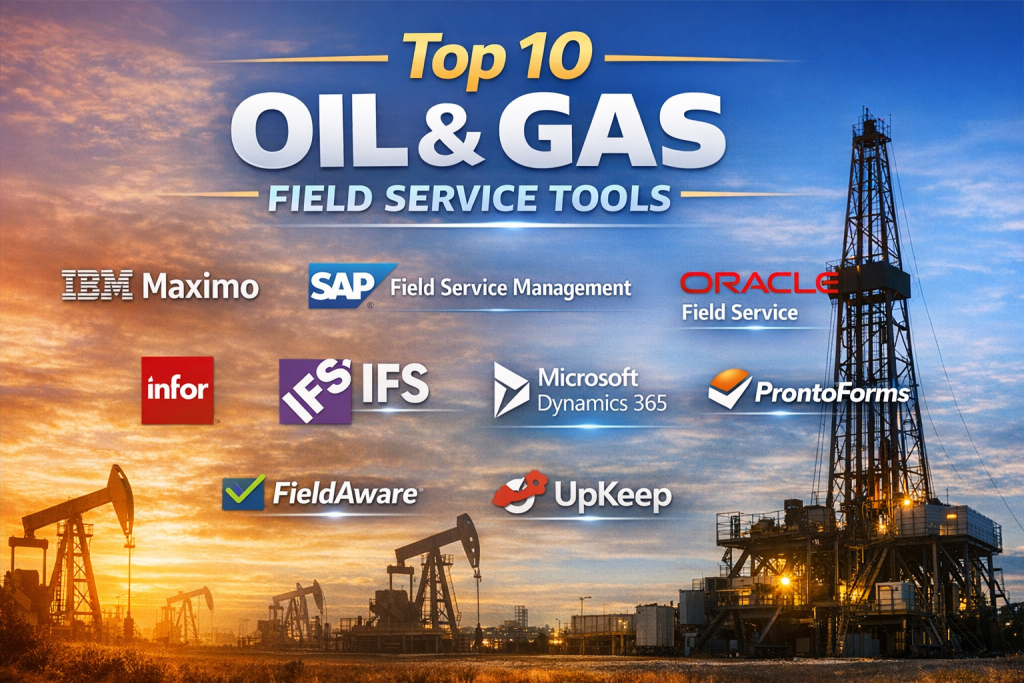
Top 10 Oil & Gas Field Service Tools
1 — IBM Maximo
Short description:
IBM Maximo is a leading enterprise asset management (EAM) platform widely used in oil & gas for managing maintenance, inspections, and asset lifecycle operations at scale.
Key features
- Asset lifecycle and maintenance management
- Preventive and predictive maintenance
- Mobile inspections and work orders
- Integration with IoT and condition monitoring
- Reliability and failure analysis
- Enterprise reporting and analytics
Pros
- Extremely powerful for complex asset environments
- Proven reliability in large oil & gas enterprises
Cons
- Steep learning curve
- Higher implementation and licensing costs
Security & compliance:
Enterprise-grade security, role-based access, audit logs, ISO-aligned controls
Support & community:
Strong enterprise support, extensive documentation, large global user base
2 — SAP Field Service Management
Short description:
SAP FSM enables oil & gas companies to plan, dispatch, and execute field service work tightly integrated with SAP ERP and asset data.
Key features
- Work order planning and dispatch
- Mobile technician applications
- Real-time workforce visibility
- Integration with SAP S/4HANA
- Service contract and SLA tracking
- Digital forms and checklists
Pros
- Seamless integration with SAP ecosystem
- Strong compliance and reporting
Cons
- Best value only if SAP is already in place
- Configuration can be complex
Security & compliance:
SSO, encryption, audit trails, GDPR-aligned controls
Support & community:
Enterprise-grade SAP support and partner ecosystem
3 — Oracle Field Service
Short description:
Oracle Field Service focuses on intelligent scheduling and mobile workforce optimization, suitable for large-scale oil & gas field operations.
Key features
- AI-based scheduling and routing
- Mobile workforce management
- Real-time job status tracking
- Capacity forecasting
- SLA and compliance monitoring
- Cloud-native architecture
Pros
- Excellent scheduling optimization
- Scales well for large field teams
Cons
- Less asset-centric than pure EAM tools
- Oracle ecosystem dependency
Security & compliance:
Enterprise cloud security, encryption, compliance certifications
Support & community:
Strong Oracle support, global partner network
4 — ServiceNow Field Service Management
Short description:
ServiceNow FSM connects field service workflows with IT, operations, and enterprise processes, offering strong visibility and automation.
Key features
- Work order and task management
- Mobile technician enablement
- Workflow automation
- Integration with ITSM and operations
- Reporting dashboards
- Asset and location tracking
Pros
- Excellent workflow automation
- Strong cross-department visibility
Cons
- Premium pricing
- Requires ServiceNow platform knowledge
Security & compliance:
SOC 2, ISO certifications, role-based security
Support & community:
Excellent documentation, large enterprise community
5 — Infor Field Service Management
Short description:
Infor FSM is designed for asset-intensive industries, making it a strong fit for oil & gas maintenance and service operations.
Key features
- Asset and work order management
- Mobile workforce tools
- Preventive maintenance
- Infor ERP integration
- Analytics and reporting
- Contract and warranty tracking
Pros
- Industry-focused design
- Strong asset-service alignment
Cons
- UI can feel dated
- Smaller ecosystem than SAP or Oracle
Security & compliance:
Enterprise security controls, compliance-ready
Support & community:
Solid vendor support, moderate community size
6 — IFS Field Service Management
Short description:
IFS FSM excels at complex, asset-heavy field service scenarios, commonly used by energy and utilities organizations.
Key features
- Advanced scheduling and dispatch
- Asset service lifecycle management
- Mobile and offline capabilities
- Predictive maintenance integration
- Contract and SLA management
- Analytics and KPIs
Pros
- Excellent for complex field environments
- Strong asset-service linkage
Cons
- Implementation can be lengthy
- Premium pricing tier
Security & compliance:
Enterprise-grade security, compliance standards support
Support & community:
High-quality vendor support, growing user base
7 — Microsoft Dynamics 365 Field Service
Short description:
Dynamics 365 Field Service offers a flexible, cloud-based FSM solution that integrates well with Microsoft’s business ecosystem.
Key features
- Work order and resource scheduling
- Mobile technician apps
- Asset and customer management
- Power BI analytics
- IoT integration
- Microsoft ecosystem connectivity
Pros
- Familiar interface for Microsoft users
- Strong reporting with Power BI
Cons
- Requires customization for oil & gas specifics
- Advanced features need add-ons
Security & compliance:
Azure security, compliance certifications, role-based access
Support & community:
Large global community, extensive documentation
8 — ProntoForms
Short description:
ProntoForms specializes in mobile forms and data capture, commonly used for inspections, safety checks, and compliance reporting.
Key features
- Mobile data capture (online/offline)
- Inspection and safety forms
- Workflow automation
- Integration with back-end systems
- Photo, GPS, and signature capture
- Analytics and reporting
Pros
- Excellent for inspections and compliance
- Easy to deploy and use
Cons
- Not a full FSM or EAM platform
- Limited scheduling capabilities
Security & compliance:
Data encryption, access controls, compliance-ready
Support & community:
Strong onboarding, responsive support
9 — FieldAware
Short description:
FieldAware is a cloud-based FSM solution supporting scheduling, mobile workforce management, and service execution.
Key features
- Job scheduling and dispatch
- Mobile technician tools
- Real-time field visibility
- Reporting and analytics
- ERP integration support
- SLA tracking
Pros
- Clean and intuitive UI
- Fast deployment
Cons
- Less deep asset management
- Limited advanced analytics
Security & compliance:
Standard cloud security practices
Support & community:
Good customer support, smaller community
10 — UpKeep
Short description:
UpKeep is a mobile-first maintenance and field service tool often used by small to mid-sized oil & gas operations.
Key features
- Mobile work order management
- Preventive maintenance
- Asset tracking
- Inventory management
- Offline mobile access
- Reporting dashboards
Pros
- Easy to use and deploy
- Affordable compared to enterprise tools
Cons
- Limited enterprise-scale capabilities
- Fewer advanced integrations
Security & compliance:
Standard SaaS security controls
Support & community:
Good documentation, responsive support team
Comparison Table
| Tool Name | Best For | Platform(s) Supported | Standout Feature | Rating |
|---|---|---|---|---|
| IBM Maximo | Large enterprises | Web, Mobile | Deep asset lifecycle management | N/A |
| SAP FSM | SAP-centric organizations | Web, Mobile | ERP-native integration | N/A |
| Oracle Field Service | Large field teams | Web, Mobile | AI-based scheduling | N/A |
| ServiceNow FSM | Workflow-driven enterprises | Web, Mobile | Enterprise workflow automation | N/A |
| Infor FSM | Asset-heavy industries | Web, Mobile | Industry-focused design | N/A |
| IFS FSM | Complex service operations | Web, Mobile | Advanced asset-service lifecycle | N/A |
| Dynamics 365 FSM | Microsoft ecosystem users | Web, Mobile | Power BI analytics | N/A |
| ProntoForms | Inspections & compliance | Mobile, Web | Mobile data capture | N/A |
| FieldAware | Mid-market service teams | Web, Mobile | Ease of use | N/A |
| UpKeep | SMB maintenance teams | Mobile, Web | Mobile-first simplicity | N/A |
Evaluation & Scoring of Oil & Gas Field Service Tools
| Tool | Core Features (25%) | Ease of Use (15%) | Integrations (15%) | Security (10%) | Performance (10%) | Support (10%) | Price/Value (15%) | Overall Score |
|---|---|---|---|---|---|---|---|---|
| IBM Maximo | 9 | 6 | 8 | 9 | 9 | 8 | 6 | High |
| SAP FSM | 8 | 6 | 9 | 9 | 8 | 8 | 6 | High |
| Oracle FS | 7 | 7 | 8 | 8 | 8 | 7 | 6 | High |
| ServiceNow FSM | 8 | 7 | 8 | 9 | 8 | 9 | 6 | High |
| IFS FSM | 8 | 6 | 7 | 8 | 8 | 7 | 6 | Medium–High |
Which Oil & Gas Field Service Tools Tool Is Right for You?
- Solo users & small teams: Mobile-first tools like UpKeep or ProntoForms
- SMBs: Dynamics 365 FSM or FieldAware for flexibility
- Mid-market: IFS FSM or Infor FSM for asset-service balance
- Enterprises: IBM Maximo, SAP FSM, or ServiceNow FSM
Budget-conscious buyers should prioritize ease of use and core workflows.
Premium buyers should focus on asset depth, scalability, and compliance.
Highly regulated environments require strong audit logs and role-based security.
Frequently Asked Questions (FAQs)
- Are these tools suitable for remote oilfields?
Yes, most offer offline mobile capabilities for remote locations. - Do they replace SCADA systems?
No, they complement SCADA by managing people, assets, and workflows. - How long does implementation take?
From weeks (SMB tools) to several months (enterprise platforms). - Are mobile apps included?
Yes, mobile access is a core requirement. - Can they integrate with ERP systems?
Most enterprise tools integrate with SAP, Oracle, or Microsoft ERP. - Are these tools secure?
Leading platforms provide enterprise-grade security controls. - Do they support preventive maintenance?
Yes, preventive and condition-based maintenance is standard. - What’s the biggest mistake buyers make?
Choosing tools without considering technician usability. - Are they customizable?
Yes, though customization varies by platform. - Is there a single “best” tool?
No—best depends on scale, complexity, and integration needs.
Conclusion
Oil & Gas Field Service Tools are no longer optional—they are critical enablers of safety, efficiency, and operational excellence. From enterprise-grade asset management platforms to mobile-first inspection tools, each solution serves a different purpose.
The right choice depends on company size, asset complexity, workforce scale, integration needs, and regulatory requirements. Instead of chasing a universal winner, focus on aligning the tool with your operational realities and long-term strategy. When chosen wisely, the right platform can dramatically reduce downtime, improve safety, and empower field teams to perform at their best.

Find Trusted Cardiac Hospitals
Compare heart hospitals by city and services — all in one place.
Explore Hospitals
Great comparative overview! This article effectively breaks down the top field service tools in the oil and gas industry, highlighting key features, strengths, and limitations in a clear and practical way. For service managers and field engineers, this kind of side‑by‑side insight is invaluable when deciding which tools can improve operational efficiency and lower downtime. A helpful resource for anyone evaluating technology investments in demanding field environments.