
Introduction
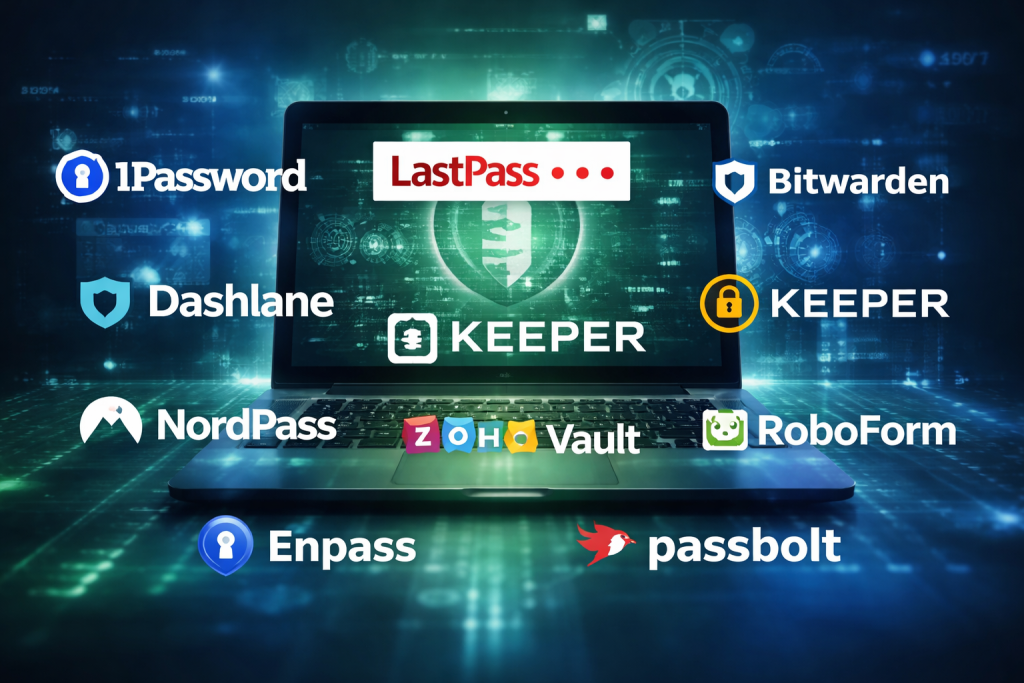
In today’s digital-first world, passwords are the keys to almost every aspect of our personal and professional lives. From email and banking to cloud platforms and internal business systems, a single weak or reused password can expose sensitive data and cause serious damage. This is where Password Managers play a critical role. A password manager is a secure tool designed to store, generate, and manage strong, unique passwords for all your online accounts, so you don’t have to remember them manually.
Password managers are important because they eliminate risky habits like password reuse, weak passwords, or storing credentials in plain text files or browsers. In real-world use cases, individuals rely on them to manage hundreds of personal logins, while businesses use them to securely share credentials across teams, enforce security policies, and reduce account takeover risks. Modern password managers also support features like password health reports, breach monitoring, multi-device sync, and secure credential sharing.
When choosing a password manager, users should evaluate factors such as security architecture, encryption standards, ease of use, cross-platform support, sharing capabilities, integrations, compliance readiness, and overall value for money. The right tool should balance strong security with convenience, without slowing down daily workflows.
Best for: Password managers are ideal for individuals, remote workers, IT teams, developers, SMBs, and enterprises that need secure credential storage, sharing, and access control across devices and teams.
Not ideal for: Users with very few accounts who prefer manual password tracking, or highly regulated environments that require fully custom, on-premise credential vaults with proprietary controls.
Top 10 Password Managers Tools
1 — 1Password
Short description:
1Password is a premium password manager designed for individuals, families, and businesses that prioritize strong security with a polished user experience.
Key features:
- End-to-end encryption with zero-knowledge architecture
- Secure password vaults for teams and individuals
- Password generator and health reports
- Secure sharing with role-based access
- Support for passkeys and two-factor authentication
- Travel mode to hide sensitive vaults temporarily
Pros:
- Excellent balance of security and usability
- Strong enterprise-ready features
Cons:
- No permanent free plan
- Advanced features may feel excessive for casual users
Security & compliance: Strong encryption, SSO support, SOC 2, GDPR-ready
Support & community: High-quality documentation, responsive support, strong enterprise onboarding
2 — LastPass
Short description:
LastPass is a widely used password manager offering cloud-based password storage and autofill for individuals and organizations.
Key features:
- Cloud-synced password vault
- Browser-based autofill and password generation
- Secure sharing and emergency access
- Dark web monitoring alerts
- Admin controls for business plans
Pros:
- Easy to get started
- Strong browser integration
Cons:
- Past security incidents affect trust perception
- Free plan limitations
Security & compliance: Encryption, SSO options, compliance varies by plan
Support & community: Large user base, decent documentation, mixed support feedback
3 — Bitwarden
Short description:
Bitwarden is an open-source password manager known for transparency, affordability, and strong security fundamentals.
Key features:
- Open-source codebase
- End-to-end encryption
- Cross-platform apps and browser extensions
- Secure sharing and collections
- Self-hosting option for advanced users
Pros:
- Excellent value for money
- Strong trust due to open-source model
Cons:
- UI is functional but less polished
- Advanced features require configuration
Security & compliance: Encryption, GDPR-friendly, audit transparency
Support & community: Active community, solid documentation, responsive support
4 — Dashlane
Short description:
Dashlane is a security-focused password manager with built-in privacy tools and enterprise-friendly controls.
Key features:
- Password vault with autofill
- Password health and breach monitoring
- Secure sharing and admin dashboards
- VPN for added privacy (select plans)
- Zero-knowledge encryption model
Pros:
- Strong security insights
- User-friendly interface
Cons:
- Higher pricing for premium tiers
- Limited free plan
Security & compliance: SOC 2, GDPR, strong encryption
Support & community: Good onboarding, reliable support, enterprise-focused resources
5 — Keeper
Short description:
Keeper is a robust password manager designed for enterprises and security-conscious organizations.
Key features:
- Zero-knowledge encryption
- Role-based access control
- Secure password sharing
- Advanced admin reporting
- Secrets management for DevOps
Pros:
- Enterprise-grade security controls
- Strong compliance alignment
Cons:
- Interface can feel complex
- Pricing can add up with add-ons
Security & compliance: SOC 2, ISO, HIPAA, GDPR support
Support & community: Enterprise-grade support, detailed documentation
6 — NordPass
Short description:
NordPass is a modern password manager built with simplicity and strong cryptography at its core.
Key features:
- Zero-knowledge encryption
- Cross-device password sync
- Password health reports
- Secure sharing
- Simple UI for non-technical users
Pros:
- Clean and intuitive design
- Good balance of price and features
Cons:
- Limited advanced enterprise controls
- Smaller ecosystem
Security & compliance: Encryption-first design, GDPR-ready
Support & community: Helpful documentation, responsive support
7 — Zoho Vault
Short description:
Zoho Vault is a business-focused password manager integrated into the broader Zoho ecosystem.
Key features:
- Secure password storage
- Team-based sharing with permissions
- Audit logs and access tracking
- Integration with Zoho apps
- Role-based admin controls
Pros:
- Cost-effective for teams
- Strong audit and compliance features
Cons:
- Best value only within Zoho ecosystem
- UI less modern
Security & compliance: Encryption, audit logs, GDPR-ready
Support & community: Strong documentation, enterprise support available
8 — RoboForm
Short description:
RoboForm is a long-standing password manager focused on form-filling and ease of use.
Key features:
- Password vault and autofill
- Advanced form-filling capabilities
- Secure sharing
- Cross-platform support
- Offline access options
Pros:
- Excellent form-fill accuracy
- Reliable performance
Cons:
- Interface feels dated
- Fewer modern features
Security & compliance: Encryption-based security, compliance varies
Support & community: Stable support, extensive documentation
9 — Enpass
Short description:
Enpass is an offline-first password manager offering local storage with optional cloud sync.
Key features:
- Local vault storage
- Cross-platform apps
- Password generator
- Custom categories and templates
- No mandatory subscription
Pros:
- Greater data control
- One-time purchase option
Cons:
- Fewer team features
- Manual sync setup required
Security & compliance: Encryption-based, compliance varies
Support & community: Smaller community, adequate documentation
10 — Passbolt
Short description:
Passbolt is an open-source password manager designed for technical teams and DevOps environments.
Key features:
- Open-source architecture
- Team-based password sharing
- Role-based access control
- Self-hosting support
- Strong cryptographic design
Pros:
- Ideal for technical teams
- Full control via self-hosting
Cons:
- Steeper learning curve
- Less polished UI
Security & compliance: Encryption, audit-friendly, compliance varies
Support & community: Active open-source community, enterprise support available
Comparison Table
| Tool Name | Best For | Platform(s) Supported | Standout Feature | Rating |
|---|---|---|---|---|
| 1Password | Businesses & power users | Web, mobile, desktop | Travel mode security | N/A |
| LastPass | General users | Web, mobile, browsers | Easy setup | N/A |
| Bitwarden | Cost-conscious users | All major platforms | Open-source trust | N/A |
| Dashlane | Security-focused teams | Web, mobile | Breach monitoring | N/A |
| Keeper | Enterprises | Web, mobile | Compliance-ready controls | N/A |
| NordPass | Beginners | Web, mobile | Simple UI | N/A |
| Zoho Vault | Zoho users | Web | Audit logs | N/A |
| RoboForm | Form-heavy users | Web, mobile | Advanced form fill | N/A |
| Enpass | Offline-first users | Desktop, mobile | Local storage | N/A |
| Passbolt | DevOps teams | Web | Self-hosted control | N/A |
Evaluation & Scoring of Password Managers
| Criteria | Weight | Score Description |
|---|---|---|
| Core features | 25% | Password storage, sharing, generation |
| Ease of use | 15% | UI, onboarding, daily usability |
| Integrations & ecosystem | 15% | Apps, browsers, SSO |
| Security & compliance | 10% | Encryption, audits, standards |
| Performance & reliability | 10% | Sync speed, uptime |
| Support & community | 10% | Documentation, support quality |
| Price / value | 15% | Cost vs features |
Which Password Managers Tool Is Right for You?
For solo users, tools like Bitwarden, NordPass, or Enpass provide simplicity and affordability. SMBs benefit from 1Password, Zoho Vault, or Dashlane due to team sharing and admin controls. Mid-market organizations should look at Keeper or Dashlane for compliance and reporting. Enterprises typically require Keeper or 1Password for advanced security and policy enforcement.
Budget-conscious users should prioritize open-source or lower-cost options, while premium users may value advanced security insights. If integrations and scalability matter, enterprise-focused tools perform better. Highly regulated industries should emphasize compliance and audit capabilities.
Frequently Asked Questions (FAQs)
1. Are password managers safe to use?
Yes, reputable password managers use strong encryption and zero-knowledge models to protect data.
2. Can password managers be hacked?
No system is immune, but strong encryption minimizes risk even in breach scenarios.
3. Do I need one as an individual user?
If you use multiple accounts, a password manager significantly improves security.
4. Are free password managers reliable?
Some are, but they often have limitations compared to paid plans.
5. Can teams share passwords securely?
Yes, most business plans include secure sharing and access controls.
6. What happens if I forget my master password?
Recovery options are limited due to encryption, which enhances security.
7. Do password managers work offline?
Some support offline access depending on platform and configuration.
8. Are they compliant with regulations?
Many support GDPR, SOC 2, and other standards depending on the vendor.
9. Can I use them on multiple devices?
Yes, cross-device sync is a core feature of most tools.
10. Do password managers support passkeys?
Many modern tools now support or are adding passkey functionality.
Conclusion
Password managers have become an essential part of modern digital security. They protect users from weak passwords, reduce the risk of breaches, and simplify daily access to online services. When choosing a password manager, focus on security architecture, usability, platform support, and how well it fits your specific needs.
There is no single “best” password manager for everyone. The right choice depends on whether you are an individual, a growing team, or a large enterprise, as well as your security, budget, and compliance requirements. By aligning features with real-world needs, you can select a password manager that delivers both protection and convenience.

Find Trusted Cardiac Hospitals
Compare heart hospitals by city and services — all in one place.
Explore Hospitals