
Introduction
Print Management Tools are software platforms designed to control, monitor, optimize, and secure printing activities across an organization. They help businesses manage who prints, what is printed, where it is printed, and how much it costs—whether across a single office or a global enterprise with thousands of devices.
In today’s hybrid and cost-conscious workplaces, unmanaged printing can silently drain budgets, expose sensitive data, and create compliance risks. Print management software addresses these challenges by adding visibility, governance, automation, and security to printing workflows.
Real-world use cases include:
- Reducing printing costs through quotas and rules
- Securing confidential documents with pull-printing
- Centralizing printer management across locations
- Meeting compliance requirements in regulated industries
- Supporting hybrid and remote printing scenarios
When evaluating print management tools, buyers should look at device compatibility, security controls, reporting depth, scalability, ease of use, integrations, and overall cost-to-value ratio.
Best for:
IT administrators, finance teams, compliance-driven industries, educational institutions, healthcare providers, legal firms, and enterprises managing multiple printers and users.
Not ideal for:
Very small teams with minimal printing needs, organizations that rely entirely on paperless workflows, or environments where printing volume is negligible.
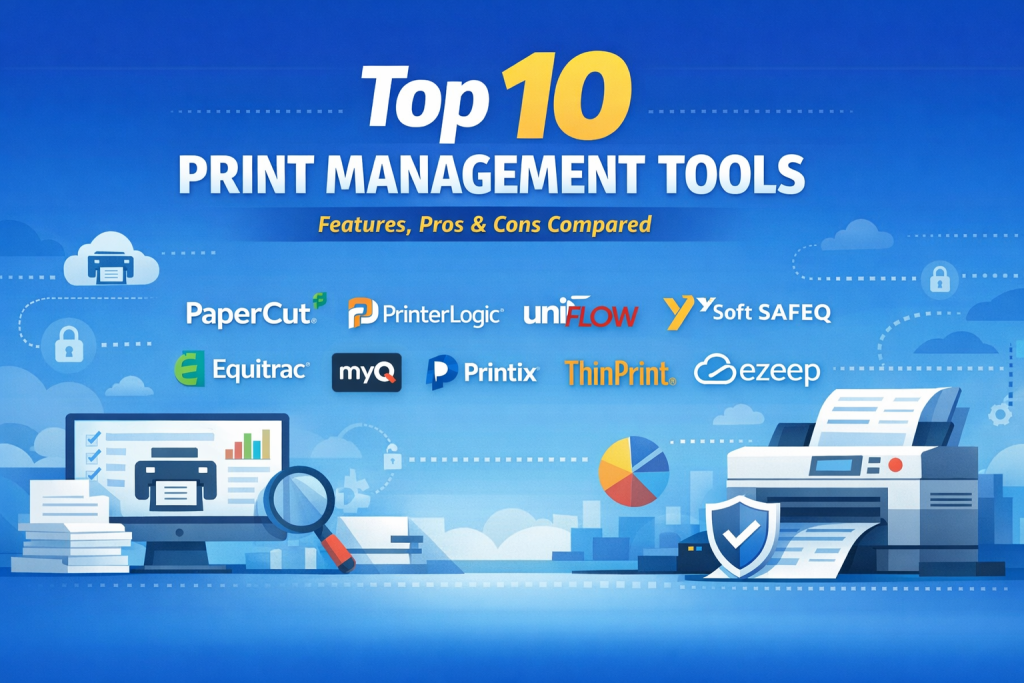
Top 10 Print Management Tools
1 — PaperCut
Short description:
A leading print management solution focused on cost control, security, and sustainability. Designed for education, healthcare, SMBs, and enterprises.
Key features
- User-based print tracking and quotas
- Secure pull printing and release stations
- Detailed cost and usage reporting
- Printer and device compatibility across vendors
- Sustainability and waste-reduction insights
- Cloud and on-prem deployment options
Pros
- Intuitive admin dashboard
- Strong balance of features and usability
Cons
- Advanced reporting requires configuration
- Some features cost extra depending on edition
Security & compliance:
Encryption, secure print release, audit logs, GDPR support
Support & community:
Extensive documentation, strong global user community, enterprise support available
2 — PrinterLogic
Short description:
A serverless print management platform that simplifies printer deployment and eliminates print servers.
Key features
- Direct IP printing without print servers
- Centralized printer deployment
- Role-based access control
- Cloud-native architecture
- Automated driver management
- Reporting and auditing
Pros
- Reduced infrastructure complexity
- Strong performance for distributed teams
Cons
- Limited advanced cost-accounting tools
- Less granular user quotas than competitors
Security & compliance:
SSO, encryption, audit trails, GDPR compliant
Support & community:
Strong onboarding resources and enterprise support
3 — uniFLOW
Short description:
An enterprise-grade solution focused on secure printing, scanning, and document workflows.
Key features
- Secure pull printing with authentication
- Advanced scan workflows
- Device-level policy enforcement
- Detailed usage analytics
- Cloud and hybrid deployment
- Strong MFP integration
Pros
- Excellent security controls
- Deep workflow automation
Cons
- Higher cost for smaller teams
- Setup can be complex
Security & compliance:
SSO, encryption, audit logs, GDPR, ISO alignment
Support & community:
Enterprise-focused support and partner ecosystem
4 — Y Soft SAFEQ
Short description:
A scalable print management and document workflow platform for large enterprises.
Key features
- Secure print release
- Centralized print policies
- Cost recovery and chargeback
- Device and vendor neutrality
- Workflow automation
- Cloud-ready architecture
Pros
- Highly scalable
- Strong compliance capabilities
Cons
- Overkill for SMBs
- Requires skilled IT administration
Security & compliance:
Encryption, audit logs, GDPR, ISO standards
Support & community:
Enterprise support with professional services
5 — Pharos
Short description:
A robust print management platform focused on security, analytics, and user accountability.
Key features
- Secure pull printing
- Mobile and cloud printing
- Print analytics and insights
- Device control policies
- High-availability architecture
Pros
- Excellent reporting depth
- Strong security posture
Cons
- UI feels dated
- Learning curve for admins
Security & compliance:
SSO, encryption, audit logs, GDPR support
Support & community:
Solid enterprise documentation and support
6 — Equitrac
Short description:
A long-standing solution focused on cost recovery and enterprise print governance.
Key features
- Detailed print cost accounting
- Secure authentication options
- Policy-based print rules
- Multi-vendor device support
- Reporting and chargeback
Pros
- Strong cost-control capabilities
- Proven enterprise reliability
Cons
- Interface feels legacy
- Less innovation compared to newer tools
Security & compliance:
Audit logs, encryption, GDPR alignment
Support & community:
Enterprise support with established user base
7 — MyQ
Short description:
A modern print and scan management platform with a strong user experience focus.
Key features
- Secure print release
- Mobile printing support
- Centralized printer management
- Scan workflows and automation
- Cloud and on-prem options
Pros
- Clean and modern UI
- Easy deployment
Cons
- Smaller ecosystem than market leaders
- Reporting less granular
Security & compliance:
Encryption, secure authentication, GDPR support
Support & community:
Responsive support and clear documentation
8 — Printix
Short description:
A cloud-native print management solution designed for modern, serverless IT environments.
Key features
- Cloud-only architecture
- Secure pull printing
- Automatic printer discovery
- Mobile and remote printing
- Centralized admin console
Pros
- Ideal for cloud-first organizations
- Minimal infrastructure overhead
Cons
- Limited offline capabilities
- Fewer advanced enterprise controls
Security & compliance:
Encryption, GDPR compliance, secure authentication
Support & community:
Good documentation and SaaS-style support
9 — ThinPrint
Short description:
A performance-focused print management platform optimized for distributed and virtual environments.
Key features
- Bandwidth-optimized printing
- Secure pull printing
- Virtual desktop support
- Cloud and hybrid deployments
- Device control policies
Pros
- Excellent performance over WAN
- Strong VDI compatibility
Cons
- Complex setup
- Premium pricing
Security & compliance:
Encryption, audit logging, GDPR alignment
Support & community:
Enterprise-grade support and training resources
10 — ezeep
Short description:
A simple cloud printing solution for SMBs and remote teams.
Key features
- Cloud-based print delivery
- Remote and mobile printing
- Centralized printer access
- Lightweight setup
- SaaS pricing model
Pros
- Easy to deploy
- Ideal for remote workforces
Cons
- Limited enterprise controls
- Basic reporting
Security & compliance:
Encryption, GDPR support
Support & community:
Standard SaaS support and documentation
Comparison Table
| Tool Name | Best For | Platform(s) Supported | Standout Feature | Rating |
|---|---|---|---|---|
| PaperCut | SMB to Enterprise | Windows, macOS, Linux, Cloud | Cost control + usability | N/A |
| PrinterLogic | Distributed Teams | Cloud, Windows | Serverless printing | N/A |
| uniFLOW | Enterprises | Cloud, On-prem | Secure workflows | N/A |
| Y Soft SAFEQ | Large Enterprises | Cloud, On-prem | Scalability & compliance | N/A |
| Pharos | Analytics-Driven Orgs | Cloud, On-prem | Deep print analytics | N/A |
| Equitrac | Cost Recovery | On-prem | Chargeback accounting | N/A |
| MyQ | Modern IT Teams | Cloud, On-prem | User experience | N/A |
| Printix | Cloud-First SMBs | Cloud | Infrastructure simplicity | N/A |
| ThinPrint | VDI & Global Orgs | Cloud, Hybrid | WAN optimization | N/A |
| ezeep | SMB & Remote Teams | Cloud | Ease of use | N/A |
Evaluation & Scoring of Print Management Tools
| Criteria | Weight | Evaluation Summary |
|---|---|---|
| Core features | 25% | Tracking, security, rules, reporting |
| Ease of use | 15% | Admin UI, deployment simplicity |
| Integrations & ecosystem | 15% | Device, OS, identity systems |
| Security & compliance | 10% | Encryption, audit logs, SSO |
| Performance & reliability | 10% | Stability, scalability |
| Support & community | 10% | Docs, onboarding, enterprise support |
| Price / value | 15% | ROI, licensing flexibility |
Which Print Management Tool Is Right for You?
- Solo users / small teams: Cloud-based tools with minimal setup
- SMBs: Balance cost control, usability, and reporting
- Mid-market: Look for security, integrations, and scalability
- Enterprises: Prioritize compliance, automation, and multi-site management
Budget-conscious organizations should focus on core features and SaaS pricing.
Premium buyers should invest in workflow automation and compliance depth.
Frequently Asked Questions (FAQs)
- What problem do print management tools solve?
They control costs, improve security, and provide visibility into printing behavior. - Are print management tools only for large companies?
No, many tools are designed for SMBs and even small distributed teams. - Do these tools support remote work?
Yes, modern platforms support cloud and remote printing. - Can print management reduce costs?
Yes, through quotas, rules, and usage analytics. - Is secure printing really necessary?
Yes, especially in healthcare, finance, and legal environments. - Are cloud print tools secure?
Most use encryption and access controls aligned with GDPR standards. - Do these tools support multi-vendor printers?
Most leading solutions are vendor-neutral. - How long does implementation take?
From a few hours for cloud tools to weeks for enterprise deployments. - What is pull printing?
Documents print only when the user authenticates at the printer. - Is print management still relevant in paperless offices?
Yes, even low print volumes benefit from security and control.
Conclusion
Print management tools play a critical role in controlling costs, securing sensitive documents, and modernizing workplace printing. While feature sets vary, the most important factors are visibility, security, scalability, and ease of administration.
There is no single “best” solution for everyone. The right tool depends on organization size, printing complexity, compliance needs, and IT strategy. By aligning tool capabilities with real-world requirements, organizations can turn printing from an unmanaged expense into a controlled, secure, and efficient process.

Find Trusted Cardiac Hospitals
Compare heart hospitals by city and services — all in one place.
Explore Hospitals