
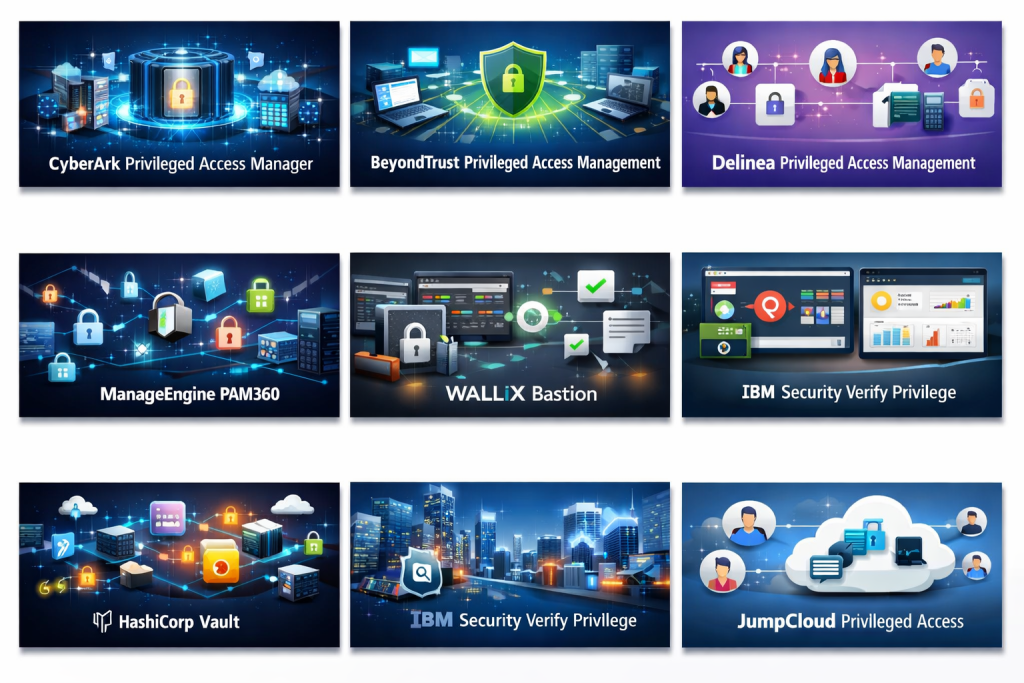
Introduction
Privileged Access Management (PAM) is a critical cybersecurity discipline focused on controlling, monitoring, and securing access to systems, applications, and data by users with elevated privileges. These privileged accounts—such as system administrators, database administrators, DevOps engineers, and service accounts—have extensive access rights and, if misused or compromised, can cause severe security incidents.
In today’s environment of cloud computing, remote work, DevOps automation, and increasing regulatory pressure, privileged accounts are one of the most targeted attack vectors. A single compromised admin credential can lead to data breaches, ransomware attacks, service outages, or compliance violations. PAM tools address this risk by enforcing least-privilege access, rotating credentials, recording privileged sessions, and providing detailed audit trails.
Real-world use cases include securing root and admin access to servers, managing database administrator credentials, protecting cloud infrastructure accounts, controlling third-party vendor access, and safeguarding automated service accounts used in CI/CD pipelines.
When choosing a PAM solution, organizations should evaluate factors such as credential vaulting, session monitoring, integration with IAM and SSO systems, automation capabilities, compliance support, scalability, ease of deployment, and overall cost of ownership.
Best for:
Privileged Access Management tools are best suited for IT administrators, security teams, DevOps engineers, compliance officers, and organizations ranging from fast-growing startups to large enterprises in industries like finance, healthcare, government, SaaS, manufacturing, and critical infrastructure.
Not ideal for:
PAM tools may be excessive for individual users, very small teams with minimal infrastructure, or environments where privileged access is rare and already tightly controlled through simpler access mechanisms.
Top 10 Privileged Access Management (PAM) Tools
1 — CyberArk Privileged Access Manager
Short description:
CyberArk is a market-leading PAM solution designed for large enterprises with complex security and compliance needs. It offers deep control over privileged identities across on-premises, cloud, and hybrid environments.
Key features:
- Secure credential vaulting with automatic password rotation
- Privileged session recording and monitoring
- Just-in-time privileged access
- Strong policy-based access controls
- Integration with IAM, SIEM, and DevOps tools
- Protection for human and machine identities
Pros:
- Extremely mature and feature-rich platform
- Strong compliance and audit capabilities
Cons:
- High cost compared to many alternatives
- Complex initial deployment
Security & compliance:
Supports SSO, strong encryption, audit logs, SOC 2, ISO, GDPR, HIPAA, and more.
Support & community:
Enterprise-grade support, extensive documentation, professional services, and a large global user community.
2 — BeyondTrust Privileged Access Management
Short description:
BeyondTrust delivers a comprehensive PAM platform focused on reducing attack surfaces and enforcing least privilege across endpoints, servers, and cloud environments.
Key features:
- Password vaulting and credential rotation
- Privileged session management and monitoring
- Endpoint privilege management
- Secure remote access for vendors
- Cloud and hybrid support
Pros:
- Strong endpoint and server coverage
- User-friendly interface for admins
Cons:
- Licensing can be complex
- Advanced features require configuration expertise
Security & compliance:
Supports encryption, audit trails, SOC 2, ISO, GDPR, and regulatory requirements.
Support & community:
Reliable enterprise support, good documentation, and active professional user base.
3 — Delinea (formerly Thycotic & Centrify)
Short description:
Delinea provides a modern PAM solution aimed at simplifying privileged access while maintaining strong security controls for mid-market and enterprise organizations.
Key features:
- Centralized credential vault
- Role-based privileged access
- Session recording and auditing
- Cloud-friendly architecture
- Integration with identity providers
Pros:
- Easier to deploy than some legacy PAM tools
- Balanced feature set and usability
Cons:
- Advanced analytics are limited
- Fewer deep customizations than top-tier tools
Security & compliance:
Supports encryption, SSO, audit logs, SOC 2, GDPR, and ISO standards.
Support & community:
Solid customer support, structured onboarding, and growing community adoption.
4 — One Identity Safeguard
Short description:
One Identity Safeguard focuses on protecting privileged credentials and sessions with strong governance and compliance capabilities.
Key features:
- Secure password vaulting
- Privileged session monitoring
- Access request workflows
- Risk-based access controls
- Integration with identity governance tools
Pros:
- Strong governance and compliance alignment
- Scales well for enterprise use
Cons:
- Interface can feel dated
- Requires planning for optimal deployment
Security & compliance:
Supports encryption, detailed audit logs, SOC 2, ISO, and GDPR compliance.
Support & community:
Enterprise-level support and detailed technical documentation.
5 — ManageEngine PAM360
Short description:
ManageEngine PAM360 is an all-in-one privileged access solution designed for IT teams looking for affordability and broad functionality.
Key features:
- Password vault and rotation
- Privileged session monitoring
- SSH key management
- Role-based access control
- Reporting and compliance dashboards
Pros:
- Cost-effective compared to enterprise leaders
- Easy to deploy and manage
Cons:
- UI can feel crowded
- Limited advanced analytics
Security & compliance:
Supports encryption, audit logs, and common compliance frameworks.
Support & community:
Good documentation, responsive support, and strong adoption among SMBs.
6 — HashiCorp Vault
Short description:
HashiCorp Vault focuses on secrets management and dynamic credentials, making it popular among DevOps and cloud-native teams.
Key features:
- Secure secrets storage
- Dynamic credential generation
- API-driven access control
- Strong integration with CI/CD pipelines
- Encryption-as-a-service
Pros:
- Excellent for automation and DevOps
- Flexible and highly scalable
Cons:
- Not a traditional full PAM solution
- Requires technical expertise
Security & compliance:
Supports encryption, audit logging, and compliance frameworks depending on deployment.
Support & community:
Large open-source community and enterprise support options.
7 — Wallix Bastion
Short description:
Wallix Bastion is a European-focused PAM solution emphasizing compliance, traceability, and secure remote access.
Key features:
- Privileged session monitoring
- Access control and credential management
- Real-time session analysis
- Strong compliance reporting
- Secure vendor access
Pros:
- Strong compliance and audit focus
- Well-suited for regulated industries
Cons:
- Smaller ecosystem than global leaders
- Limited third-party integrations
Security & compliance:
Strong alignment with GDPR, ISO, and European regulatory standards.
Support & community:
Professional enterprise support and regional partner ecosystem.
8 — IBM Security Verify Privilege
Short description:
IBM Security Verify Privilege integrates PAM capabilities into IBM’s broader security ecosystem.
Key features:
- Privileged credential management
- Session recording and auditing
- Integration with IAM and SIEM
- Risk-based access controls
- Enterprise-grade scalability
Pros:
- Strong integration with IBM security stack
- Suitable for large enterprises
Cons:
- Best value when used with IBM ecosystem
- Higher operational complexity
Security & compliance:
Supports encryption, audit logs, SOC 2, ISO, and regulatory compliance.
Support & community:
Enterprise support with extensive documentation and consulting options.
9 — StrongDM
Short description:
StrongDM modernizes privileged access by focusing on access proxying rather than traditional password vaults.
Key features:
- Identity-based access to infrastructure
- No shared passwords or keys
- Session logging and visibility
- Easy cloud and DevOps integration
- Centralized access management
Pros:
- Very easy to use
- Strong fit for cloud-native teams
Cons:
- Limited traditional vault features
- Less suitable for legacy environments
Security & compliance:
Supports encryption, logging, and compliance reporting.
Support & community:
High-quality onboarding, responsive support, and modern documentation.
10 — JumpCloud Privileged Access
Short description:
JumpCloud extends its directory and device management platform to include privileged access control for SMBs and mid-market organizations.
Key features:
- Centralized identity and access management
- Privileged access controls
- Device and user policy enforcement
- Cloud-native architecture
- Lightweight PAM functionality
Pros:
- Easy deployment
- Cost-effective for smaller teams
Cons:
- Not a full enterprise PAM replacement
- Limited advanced PAM features
Security & compliance:
Supports encryption, logging, and standard compliance needs.
Support & community:
Strong documentation, onboarding guides, and SMB-focused support.
Comparison Table
| Tool Name | Best For | Platform(s) Supported | Standout Feature | Rating |
|---|---|---|---|---|
| CyberArk | Large enterprises | On-prem, Cloud, Hybrid | Deep PAM maturity | N/A |
| BeyondTrust | Enterprise & mid-market | On-prem, Cloud | Endpoint privilege control | N/A |
| Delinea | Mid-market & enterprise | Cloud, Hybrid | Ease of deployment | N/A |
| One Identity Safeguard | Compliance-driven orgs | On-prem, Cloud | Governance workflows | N/A |
| ManageEngine PAM360 | SMB & mid-market | On-prem, Cloud | Value for money | N/A |
| HashiCorp Vault | DevOps teams | Cloud, Hybrid | Dynamic secrets | N/A |
| Wallix Bastion | Regulated industries | On-prem, Cloud | Compliance focus | N/A |
| IBM Verify Privilege | Large enterprises | Hybrid | IBM ecosystem integration | N/A |
| StrongDM | Cloud-native teams | Cloud | Passwordless access | N/A |
| JumpCloud PAM | SMBs | Cloud | Simplicity | N/A |
Evaluation & Scoring of Privileged Access Management (PAM)
| Criteria | Weight | Description |
|---|---|---|
| Core features | 25% | Vaulting, session monitoring, access controls |
| Ease of use | 15% | UI, deployment, learning curve |
| Integrations & ecosystem | 15% | IAM, SIEM, DevOps tools |
| Security & compliance | 10% | Encryption, certifications |
| Performance & reliability | 10% | Stability and scalability |
| Support & community | 10% | Documentation and vendor support |
| Price / value | 15% | Cost vs features |
Which Privileged Access Management (PAM) Tool Is Right for You?
- Solo users: PAM tools are generally unnecessary; simpler access controls may suffice.
- SMBs: Look for affordable, easy-to-deploy solutions with essential PAM features.
- Mid-market: Balance usability, integrations, and scalability.
- Enterprise: Prioritize deep security, compliance, and advanced automation.
Budget-conscious teams should focus on value-oriented tools, while security-first organizations may invest in premium platforms. DevOps-heavy teams benefit from automation-friendly solutions, while regulated industries require strong auditing and compliance controls.
Frequently Asked Questions (FAQs)
1. What is Privileged Access Management?
PAM controls and monitors access to systems using high-level permissions.
2. Why is PAM important?
It reduces the risk of breaches caused by compromised privileged accounts.
3. Is PAM only for large enterprises?
No, many PAM tools are designed for SMBs and mid-sized organizations.
4. How does PAM support compliance?
By providing audit logs, access controls, and reporting.
5. Can PAM work with cloud infrastructure?
Yes, most modern PAM tools support cloud and hybrid environments.
6. Does PAM replace IAM?
No, PAM complements IAM by focusing on privileged users.
7. Is PAM difficult to deploy?
Some enterprise tools are complex, while others are quick to set up.
8. What are common PAM mistakes?
Overcomplicating policies and not rotating credentials regularly.
9. Can PAM manage service accounts?
Yes, many tools support machine and application identities.
10. How do I choose the right PAM tool?
Assess your size, budget, compliance needs, and technical environment.
Conclusion
Privileged Access Management is no longer optional—it is a foundational security requirement in modern IT environments. With increasing cyber threats, regulatory demands, and complex infrastructures, PAM tools help organizations protect their most powerful accounts.
The best PAM solution depends on your organization’s size, industry, budget, and technical maturity. Rather than searching for a universal winner, focus on aligning capabilities with your specific needs. A well-chosen PAM tool can significantly reduce risk, improve compliance, and strengthen overall security posture.

Find Trusted Cardiac Hospitals
Compare heart hospitals by city and services — all in one place.
Explore Hospitals
This article provides a clear and practical overview of Privileged Access Management (PAM) solutions, explaining how these tools help organizations protect critical systems by controlling and monitoring elevated access. By outlining key features such as privileged session monitoring, credential vaulting, least-privilege enforcement, and audit logging, it gives readers useful criteria for comparing different PAM platforms. The balanced discussion of pros and cons for each solution makes it easier for security teams to evaluate options based on protection strength, usability, and deployment fit. For organizations looking to reduce insider risk and strengthen access controls for sensitive accounts, this comparison offers valuable insights to support informed decision-making.