
Introduction
Public Key Infrastructure (PKI) tools form the backbone of modern digital security. They are responsible for issuing, managing, validating, and revoking digital certificates that enable trusted communication across networks, applications, users, and devices. In simple terms, PKI tools ensure that data is encrypted, identities are verified, and communications remain tamper-proof.
In today’s environment—where cloud computing, remote work, APIs, IoT devices, and zero-trust security models are the norm—PKI is no longer optional. From securing web traffic with TLS certificates to authenticating users, devices, and software, PKI tools are deeply embedded in enterprise IT, cybersecurity, and compliance frameworks.
Real-world use cases include:
- Securing websites and APIs with SSL/TLS
- Device authentication in IoT and OT environments
- Secure email and document signing
- Code signing for software distribution
- Identity and access management (IAM)
- Regulatory compliance and audit readiness
When evaluating PKI tools, users should look for:
- Certificate lifecycle management (issuance, renewal, revocation)
- Automation and scalability
- Integration with existing systems
- Strong security and compliance controls
- Reliability and vendor support
Best for:
PKI tools are ideal for enterprises, regulated industries, cloud-native organizations, DevOps teams, security architects, and IT administrators managing certificates at scale. Industries such as finance, healthcare, government, telecom, SaaS, and manufacturing benefit heavily from PKI.
Not ideal for:
Very small teams or individuals with minimal security requirements may not need full PKI platforms. In such cases, basic certificate services or managed hosting-level security may be sufficient.
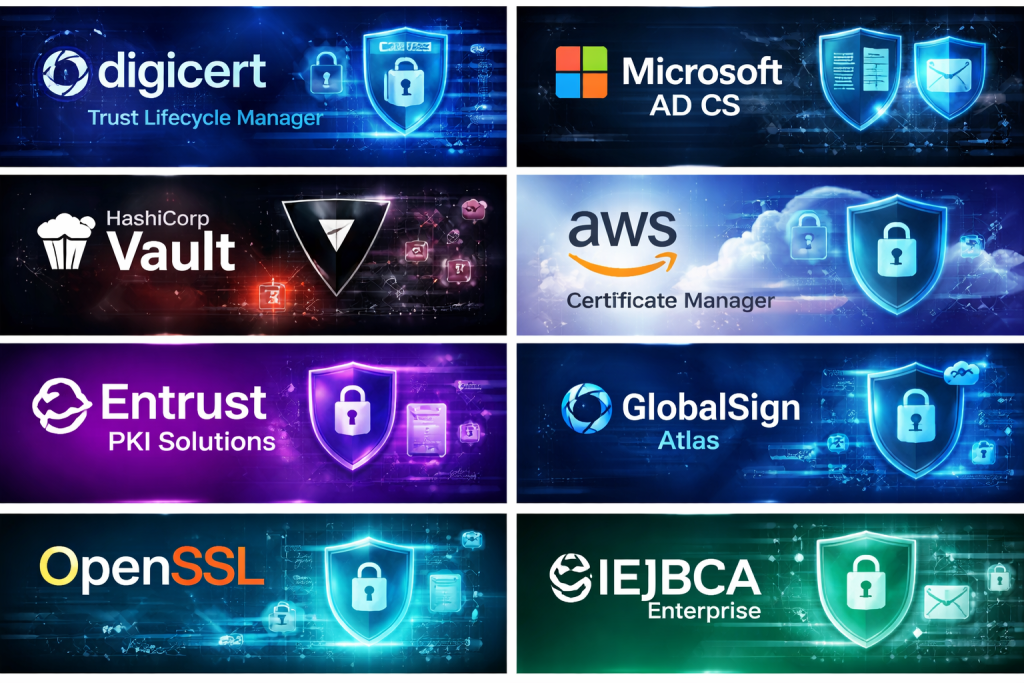
Top 10 Public Key Infrastructure (PKI) Tools
#1 — DigiCert Trust Lifecycle Manager
Short description:
A comprehensive enterprise-grade PKI and certificate lifecycle management platform designed for large organizations with complex security needs.
Key features:
- Centralized certificate lifecycle management
- Automated certificate discovery and renewal
- Support for public and private PKI
- Strong policy enforcement and governance
- DevOps and CI/CD integrations
- Real-time monitoring and alerts
Pros:
- Highly trusted brand with strong reliability
- Excellent automation for large environments
- Strong compliance and audit capabilities
Cons:
- Premium pricing
- Overkill for small teams
Security & compliance:
SOC 2, ISO standards, GDPR alignment, strong encryption, detailed audit logs
Support & community:
Enterprise-grade support, detailed documentation, professional onboarding services
#2 — Microsoft Active Directory Certificate Services (AD CS)
Short description:
A native PKI solution tightly integrated with Microsoft Active Directory, ideal for Windows-centric enterprises.
Key features:
- Deep integration with Active Directory
- Internal certificate authority (CA)
- Smart card and user authentication
- Group Policy-based certificate deployment
- Supports enterprise and standalone CA modes
Pros:
- Included in Windows Server environments
- Seamless integration with Microsoft ecosystem
- Strong control over internal identities
Cons:
- Limited cross-platform flexibility
- Requires skilled configuration and maintenance
Security & compliance:
Enterprise-grade encryption, audit logs, compliance depends on configuration
Support & community:
Extensive Microsoft documentation, large global community, enterprise support options
#3 — HashiCorp Vault (PKI Engine)
Short description:
A modern secrets management platform with a powerful PKI engine, popular among DevOps and cloud-native teams.
Key features:
- Dynamic certificate issuance
- Short-lived certificates for zero-trust models
- API-driven automation
- Strong integration with Kubernetes and cloud providers
- Role-based access control (RBAC)
Pros:
- Excellent for dynamic, cloud-native environments
- Strong automation and security model
- Highly flexible and extensible
Cons:
- Steeper learning curve
- Requires operational maturity
Security & compliance:
Encryption at rest and in transit, audit logs, compliance varies by deployment
Support & community:
Strong open-source community, enterprise support available
#4 — AWS Certificate Manager (ACM)
Short description:
A managed certificate service optimized for securing applications running on AWS infrastructure.
Key features:
- Automated certificate provisioning and renewal
- Seamless integration with AWS services
- No manual certificate handling
- Supports public and private certificates
- High availability and scalability
Pros:
- Zero operational overhead
- Cost-effective for AWS users
- Deep AWS ecosystem integration
Cons:
- Limited to AWS environments
- Less control compared to full PKI platforms
Security & compliance:
AWS security standards, strong encryption, compliance certifications inherited from AWS
Support & community:
AWS documentation, enterprise support plans, large user base
#5 — Entrust PKI Solutions
Short description:
A robust PKI platform designed for high-security, regulated environments such as finance, government, and healthcare.
Key features:
- Managed and on-prem PKI options
- Hardware security module (HSM) integration
- Identity-centric certificate management
- Strong policy and lifecycle controls
- IoT and machine identity support
Pros:
- Extremely strong security posture
- Ideal for regulated industries
- Long-standing industry reputation
Cons:
- Higher cost
- Complex deployment for smaller teams
Security & compliance:
SOC 2, ISO, GDPR, HIPAA support, strong audit capabilities
Support & community:
Dedicated enterprise support, professional services, structured documentation
#6 — GlobalSign Atlas
Short description:
A cloud-based PKI platform focused on simplifying certificate management for enterprises and DevOps teams.
Key features:
- Centralized certificate lifecycle management
- Automation via APIs
- Public and private PKI support
- Cloud-native architecture
- Visibility across all certificates
Pros:
- Good balance of usability and power
- Strong automation features
- Suitable for hybrid environments
Cons:
- Pricing may be high for small teams
- Fewer customization options than on-prem solutions
Security & compliance:
Industry-standard encryption, compliance certifications, audit logging
Support & community:
Good documentation, enterprise support available
#7 — OpenSSL
Short description:
A widely used open-source toolkit for implementing SSL/TLS and basic PKI functionality.
Key features:
- Certificate generation and signing
- Encryption and cryptographic utilities
- Cross-platform compatibility
- Highly customizable
- Lightweight and flexible
Pros:
- Free and open source
- Extremely flexible
- Industry standard cryptographic library
Cons:
- Not a full PKI management platform
- Manual and error-prone at scale
Security & compliance:
Strong cryptography, compliance depends on implementation
Support & community:
Large open-source community, extensive documentation
#8 — Smallstep Certificate Manager
Short description:
A modern, developer-friendly PKI solution focused on automation and zero-trust security.
Key features:
- Automated certificate lifecycle
- Short-lived certificates
- Strong DevOps integration
- Cloud and on-prem support
- Simple configuration
Pros:
- Easy to deploy
- Ideal for modern infrastructure
- Strong security defaults
Cons:
- Smaller ecosystem
- Less suitable for legacy environments
Security & compliance:
Strong encryption, audit logs, compliance varies by deployment
Support & community:
Good documentation, growing community, commercial support available
#9 — EJBCA Enterprise
Short description:
A mature, highly configurable PKI platform suitable for large-scale and mission-critical deployments.
Key features:
- Multi-tenant PKI support
- Certificate authorities and registration authorities
- Extensive policy controls
- Hardware security module support
- High availability options
Pros:
- Very flexible and scalable
- Suitable for complex PKI hierarchies
- Open-source core with enterprise features
Cons:
- Complex setup
- Requires PKI expertise
Security & compliance:
Strong encryption, audit logs, compliance depends on configuration
Support & community:
Active community, enterprise support and training available
#10 — Keyfactor Command
Short description:
A certificate lifecycle management platform focused on visibility, automation, and governance across enterprises.
Key features:
- Discovery of all certificates
- Automated renewal and policy enforcement
- Multi-CA support
- DevOps and ITSM integrations
- Centralized dashboard and reporting
Pros:
- Strong governance and visibility
- Vendor-agnostic CA support
- Scales well for enterprises
Cons:
- Higher learning curve
- Enterprise-focused pricing
Security & compliance:
Enterprise-grade security, audit logs, compliance frameworks supported
Support & community:
Enterprise support, structured onboarding, professional services
Comparison Table
| Tool Name | Best For | Platform(s) Supported | Standout Feature | Rating |
|---|---|---|---|---|
| DigiCert Trust Lifecycle Manager | Large enterprises | Cloud, hybrid | End-to-end certificate automation | N/A |
| Microsoft AD CS | Windows enterprises | On-prem | Active Directory integration | N/A |
| HashiCorp Vault | DevOps, cloud teams | Cloud, on-prem | Dynamic PKI | N/A |
| AWS Certificate Manager | AWS workloads | Cloud | Managed certificates | N/A |
| Entrust PKI | Regulated industries | Cloud, on-prem | High-assurance security | N/A |
| GlobalSign Atlas | Hybrid enterprises | Cloud | Simplified PKI management | N/A |
| OpenSSL | Developers | Cross-platform | Open-source cryptography | N/A |
| Smallstep | Zero-trust environments | Cloud, on-prem | Short-lived certs | N/A |
| EJBCA Enterprise | Large PKI deployments | Cloud, on-prem | Multi-tenant PKI | N/A |
| Keyfactor Command | Enterprise governance | Cloud, hybrid | Certificate visibility | N/A |
Evaluation & Scoring of Public Key Infrastructure (PKI) Tools
| Tool | Core Features (25%) | Ease of Use (15%) | Integrations (15%) | Security (10%) | Performance (10%) | Support (10%) | Price/Value (15%) | Total Score |
|---|---|---|---|---|---|---|---|---|
| DigiCert | 23 | 13 | 14 | 9 | 9 | 9 | 10 | 87 |
| Microsoft AD CS | 20 | 12 | 13 | 8 | 8 | 9 | 13 | 83 |
| HashiCorp Vault | 22 | 11 | 15 | 9 | 9 | 8 | 12 | 86 |
| AWS ACM | 18 | 14 | 14 | 8 | 9 | 8 | 14 | 85 |
| Entrust | 23 | 10 | 12 | 10 | 9 | 9 | 9 | 82 |
Which Public Key Infrastructure (PKI) Tool Is Right for You?
- Solo users / small teams: Lightweight tools like OpenSSL or managed cloud certificates
- SMBs: Cloud-based PKI with automation and minimal overhead
- Mid-market: Hybrid PKI with centralized visibility and automation
- Enterprise: Full PKI lifecycle platforms with governance and compliance
Budget-conscious users should prioritize managed or open-source solutions, while premium users benefit from enterprise automation, support, and compliance.
Frequently Asked Questions (FAQs)
- What problem do PKI tools solve?
They establish trust by encrypting data and verifying identities. - Are PKI tools only for enterprises?
No, but enterprises benefit the most due to scale and compliance needs. - Is PKI required for zero-trust security?
Yes, certificates are a core component of zero-trust models. - Can PKI be automated?
Modern tools offer extensive automation. - Are open-source PKI tools safe?
Yes, if properly configured and maintained. - What is certificate lifecycle management?
It covers issuance, renewal, revocation, and monitoring. - Do PKI tools support cloud environments?
Most modern tools do. - How complex is PKI implementation?
It varies from simple to highly complex based on scale. - Is PKI expensive?
Costs range from free to premium enterprise pricing. - What is the biggest PKI mistake?
Poor certificate visibility and manual management.
Conclusion
Public Key Infrastructure tools are a critical foundation of modern cybersecurity. From securing web traffic to enabling zero-trust architectures, PKI ensures trust, encryption, and identity verification at scale. The right tool depends on organization size, technical maturity, compliance needs, and budget.
There is no universal “best” PKI tool—only the best fit for your specific requirements. By focusing on automation, visibility, security, and long-term scalability, organizations can select a PKI solution that supports both current needs and future growth.

Find Trusted Cardiac Hospitals
Compare heart hospitals by city and services — all in one place.
Explore Hospitals