
Introduction
Records Management & Retention Tools are specialized software solutions designed to help organizations systematically create, store, classify, retain, archive, and dispose of records according to business needs and regulatory requirements. These records may include contracts, employee files, financial documents, emails, medical records, legal files, and operational data—both digital and physical.
In today’s compliance-driven environment, organizations are under increasing pressure to retain records for legally mandated periods, protect sensitive data, and prove accountability during audits, litigation, or investigations. Poor records management can lead to data breaches, regulatory fines, operational inefficiencies, and reputational damage.
Real-world use cases include:
- Regulated industries managing strict retention laws
- Enterprises handling millions of digital documents
- Legal teams preparing for audits or eDiscovery
- Healthcare and finance organizations protecting sensitive data
- Growing companies replacing manual or ad-hoc storage systems
When evaluating Records Management & Retention Tools, users should consider:
- Retention policy automation
- Compliance coverage and certifications
- Search, classification, and metadata management
- Security controls and auditability
- Scalability and integration with existing systems
- Ease of use and governance workflows
Best for:
Records Management & Retention Tools are ideal for compliance officers, IT administrators, legal teams, records managers, data protection officers, and operations leaders across SMBs, mid-market organizations, and large enterprises. Industries such as healthcare, finance, government, education, legal, insurance, and manufacturing benefit the most.
Not ideal for:
These tools may be overkill for solo users, freelancers, or very small teams with minimal compliance requirements. In such cases, structured cloud storage or basic document management systems may be sufficient.
Top 10 Records Management & Retention Tools
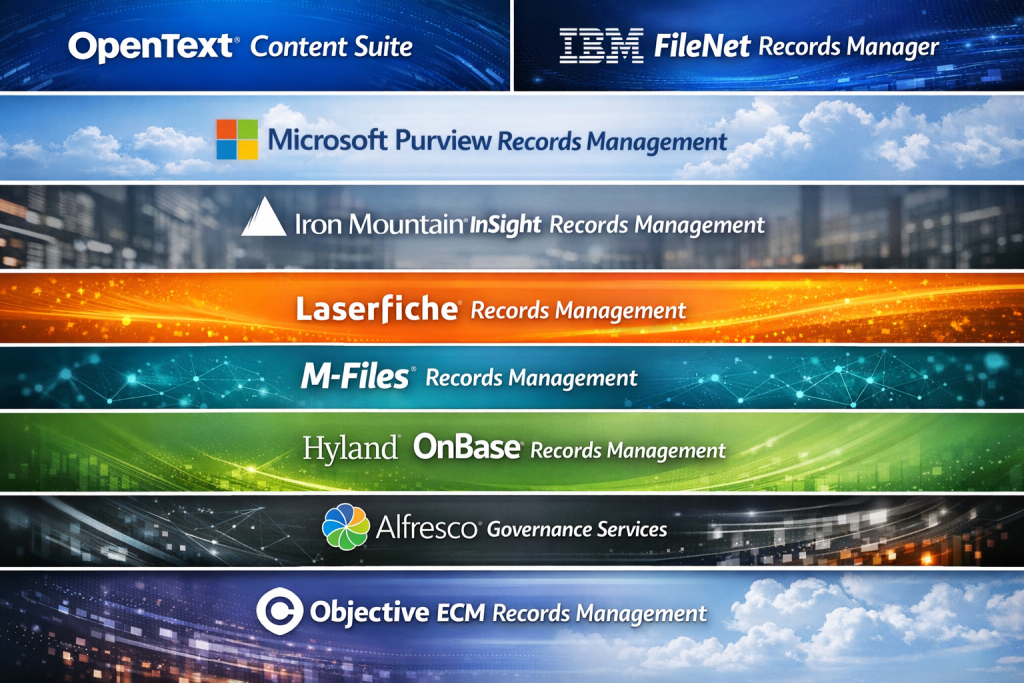
1 — OpenText Content Suite
Short description:
An enterprise-grade information governance and records management platform designed for large organizations with complex compliance and content needs.
Key features:
- Advanced records classification and retention scheduling
- Policy-based automation for disposition and archiving
- Enterprise content and document management
- Legal hold and eDiscovery readiness
- Metadata-driven search and retrieval
- Scalable architecture for large data volumes
Pros:
- Extremely robust compliance capabilities
- Proven reliability in highly regulated industries
Cons:
- Complex implementation and configuration
- High total cost of ownership
Security & compliance:
Supports encryption, audit logs, role-based access, GDPR, ISO standards, and industry-specific compliance.
Support & community:
Strong enterprise support, professional services, extensive documentation, limited community-driven resources.
2 — IBM Enterprise Records
Short description:
A mature records management solution built for organizations requiring deep governance, analytics, and enterprise integration.
Key features:
- Centralized records lifecycle management
- Automated retention and disposition
- Integration with enterprise content systems
- Advanced analytics and reporting
- Legal and regulatory compliance controls
Pros:
- Deep enterprise ecosystem integration
- Strong analytics and governance tools
Cons:
- Steep learning curve
- Best suited for large enterprises only
Security & compliance:
Enterprise-grade security, audit trails, encryption, and compliance with major global regulations.
Support & community:
Professional enterprise support, structured onboarding, limited peer community.
3 — Microsoft Purview Records Management
Short description:
A cloud-native records and data governance solution embedded within the Microsoft ecosystem.
Key features:
- Automated retention labels and policies
- Native integration with Microsoft 365
- eDiscovery and legal hold capabilities
- Data classification and sensitivity labels
- Centralized compliance management
Pros:
- Seamless experience for Microsoft users
- Easy adoption for existing Microsoft environments
Cons:
- Limited customization outside Microsoft ecosystem
- Advanced features require higher-tier licenses
Security & compliance:
Strong compliance support including GDPR, ISO, SOC frameworks, audit logs, and encryption.
Support & community:
Extensive documentation, large user community, enterprise and partner support available.
4 — Iron Mountain InSight Digital Experience Platform
Short description:
A hybrid digital and physical records management platform combining governance with archival expertise.
Key features:
- Digital and physical records lifecycle management
- Retention scheduling and policy enforcement
- Secure archival and destruction services
- Advanced search and indexing
- Compliance-focused reporting
Pros:
- Strong hybrid (physical + digital) capabilities
- Trusted compliance and archival expertise
Cons:
- Less flexible for pure SaaS-first organizations
- Costs can increase with volume
Security & compliance:
Strong physical and digital security controls, compliance certifications vary by service.
Support & community:
Dedicated account management, professional services, limited user community.
5 — Laserfiche Records Management
Short description:
A user-friendly records management platform focused on automation and process efficiency.
Key features:
- Retention schedules and cutoff rules
- Automated document classification
- Workflow automation
- Records auditing and reporting
- Cloud and on-prem deployment options
Pros:
- Intuitive interface
- Strong automation capabilities
Cons:
- Advanced customization requires expertise
- Not ideal for extremely large enterprises
Security & compliance:
Encryption, audit logs, role-based access, compliance varies by deployment.
Support & community:
Good documentation, active user community, responsive support.
6 — M-Files
Short description:
A metadata-driven document and records management system emphasizing intelligent information governance.
Key features:
- Metadata-based classification instead of folders
- Automated retention and lifecycle rules
- AI-assisted content discovery
- Integration with business systems
- Version control and audit trails
Pros:
- Highly intuitive information retrieval
- Reduces duplication and misfiling
Cons:
- Requires metadata discipline
- Setup complexity for large deployments
Security & compliance:
Supports encryption, access controls, audit logs, GDPR alignment.
Support & community:
Strong vendor support, growing user community, solid documentation.
7 — FileHold Records Management
Short description:
A straightforward records and document management solution designed for SMBs and mid-sized organizations.
Key features:
- Retention schedules and disposition workflows
- Secure document storage
- Version control and audit trails
- Simple search and retrieval
- Cloud and on-prem options
Pros:
- Cost-effective
- Easy to deploy and manage
Cons:
- Limited advanced analytics
- Fewer enterprise-grade features
Security & compliance:
Encryption, access controls, audit logging; compliance scope is moderate.
Support & community:
Helpful customer support, smaller community, adequate documentation.
8 — DocuWare
Short description:
A cloud-first document and records management platform with strong workflow automation.
Key features:
- Automated document capture and indexing
- Retention and records lifecycle management
- Workflow automation
- Integration with ERP and finance systems
- Secure cloud storage
Pros:
- Strong automation for business processes
- Cloud-native scalability
Cons:
- Pricing can scale quickly
- Limited deep compliance customization
Security & compliance:
Encryption, access controls, GDPR compliance, audit logging.
Support & community:
Good documentation, partner-driven support, moderate community presence.
9 — Hyland OnBase
Short description:
A comprehensive enterprise content and records management platform widely used in regulated industries.
Key features:
- Enterprise records lifecycle management
- Compliance-driven retention policies
- Workflow and case management
- Advanced search and reporting
- Integration with core business systems
Pros:
- Highly scalable
- Strong compliance and governance features
Cons:
- Implementation can be lengthy
- Higher cost for small teams
Security & compliance:
Strong compliance coverage including healthcare and financial regulations.
Support & community:
Enterprise-level support, training programs, active user conferences.
10 — Alfresco Governance Services
Short description:
An open and flexible governance solution focused on records management and digital preservation.
Key features:
- Records lifecycle management
- Retention and disposition rules
- Digital preservation support
- Open architecture and APIs
- Metadata-driven classification
Pros:
- Highly customizable
- Open-source flexibility
Cons:
- Requires technical expertise
- Support quality varies by deployment
Security & compliance:
Security features vary; compliance depends on configuration and hosting.
Support & community:
Active open-source community, enterprise support available.
Comparison Table
| Tool Name | Best For | Platform(s) Supported | Standout Feature | Rating |
|---|---|---|---|---|
| OpenText Content Suite | Large enterprises | Cloud / On-prem | Enterprise governance depth | N/A |
| IBM Enterprise Records | Global enterprises | On-prem / Hybrid | Analytics-driven governance | N/A |
| Microsoft Purview | Microsoft-centric orgs | Cloud | Native M365 integration | N/A |
| Iron Mountain InSight | Hybrid records | Cloud / Physical | Physical + digital management | N/A |
| Laserfiche | SMB to mid-market | Cloud / On-prem | Workflow automation | N/A |
| M-Files | Knowledge-driven teams | Cloud / On-prem | Metadata-based filing | N/A |
| FileHold | SMBs | Cloud / On-prem | Simplicity and value | N/A |
| DocuWare | Finance & operations | Cloud | Business workflow automation | N/A |
| Hyland OnBase | Regulated enterprises | Cloud / On-prem | Industry compliance strength | N/A |
| Alfresco Governance | Custom deployments | Cloud / On-prem | Open and extensible | N/A |
Evaluation & Scoring of Records Management & Retention Tools
| Evaluation Criteria | Weight |
|---|---|
| Core features | 25% |
| Ease of use | 15% |
| Integrations & ecosystem | 15% |
| Security & compliance | 10% |
| Performance & reliability | 10% |
| Support & community | 10% |
| Price / value | 15% |
Organizations should score each tool against this rubric based on their specific priorities. Enterprises often weigh core features and compliance higher, while SMBs may prioritize ease of use and price.
Which Records Management & Retention Tools Tool Is Right for You?
Solo users & small teams:
Lightweight or basic document systems may be sufficient. Full records management platforms may be unnecessary.
SMBs:
Look for tools offering ease of use, automation, and affordability without heavy configuration requirements.
Mid-market organizations:
Balance compliance depth with usability. Integration with existing systems becomes critical.
Enterprises:
Prioritize governance depth, scalability, legal readiness, and compliance certifications.
Budget-conscious buyers:
Choose platforms with modular pricing and essential retention features.
Premium buyers:
Invest in enterprise-grade governance, analytics, and professional services.
Security-focused organizations:
Ensure strong encryption, audit logs, role-based access, and regulatory alignment.
Frequently Asked Questions (FAQs)
1. What is records retention?
Records retention defines how long records must be kept before being archived or destroyed.
2. Why is records management important?
It ensures compliance, reduces legal risk, and improves operational efficiency.
3. Are records management tools only for large enterprises?
No. Many tools are designed for SMBs and mid-sized organizations as well.
4. Do these tools support cloud environments?
Most modern platforms offer cloud, on-prem, or hybrid deployment options.
5. Can records management tools handle emails?
Yes, many solutions support email capture and retention policies.
6. How do retention policies work?
Policies automatically control when records are archived or deleted based on rules.
7. Are these tools secure?
Most reputable tools offer encryption, access controls, and audit trails.
8. What industries need these tools the most?
Healthcare, finance, legal, government, and education are top users.
9. How long does implementation take?
It ranges from days for SMB tools to months for enterprise platforms.
10. What is a common mistake buyers make?
Choosing overly complex tools without clear governance requirements.
Conclusion
Records Management & Retention Tools play a critical role in helping organizations stay compliant, reduce risk, and manage information responsibly. The right solution depends on your organization size, regulatory environment, data volume, and technical maturity.
There is no single “best” tool for everyone. Some platforms excel in enterprise governance, while others shine in usability and automation. By focusing on retention needs, compliance requirements, scalability, and usability, organizations can confidently select a solution that supports both today’s needs and future growth.

Find Trusted Cardiac Hospitals
Compare heart hospitals by city and services — all in one place.
Explore Hospitals