
Introduction
Remote Sensing & Satellite Image Analysis refers to the science and technology of collecting, processing, and interpreting data about the Earth’s surface without direct physical contact. Using satellites, aircraft, drones, and advanced sensors, these systems capture multispectral, hyperspectral, radar, and thermal imagery that reveal patterns invisible to the human eye.
These tools are critically important because they enable large-scale, real-time, and historical analysis of the planet. Governments use them for disaster response and land management, businesses rely on them for infrastructure planning and risk assessment, and researchers apply them to climate science, agriculture, and environmental monitoring.
Key real-world use cases include:
- Crop health monitoring and yield prediction
- Urban growth and land-use planning
- Climate change and deforestation analysis
- Disaster assessment (floods, wildfires, earthquakes)
- Defense, border monitoring, and maritime surveillance
When choosing a Remote Sensing & Satellite Image Analysis platform, users should evaluate:
- Data availability (satellite sources, resolution, revisit rate)
- Analytical depth (AI/ML, raster analysis, time-series tools)
- Ease of use vs. flexibility
- Integration with GIS, AI, and enterprise systems
- Security, scalability, and compliance
Best for:
Urban planners, GIS professionals, environmental scientists, agritech companies, defense agencies, disaster management teams, infrastructure developers, and research institutions handling large-scale geospatial data.
Not ideal for:
Teams that only need basic maps, static visuals, or simple location lookups may find these platforms too complex compared to lightweight mapping or visualization tools.
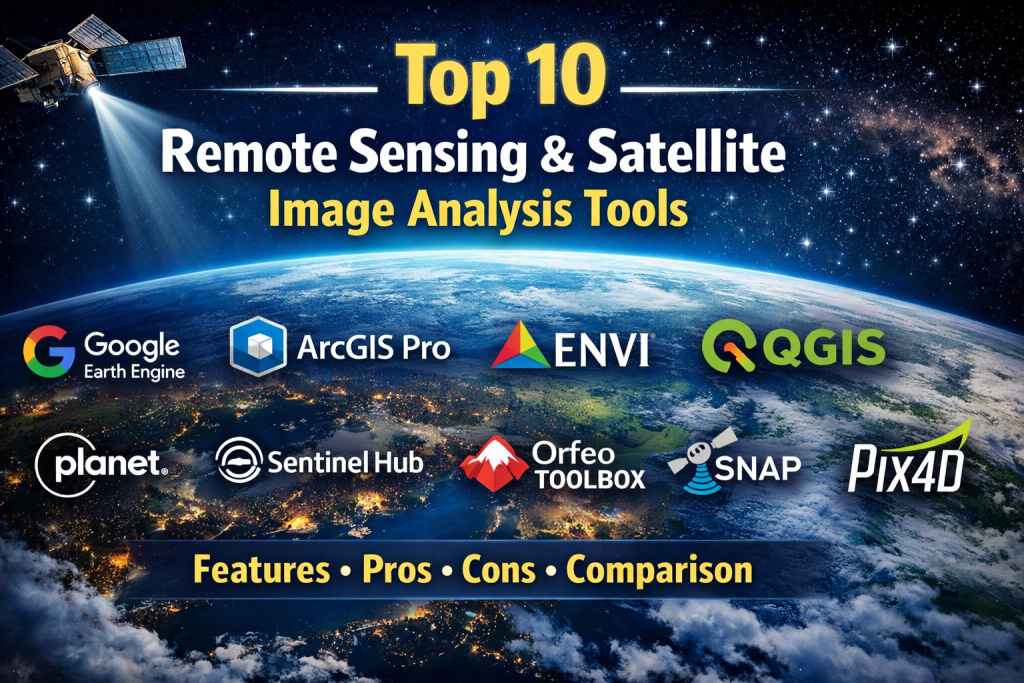
Top 10 Remote Sensing & Satellite Image Analysis Tools
1 — Google Earth Engine
Short description:
A cloud-based geospatial analysis platform designed for planetary-scale remote sensing and environmental monitoring.
Key features:
- Massive catalog of satellite datasets
- Cloud-based parallel processing
- Time-series and change detection
- JavaScript and Python APIs
- Built-in machine learning tools
- Raster and vector analytics
Pros:
- Extremely powerful for large datasets
- No local infrastructure required
Cons:
- Steep learning curve
- Limited offline capabilities
Security & compliance: Varies / N/A
Support & community: Strong documentation, global research and academic community
2 — ArcGIS Pro
Short description:
A professional desktop GIS platform with advanced raster, 3D, and satellite image analysis capabilities.
Key features:
- Advanced raster and image processing
- Deep GIS integration
- 3D and spatial modeling
- AI-powered classification
- Enterprise geodatabase support
- Extensive cartographic tools
Pros:
- Industry-leading GIS ecosystem
- Highly accurate analytical tools
Cons:
- Expensive licensing
- Requires skilled operators
Security & compliance: Enterprise-grade security, role-based access
Support & community: Extensive enterprise support, global user base
3 — ENVI
Short description:
A specialized remote sensing platform focused on advanced spectral analysis and scientific research.
Key features:
- Hyperspectral analysis
- Atmospheric correction
- Image classification and feature extraction
- Change detection workflows
- Python integration
- Scientific-grade accuracy
Pros:
- Exceptional spectral analysis
- Trusted in research and defense
Cons:
- High cost
- Not beginner-friendly
Security & compliance: Varies / N/A
Support & community: Professional support, academic adoption
4 — QGIS
Short description:
An open-source GIS platform widely used for satellite imagery visualization and analysis.
Key features:
- Raster and vector analysis
- Plugin ecosystem
- Multi-format data support
- Community-driven enhancements
- Python scripting
- Cost-free licensing
Pros:
- Free and flexible
- Strong global community
Cons:
- Performance limits with massive datasets
- Plugin quality varies
Security & compliance: N/A
Support & community: Large open-source community, documentation forums
5 — ERDAS IMAGINE
Short description:
A professional image processing system tailored for photogrammetry and large-scale mapping projects.
Key features:
- Advanced raster analytics
- Photogrammetry workflows
- Change detection
- Classification tools
- CAD/GIS integration
- High-resolution image support
Pros:
- Excellent for mapping agencies
- Proven enterprise reliability
Cons:
- Complex interface
- High licensing cost
Security & compliance: Enterprise-grade
Support & community: Professional vendor support
6 — Planet Analytics
Short description:
A commercial satellite analytics solution offering frequent, high-resolution Earth imagery.
Key features:
- Daily global imagery
- Change detection analytics
- Agriculture and forestry insights
- API-based access
- Cloud processing
- Near real-time monitoring
Pros:
- High revisit frequency
- Actionable business insights
Cons:
- Premium pricing
- Less flexible for custom research
Security & compliance: Enterprise security standards
Support & community: Commercial support and onboarding
7 — Sentinel Hub
Short description:
A cloud platform providing streamlined access to Sentinel and other Earth observation data.
Key features:
- On-the-fly processing
- Time-series analysis
- API and visualization tools
- Multi-sensor support
- Scalable cloud infrastructure
- Custom scripts
Pros:
- Easy access to EU satellite data
- Developer-friendly APIs
Cons:
- Advanced features require expertise
- Limited offline workflows
Security & compliance: GDPR-aligned
Support & community: Good documentation, developer community
8 — Orfeo Toolbox
Short description:
An open-source library focused on high-resolution remote sensing image processing.
Key features:
- Advanced segmentation algorithms
- Large-scale raster processing
- Command-line and API usage
- Scientific accuracy
- Integration with GIS tools
- Open-source flexibility
Pros:
- Powerful algorithms
- Free and extensible
Cons:
- Not user-friendly
- Requires technical skills
Security & compliance: N/A
Support & community: Research-driven community
9 — SNAP
Short description:
A free toolbox designed for processing Sentinel satellite data.
Key features:
- Radar and optical processing
- Calibration and correction
- Time-series analysis
- Plugin architecture
- Multi-mission support
- Scientific workflows
Pros:
- Optimized for Sentinel missions
- Free and reliable
Cons:
- Performance issues on large datasets
- Limited UI polish
Security & compliance: N/A
Support & community: Active scientific community
10 — Pix4D
Short description:
A photogrammetry platform converting imagery into 3D models and geospatial insights.
Key features:
- 3D reconstruction
- Orthomosaic generation
- Survey-grade outputs
- Cloud and desktop workflows
- Precision measurement tools
- Drone and satellite compatibility
Pros:
- High-quality 3D outputs
- Industry adoption
Cons:
- Expensive
- Less focused on long-term satellite analytics
Security & compliance: Enterprise standards
Support & community: Professional training and support
Comparison Table
| Tool Name | Best For | Platform(s) Supported | Standout Feature | Rating |
|---|---|---|---|---|
| Google Earth Engine | Global environmental analysis | Cloud | Planet-scale processing | N/A |
| ArcGIS Pro | Enterprise GIS & planning | Windows | Full GIS ecosystem | N/A |
| ENVI | Scientific & defense research | Desktop | Spectral analysis | N/A |
| QGIS | Budget-conscious GIS users | Cross-platform | Open-source flexibility | N/A |
| ERDAS IMAGINE | Mapping agencies | Desktop | Photogrammetry | N/A |
| Planet Analytics | Near real-time monitoring | Cloud | Daily imagery | N/A |
| Sentinel Hub | Developer workflows | Cloud | On-the-fly processing | N/A |
| Orfeo Toolbox | Research pipelines | Cross-platform | Advanced algorithms | N/A |
| SNAP | Sentinel missions | Cross-platform | Radar processing | N/A |
| Pix4D | 3D mapping | Desktop / Cloud | Photogrammetry | N/A |
Evaluation & Scoring of Remote Sensing & Satellite Image Analysis
| Criteria | Weight | Evaluation Focus |
|---|---|---|
| Core features | 25% | Data sources, analytics depth |
| Ease of use | 15% | UI, learning curve |
| Integrations & ecosystem | 15% | GIS, AI, APIs |
| Security & compliance | 10% | Enterprise readiness |
| Performance & reliability | 10% | Large dataset handling |
| Support & community | 10% | Documentation, help |
| Price / value | 15% | ROI vs cost |
Which Remote Sensing & Satellite Image Analysis Tool Is Right for You?
- Solo users & researchers: Open-source tools like QGIS or SNAP
- SMBs & startups: Cloud platforms with scalable pricing
- Mid-market: Hybrid GIS and analytics tools
- Enterprise & government: ArcGIS Pro, ENVI, Planet Analytics
Budget-conscious vs premium:
Open-source solutions reduce cost but demand skills. Premium platforms offer speed, support, and reliability.
Feature depth vs ease of use:
Advanced analytics often require expertise; visual-first tools favor accessibility.
Integration & scalability:
APIs, cloud processing, and GIS integration are critical for long-term growth.
Security & compliance:
Public sector and defense users should prioritize enterprise controls and compliance readiness.
Frequently Asked Questions (FAQs)
- What is remote sensing?
It is the collection of Earth data using satellites or sensors without physical contact. - How is satellite image analysis used in agriculture?
For crop health monitoring, irrigation planning, and yield forecasting. - Are these tools suitable for beginners?
Some are beginner-friendly, others require GIS or data science expertise. - Do I need powerful hardware?
Cloud platforms reduce hardware requirements significantly. - Can these tools handle real-time data?
Some platforms support near real-time imagery updates. - Is open-source software reliable?
Yes, but support depends on community involvement. - What industries benefit most?
Agriculture, urban planning, defense, energy, and climate research. - How accurate is satellite data?
Accuracy depends on sensor resolution and processing methods. - Are security standards important?
Critical for government and enterprise use cases. - Can I integrate AI models?
Many platforms support AI and machine learning workflows.
Conclusion
Remote Sensing & Satellite Image Analysis tools have become indispensable for understanding and managing our planet at scale. From climate monitoring to infrastructure planning, these platforms transform raw imagery into actionable intelligence.
When choosing a solution, focus on data access, analytical depth, scalability, and usability. There is no universal winner—the best tool depends on your goals, budget, expertise, and compliance needs. By aligning the platform with your specific use case, you can unlock the true power of satellite-driven insights.

Find Trusted Cardiac Hospitals
Compare heart hospitals by city and services — all in one place.
Explore Hospitals