
Introduction
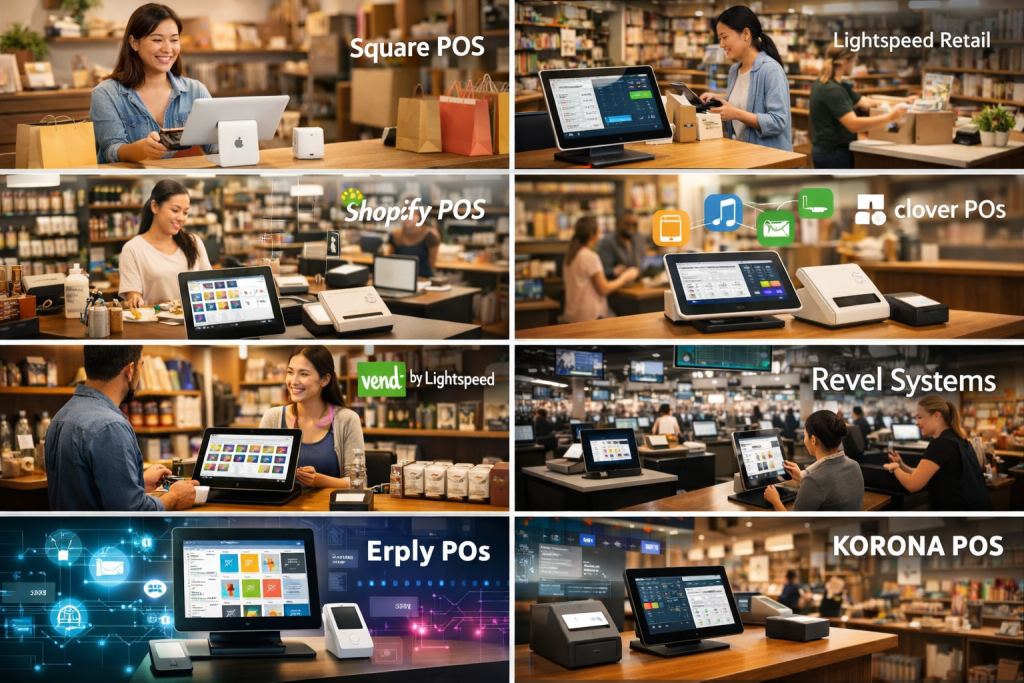
Retail Point of Sale (POS) systems are the backbone of modern retail operations. At their core, POS systems handle sales transactions, but today’s platforms go far beyond basic billing. They integrate inventory management, customer data, payments, reporting, staff management, and even marketing into a single, connected system. Whether you run a small boutique or a multi-store retail chain, a POS system is where daily operations meet real-time business intelligence.
The importance of Retail POS systems has grown rapidly with the rise of omnichannel retail, cashless payments, and data-driven decision-making. Retailers rely on POS tools to reduce checkout times, prevent stock-outs, track customer preferences, and gain visibility into sales performance across locations. From brick-and-mortar stores and pop-up shops to hybrid online-offline retailers, POS systems play a central role in operational efficiency and customer experience.
When choosing a Retail POS system, buyers should evaluate ease of use, inventory depth, payment flexibility, integrations, scalability, reliability, security, and total cost of ownership. A good POS should not only process transactions but also support long-term business growth.
Best for:
Retail Point of Sale (POS) systems are best suited for retailers of all sizes—solo shop owners, small and medium businesses, franchises, and enterprise chains—across industries such as apparel, grocery, electronics, hospitality retail, specialty stores, and omnichannel brands.
Not ideal for:
POS systems may be excessive for businesses that do not process in-person transactions, such as purely digital services, freelancers, or organizations that only require simple invoicing rather than real-time sales and inventory tracking.
Top 10 Retail Point of Sale (POS) Systems Tools
1 — Square POS
Short description:
Square POS is an easy-to-use, all-in-one retail POS designed for small to medium businesses seeking fast setup and flexible payments.
Key features:
- Simple checkout and digital receipts
- Built-in inventory management
- Integrated card and contactless payments
- Sales and performance reporting
- Employee access and permissions
- Omnichannel support for in-store and online sales
Pros:
- Extremely quick setup and onboarding
- Free core POS features available
Cons:
- Advanced features require paid add-ons
- Limited customization for complex retail workflows
Security & compliance:
PCI-DSS compliant, encrypted payments, basic audit controls
Support & community:
Strong documentation, active user community, email and chat support
2 — Lightspeed Retail
Short description:
Lightspeed Retail is a cloud-based POS built for inventory-heavy retailers and growing multi-location businesses.
Key features:
- Advanced inventory and SKU management
- Multi-store and multi-warehouse support
- Integrated purchasing and supplier management
- Customer profiles and loyalty tools
- Detailed sales analytics
- Omnichannel retail capabilities
Pros:
- Excellent inventory depth
- Scales well for growing retailers
Cons:
- Higher learning curve
- Premium pricing compared to entry-level POS
Security & compliance:
Data encryption, PCI compliance, GDPR-ready
Support & community:
Structured onboarding, 24/7 support for higher plans, strong documentation
3 — Shopify POS
Short description:
Shopify POS connects physical retail with online commerce, ideal for merchants selling both in-store and online.
Key features:
- Unified inventory across online and offline
- Fast checkout with mobile devices
- Integrated customer profiles
- Built-in payment processing
- Omnichannel order fulfillment
- App ecosystem for extensions
Pros:
- Seamless omnichannel experience
- Large ecosystem of integrations
Cons:
- Best value when used with full ecommerce stack
- Advanced retail features require higher plans
Security & compliance:
PCI-DSS compliant, encrypted transactions, GDPR support
Support & community:
Large global community, extensive help center, 24/7 support
4 — Clover POS
Short description:
Clover POS offers flexible hardware-centric solutions for retailers looking for customizable checkout experiences.
Key features:
- Modular POS hardware options
- App marketplace for extensions
- Inventory and item tracking
- Employee management
- Customer feedback tools
- Integrated payments
Pros:
- Flexible hardware choices
- Customizable via apps
Cons:
- Hardware costs can add up
- App quality varies
Security & compliance:
PCI compliant, encrypted transactions, role-based access
Support & community:
Vendor-dependent support, growing user community
5 — Vend (by Lightspeed)
Short description:
Vend is a retail-focused POS emphasizing usability, inventory clarity, and customer experience.
Key features:
- Intuitive retail interface
- Real-time inventory tracking
- Customer profiles and loyalty
- Multi-store support
- Offline selling mode
- Sales performance dashboards
Pros:
- User-friendly interface
- Strong retail-specific workflows
Cons:
- Limited customization compared to enterprise tools
- Fewer native integrations
Security & compliance:
PCI compliance, encrypted data, GDPR-aligned
Support & community:
Good onboarding resources, email and chat support
6 — Toast POS (Retail-Lite Use)
Short description:
Toast POS, though hospitality-focused, is used by retail-adjacent businesses such as cafés and specialty food stores.
Key features:
- Fast transaction processing
- Integrated payments and hardware
- Inventory and menu-style item control
- Staff scheduling tools
- Reporting and analytics
Pros:
- Reliable performance
- Strong hardware integration
Cons:
- Limited for non-food retail
- Less flexible inventory modeling
Security & compliance:
PCI-DSS compliant, encrypted transactions
Support & community:
24/7 support, structured onboarding, active user base
7 — NCR Counterpoint
Short description:
NCR Counterpoint is a robust retail POS designed for mid-market and enterprise retailers with complex operations.
Key features:
- Advanced inventory and purchasing
- Multi-location management
- Customer relationship tools
- Custom reporting and analytics
- Integration with ERP systems
- Offline transaction processing
Pros:
- Enterprise-grade capabilities
- Highly configurable
Cons:
- Steeper learning curve
- Higher implementation cost
Security & compliance:
Enterprise security controls, role-based access, compliance varies by deployment
Support & community:
Professional services, enterprise support, partner ecosystem
8 — Revel Systems
Short description:
Revel Systems is a powerful iPad-based POS suited for high-volume retail and multi-location environments.
Key features:
- Advanced inventory and order management
- Integrated payments
- Custom workflows and pricing rules
- CRM and loyalty features
- Offline functionality
- Real-time reporting
Pros:
- Strong performance for high-traffic stores
- Customizable workflows
Cons:
- Requires long-term contracts
- Higher upfront costs
Security & compliance:
PCI compliant, encryption, audit logs available
Support & community:
Dedicated onboarding, 24/7 enterprise support
9 — Erply POS
Short description:
Erply POS is a flexible retail POS known for strong API capabilities and customization options.
Key features:
- Advanced inventory management
- API-first architecture
- Multi-store and franchise support
- CRM and loyalty tools
- Custom reporting
- Omnichannel integrations
Pros:
- Highly customizable
- Strong developer support
Cons:
- Interface feels dated
- Requires technical setup for full value
Security & compliance:
Data encryption, PCI compliance, access controls
Support & community:
Developer-friendly documentation, ticket-based support
10 — KORONA POS
Short description:
KORONA POS is a retail-focused system popular with niche and specialty retailers needing control and reliability.
Key features:
- Robust inventory tracking
- Loss prevention and fraud controls
- Customer management tools
- Custom reporting
- Multi-location support
- No long-term contracts
Pros:
- Transparent pricing model
- Strong retail analytics
Cons:
- Interface less modern
- Limited third-party integrations
Security & compliance:
PCI compliant, role-based permissions, audit tools
Support & community:
Responsive customer support, detailed documentation
Comparison Table
| Tool Name | Best For | Platform(s) Supported | Standout Feature | Rating |
|---|---|---|---|---|
| Square POS | Small retailers | Web, iOS, Android | Fast setup | N/A |
| Lightspeed Retail | Inventory-heavy stores | Web, iOS | Advanced inventory | N/A |
| Shopify POS | Omnichannel retail | Web, iOS, Android | Online-offline sync | N/A |
| Clover POS | Hardware-centric retail | Web, Clover devices | App marketplace | N/A |
| Vend | Specialty retail | Web, iOS | Ease of use | N/A |
| Toast POS | Retail-adjacent food | Proprietary hardware | Speed & reliability | N/A |
| NCR Counterpoint | Enterprise retail | Web, Windows | Enterprise depth | N/A |
| Revel Systems | High-volume stores | iOS | Custom workflows | N/A |
| Erply POS | Custom retail setups | Web | API flexibility | N/A |
| KORONA POS | Specialty & niche | Web | Loss prevention | N/A |
Evaluation & Scoring of Retail Point of Sale (POS) Systems
| Criteria | Weight | Square | Lightspeed | Shopify POS | NCR Counterpoint |
|---|---|---|---|---|---|
| Core features | 25% | 20 | 23 | 22 | 25 |
| Ease of use | 15% | 15 | 12 | 14 | 10 |
| Integrations & ecosystem | 15% | 12 | 14 | 15 | 13 |
| Security & compliance | 10% | 8 | 9 | 9 | 10 |
| Performance & reliability | 10% | 8 | 9 | 9 | 10 |
| Support & community | 10% | 8 | 9 | 10 | 9 |
| Price / value | 15% | 14 | 11 | 12 | 9 |
Scores are indicative and based on expert consensus.
Which Retail Point of Sale (POS) Systems Tool Is Right for You?
- Solo users: Simple POS tools with quick setup and minimal cost
- SMBs: Balance between inventory depth and ease of use
- Mid-market: Advanced reporting, multi-store support, integrations
- Enterprise: Custom workflows, ERP integration, scalability
Budget-conscious buyers should focus on ease and core features, while premium solutions offer deeper analytics and customization. Integration needs and compliance requirements often determine the final choice.
Frequently Asked Questions (FAQs)
1. What is a Retail POS system?
A Retail POS system manages sales transactions and connects inventory, payments, and reporting.
2. Are cloud-based POS systems reliable?
Yes, most modern POS systems offer high uptime and offline modes.
3. Can POS systems handle multiple stores?
Many tools support multi-location management with centralized reporting.
4. Do POS systems support mobile payments?
Most modern POS platforms support contactless and mobile payments.
5. Is training required to use a POS system?
Basic systems require minimal training; advanced platforms may need onboarding.
6. Are POS systems secure?
Most comply with payment security standards and encrypt data.
7. Can POS integrate with accounting software?
Yes, many offer native or third-party accounting integrations.
8. What is the biggest mistake when choosing a POS?
Underestimating future growth and inventory complexity.
9. Can POS systems work offline?
Many provide limited offline transaction capabilities.
10. Are there alternatives to POS systems?
Manual billing or invoicing tools exist but lack real-time insights.
Conclusion
Retail Point of Sale (POS) systems are no longer just checkout tools—they are strategic platforms that influence efficiency, customer experience, and growth. The right POS helps retailers manage inventory accurately, process payments smoothly, and make informed decisions using real-time data.
There is no single “best” POS system for everyone. The ideal choice depends on business size, budget, complexity, and long-term goals. By carefully evaluating features, usability, integrations, and scalability, retailers can choose a POS system that truly supports their operations and future growth.

Find Trusted Cardiac Hospitals
Compare heart hospitals by city and services — all in one place.
Explore Hospitals
This article offers a very balanced and practical comparison of today’s top retail POS systems — a cornerstone technology for stores that needs to do a lot more than just ring up sales. I appreciate how it evaluates not only core features like inventory management, payments, and reporting, but also real‑world considerations such as ease of setup, scalability for different store sizes, customer support quality, and integration with e‑commerce and accounting platforms. Presenting pros and cons side‑by‑side helps retailers and decision‑makers understand trade‑offs between robust enterprise‑grade solutions and simpler, cost‑effective options that might be a better fit for small or niche shops. For anyone evaluating POS platforms to improve operations, enhance customer experiences, and streamline backend workflows, this comparison delivers clear insights and practical guidance.