
Introduction
Sales Force Automation (SFA) refers to software tools designed to automate and streamline core sales activities such as lead management, opportunity tracking, follow-ups, forecasting, reporting, and performance management. Instead of relying on spreadsheets, emails, and manual updates, SFA systems centralize all sales data into one structured, real-time platform.
In today’s competitive and fast-moving markets, SFA tools are no longer optional. Sales teams deal with multiple channels, longer sales cycles, and data-heavy decision-making. Without automation, critical leads slip through the cracks, forecasts become unreliable, and sales reps spend more time on admin work than selling. SFA helps teams focus on what matters most: building relationships and closing deals.
Real-world use cases include:
- Managing inbound and outbound leads at scale
- Tracking complex B2B sales pipelines
- Automating follow-ups and reminders
- Improving forecast accuracy for leadership
- Measuring individual and team performance
When choosing an SFA tool, buyers should evaluate:
- Depth of sales automation features
- Ease of adoption for sales teams
- Integration with marketing, finance, and support systems
- Reporting and forecasting accuracy
- Security, compliance, and scalability
Best for:
Sales Force Automation tools are best suited for sales reps, sales managers, revenue operations teams, founders, and leadership teams in SMBs, mid-market companies, and enterprises across industries such as SaaS, manufacturing, real estate, healthcare services, financial services, and B2B consulting.
Not ideal for:
Very small teams with simple sales processes, businesses with one-time transactions and no follow-ups, or organizations that rely entirely on marketplace-driven or walk-in sales may find full SFA platforms excessive and costly.
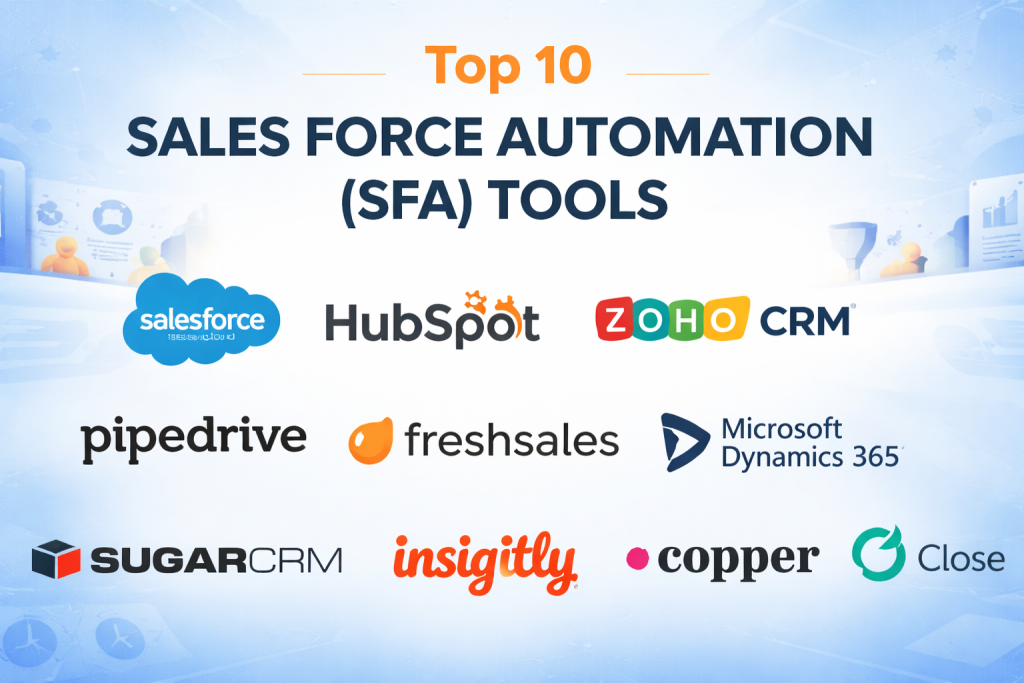
Top 10 Sales Force Automation (SFA) Tools
1 — Salesforce Sales Cloud
Short description:
A market-leading enterprise-grade SFA platform offering deep customization, advanced analytics, and powerful automation for large and complex sales organizations.
Key features:
- End-to-end lead and opportunity management
- Advanced sales forecasting and pipeline analytics
- AI-powered insights and recommendations
- Workflow automation and approval rules
- Custom objects, fields, and dashboards
- Mobile-first sales productivity tools
Pros:
- Extremely powerful and scalable
- Rich ecosystem of integrations and extensions
Cons:
- High cost for licenses and customization
- Steep learning curve for new users
Security & compliance:
SSO, encryption at rest and in transit, audit logs, SOC 2, ISO certifications, GDPR support.
Support & community:
Extensive documentation, global partner ecosystem, enterprise-grade support, large user community.
2 — HubSpot Sales Hub
Short description:
A user-friendly SFA solution designed for growing teams that want quick adoption, strong automation, and tight alignment with marketing.
Key features:
- Contact and deal tracking
- Email sequencing and automation
- Built-in calling and activity logging
- Pipeline visualization
- Sales analytics and reporting
- Meeting scheduling and follow-ups
Pros:
- Easy to use and fast to deploy
- Strong alignment with inbound sales strategies
Cons:
- Advanced features require higher-tier plans
- Limited customization compared to enterprise tools
Security & compliance:
SSO, data encryption, GDPR compliance, SOC 2.
Support & community:
Strong onboarding resources, responsive support, active user community.
3 — Zoho CRM
Short description:
A cost-effective and feature-rich SFA platform suitable for SMBs seeking automation without enterprise-level pricing.
Key features:
- Lead, contact, and deal automation
- Workflow rules and assignment logic
- Sales forecasting and analytics
- Omnichannel communication tracking
- Custom modules and layouts
- AI-assisted sales insights
Pros:
- Excellent value for money
- Broad feature coverage
Cons:
- Interface can feel cluttered
- Advanced automation requires configuration
Security & compliance:
Encryption, audit logs, GDPR compliance, ISO certifications.
Support & community:
Decent documentation, ticket-based support, growing global community.
4 — Microsoft Dynamics 365 Sales
Short description:
An enterprise-focused SFA tool deeply integrated with Microsoft’s ecosystem, ideal for organizations already using Microsoft products.
Key features:
- Lead and opportunity management
- Relationship and account insights
- Sales forecasting and analytics
- Native integration with Office and Teams
- AI-powered sales recommendations
- Custom workflows and automation
Pros:
- Seamless Microsoft ecosystem integration
- Strong enterprise-grade capabilities
Cons:
- Complex setup and customization
- Higher total cost of ownership
Security & compliance:
Enterprise-grade security, SSO, GDPR, ISO, SOC standards.
Support & community:
Extensive documentation, partner-led implementations, enterprise support.
5 — Pipedrive
Short description:
A lightweight, visually driven SFA tool focused on pipeline clarity and day-to-day sales execution.
Key features:
- Visual deal pipelines
- Activity-based selling workflows
- Email integration and tracking
- Sales automation rules
- Reporting dashboards
- Mobile sales tools
Pros:
- Very intuitive and sales-friendly
- Quick setup and adoption
Cons:
- Limited advanced analytics
- Not ideal for complex enterprise needs
Security & compliance:
SSO, data encryption, GDPR compliance.
Support & community:
Good documentation, responsive support, smaller community.
6 — Freshsales
Short description:
An AI-driven SFA tool designed for modern sales teams seeking automation, communication, and insights in one platform.
Key features:
- Lead scoring and assignment
- Built-in phone and email tools
- Deal and pipeline automation
- Sales forecasting
- AI-based recommendations
- Workflow automation
Pros:
- Strong built-in communication tools
- Competitive pricing
Cons:
- Limited third-party ecosystem
- Reporting customization is moderate
Security & compliance:
Encryption, GDPR compliance, role-based access.
Support & community:
Good onboarding, email and chat support, moderate community.
7 — SugarCRM
Short description:
A flexible and customizable SFA solution designed for organizations with complex and non-linear sales processes.
Key features:
- Advanced pipeline management
- Sales forecasting and analytics
- Custom workflows and automation
- AI-driven insights
- Multi-channel engagement tracking
- Highly configurable data model
Pros:
- Highly customizable
- Strong analytics capabilities
Cons:
- Interface can feel dated
- Requires technical expertise for setup
Security & compliance:
SSO, encryption, GDPR, SOC standards.
Support & community:
Enterprise support options, technical documentation, smaller community.
8 — Insightly
Short description:
An SFA platform that blends sales automation with light project management, ideal for service-driven teams.
Key features:
- Lead and opportunity tracking
- Workflow automation
- Sales pipeline visibility
- Post-sale project tracking
- Reporting and dashboards
- Email integration
Pros:
- Good for sales-to-delivery workflows
- Clean and simple interface
Cons:
- Limited advanced automation
- Scaling can be costly
Security & compliance:
Encryption, GDPR compliance.
Support & community:
Standard support options, basic documentation.
9 — Copper
Short description:
A relationship-focused SFA tool designed for teams that rely heavily on email and collaboration tools.
Key features:
- Automated contact and activity capture
- Pipeline and deal tracking
- Task and follow-up automation
- Email-centric workflows
- Sales reporting
- Minimal manual data entry
Pros:
- Very low admin overhead
- Easy adoption for relationship-driven teams
Cons:
- Limited advanced features
- Not ideal for structured enterprise sales
Security & compliance:
SSO, encryption, GDPR compliance.
Support & community:
Good onboarding, responsive support, small but active community.
10 — Close
Short description:
A sales-focused SFA platform optimized for inside sales and high-volume outbound teams.
Key features:
- Built-in calling and SMS
- Email automation and sequences
- Deal and pipeline management
- Sales performance reporting
- Activity tracking
- Workflow automation
Pros:
- Excellent for outbound sales teams
- Strong communication tools
Cons:
- Limited customization
- Not ideal for complex B2B pipelines
Security & compliance:
Encryption, role-based access, GDPR compliance.
Support & community:
Helpful documentation, email support, niche community.
Comparison Table
| Tool Name | Best For | Platform(s) Supported | Standout Feature | Rating |
|---|---|---|---|---|
| Salesforce Sales Cloud | Large enterprises | Web, Mobile | Deep customization | N/A |
| HubSpot Sales Hub | Growing teams | Web, Mobile | Ease of use | N/A |
| Zoho CRM | SMBs | Web, Mobile | Value for money | N/A |
| Microsoft Dynamics 365 | Microsoft-centric orgs | Web, Mobile | Ecosystem integration | N/A |
| Pipedrive | Small sales teams | Web, Mobile | Visual pipelines | N/A |
| Freshsales | Modern SMB teams | Web, Mobile | Built-in communication | N/A |
| SugarCRM | Complex sales orgs | Web, Mobile | Custom workflows | N/A |
| Insightly | Service-based teams | Web, Mobile | Sales-to-project flow | N/A |
| Copper | Relationship sales | Web, Mobile | Email-centric automation | N/A |
| Close | Inside sales teams | Web, Mobile | Calling automation | N/A |
Evaluation & Scoring of Sales Force Automation (SFA)
| Criteria | Weight | Explanation |
|---|---|---|
| Core features | 25% | Breadth and depth of sales automation |
| Ease of use | 15% | Adoption speed and usability |
| Integrations & ecosystem | 15% | Compatibility with other tools |
| Security & compliance | 10% | Data protection and standards |
| Performance & reliability | 10% | Speed and uptime |
| Support & community | 10% | Help availability and learning resources |
| Price / value | 15% | ROI and cost-effectiveness |
Which Sales Force Automation (SFA) Tool Is Right for You?
- Solo users: Choose lightweight tools with minimal setup and automation.
- SMBs: Look for affordability, ease of use, and essential automation.
- Mid-market: Prioritize integrations, forecasting, and scalability.
- Enterprises: Focus on customization, security, and advanced analytics.
Budget-conscious teams may prefer simpler platforms, while premium solutions suit complex, high-volume sales operations. Balance feature depth with usability to ensure adoption, and always align the tool with integration and compliance requirements.
Frequently Asked Questions (FAQs)
1. What is Sales Force Automation (SFA)?
SFA automates sales activities like lead tracking, follow-ups, forecasting, and reporting.
2. How is SFA different from CRM?
SFA focuses on sales execution, while CRM covers broader customer lifecycle management.
3. Is SFA suitable for small businesses?
Yes, many tools offer SMB-friendly plans and features.
4. How long does SFA implementation take?
It ranges from a few days to several months depending on complexity.
5. Does SFA improve sales productivity?
Yes, by reducing manual work and improving visibility.
6. Are SFA tools secure?
Most reputable tools offer strong security and compliance features.
7. Can SFA integrate with marketing tools?
Yes, many platforms support marketing and finance integrations.
8. Is training required for SFA tools?
Basic training is recommended to ensure adoption.
9. What are common mistakes when choosing SFA?
Overbuying features, ignoring usability, and poor integration planning.
10. Can SFA tools scale with business growth?
Most modern platforms are designed to scale as teams grow.
Conclusion
Sales Force Automation tools play a critical role in modern sales organizations by improving efficiency, visibility, and decision-making. The right SFA platform can transform sales performance, while the wrong one can slow teams down.
There is no single “best” Sales Force Automation tool for everyone. The ideal choice depends on your team size, sales complexity, budget, integration needs, and long-term growth plans. By focusing on usability, core features, and alignment with your business goals, you can select an SFA solution that truly drives revenue and productivity.

Find Trusted Cardiac Hospitals
Compare heart hospitals by city and services — all in one place.
Explore Hospitals
Really helpful article! I like how you compared the pros and cons of each sales force automation tool — it makes it much easier to see which one might fit different team needs. SFA can really change how a sales team operates, especially when it comes to tracking leads and closing deals efficiently. I’m curious to know which tools others find best for ease of use versus customization. Overall, this guide gives a clear and practical overview!