
Introduction
Secrets Scanning Tools are specialized security solutions designed to detect exposed sensitive information—such as API keys, passwords, tokens, certificates, and credentials—across source code, repositories, CI/CD pipelines, logs, and cloud environments. These tools continuously scan code and infrastructure to prevent accidental leaks that can lead to data breaches, service misuse, or compliance violations.
In today’s DevOps-driven world, secrets often end up hard-coded into repositories, shared in configuration files, or exposed through automation scripts. Even a single leaked token can compromise entire systems. Secrets scanning tools play a preventive and detective role, helping organizations identify issues early and remediate them before attackers exploit them.
Real-world use cases include:
- Detecting API keys committed to Git repositories
- Preventing secrets from entering CI/CD pipelines
- Auditing legacy codebases for exposed credentials
- Meeting compliance and security audit requirements
What to look for when choosing a Secrets Scanning Tool:
- Accuracy and low false positives
- Broad integrations (Git, CI/CD, cloud)
- Automated remediation workflows
- Compliance and audit readiness
- Scalability across teams and repositories
Best for:
Security teams, DevOps engineers, platform teams, and organizations handling sensitive data—especially SaaS companies, fintech, healthcare, and enterprises with complex CI/CD pipelines.
Not ideal for:
Very small personal projects, offline-only codebases, or teams without version control systems, where manual review may be sufficient.
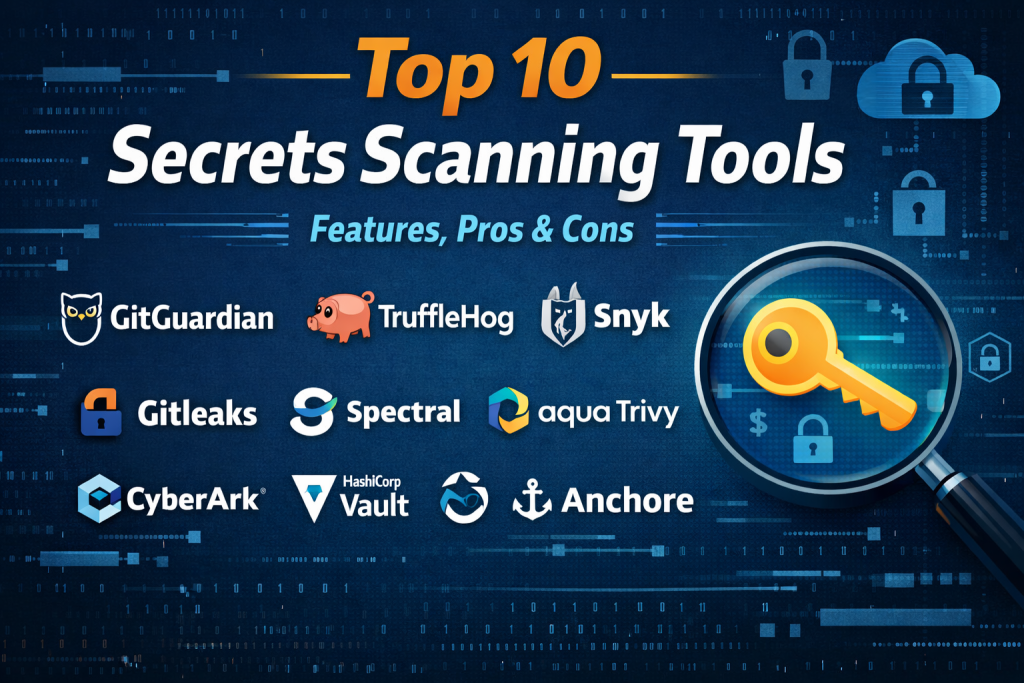
Top 10 Secrets Scanning Tools
1 — GitGuardian
Short description:
GitGuardian is a leading secrets detection platform focused on preventing credential leaks across source code and collaboration tools.
Key features
- Real-time secrets detection in Git repositories
- Extensive detector library for APIs and tokens
- CI/CD and GitHub/GitLab integrations
- Incident response and remediation workflows
- Historical scanning of repositories
- Developer alerting and dashboards
Pros
- Highly accurate detection engine
- Strong developer-friendly workflows
Cons
- Premium pricing for large teams
- Can be complex for very small setups
Security & compliance:
SOC 2, GDPR, audit logs, encryption, SSO
Support & community:
Excellent documentation, enterprise onboarding, active security community
2 — TruffleHog
Short description:
Truffle Security develops TruffleHog, a popular open-source tool for scanning repositories for exposed secrets.
Key features
- Deep Git history scanning
- High-entropy secret detection
- Open-source and enterprise editions
- CLI and CI/CD integration
- Custom regex rules
- Cloud scanning support
Pros
- Free and open-source option available
- Strong detection logic
Cons
- Limited UI in open-source version
- Requires tuning for large repos
Security & compliance:
Varies / N/A (enterprise features available)
Support & community:
Strong open-source community, paid enterprise support
3 — Snyk Secrets
Short description:
Snyk Secrets scanning integrates credential detection into its broader developer security suite.
Key features
- Secrets detection in Git repos
- Integration with Snyk Code and Open Source
- Policy-based enforcement
- Developer-centric alerts
- CI/CD pipeline blocking
- Centralized security reporting
Pros
- Unified AppSec platform
- Easy adoption for existing Snyk users
Cons
- Less specialized than dedicated tools
- Pricing tied to broader Snyk plans
Security & compliance:
SOC 2, GDPR, SSO, audit logs
Support & community:
Strong enterprise support, large developer community
4 — Gitleaks
Short description:
Gitleaks is a lightweight, open-source secrets scanning tool widely used in CI pipelines.
Key features
- Fast Git repository scanning
- Pre-commit hooks
- Customizable detection rules
- CI/CD compatibility
- Lightweight CLI tool
- JSON and SARIF outputs
Pros
- Free and open-source
- Easy to integrate
Cons
- No native UI
- Manual remediation tracking
Security & compliance:
Varies / N/A
Support & community:
Active GitHub community, good documentation
5 — Spectral
Short description:
Spectral focuses on detecting secrets, misconfigurations, and risky code patterns.
Key features
- AI-driven secrets detection
- IDE and CI/CD integration
- Risk scoring and prioritization
- Cloud and IaC scanning
- Developer-first remediation guidance
- Centralized dashboard
Pros
- Intelligent prioritization
- Strong developer experience
Cons
- Higher cost for enterprise plans
- Learning curve for advanced features
Security & compliance:
SOC 2, GDPR, encryption, SSO
Support & community:
Enterprise-grade support, onboarding assistance
6 — Aqua Trivy
Short description:
Aqua Security Trivy includes secrets scanning as part of its cloud-native security toolkit.
Key features
- Secrets scanning in Git and containers
- IaC and dependency scanning
- CLI-based workflows
- Kubernetes integration
- Fast and lightweight execution
- Policy enforcement
Pros
- Multi-purpose security tool
- Strong cloud-native support
Cons
- Secrets scanning not standalone
- Limited UI
Security & compliance:
Varies / N/A (enterprise options available)
Support & community:
Strong open-source community, enterprise support
7 — Detect Secrets
Short description:
Yelp developed Detect Secrets to prevent credentials from being committed into repositories.
Key features
- Pre-commit scanning
- Baseline management
- Custom plugins
- Lightweight CLI tool
- Language-agnostic detection
- Git integration
Pros
- Simple and effective
- Good for shift-left security
Cons
- Limited enterprise features
- No centralized dashboard
Security & compliance:
Varies / N/A
Support & community:
Open-source support, basic documentation
8 — CyberArk Secrets Manager (Scanning Capabilities)
Short description:
CyberArk offers secrets discovery as part of its enterprise secrets management ecosystem.
Key features
- Enterprise secrets discovery
- Vault integration
- Policy-based remediation
- Access control and auditing
- Hybrid and cloud support
- Compliance reporting
Pros
- Enterprise-grade security
- Strong governance controls
Cons
- Complex deployment
- High cost
Security & compliance:
SOC 2, ISO, GDPR, HIPAA, audit logs
Support & community:
Premium enterprise support, extensive documentation
9 — HashiCorp Vault Radar
Short description:
HashiCorp provides secrets scanning as part of its broader secrets lifecycle management vision.
Key features
- Secrets discovery and visibility
- Integration with Vault
- Policy enforcement
- Cloud and repo scanning
- Access analytics
- Enterprise reporting
Pros
- Strong secrets lifecycle integration
- Trusted enterprise brand
Cons
- Requires Vault ecosystem adoption
- Enterprise-focused pricing
Security & compliance:
SOC 2, ISO, GDPR, encryption, SSO
Support & community:
Strong enterprise support, large DevOps community
10 — Anchore Enterprise
Short description:
Anchore includes secrets detection within its container and supply chain security platform.
Key features
- Secrets scanning in containers
- CI/CD integration
- Policy-based controls
- Compliance reporting
- SBOM integration
- Runtime security insights
Pros
- Strong container focus
- Compliance-driven workflows
Cons
- Less focused on pure Git scanning
- Enterprise-oriented setup
Security & compliance:
SOC 2, GDPR, audit logs
Support & community:
Enterprise support, solid documentation
Comparison Table
| Tool Name | Best For | Platform(s) Supported | Standout Feature | Rating |
|---|---|---|---|---|
| GitGuardian | DevSecOps teams | Git, CI/CD, Cloud | Real-time secrets detection | N/A |
| TruffleHog | Open-source users | Git, CI/CD | Deep history scanning | N/A |
| Snyk Secrets | Unified AppSec | Git, CI/CD | Platform integration | N/A |
| Gitleaks | Lightweight scanning | Git, CI/CD | Fast CLI tool | N/A |
| Spectral | Developer-first security | Git, IDE, Cloud | Risk prioritization | N/A |
| Aqua Trivy | Cloud-native teams | Containers, Git | Multi-security scanning | N/A |
| Detect Secrets | Shift-left security | Git | Pre-commit hooks | N/A |
| CyberArk | Enterprises | Hybrid, Cloud | Governance & compliance | N/A |
| HashiCorp Vault | Vault users | Cloud, Git | Secrets lifecycle | N/A |
| Anchore | Container security | Containers, CI/CD | Policy enforcement | N/A |
Evaluation & Scoring of Secrets Scanning Tools
| Criteria | Weight | GitGuardian | TruffleHog | Snyk | Gitleaks |
|---|---|---|---|---|---|
| Core features | 25% | High | High | Medium | Medium |
| Ease of use | 15% | High | Medium | High | High |
| Integrations | 15% | High | Medium | High | Medium |
| Security & compliance | 10% | High | Medium | High | Low |
| Performance | 10% | High | High | Medium | High |
| Support | 10% | High | Medium | High | Medium |
| Price / value | 15% | Medium | High | Medium | High |
Which Secrets Scanning Tool Is Right for You?
- Solo developers: Gitleaks or Detect Secrets
- SMBs: GitGuardian, Spectral, TruffleHog
- Mid-market: Snyk Secrets, Aqua Trivy
- Enterprise: CyberArk, HashiCorp Vault, Anchore
Budget-conscious teams should prefer open-source tools, while regulated industries benefit from enterprise-grade compliance and auditing.
Frequently Asked Questions (FAQs)
- What is secrets scanning?
It is the automated detection of exposed credentials in code and systems. - Are secrets scanning tools mandatory?
Not mandatory, but strongly recommended for secure development. - Can they scan old repositories?
Yes, most support historical scanning. - Do they block commits?
Some tools support pre-commit enforcement. - Are open-source tools reliable?
Yes, but they may require more manual effort. - Do these tools replace secrets managers?
No, they complement secrets managers. - How accurate are detections?
Accuracy varies; tuning reduces false positives. - Do they support cloud environments?
Many tools do. - Are they expensive?
Costs vary from free to enterprise pricing. - What’s the biggest mistake teams make?
Relying only on detection without remediation workflows.
Conclusion
Secrets scanning tools are a critical layer of modern application security. They help teams prevent credential leaks, reduce breach risks, and meet compliance requirements. The right tool depends on team size, budget, integration needs, and security maturity. There is no single “best” solution—only the best fit for your specific environment.

Find Trusted Cardiac Hospitals
Compare heart hospitals by city and services — all in one place.
Explore Hospitals