
Introduction
Self-service analytics tools are software platforms that allow non-technical users to access, analyze, visualize, and derive insights from data without relying heavily on IT teams or data scientists. These tools empower business users to explore data on their own using intuitive dashboards, drag-and-drop interfaces, natural language queries, and automated insights.
In today’s data-driven environment, organizations generate massive volumes of data from operations, customers, marketing, finance, and digital channels. Traditional BI models, where every report requires IT involvement, are slow and limit agility. Self-service analytics removes this bottleneck, enabling faster decision-making, experimentation, and innovation across teams.
Real-world use cases include sales performance tracking, marketing campaign optimization, financial forecasting, customer behavior analysis, operational efficiency monitoring, and executive reporting. Teams can identify trends, detect anomalies, and act on insights in near real time.
When evaluating self-service analytics tools, users should consider ease of use, data connectivity, scalability, performance, governance controls, security, collaboration features, and total cost of ownership. The right tool balances flexibility with governance, empowering users while maintaining data trust and compliance.
Best for:
Self-service analytics tools are ideal for business analysts, managers, product teams, marketers, finance professionals, and executives. They work well for SMBs, mid-market companies, and enterprises across industries such as healthcare, finance, retail, manufacturing, SaaS, and education.
Not ideal for:
Organizations with extremely simple reporting needs or those lacking clean, structured data may not benefit immediately. Very small teams with minimal data volume or companies requiring only static reports may find traditional reporting tools sufficient.
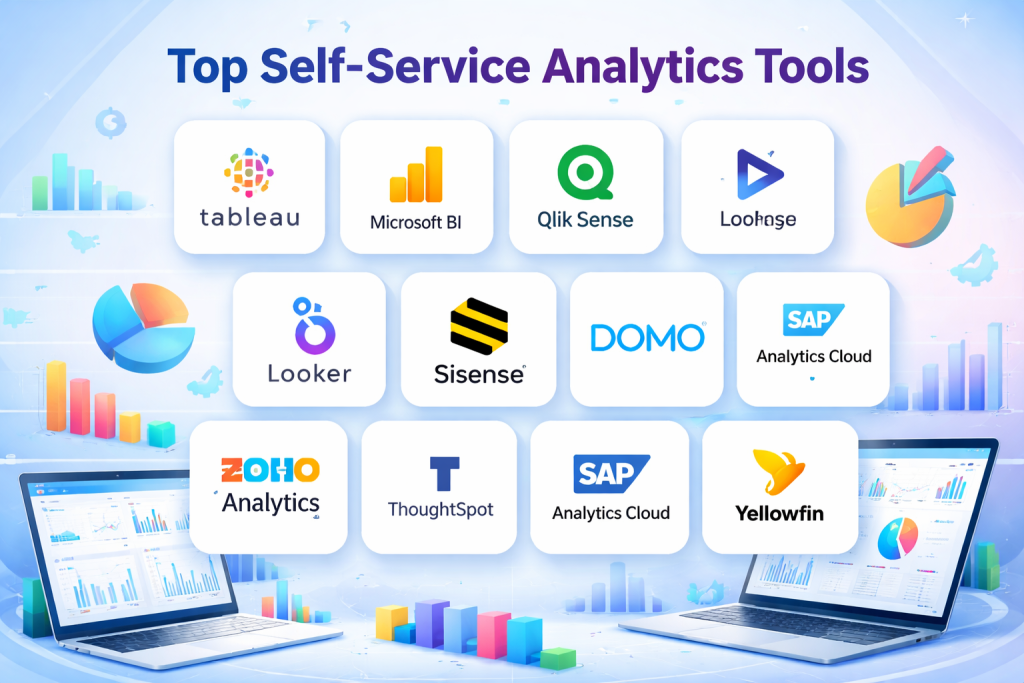
Top 10 Self-Service Analytics Tools
1 — Tableau
Short description:
Tableau is a leading data visualization and analytics platform designed for business users and analysts who want deep insights with minimal technical effort.
Key features:
- Drag-and-drop interactive dashboards
- Advanced data visualization capabilities
- Wide range of data connectors
- Real-time and in-memory analytics
- Calculated fields and advanced analytics
- Collaboration and sharing options
Pros:
- Extremely powerful visualization engine
- Strong performance on large datasets
Cons:
- Steeper learning curve for advanced features
- Higher cost compared to some alternatives
Security & compliance:
Supports SSO, role-based access control, encryption, GDPR, SOC 2 (varies by deployment).
Support & community:
Extensive documentation, large global community, enterprise-grade support options.
2 — Microsoft Power BI
Short description:
Power BI is a popular self-service BI tool offering strong integration with Microsoft ecosystems and affordable pricing.
Key features:
- Interactive dashboards and reports
- Seamless Excel and Microsoft 365 integration
- Natural language queries
- Real-time data streaming
- AI-powered insights
- Cloud and on-prem deployment
Pros:
- Cost-effective for SMBs
- Familiar interface for Microsoft users
Cons:
- Performance limitations with very large datasets
- Advanced modeling can be complex
Security & compliance:
SSO, Azure Active Directory, GDPR, ISO, SOC compliance supported.
Support & community:
Strong documentation, active user forums, enterprise support available.
3 — Qlik Sense
Short description:
Qlik Sense focuses on associative data modeling, allowing users to explore data freely without predefined queries.
Key features:
- Associative analytics engine
- Interactive dashboards
- AI-driven insights
- Self-service data preparation
- Embedded analytics support
- Mobile-friendly access
Pros:
- Powerful data exploration capabilities
- Strong governance controls
Cons:
- UI can feel less intuitive initially
- Licensing complexity
Security & compliance:
Supports encryption, role-based access, GDPR, SOC, ISO standards.
Support & community:
Comprehensive documentation, global community, enterprise support options.
4 — Looker (Google Cloud)
Short description:
Looker is a modern analytics platform focused on governed self-service and centralized data modeling.
Key features:
- Centralized semantic data layer
- Real-time database querying
- Embedded analytics
- Collaboration features
- Custom dashboards
- Integration with cloud data warehouses
Pros:
- Strong data governance
- Excellent for scalable analytics
Cons:
- Requires SQL knowledge for modeling
- Higher setup effort
Security & compliance:
SSO, encryption, audit logs, GDPR, SOC 2 support.
Support & community:
Good documentation, enterprise support, growing community.
5 — Sisense
Short description:
Sisense is designed for embedding analytics into applications and delivering insights at scale.
Key features:
- Embedded analytics
- In-chip processing engine
- Drag-and-drop dashboards
- API-first architecture
- Custom visualization options
- Cloud and hybrid deployment
Pros:
- Excellent performance for complex analytics
- Strong embedding capabilities
Cons:
- Less beginner-friendly
- Pricing can be high
Security & compliance:
SSO, encryption, GDPR, SOC 2 supported.
Support & community:
Enterprise-level support, solid documentation.
6 — Domo
Short description:
Domo is a cloud-first analytics platform emphasizing real-time dashboards and collaboration.
Key features:
- Real-time data updates
- Pre-built connectors
- Mobile-first dashboards
- Collaboration and alerts
- Data governance tools
- Executive reporting
Pros:
- Fast deployment
- Strong collaboration features
Cons:
- Expensive for smaller teams
- Limited advanced modeling
Security & compliance:
Encryption, SSO, GDPR, SOC compliance.
Support & community:
Dedicated customer success teams, good onboarding.
7 — Zoho Analytics
Short description:
Zoho Analytics is an affordable self-service BI tool suitable for small and mid-sized businesses.
Key features:
- Drag-and-drop reporting
- AI-powered assistant
- Wide range of data connectors
- Embedded analytics
- Collaborative sharing
- Automated insights
Pros:
- Budget-friendly
- Easy to use
Cons:
- Limited scalability for large enterprises
- Fewer advanced analytics options
Security & compliance:
Encryption, GDPR, ISO standards supported.
Support & community:
Good documentation, responsive support.
8 — ThoughtSpot
Short description:
ThoughtSpot enables search-driven analytics using natural language for fast insights.
Key features:
- Natural language search
- AI-driven insights
- Automated anomaly detection
- Interactive dashboards
- Cloud-native architecture
- Embedded analytics
Pros:
- Extremely user-friendly
- Fast insight discovery
Cons:
- Expensive
- Limited customization
Security & compliance:
SSO, encryption, GDPR, SOC 2 supported.
Support & community:
Strong enterprise support, growing community.
9 — SAP Analytics Cloud
Short description:
SAP Analytics Cloud combines BI, planning, and predictive analytics in a single platform.
Key features:
- Integrated planning and analytics
- Predictive forecasting
- SAP ecosystem integration
- Real-time dashboards
- Collaboration tools
- Enterprise scalability
Pros:
- Strong for SAP-centric organizations
- Advanced planning capabilities
Cons:
- Complex setup
- Higher learning curve
Security & compliance:
Enterprise-grade security, GDPR, ISO, SOC compliance.
Support & community:
Robust documentation, enterprise support.
10 — Yellowfin
Short description:
Yellowfin emphasizes collaborative BI and storytelling for business users.
Key features:
- Data storytelling
- Automated insights
- Collaborative dashboards
- Embedded analytics
- Alerting and signals
- Flexible deployment
Pros:
- Strong storytelling features
- Easy collaboration
Cons:
- Smaller ecosystem
- Fewer advanced modeling tools
Security & compliance:
SSO, encryption, GDPR supported.
Support & community:
Good onboarding, enterprise support available.
Comparison Table
| Tool Name | Best For | Platform(s) Supported | Standout Feature | Rating |
|---|---|---|---|---|
| Tableau | Advanced visualization | Web, Desktop, Cloud | Visual analytics depth | N/A |
| Power BI | Microsoft users | Web, Desktop, Cloud | Cost-effective BI | N/A |
| Qlik Sense | Exploratory analytics | Web, Cloud | Associative engine | N/A |
| Looker | Governed analytics | Cloud | Semantic modeling | N/A |
| Sisense | Embedded analytics | Cloud, Hybrid | In-chip processing | N/A |
| Domo | Real-time dashboards | Cloud | Collaboration | N/A |
| Zoho Analytics | SMBs | Cloud | Affordability | N/A |
| ThoughtSpot | Search-driven BI | Cloud | Natural language search | N/A |
| SAP Analytics Cloud | Enterprise planning | Cloud | BI + Planning | N/A |
| Yellowfin | Storytelling BI | Cloud, On-prem | Data storytelling | N/A |
Evaluation & Scoring of Self-Service Analytics Tools
| Criteria | Weight | Evaluation Focus |
|---|---|---|
| Core features | 25% | Dashboards, analytics depth |
| Ease of use | 15% | Learning curve, UI |
| Integrations & ecosystem | 15% | Data sources, APIs |
| Security & compliance | 10% | Governance, certifications |
| Performance & reliability | 10% | Speed, scalability |
| Support & community | 10% | Documentation, help |
| Price / value | 15% | Cost vs features |
Which Self-Service Analytics Tool Is Right for You?
- Solo users & SMBs: Look for affordability and ease of use, such as Zoho Analytics or Power BI.
- Mid-market teams: Balance power and usability with tools like Tableau or Qlik Sense.
- Enterprises: Prioritize governance, scalability, and compliance with Looker, SAP Analytics Cloud, or Sisense.
- Budget-conscious teams: Focus on pricing transparency and bundled features.
- Advanced analytics needs: Choose tools with strong modeling and AI capabilities.
- Security-sensitive industries: Ensure compliance certifications and role-based access controls are robust.
Frequently Asked Questions (FAQs)
1. What is self-service analytics?
It allows business users to analyze data independently without relying on IT teams.
2. Do these tools require coding?
Most are low-code or no-code, though advanced features may require SQL.
3. Are self-service analytics tools secure?
Yes, most offer encryption, access control, and compliance options.
4. Can small businesses use these tools?
Absolutely, many are designed specifically for SMBs.
5. How long does implementation take?
From a few days for cloud tools to several weeks for enterprise setups.
6. Are these tools expensive?
Pricing varies widely, from affordable subscriptions to enterprise licensing.
7. Do they support real-time data?
Many tools offer real-time or near real-time analytics.
8. What are common mistakes when adopting these tools?
Poor data preparation and lack of governance.
9. Can they replace data scientists?
No, they complement data teams by empowering business users.
10. How do I ensure user adoption?
Choose intuitive tools and invest in training and onboarding.
Conclusion
Self-service analytics tools have transformed how organizations interact with data, enabling faster insights, better decisions, and greater agility. The most important factors when choosing a tool are usability, scalability, security, and alignment with business needs. There is no single “best” solution for everyone. The right choice depends on your data complexity, team skills, budget, and long-term goals. By carefully evaluating your requirements and matching them with the strengths of each platform, you can unlock the full potential of data-driven decision-making.

Find Trusted Cardiac Hospitals
Compare heart hospitals by city and services — all in one place.
Explore Hospitals
This article does a great job of breaking down the top self-service analytics tools in a way that’s easy to understand and compare. The clear explanation of key features, benefits, and limitations helps readers evaluate which platforms are best suited to their needs—whether they’re focusing on ease of use, visualization capabilities, or integration with other data systems. Highlighting real-world considerations rather than just technical specs makes this post a practical resource for both beginners and experienced professionals looking to empower business users with data insights. Overall, it’s a valuable guide for anyone exploring self-service analytics solutions.