
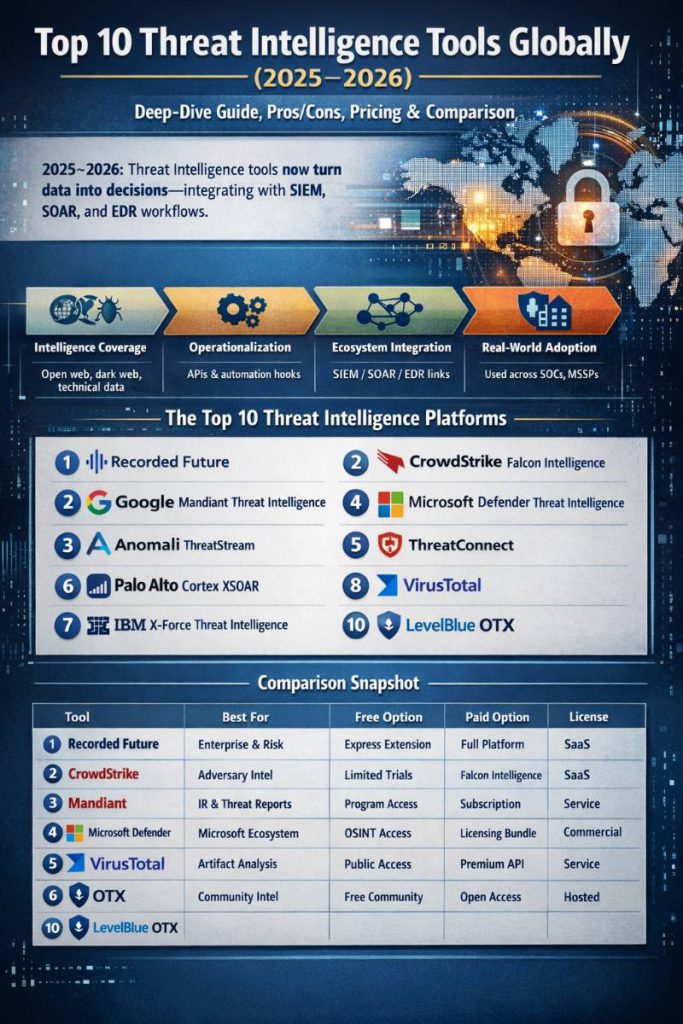
Threat intelligence (TI) has matured fast in the last couple of years. In 2026–2026, the “best” tools aren’t just big databases of indicators—they’re platforms that turn intelligence into decisions: prioritizing what matters to your environment, enriching alerts in real time, and pushing validated context into SIEM/SOAR/EDR workflows.
Please find Top 10 Threat Intelligence Tools Globally (Latest 2026–2026) — Deep-Dive Guide, Pros/Cons, Pricing, Licenses + Comparison Table
Multiple “Top 10” roundups published in 2026 (and updated-style lists continuing into 2026) keep circling the same leaders—CrowdStrike, Recorded Future, Anomali, ThreatConnect, Palo Alto Networks, IBM, VirusTotal, Microsoft, Mandiant, and community options like OTX.
This article builds on those references and goes deeper: how each tool works, what it’s best for, plus features, pros/cons, free vs paid, and licensing, ending with a detailed comparison table.
How I picked these “Top 10” (so the list is practical, not just popular)
To call something “top tier” globally, it needs to do more than provide a feed. The tools below were selected using these criteria:
1) Intelligence quality and coverage
- Breadth of sources (open web, dark web, technical telemetry, malware infrastructure, vulnerabilities, etc.)
- Depth of context (actor/campaign mapping, relationships, confidence scoring)
2) Operationalization (the difference-maker in 2026–2026)
- Built-in enrichment, deduplication, scoring, and lifecycle handling (expiration, sightings, false positive suppression)
- Automation hooks (APIs, playbooks, connectors)
- Standards alignment (STIX/TAXII where relevant)
3) Ecosystem integration
- SIEM/SOAR/EDR/XDR integrations, ticketing/ITSM, threat hunting workflows
4) Real-world adoption patterns
These are widely used across enterprise SOCs, CTI teams, MSSPs, and incident response—reflected repeatedly in 2026 comparison lists of Best Threat Intelligence Tools.
The Top 10 Threat Intelligence Tools (Latest Global List)
- Recorded Future Intelligence Platform
- CrowdStrike Falcon Intelligence / Adversary Intelligence
- Google Cloud Mandiant Threat Intelligence (Mandiant Advantage)
- Microsoft Defender Threat Intelligence
- Anomali ThreatStream (Next-Gen TIP)
- ThreatConnect (TI Ops / Intel Hub)
- Palo Alto Networks Cortex XSOAR Threat Intelligence Management
- VirusTotal (Public + Intelligence/Premium APIs)
- IBM X-Force Exchange + IBM X-Force Threat Intelligence
- LevelBlue Labs Open Threat Exchange (OTX)
1) Recorded Future — Intelligence Platform (Intelligence Graph®)
Overview
Recorded Future is an intelligence platform built around its “Intelligence Graph,” indexing and analyzing data at internet scale and connecting entities (actors, infrastructure, vulnerabilities, targets) into actionable relationships. Recorded Future states the graph indexes data from over a million sources including open web, dark web, technical feeds, and customer telemetry.
Key features
- Graph-based linking of actors, infrastructure, malware, CVEs, domains, credentials
- Risk scoring and prioritization workflows (triage, vulnerability prioritization, phishing)
- Finished intelligence and research via Insikt Group (within the platform packaging)
- Integrations and API access (packaging references API access and integrations)
- Browser-based enrichment via Recorded Future Express (free extension)
Pros
- Excellent for context + prioritization (not just raw IOC dumps)
- Strong for vuln intelligence, third-party risk, brand/digital risk, and broader “intel operations”
- Mature ecosystem of integrations and automation
Cons
- Enterprise-focused pricing; can be expensive if you want multiple modules
- Graph-driven platforms can require process maturity (intel requirements, operational playbooks)
Free vs Paid
- Free: Recorded Future Express (browser extension) provides real-time context and risk scores while browsing/triaging
- Paid: Platform subscription with modular packaging (Essentials, Foundation, standalone products)
License / deployment
- Proprietary commercial SaaS subscription (vendor-managed), packaged by modules/plans
2) CrowdStrike — Falcon Intelligence / Adversary Intelligence
Overview
CrowdStrike’s intelligence offering is designed to deliver personalized, real-time intelligence aligned to your environment, usable inside Falcon or integrated into third-party tools.
Key features
- Intelligence aligned to your detections/telemetry (context for what you’re seeing now)
- Adversary, indicator, and campaign context accessible via Falcon Intelligence API
- High-fidelity intelligence designed to accelerate detection/investigation/response
- Integrations into external tools (SIEM/SOAR/TIP) as part of intel operationalization
Pros
- Very strong when you already run CrowdStrike EDR/XDR—intel becomes immediately operational
- Excellent adversary-driven workflows (actor/campaign-centric)
- “Closed loop” feel: detection ↔ intel ↔ response
Cons
- Best value usually comes with the broader CrowdStrike stack (less compelling if you want “intel only”)
- Licensing can be packaged as add-ons; costs can scale with modules/seats
Free vs Paid
- Typically paid (enterprise subscription / add-on). Some platform trials exist, but intelligence is generally a commercial capability.
License / deployment
- Proprietary commercial SaaS (CrowdStrike Falcon platform + APIs)
3) Google Cloud — Mandiant Threat Intelligence (Mandiant Advantage)
Overview
Mandiant is widely trusted for incident response–informed intelligence. Google Cloud emphasizes that Mandiant Threat Intelligence is grounded in frontline expertise and large-scale response experience.
Key features
- Intelligence derived from real intrusions and IR work (practical “what works” context)
- Actor/campaign reporting, strategic intel, and operational indicators
- Designed to support detection engineering, threat hunting, and executive reporting
- Integrations with SOC workflows via platforms/partners (varies by org stack)
Pros
- Very strong “so what?” intelligence: tactics, techniques, and attacker behavior
- Great fit for IR teams and mature CTI programs
- Strong strategic reporting for leadership and risk discussions
Cons
- Some organizations want more “platform automation” than classic intel portals provide
- Commercial licensing tends to be enterprise-priced
Free vs Paid
- Paid: Mandiant Advantage / Threat Intelligence subscriptions (commercial)
- Some government/community access programs exist; availability depends on eligibility and program terms
License / deployment
- Proprietary commercial service (subscription / portal access under Google Cloud Mandiant)
4) Microsoft — Defender Threat Intelligence (MDTI)
Overview
Microsoft Defender Threat Intelligence (formerly RiskIQ capabilities merged into Microsoft’s ecosystem) is positioned as a threat intelligence experience integrated with Microsoft security products and workflows.
A major “latest” note: Microsoft states that the Defender Threat Intelligence portal experience will be discontinued and merged into Microsoft Defender for a unified experience.
Key features
- Threat intelligence + investigations aligned with Microsoft Defender ecosystem
- Exposure insights (infrastructure, domains, IP reputation), enrichment, and hunting workflows
- Strong integration path for Microsoft-heavy enterprises (Defender, Sentinel, Entra, etc.)
Pros
- Great for organizations standardizing on Microsoft security tooling
- Easy operationalization if you already use Defender/Sentinel
- Good for mapping external exposure/internet intelligence to internal detections
Cons
- Product/portal transitions can create change-management overhead (features moving, UI changes)
- Best value often depends on Microsoft licensing bundles (E5, Defender suite)
Free vs Paid
- Microsoft indicates there are free OSINT capabilities and featured content access, with additional functionality available through Microsoft security licensing
License / deployment
- Proprietary commercial (Microsoft licensing)
5) Anomali — ThreatStream (Next-Gen TIP) + STAXX (free STIX/TAXII tool)
Overview
Anomali ThreatStream is a well-known Threat Intelligence Platform (TIP) focused on aggregation, enrichment, correlation, and pushing curated intel into security operations. Anomali also emphasizes modernization with AI-guided workflows in its positioning.
Key features
- Aggregate intelligence from many sources and enrich automatically
- Correlation across indicators/telemetry to identify campaigns
- Deliver curated intelligence into SIEM/SOAR/XDR workflows
- Ecosystem of intel partners/feeds; trial/purchase feeds via partners
- STAXX: a free STIX/TAXII client for bidirectional sharing from STIX/TAXII sources (cloud or on-prem)
Pros
- Strong “TIP core”: ingest → normalize → enrich → score → distribute
- STAXX is handy if you need fast STIX/TAXII connectivity without buying a full TIP
- Good for CTI teams that must serve SOC, IR, and vulnerability management with the same intel backbone
Cons
- TIPs require operational governance (intel requirements, scoring rules, expiration, QA) or you’ll just automate noise
- Costs depend on feeds, seats, and modules
Free vs Paid
- Free: Anomali STAXX (STIX/TAXII sharing client)
- Paid: ThreatStream platform subscription
License / deployment
- Proprietary commercial TIP (SaaS / enterprise deployment options depending on package)
6) ThreatConnect — TI Ops Platform (Intel Hub)
Overview
ThreatConnect positions its platform as action-oriented TI Ops: not just collecting intel, but pushing it into operational workflows.
Key features
- TI Ops workflows: scoring, prioritization, operational reporting
- Broad integration ecosystem across SIEM/SOAR/EDR, vulnerability management, ticketing, etc.
- TAXII support and sharing/collaboration features
- Automations and playbooks (varies by plan/modules)
Pros
- Built for “intel as an operational layer” across the security stack
- Strong for organizations that must measure intel ROI and reduce false positives
- Mature collaboration + workflow/case-management style patterns
Cons
- Like all TIPs: success depends heavily on configuration and governance
- Pricing generally enterprise (demo-driven, quote-based)
Free vs Paid
- Predominantly paid commercial platform; some components/products may have separate editions (varies by region/offer)
License / deployment
- Proprietary commercial (SaaS / enterprise platform licensing)
7) Palo Alto Networks — Cortex XSOAR Threat Intelligence Management (TIM)
Overview
Cortex XSOAR Threat Intelligence Management (TIM) is designed to unify aggregation, scoring, and sharing of threat intelligence using playbook-driven automation.
Key features
- Feed ingestion into Cortex XSOAR + indicator enrichment and verdict assignment
- TIM playbooks process large volumes of incoming indicators and can push enriched intel to SIEM/external systems
- Native automation (playbooks) + workflow alignment with incident response
- Structured indicator fields (including STIX IDs, TLP, expiration, verdicts) in the platform’s indicator model
Pros
- Excellent if you want TI management and SOAR/IR workflows in one ecosystem
- Strong at scaling enrichment + distribution through playbooks
- Works well in Palo Alto–centric stacks (but can integrate beyond)
Cons
- Can be complex to deploy if you’re not ready for SOAR-level workflow engineering
- Costs typically tied to annual licensing / users and modules (enterprise pricing model)
Free vs Paid
- Generally paid enterprise product (quote-based), with lab/trial options depending on partner programs
License / deployment
- Proprietary commercial (platform licensing)
8) VirusTotal — Public service + Premium/Intelligence APIs
Overview
VirusTotal is one of the most widely used tools for file/URL analysis and indicator enrichment, powered by a mix of community submissions and partner detections. It’s often the fastest “first check” for suspicious artifacts, and at enterprise tier it becomes a full hunting/enrichment engine.
VirusTotal documentation distinguishes Public vs Premium API: Premium removes rate/daily limits, returns more context, and exposes advanced endpoints for threat hunting and malware discovery.
Key features
- Multi-engine scanning for files/URLs, reputation checks for domains/IPs
- Relationship graphs (how artifacts connect), hunting capabilities (in premium tiers)
- Public API for limited use cases; Premium API for enterprise workflows
- Extensive automation ecosystem via API + connectors
Pros
- Unmatched convenience for quick validation and enrichment
- Premium capabilities are strong for hunting, malware discovery, and automation
- Great “common language” between SOC, IR, and malware analysts
Cons
- Public API has strict limitations and is not intended for broad business workflows
- Premium pricing is vendor-quoted; costs can be significant for heavy automation
Free vs Paid
- Free: public website access and limited public API (with restrictions)
- Paid: Premium API / Intelligence tiers (SLA, advanced endpoints, higher context)
License / deployment
- Proprietary service; licensing depends on API tier/service agreement
9) IBM — X-Force Exchange + X-Force Threat Intelligence
Overview
IBM offers two closely related pieces:
- IBM X-Force Exchange (XFE): a threat intelligence sharing platform for researching threats and collaborating with a community; guest users can search/view reports, while logged-in users get broader features
- IBM Security X-Force Threat Intelligence: positioned as intelligence management and automated threat data from internal/external telemetry
Key features
- XFE: community collaboration, research, collections/sharing, searchable reports
- IBM X-Force Threat Intelligence API provides automation access to threat intel feeds (IP/URL by category, vulnerability feeds, TAXII feeds, etc.)
- Integrations into platforms like QRadar and other ecosystems (via API keys and connectors)
Pros
- Strong blend of community + enterprise intelligence options
- API and TAXII availability makes automation feasible
- Useful for orgs already invested in IBM security tooling
Cons
- UX/content can feel fragmented across Exchange vs services vs product tiers
- Some pages are dynamic/region-specific; access may require IBM ID
Free vs Paid
- Free/limited: guest access and community features; broader access via IBM ID
- Paid: intelligence services/platform tiers and enterprise consumption (quote-based)
License / deployment
- Proprietary commercial for enterprise tiers; community/guest access under IBM terms
10) LevelBlue Labs — Open Threat Exchange (OTX)
Overview
OTX is one of the world’s best-known open best threat intelligence tools communities. The official OTX FAQ describes it as “truly open,” with a global community and large-scale indicator contributions.
CISA’s service description highlights OTX’s open access, community-generated threat data, collaboration, and automation for updating security infrastructure with threat data.
Key features
- Community “pulses” (collections of indicators + context)
- OTX DirectConnect API for synchronizing threat intel into your tools
- Collaborative research + validation by the community
- Easy enrichment for IPs/domains/hashes when you need fast external context
Pros
- Strong value for cost (free community intel)
- Great supplement for organizations building TI maturity
- Useful for enriching logs and detections with external reputation signals
Cons
- Community intel varies in fidelity; you must validate before blocking at scale
- Not a full TIP: limited governance workflows compared to enterprise platforms
Free vs Paid
- Free access is core to OTX’s model; it’s promoted as open/community-driven
License / deployment
- Proprietary hosted platform with open/community access under service terms; integrations typically via API
Bonus: Two “must-know” tools (not in the Top 10 list, but incredibly useful)
If you’re building a TI program on a budget and Threat Intelligence Tools, you’ll see these constantly in practitioner stacks—even when they buy commercial intel:
- MISP (Open Source TIP / sharing platform) — widely used for structured sharing; open-source licensing and strong community
- OpenCTI (Open Source CTI platform) — great for knowledge-graph style CTI management and internal intel hubs
(These are often “foundation layers” that teams enrich with paid feeds/platforms.)
Comparison Table (Top 10)
| # | Tool | Best For | Core Strength | Integrations / Automation | Free Option | Paid Option | License Type |
|---|---|---|---|---|---|---|---|
| 1 | Recorded Future | Enterprise intel ops, prioritization | Graph-driven context + risk scoring | Strong integrations + API; browser enrichment | Yes (Express extension) | Yes (platform modules) | Proprietary SaaS |
| 2 | CrowdStrike Falcon Intelligence | Falcon users; adversary-focused SOC | Personalized intel tied to telemetry | Intel API; integrates into security tools | Limited (platform trials) | Yes | Proprietary SaaS |
| 3 | Mandiant Threat Intelligence | IR-informed CTI + strategic intel | Real-world intrusion-driven intelligence | Portal + ecosystem integrations | Program-dependent | Yes | Proprietary service |
| 4 | Microsoft Defender TI | Microsoft security ecosystem | Integrated TI + exposure/investigation | Best with Defender/Sentinel workflows | Yes (OSINT/features) | Yes (bundles) | Proprietary licensing |
| 5 | Anomali ThreatStream | TIP workflows; intel aggregation | Ingest→enrich→correlate→deliver | TIP connectors; STIX/TAXII; feeds | Yes (STAXX) | Yes | Proprietary |
| 6 | ThreatConnect | TI Ops + operationalizing intel | Action-oriented TIP + workflow | Deep integration ecosystem; TAXII | Mostly paid | Yes | Proprietary |
| 7 | Cortex XSOAR TIM | TIP + SOAR style automation | Playbook-driven intel management | Feed ingestion, enrichment, verdicts, push to SIEM | Trials/labs | Yes | Proprietary |
| 8 | VirusTotal | Artifact checking + enrichment | Multi-engine + relationships; premium hunting | Public/premium API + connectors | Yes (public) | Yes (premium/intel) | Proprietary service |
| 9 | IBM X-Force Exchange / TI | IBM ecosystem + community research | Sharing platform + TI APIs/feeds | API keys; TAXII feeds; connectors | Guest/limited | Yes | Proprietary |
| 10 | OTX (LevelBlue Labs) | Free community intel enrichment | Pulses + global community indicators | DirectConnect API | Yes | Not required | Proprietary hosted (open access) |

I’m a DevOps/SRE/DevSecOps/Cloud Expert passionate about sharing knowledge and experiences. I have worked at Cotocus. I share tech blog at DevOps School, travel stories at Holiday Landmark, stock market tips at Stocks Mantra, health and fitness guidance at My Medic Plus, product reviews at TrueReviewNow , and SEO strategies at Wizbrand.
Do you want to learn Quantum Computing?
Please find my social handles as below;
Rajesh Kumar Personal Website
Rajesh Kumar at YOUTUBE
Rajesh Kumar at INSTAGRAM
Rajesh Kumar at X
Rajesh Kumar at FACEBOOK
Rajesh Kumar at LINKEDIN
Rajesh Kumar at WIZBRAND
Find Trusted Cardiac Hospitals
Compare heart hospitals by city and services — all in one place.
Explore Hospitals
This is a well-structured and insightful guide to the top threat intelligence tools globally, especially valuable for security analysts and IT leaders who need to strengthen their cybersecurity posture. The way the article highlights key capabilities — such as real-time threat feeds, anomaly detection, integration with SIEM/SOAR systems, and actionable threat scoring — helps readers see beyond just tool names to understand how each solution supports proactive defense. Presenting pros and cons and real-world use cases makes it easier to assess which platforms are best suited for different environments, from enterprise networks to lean security teams. In a landscape where threats evolve rapidly and context-rich intelligence can make the difference between prevention and breach, this comparison serves as a very practical resource for informed decision-making.