
Introduction
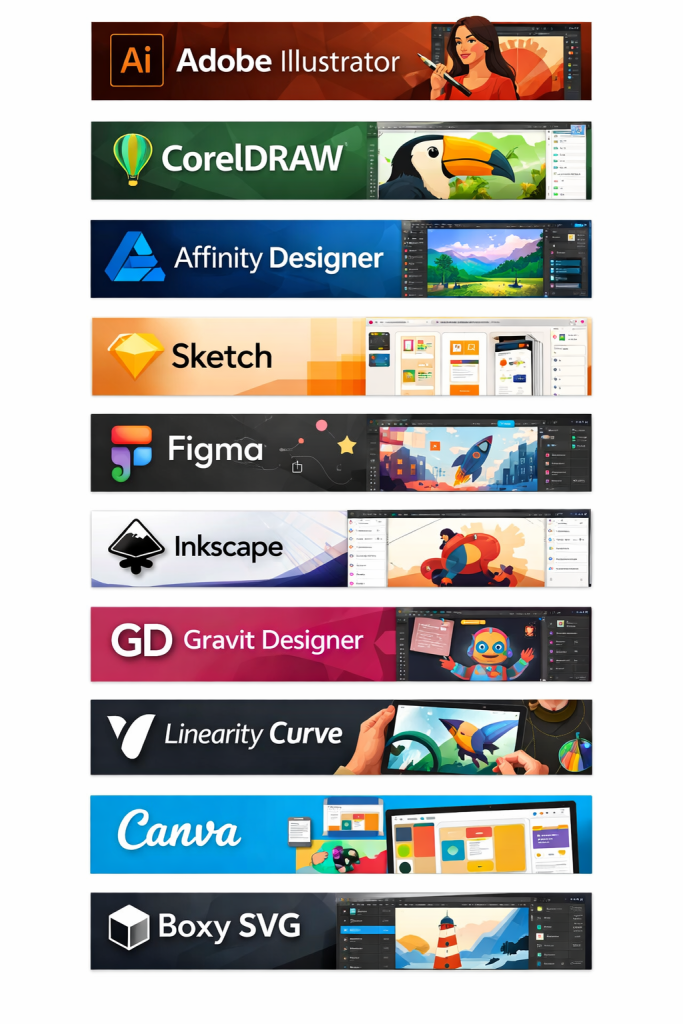
Vector illustration tools are specialized software applications used to create graphics based on mathematical paths rather than pixels. Unlike raster images, vector graphics can be scaled infinitely without losing quality, making them essential for logos, icons, illustrations, typography, UI elements, infographics, and print-ready designs. These tools allow designers to create precise shapes, curves, and layouts that remain crisp across devices and formats.
In today’s digital-first world, vector illustration tools play a critical role across branding, marketing, product design, web development, animation, and even engineering workflows. From startups building brand identities to enterprises producing large-scale design systems, vectors ensure consistency, flexibility, and professional output.
When choosing a vector illustration tool, users should evaluate:
- Core drawing and editing capabilities
- Ease of use and learning curve
- Platform compatibility
- Integration with other design or development tools
- Performance with complex files
- Collaboration and version control
- Security and compliance needs
- Pricing and long-term value
Best for:
Vector illustration tools are ideal for graphic designers, UI/UX designers, illustrators, branding agencies, marketing teams, product designers, educators, and freelancers. They are widely used across industries such as technology, media, advertising, publishing, e-commerce, education, and manufacturing. Both small creative teams and large enterprises benefit from them.
Not ideal for:
These tools may be unnecessary for users who only need basic image editing, photo retouching, or simple social media graphics. In such cases, raster-based or template-driven design tools may be more efficient. They are also less suitable for heavy 3D modeling or advanced photo manipulation workflows.
Top 10 Vector Illustration Tools
1 — Adobe Illustrator
Short description:
Adobe Illustrator is the industry-standard vector illustration tool used by professional designers worldwide for logos, illustrations, typography, and complex artwork.
Key features:
- Advanced vector drawing and pen tools
- Precision typography and font controls
- Artboards for multi-layout projects
- Gradient meshes and pattern creation
- Seamless integration with other Adobe tools
- Extensive plugin and extension ecosystem
- Export for print, web, and mobile formats
Pros:
- Extremely powerful and versatile
- Industry-wide acceptance and compatibility
- Excellent performance with complex designs
Cons:
- Steep learning curve for beginners
- Subscription-based pricing
- Can feel overwhelming for simple tasks
Security & compliance:
SSO support, encryption at rest and in transit, GDPR compliant, enterprise-grade controls.
Support & community:
Extensive documentation, tutorials, certifications, large global community, enterprise support available.
2 — CorelDRAW Graphics Suite
Short description:
CorelDRAW is a comprehensive vector illustration and layout tool favored by print designers, sign makers, and illustrators.
Key features:
- Intuitive vector drawing tools
- Page layout and multi-page support
- Advanced color management
- Bitmap-to-vector tracing
- Customizable workspace
- Native file compatibility with major formats
Pros:
- Easier learning curve than some competitors
- Strong print and layout capabilities
- One-time purchase option available
Cons:
- Smaller ecosystem than Adobe
- Collaboration features are more limited
- UI feels dated to some users
Security & compliance:
Standard encryption, GDPR compliant, enterprise controls vary by license.
Support & community:
Good documentation, active user forums, professional support plans available.
3 — Affinity Designer
Short description:
Affinity Designer is a modern, high-performance vector illustration tool designed for professionals who want powerful features without subscriptions.
Key features:
- Vector and raster workflows in one app
- Real-time performance engine
- Precision snapping and grids
- Advanced export options
- Cross-platform availability
- Clean, modern interface
Pros:
- One-time affordable pricing
- Fast and lightweight
- Excellent value for professionals
Cons:
- Smaller plugin ecosystem
- Limited collaboration features
- Fewer enterprise-focused tools
Security & compliance:
Local file-based security, GDPR compliant, limited enterprise compliance tooling.
Support & community:
Strong documentation, active creative community, responsive support.
4 — Inkscape
Short description:
Inkscape is a free, open-source vector illustration tool suitable for hobbyists, students, and professionals on a budget.
Key features:
- SVG-native editing
- Bezier and node editing tools
- Path operations and filters
- Cross-platform support
- Extensible via plugins
- Active open-source development
Pros:
- Completely free and open source
- Strong SVG capabilities
- No licensing restrictions
Cons:
- Performance issues with large files
- Interface feels less polished
- Limited professional support
Security & compliance:
N/A (open-source, local installation).
Support & community:
Extensive community forums, tutorials, and documentation.
5 — Sketch
Short description:
Sketch is a vector-based design tool focused on UI/UX and digital product design, popular among web and app designers.
Key features:
- Symbol-based design systems
- Artboards for responsive layouts
- Prototyping and handoff features
- Plugin ecosystem
- Design collaboration tools
- Precision vector editing
Pros:
- Excellent for UI/UX workflows
- Clean and intuitive interface
- Strong ecosystem of plugins
Cons:
- macOS-only
- Less suitable for print design
- Requires additional tools for advanced illustration
Security & compliance:
SSO, encryption, GDPR compliant, enterprise plans available.
Support & community:
High-quality documentation, strong design community, enterprise support options.
6 — Figma
Short description:
Figma is a cloud-based design platform combining vector illustration, UI design, and real-time collaboration.
Key features:
- Browser-based and cross-platform
- Real-time multi-user collaboration
- Version history and comments
- Design systems and components
- Developer handoff tools
- Cloud-based storage
Pros:
- Best-in-class collaboration
- No installation required
- Excellent for distributed teams
Cons:
- Requires internet for full functionality
- Less advanced illustration tools
- Performance can suffer with very large files
Security & compliance:
SSO, SOC 2, GDPR compliant, enterprise-grade security.
Support & community:
Extensive documentation, active community, strong enterprise support.
7 — Vectornator (Linearity Curve)
Short description:
Vectornator is a user-friendly vector illustration tool optimized for macOS and iPad users.
Key features:
- Touch and Apple Pencil support
- Intuitive drawing tools
- Real-time previews
- Cross-device workflow
- Typography and layout tools
- Performance optimized for Apple hardware
Pros:
- Excellent for tablet-based workflows
- Easy to learn
- Smooth performance on Apple devices
Cons:
- Limited to Apple ecosystem
- Fewer advanced features
- Smaller professional user base
Security & compliance:
Standard encryption, GDPR compliant.
Support & community:
Good onboarding, tutorials, growing community.
8 — Gravit Designer
Short description:
Gravit Designer is a lightweight vector design tool available both online and offline.
Key features:
- Cross-platform support
- Cloud and offline modes
- Intuitive UI
- Vector editing and export
- Templates and presets
- Affordable pricing tiers
Pros:
- Easy to access and use
- Flexible deployment
- Suitable for quick design tasks
Cons:
- Limited advanced tools
- Smaller ecosystem
- Less suitable for large-scale projects
Security & compliance:
Standard encryption, GDPR compliant.
Support & community:
Basic documentation, community support, limited enterprise options.
9 — Boxy SVG
Short description:
Boxy SVG is a focused vector editor built specifically for working with SVG files.
Key features:
- SVG-native workflow
- Lightweight and fast
- Web and desktop versions
- Clean interface
- Precise path editing
- Affordable pricing
Pros:
- Ideal for SVG-focused work
- Simple and efficient
- Low system requirements
Cons:
- Limited feature set
- Not suitable for complex illustration
- Minimal collaboration features
Security & compliance:
N/A / varies by platform.
Support & community:
Basic documentation, small user community.
10 — Xara Designer Pro
Short description:
Xara Designer Pro combines vector illustration, photo editing, and layout tools into a single package.
Key features:
- Fast rendering engine
- Vector and bitmap tools
- Page layout and typography
- Website and print design
- One-time purchase option
- Lightweight installation
Pros:
- Very fast performance
- All-in-one design approach
- Affordable pricing
Cons:
- Windows-focused
- Smaller user base
- Limited integrations
Security & compliance:
Standard local security, GDPR compliant.
Support & community:
Decent documentation, niche but active community.
Comparison Table
| Tool Name | Best For | Platform(s) Supported | Standout Feature | Rating |
|---|---|---|---|---|
| Adobe Illustrator | Professional illustration & branding | Windows, macOS | Industry-standard precision | N/A |
| CorelDRAW | Print and layout design | Windows, macOS | Strong print workflows | N/A |
| Affinity Designer | Cost-effective professional design | Windows, macOS, iPad | One-time pricing | N/A |
| Inkscape | Free & open-source users | Windows, macOS, Linux | SVG-native editing | N/A |
| Sketch | UI/UX designers | macOS | Design systems | N/A |
| Figma | Collaborative UI design | Web, Windows, macOS | Real-time collaboration | N/A |
| Vectornator | Apple-centric designers | macOS, iPad | Touch-first design | N/A |
| Gravit Designer | Lightweight design tasks | Web, Windows, macOS, Linux | Online/offline flexibility | N/A |
| Boxy SVG | SVG-focused workflows | Web, Windows, macOS | SVG precision | N/A |
| Xara Designer Pro | All-in-one design | Windows | Speed and simplicity | N/A |
Evaluation & Scoring of Vector Illustration Tools
| Criteria | Weight | Avg Score |
|---|---|---|
| Core features | 25% | High |
| Ease of use | 15% | High |
| Integrations & ecosystem | 15% | Medium |
| Security & compliance | 10% | Medium |
| Performance & reliability | 10% | High |
| Support & community | 10% | Medium |
| Price / value | 15% | High |
Which Vector Illustration Tool Is Right for You?
- Solo users: Affinity Designer, Inkscape, Vectornator
- SMBs: Affinity Designer, CorelDRAW, Figma
- Mid-market teams: Figma, Sketch, Adobe Illustrator
- Enterprises: Adobe Illustrator, Figma
Budget-conscious users: Inkscape, Affinity Designer
Premium solutions: Adobe Illustrator, CorelDRAW
Ease of use: Vectornator, Gravit Designer
Feature depth: Adobe Illustrator, CorelDRAW
Security-focused teams: Adobe Illustrator, Figma
Frequently Asked Questions (FAQs)
- What is a vector illustration tool?
A tool used to create scalable graphics based on mathematical paths instead of pixels. - Why are vectors better than raster images?
They scale without losing quality and are ideal for logos and print. - Do beginners need professional tools?
Not always; simpler tools may be sufficient initially. - Are free tools good enough?
Yes, for many use cases, especially learning and basic design. - Which tool is best for UI design?
Figma and Sketch are widely preferred. - Are vector tools suitable for print?
Yes, they are ideal for print workflows. - Do these tools support collaboration?
Some do, especially cloud-based platforms. - Is subscription pricing necessary?
Not always; several tools offer one-time licenses. - Can vectors be used for animation?
Yes, often as assets for animation tools. - What is the most important feature to consider?
It depends on your workflow—precision, collaboration, or ease of use.
Conclusion
Vector illustration tools are foundational to modern design workflows, enabling scalable, precise, and professional graphics across industries. While some tools dominate due to depth and ecosystem, others excel through simplicity, affordability, or collaboration. The best choice depends on your role, budget, technical needs, and long-term goals. By carefully evaluating features, usability, and value, you can select a tool that truly enhances your creative output rather than complicating it.

Find Trusted Cardiac Hospitals
Compare heart hospitals by city and services — all in one place.
Explore Hospitals