
Introduction
Video Editing Software refers to digital tools that allow users to cut, arrange, enhance, and finalize video content for different purposes such as marketing, education, entertainment, journalism, training, and social media. These tools help transform raw footage into polished, engaging videos by offering features like trimming, transitions, effects, audio syncing, color correction, subtitles, and exports in multiple formats.
In today’s digital-first world, video has become one of the most powerful communication mediums. Businesses rely on video for brand storytelling, product demos, ads, onboarding, and training. Creators and educators use it to explain ideas clearly and visually. Even individuals use video editing software for personal projects, vlogs, and social media content. Without proper editing tools, video content often looks unprofessional and fails to deliver impact.
When choosing a video editing tool, users should evaluate ease of use, feature depth, performance, export quality, platform compatibility, security, collaboration needs, and value for money. The right software should match the user’s skill level and project requirements rather than overwhelm or limit creativity.
Best for:
Video editing software is ideal for content creators, YouTubers, marketers, filmmakers, educators, media agencies, startups, enterprises, and training teams across industries like marketing, entertainment, education, healthcare, and corporate communications.
Not ideal for:
Users who only need basic trimming occasionally, text-only content creators, or teams with zero video requirements may find these tools unnecessary. In such cases, lightweight or built-in video tools may be sufficient.
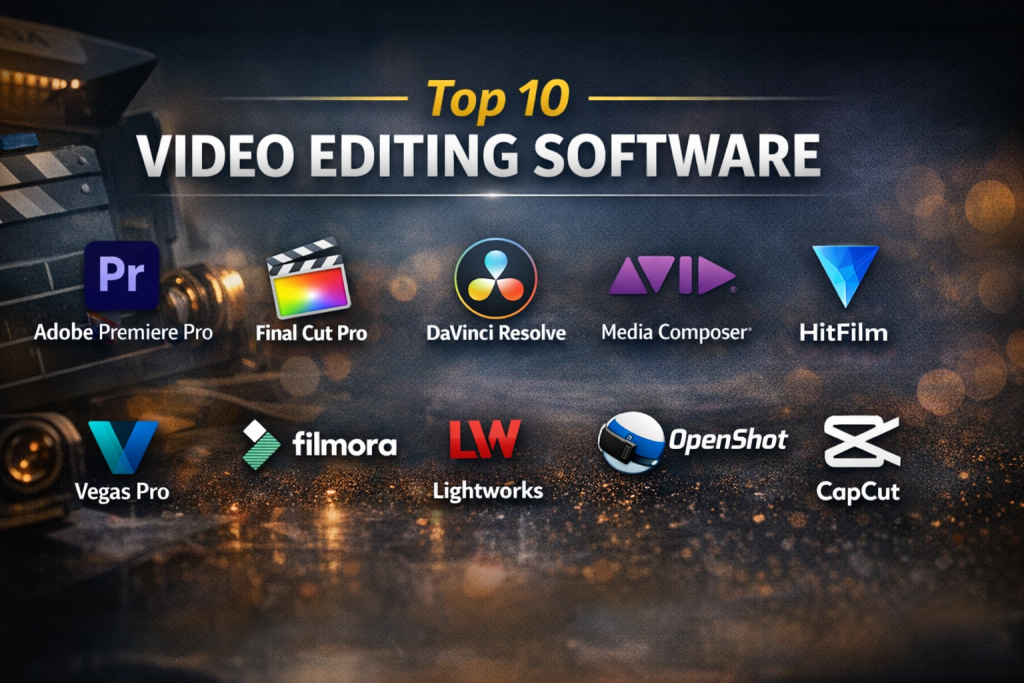
Top 10 Video Editing Software Tools
1 — Adobe Premiere Pro
Short description:
Adobe Premiere Pro is a professional-grade video editing software widely used in film, television, marketing, and content creation. It is designed for advanced users who need precision, scalability, and deep creative control.
Key features:
- Advanced timeline-based editing
- Multi-camera editing support
- Industry-leading color grading tools
- Seamless integration with other Adobe apps
- Extensive format and codec support
- AI-powered features for speech enhancement and auto captions
- High-end export and rendering controls
Pros:
- Extremely powerful and flexible for complex projects
- Trusted industry standard with continuous updates
Cons:
- Steep learning curve for beginners
- Subscription-based pricing may be costly long-term
Security & compliance:
Enterprise-grade security practices, encrypted cloud storage options, GDPR-aligned workflows.
Support & community:
Extensive documentation, tutorials, global creator community, professional enterprise support available.
2 — Final Cut Pro
Short description:
Final Cut Pro is a professional video editing solution optimized for macOS users, offering high performance and intuitive workflows for creators and filmmakers.
Key features:
- Magnetic timeline for faster editing
- Optimized performance for Apple hardware
- Advanced color grading and HDR support
- Built-in motion graphics tools
- Multicam editing
- High-resolution video handling
Pros:
- One-time purchase with no subscription
- Excellent speed and stability on Mac systems
Cons:
- macOS-only availability
- Smaller plugin ecosystem compared to competitors
Security & compliance:
Local file-based security, system-level encryption dependent on macOS settings.
Support & community:
Strong Apple documentation, professional user base, training resources available.
3 — DaVinci Resolve
Short description:
DaVinci Resolve combines professional video editing, color correction, visual effects, and audio post-production in one powerful platform.
Key features:
- Industry-leading color grading tools
- Integrated video, audio, and effects workflows
- Collaboration features for teams
- High-end audio editing suite
- Free version with robust capabilities
Pros:
- Exceptional color correction and finishing tools
- Excellent value with a strong free version
Cons:
- Hardware-intensive
- Interface can be complex for beginners
Security & compliance:
Local project encryption options, enterprise controls in studio versions.
Support & community:
Strong community, official training materials, professional support for studio users.
4 — Filmora
Short description:
Filmora is a user-friendly video editing software designed for beginners, marketers, and social media creators who want quick, polished results.
Key features:
- Drag-and-drop editing interface
- Built-in effects, transitions, and templates
- Screen recording support
- Audio syncing and enhancements
- Social media optimized exports
Pros:
- Easy to learn and use
- Affordable compared to professional tools
Cons:
- Limited advanced editing controls
- Watermark in some licensing tiers
Security & compliance:
Basic data security standards, varies by region.
Support & community:
Good tutorials, responsive customer support, growing user community.
5 — iMovie
Short description:
iMovie is a free video editing tool for Apple users, ideal for beginners and casual editors who want simple, clean video projects.
Key features:
- Pre-built themes and templates
- Basic trimming and transitions
- Audio and title tools
- Seamless integration with Apple devices
- Simple exports
Pros:
- Completely free
- Very easy for beginners
Cons:
- Limited advanced features
- Not suitable for professional workflows
Security & compliance:
Depends on local system security settings.
Support & community:
Apple documentation, basic community support.
6 — CyberLink PowerDirector
Short description:
PowerDirector is a feature-rich video editing tool balancing power and usability for both enthusiasts and semi-professionals.
Key features:
- AI-powered editing tools
- Motion tracking
- Multi-cam editing
- Fast rendering performance
- Extensive effect library
Pros:
- Strong feature set at reasonable pricing
- Faster learning curve than pro tools
Cons:
- Interface can feel cluttered
- Some advanced features locked behind higher plans
Security & compliance:
Standard consumer-grade security practices.
Support & community:
Good documentation, forums, and customer support.
7 — HitFilm
Short description:
HitFilm is a hybrid video editing and visual effects platform aimed at creators who want cinematic effects without enterprise-level complexity.
Key features:
- Built-in visual effects engine
- Compositing tools
- Motion graphics
- Advanced transitions
- YouTube and creator-focused features
Pros:
- Strong VFX capabilities
- Affordable compared to similar tools
Cons:
- Performance may vary on low-end systems
- Learning curve for effects tools
Security & compliance:
Varies / N/A
Support & community:
Active creator community, tutorials, and learning resources.
8 — Shotcut
Short description:
Shotcut is a free, open-source video editor suitable for users who want full control without licensing costs.
Key features:
- Open-source and free
- Wide format support
- Audio and video filters
- Timeline-based editing
- Cross-platform compatibility
Pros:
- No cost
- Flexible and customizable
Cons:
- Interface is less polished
- Limited professional support
Security & compliance:
Open-source transparency, local-only storage.
Support & community:
Community forums and documentation.
9 — Lightworks
Short description:
Lightworks is a professional video editing software used in film production and advanced content creation.
Key features:
- Professional timeline editing
- Real-time effects
- Multi-format export
- Precision trimming tools
- Collaborative workflows
Pros:
- Proven use in professional films
- Fast editing performance
Cons:
- Steep learning curve
- Limited export formats in free version
Security & compliance:
Varies / N/A
Support & community:
Documentation, user forums, paid support options.
10 — OpenShot
Short description:
OpenShot is an open-source video editor designed for simplicity and accessibility for beginners.
Key features:
- Simple drag-and-drop editing
- Unlimited tracks
- Basic effects and transitions
- Cross-platform support
- Free to use
Pros:
- Beginner-friendly
- No licensing costs
Cons:
- Limited advanced features
- Occasional stability issues
Security & compliance:
Open-source, local storage.
Support & community:
Community-based support and documentation.
Comparison Table
| Tool Name | Best For | Platform(s) Supported | Standout Feature | Rating |
|---|---|---|---|---|
| Adobe Premiere Pro | Professional editors | Windows, macOS | Industry-standard editing | N/A |
| Final Cut Pro | Mac professionals | macOS | Performance optimization | N/A |
| DaVinci Resolve | Color grading experts | Windows, macOS, Linux | Advanced color tools | N/A |
| Filmora | Beginners & marketers | Windows, macOS | Ease of use | N/A |
| iMovie | Casual users | macOS, iOS | Simplicity | N/A |
| PowerDirector | Enthusiasts | Windows, macOS | AI tools | N/A |
| HitFilm | VFX creators | Windows, macOS | Built-in effects | N/A |
| Shotcut | Open-source users | Windows, macOS, Linux | Free flexibility | N/A |
| Lightworks | Film editors | Windows, macOS, Linux | Precision editing | N/A |
| OpenShot | Beginners | Windows, macOS, Linux | Accessibility | N/A |
Evaluation & Scoring of Video Editing Software
| Criteria | Weight |
|---|---|
| Core features | 25% |
| Ease of use | 15% |
| Integrations & ecosystem | 15% |
| Security & compliance | 10% |
| Performance & reliability | 10% |
| Support & community | 10% |
| Price / value | 15% |
Which Video Editing Software Tool Is Right for You?
- Solo users: Look for simplicity, affordability, and fast learning curves
- SMBs: Balance ease of use with branding and export quality
- Mid-market: Require collaboration, integrations, and scalability
- Enterprise: Need security, advanced workflows, and compliance
Budget-conscious users may prefer open-source or one-time purchase tools, while professionals benefit from premium ecosystems. Advanced editors may prioritize feature depth, whereas marketers may value speed and templates.
Frequently Asked Questions (FAQs)
- Is free video editing software good enough?
Yes, for basic to intermediate projects, but advanced workflows often require paid tools. - Which tool is best for beginners?
Beginner-friendly tools focus on templates, drag-and-drop editing, and simplicity. - Do professionals use video editing software daily?
Yes, it is a core part of production workflows across industries. - Is video editing software secure?
Security varies; professional tools offer stronger controls. - Can these tools handle 4K or higher resolution?
Most modern tools support high-resolution formats. - Are these tools suitable for teams?
Some offer collaboration features, others are single-user focused. - Is training required?
Advanced tools often require learning, while beginner tools do not. - What is the biggest mistake buyers make?
Choosing overly complex tools they don’t fully use. - Can video editing software scale with business growth?
Yes, professional platforms scale well with needs. - Is one tool best for everyone?
No, the best choice depends on specific goals and skills.
Conclusion
Video editing software plays a critical role in modern communication, marketing, and storytelling. From beginner-friendly tools to enterprise-grade platforms, the market offers solutions for every skill level and use case. The most important factors when choosing a tool are ease of use, features, performance, security, and value.
There is no single “best” video editing software for everyone. The right choice depends on your goals, experience, budget, and workflow needs. By aligning your requirements with the strengths of the right tool, you can create impactful, high-quality video content with confidence.

Find Trusted Cardiac Hospitals
Compare heart hospitals by city and services — all in one place.
Explore Hospitals