
Introduction
Voiceover tools have become a critical part of modern content creation. From explainer videos and online courses to advertisements, podcasts, audiobooks, and corporate training, high-quality voiceovers directly impact how messages are perceived and remembered. Traditionally, producing professional voiceovers required hiring voice artists, renting studios, and managing long production cycles. Today, advanced voiceover tools—many powered by AI—have simplified this process dramatically.
Voiceover tools enable individuals and organizations to convert text into natural-sounding speech, manage voice recordings, edit narration, localize content across languages, and scale audio production efficiently. These tools are now widely used by marketers, educators, product teams, media houses, and enterprises aiming to produce consistent, engaging audio content at speed.
When choosing a voiceover tool, users should evaluate voice quality, language and accent coverage, customization controls, ease of use, scalability, integrations, and compliance requirements. Pricing transparency and long-term usability are equally important, especially for teams producing content regularly.
Best for:
Voiceover tools are ideal for content creators, YouTubers, podcasters, educators, e-learning companies, marketing teams, startups, agencies, and enterprises that need scalable, professional audio without relying entirely on human voice talent.
Not ideal for:
They may not suit highly emotional cinematic narration, unique celebrity voices, or projects requiring nuanced acting, where professional human voice artists still outperform automated solutions.
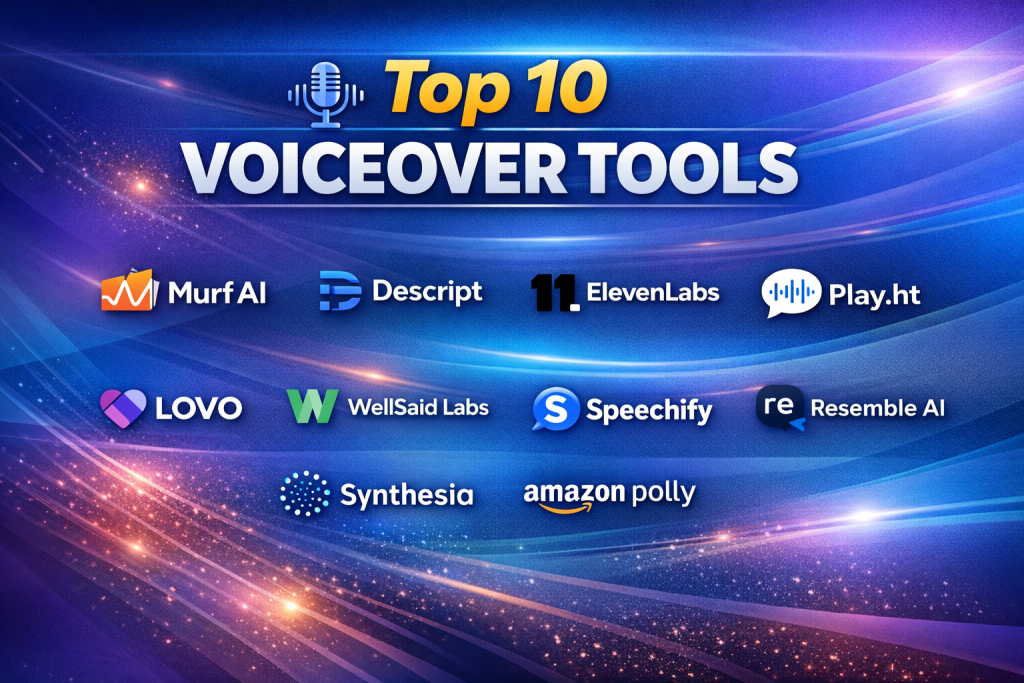
Top 10 Voiceover Tools
1 — Murf AI
Short description:
Murf AI is a widely used AI voiceover platform designed for marketers, educators, and businesses that need studio-quality narration without technical complexity.
Key features
- Large library of realistic AI voices
- Multiple accents and languages
- Voice tone and emphasis controls
- Script-based editing interface
- Background music and timing control
- Team collaboration features
- Commercial usage rights
Pros
- Natural-sounding voices suitable for professional content
- Very intuitive interface for non-technical users
Cons
- Limited deep voice cloning options
- Premium voices require higher plans
Security & compliance
- Data encryption in transit
- GDPR-aligned practices
Support & community
- Well-structured documentation
- Email and chat support
- Growing creator community
2 — Descript
Short description:
Descript combines voiceover generation with audio and video editing, making it ideal for podcasters and video creators.
Key features
- Text-based audio editing
- AI voice generation and overdub
- Podcast and video editing tools
- Screen recording
- Collaboration and commenting
- Automatic transcription
Pros
- All-in-one content workflow
- Extremely powerful editing model
Cons
- Learning curve for beginners
- AI voices less varied than specialized tools
Security & compliance
- Standard encryption
- GDPR-compliant data handling
Support & community
- Strong tutorials and onboarding
- Active creator community
3 — ElevenLabs
Short description:
ElevenLabs focuses on hyper-realistic voice synthesis, making it popular for narration, audiobooks, and storytelling.
Key features
- Ultra-realistic AI voices
- Emotional tone control
- Voice cloning capabilities
- Multilingual narration
- Fast rendering performance
- API access for developers
Pros
- Industry-leading voice realism
- Excellent for long-form narration
Cons
- Fewer built-in editing tools
- Requires careful voice ethics management
Security & compliance
- Encryption standards
- Responsible AI voice policies
Support & community
- Clear documentation
- Active developer ecosystem
4 — Play.ht
Short description:
Play.ht is designed for bloggers, publishers, and businesses wanting to convert written content into voiceovers quickly.
Key features
- Wide voice and language support
- Text-to-speech automation
- Podcast-ready audio exports
- WordPress and CMS integrations
- Custom pronunciation rules
- Team workspaces
Pros
- Excellent for content repurposing
- Fast setup and publishing
Cons
- Less voice emotion control
- Interface can feel cluttered
Security & compliance
- GDPR-aligned policies
- Secure cloud infrastructure
Support & community
- Email support
- Knowledge base and tutorials
5 — Lovo AI
Short description:
Lovo AI targets creative professionals needing expressive AI voices for ads, videos, and brand storytelling.
Key features
- Emotion-based voice modulation
- Brand-style voice presets
- Script collaboration tools
- Commercial licensing
- Multilingual output
- Voice customization controls
Pros
- Expressive, engaging voices
- Good balance of creativity and usability
Cons
- Fewer enterprise controls
- Limited advanced integrations
Security & compliance
- Standard cloud security
- GDPR support
Support & community
- Onboarding tutorials
- Email and in-app support
6 — WellSaid Labs
Short description:
WellSaid Labs focuses on enterprise-grade voiceovers for training, product demos, and corporate communications.
Key features
- Studio-quality AI voices
- Brand-consistent voice libraries
- Team and role management
- API and enterprise deployment
- Pronunciation control
- Scalable voice production
Pros
- Excellent consistency for brands
- Enterprise-ready reliability
Cons
- Higher pricing
- Limited casual creator features
Security & compliance
- SOC 2-aligned controls
- GDPR-compliant workflows
Support & community
- Dedicated enterprise support
- Professional onboarding
7 — Speechify
Short description:
Speechify is popular for narration, accessibility, and personal productivity voiceovers.
Key features
- Text-to-speech for documents
- Mobile and desktop support
- Natural reading voices
- Speed and tone control
- Accessibility-focused design
- Offline listening options
Pros
- Easy to use across devices
- Strong accessibility features
Cons
- Limited professional editing
- Not ideal for branding
Security & compliance
- Standard app security
- Privacy-focused settings
Support & community
- App-based support
- Large consumer user base
8 — Resemble AI
Short description:
Resemble AI specializes in custom voice cloning and real-time voice generation.
Key features
- High-quality voice cloning
- Emotion and style control
- Real-time voice generation
- API for developers
- Language adaptability
- Ethical voice safeguards
Pros
- Powerful customization
- Ideal for product and gaming use cases
Cons
- Requires setup effort
- Not beginner-friendly
Security & compliance
- Voice consent mechanisms
- Encryption and GDPR compliance
Support & community
- Developer documentation
- Technical support
9 — Synthesia
Short description:
Synthesia combines AI voiceovers with avatar-based video creation for training and corporate content.
Key features
- AI voiceover with avatars
- Multilingual narration
- Script-to-video workflow
- Corporate templates
- Team collaboration
- Enterprise scalability
Pros
- Excellent for training videos
- End-to-end production
Cons
- Less voice customization alone
- Premium pricing
Security & compliance
- Enterprise-grade security
- GDPR and SOC-aligned practices
Support & community
- Professional onboarding
- Enterprise support
10 — Amazon Polly
Short description:
Amazon Polly is a developer-focused voiceover service integrated within cloud applications.
Key features
- Neural text-to-speech
- Multiple languages and voices
- API-based scalability
- SSML support
- High availability infrastructure
- Pay-as-you-go pricing
Pros
- Highly scalable
- Reliable performance
Cons
- Requires technical expertise
- Minimal creative UI
Security & compliance
- Enterprise-grade cloud security
- ISO, SOC, GDPR support
Support & community
- Extensive documentation
- Large developer community
Comparison Table
| Tool Name | Best For | Platform(s) Supported | Standout Feature | Rating |
|---|---|---|---|---|
| Murf AI | Marketing & training | Web | Natural AI voices | N/A |
| Descript | Podcasters & creators | Web, Desktop | Text-based editing | N/A |
| ElevenLabs | Audiobooks & narration | Web, API | Ultra-realism | N/A |
| Play.ht | Bloggers & publishers | Web | Content-to-audio | N/A |
| Lovo AI | Creative branding | Web | Emotional voices | N/A |
| WellSaid Labs | Enterprises | Web, API | Brand consistency | N/A |
| Speechify | Accessibility & reading | Mobile, Desktop | Ease of use | N/A |
| Resemble AI | Custom voice cloning | Web, API | Voice cloning | N/A |
| Synthesia | Training videos | Web | AI avatars | N/A |
| Amazon Polly | Developers | API | Cloud scalability | N/A |
Evaluation & Scoring of Voiceover Tools
| Criteria | Weight | Description |
|---|---|---|
| Core features | 25% | Voice quality, languages, customization |
| Ease of use | 15% | UI, learning curve |
| Integrations & ecosystem | 15% | APIs, tools, workflows |
| Security & compliance | 10% | Data protection standards |
| Performance & reliability | 10% | Speed, uptime |
| Support & community | 10% | Help resources |
| Price / value | 15% | ROI and affordability |
Which Voiceover Tool Is Right for You?
- Solo creators: Murf AI, Speechify, Play.ht
- SMBs: Lovo AI, Descript
- Mid-market teams: ElevenLabs, Synthesia
- Enterprise: WellSaid Labs, Amazon Polly
Budget-conscious users should prioritize ease of use and pricing, while enterprises should focus on compliance, scalability, and brand consistency.
Frequently Asked Questions (FAQs)
1. Are AI voiceovers legal for commercial use?
Yes, most tools provide commercial licenses, but users should review usage terms.
2. Can AI voices replace human voice actors?
They work well for many use cases, but not all emotional or cinematic narration.
3. Do voiceover tools support multiple languages?
Most modern tools support dozens of languages and accents.
4. Is voice cloning ethical?
Only when consent and safeguards are properly implemented.
5. Are these tools secure for enterprise use?
Many offer encryption and compliance features suitable for enterprises.
6. Can I integrate voiceovers into apps?
Developer-focused tools provide APIs for integration.
7. How natural do AI voices sound today?
Top platforms offer near-human quality.
8. Do I need technical skills?
Most creator-focused tools require minimal technical knowledge.
9. Can I edit tone and pacing?
Yes, many tools offer tone, speed, and emphasis controls.
10. What is the biggest mistake buyers make?
Choosing based on voice count instead of real use-case fit.
Conclusion
Voiceover tools have transformed how audio content is created, enabling faster, more scalable, and cost-effective production. The best choice depends on use case, budget, scale, and required realism. There is no universal winner—only tools that fit specific needs better than others. By aligning features with real-world requirements, users can confidently choose a voiceover tool that delivers consistent value and quality.

Find Trusted Cardiac Hospitals
Compare heart hospitals by city and services — all in one place.
Explore Hospitals