
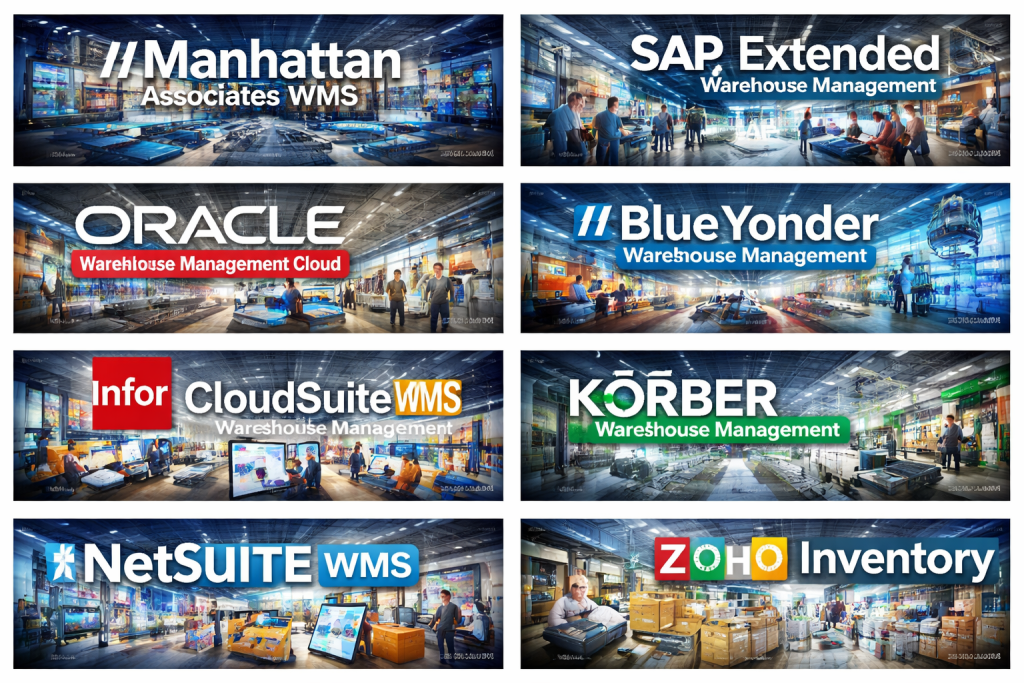
Introduction
A Warehouse Management System (WMS) is a specialized software solution designed to control, optimize, and automate daily warehouse operations. From receiving goods and managing storage locations to picking, packing, shipping, and inventory tracking, a WMS acts as the operational backbone of modern warehouses and distribution centers.
In today’s fast-paced, omnichannel-driven supply chains, warehouses are no longer simple storage spaces. They are high-velocity fulfillment hubs where accuracy, speed, and visibility directly impact customer satisfaction and profitability. A robust WMS helps organizations reduce errors, optimize space utilization, improve labor productivity, and gain real-time visibility into inventory and order status.
Common real-world use cases include managing high-volume eCommerce fulfillment, supporting just-in-time manufacturing, handling cold-chain or regulated goods, and coordinating multi-warehouse or global distribution networks.
When choosing a WMS, buyers should evaluate core functionality, scalability, ease of use, integrations with ERP and transportation systems, reporting capabilities, automation readiness, and security standards. The right system should align with current operational needs while supporting future growth and complexity.
Best for:
Warehouse Management Systems are ideal for retailers, eCommerce businesses, 3PL providers, manufacturers, wholesalers, and distributors of all sizes—from fast-growing SMBs to global enterprises—who need better inventory accuracy, faster order fulfillment, and operational control.
Not ideal for:
Very small businesses with minimal inventory, low order volume, or simple storage needs may find a full WMS excessive. In such cases, basic inventory tools or ERP inventory modules may be sufficient.
Top 10 Warehouse Management Systems (WMS) Tools
1 — Manhattan Associates WMS
Short description:
A highly advanced, enterprise-grade WMS built for complex, high-volume warehouse and distribution operations across global supply chains.
Key features:
- Advanced inventory optimization and slotting
- Labor management and productivity analytics
- Wave, batch, and zone picking strategies
- Support for automation and robotics integration
- Real-time inventory visibility across locations
- AI-driven demand and fulfillment insights
Pros:
- Extremely powerful and scalable
- Trusted by large global enterprises
- Deep support for complex warehouse workflows
Cons:
- High implementation and licensing cost
- Requires experienced IT and process teams
Security & compliance:
Enterprise-grade security, role-based access, audit logs, data encryption, compliance varies by deployment.
Support & community:
Strong enterprise support, extensive documentation, certified partner ecosystem.
2 — SAP Extended Warehouse Management (SAP EWM)
Short description:
A comprehensive WMS tightly integrated into the SAP ecosystem, designed for large enterprises with complex logistics needs.
Key features:
- Deep integration with SAP S/4HANA
- Advanced labor and resource management
- Yard and dock management
- Value-added services and kitting
- Real-time analytics and reporting
- Automation and material flow control
Pros:
- Seamless for SAP-centric organizations
- Highly configurable and robust
- Suitable for global operations
Cons:
- Steep learning curve
- Costly implementation and customization
Security & compliance:
Strong SAP security model, role-based controls, enterprise compliance standards.
Support & community:
Global SAP support, large user community, extensive partner network.
3 — Oracle Warehouse Management Cloud
Short description:
A cloud-native WMS built for scalable warehouse operations with strong integration into Oracle’s supply chain suite.
Key features:
- Cloud-based deployment and updates
- Advanced picking, packing, and shipping
- Inventory optimization and visibility
- Multi-warehouse and multi-client support
- Automation and robotics compatibility
- Embedded analytics dashboards
Pros:
- Modern cloud architecture
- Strong scalability and performance
- Reduced infrastructure management
Cons:
- Best value when used within Oracle ecosystem
- Customization can be complex
Security & compliance:
Enterprise cloud security, encryption, compliance certifications vary by region.
Support & community:
Oracle enterprise support, structured onboarding, extensive documentation.
4 — Blue Yonder Warehouse Management
Short description:
An AI-driven WMS focused on predictive insights, automation, and end-to-end supply chain orchestration.
Key features:
- AI-powered demand and fulfillment planning
- Real-time warehouse execution
- Robotics and automation integration
- Labor and task management
- Omnichannel fulfillment support
- Advanced analytics and forecasting
Pros:
- Strong AI and predictive capabilities
- Ideal for complex, fast-moving environments
- Supports advanced automation strategies
Cons:
- Higher cost compared to mid-market tools
- Implementation can be lengthy
Security & compliance:
Enterprise security standards, data protection, compliance varies by deployment.
Support & community:
Enterprise-level support, training programs, partner ecosystem.
5 — Infor CloudSuite WMS
Short description:
A flexible, industry-focused WMS designed for manufacturing, distribution, and 3PL operations.
Key features:
- Industry-specific workflows
- Cloud deployment with scalability
- Labor and performance management
- Wave and task-based picking
- Integration with Infor ERP systems
- Real-time reporting and dashboards
Pros:
- Strong industry alignment
- Flexible configuration options
- Scalable for growing businesses
Cons:
- Interface can feel dated for some users
- Best suited for Infor ecosystem users
Security & compliance:
Cloud security controls, role-based access, compliance varies.
Support & community:
Infor support services, implementation partners, growing user community.
6 — Körber Warehouse Management
Short description:
A modular WMS platform suitable for both mid-market and enterprise warehouses seeking flexibility.
Key features:
- Modular architecture for customization
- Multi-site and multi-client support
- Automation and material handling integration
- Real-time inventory tracking
- Configurable workflows and rules
- Analytics and reporting tools
Pros:
- Highly flexible and modular
- Strong automation support
- Suitable for complex operations
Cons:
- Configuration requires expertise
- Implementation timelines can vary
Security & compliance:
Enterprise security features, compliance depends on deployment.
Support & community:
Professional services, documentation, partner support.
7 — HighJump WMS
Short description:
A configurable WMS known for adaptability and support for evolving warehouse processes.
Key features:
- Highly configurable workflows
- Mobile-friendly warehouse operations
- Multi-warehouse support
- Integration with ERP and TMS
- Automation and robotics readiness
- Real-time analytics
Pros:
- Flexible and customizable
- Strong mid-market and enterprise fit
- Good automation support
Cons:
- UI may feel complex for new users
- Customization increases implementation effort
Security & compliance:
Standard enterprise security features, compliance varies.
Support & community:
Good customer support, implementation partners, training resources.
8 — NetSuite WMS
Short description:
A cloud-based WMS built into the NetSuite ERP platform, ideal for fast-growing businesses.
Key features:
- Native ERP and inventory integration
- Real-time inventory visibility
- Mobile barcode scanning
- Bin and wave picking
- Demand planning and reporting
- Cloud-based scalability
Pros:
- Seamless ERP integration
- Easy to deploy and manage
- Suitable for SMBs and mid-market
Cons:
- Less advanced than enterprise WMS
- Limited deep warehouse automation features
Security & compliance:
Cloud security, role-based access, compliance certifications vary.
Support & community:
NetSuite support, strong user community, implementation partners.
9 — Fishbowl Warehouse
Short description:
An affordable WMS focused on small and mid-sized businesses seeking better inventory control.
Key features:
- Inventory and order management
- Barcode scanning and tracking
- Manufacturing and assembly support
- Integration with accounting systems
- Basic reporting and analytics
- On-premise and hosted options
Pros:
- Cost-effective
- Easy to use for SMBs
- Strong inventory visibility
Cons:
- Limited scalability for large operations
- Fewer advanced automation features
Security & compliance:
Basic security controls, compliance varies by deployment.
Support & community:
Responsive support, documentation, SMB-focused user base.
10 — Zoho Inventory (WMS-Lite)
Short description:
A lightweight inventory and warehouse solution suitable for small businesses and eCommerce sellers.
Key features:
- Basic warehouse and inventory management
- Order and shipment tracking
- Multi-warehouse support
- Barcode scanning
- Integration with Zoho ecosystem
- Simple reporting dashboards
Pros:
- Very easy to use
- Affordable pricing
- Fast setup and onboarding
Cons:
- Not a full enterprise WMS
- Limited advanced warehouse features
Security & compliance:
Standard cloud security, GDPR support, limited enterprise compliance.
Support & community:
Good documentation, support tickets, active user community.
Comparison Table
| Tool Name | Best For | Platform(s) Supported | Standout Feature | Rating |
|---|---|---|---|---|
| Manhattan Associates WMS | Large enterprises | Cloud / On-premise | Advanced optimization & scalability | N/A |
| SAP EWM | SAP-centric enterprises | Cloud / On-premise | Deep SAP integration | N/A |
| Oracle WMS Cloud | Global enterprises | Cloud | Cloud-native scalability | N/A |
| Blue Yonder WMS | AI-driven operations | Cloud | Predictive analytics | N/A |
| Infor CloudSuite WMS | Industry-specific needs | Cloud | Industry workflows | N/A |
| Körber WMS | Flexible operations | Cloud / On-premise | Modular design | N/A |
| HighJump WMS | Mid-market to enterprise | Cloud / Hybrid | High configurability | N/A |
| NetSuite WMS | Growing businesses | Cloud | Native ERP integration | N/A |
| Fishbowl Warehouse | SMBs | On-premise / Hosted | Affordable inventory control | N/A |
| Zoho Inventory | Small businesses | Cloud | Ease of use | N/A |
Evaluation & Scoring of Warehouse Management Systems (WMS)
| Criteria | Weight | Description |
|---|---|---|
| Core features | 25% | Inventory, picking, packing, automation support |
| Ease of use | 15% | User experience, onboarding, training |
| Integrations & ecosystem | 15% | ERP, TMS, automation, APIs |
| Security & compliance | 10% | Access control, auditability, standards |
| Performance & reliability | 10% | System uptime and speed |
| Support & community | 10% | Documentation, support quality |
| Price / value | 15% | ROI and total cost of ownership |
Which Warehouse Management Systems (WMS) Tool Is Right for You?
- Solo users & small businesses: Lightweight tools with fast setup and low cost work best.
- SMBs: Cloud-based WMS with strong inventory control and integrations provide balance.
- Mid-market companies: Configurable systems with scalability and automation support are ideal.
- Enterprises: Advanced WMS with AI, robotics integration, and global scalability are essential.
Budget-conscious buyers should prioritize ease of use and core features, while premium buyers may focus on deep automation, analytics, and enterprise compliance. Always align feature depth with actual operational complexity.
Frequently Asked Questions (FAQs)
1. What is the main purpose of a WMS?
To manage and optimize warehouse operations such as inventory, picking, packing, and shipping.
2. Is a WMS different from inventory management software?
Yes. A WMS offers deeper warehouse execution and operational control.
3. Can small businesses use a WMS?
Yes, but lightweight or SMB-focused solutions are more suitable.
4. How long does WMS implementation take?
From a few weeks for simple systems to several months for enterprise deployments.
5. Are cloud-based WMS secure?
Most reputable providers use strong encryption and access controls.
6. Does a WMS support barcode scanning?
Yes, barcode and RFID support is standard in most systems.
7. Can a WMS integrate with ERP systems?
Yes, ERP integration is a core requirement for most WMS platforms.
8. Is automation mandatory for WMS success?
No, but automation improves efficiency for high-volume operations.
9. What is the biggest mistake when choosing a WMS?
Overbuying features that exceed actual operational needs.
10. How do I measure WMS ROI?
Through improved accuracy, faster fulfillment, reduced labor costs, and better inventory turnover.
Conclusion
Warehouse Management Systems play a critical role in modern supply chains by improving accuracy, efficiency, and visibility across warehouse operations. From lightweight solutions for small businesses to advanced, AI-driven platforms for global enterprises, the WMS landscape offers options for every need and budget.
The most important takeaway is that there is no single “best” WMS for everyone. The right choice depends on your operational complexity, growth plans, integration needs, and budget. By carefully evaluating features, usability, scalability, and support, organizations can select a WMS that delivers long-term value and operational excellence.

Find Trusted Cardiac Hospitals
Compare heart hospitals by city and services — all in one place.
Explore Hospitals
This article gives a very comprehensive overview of Warehouse Management Systems by clearly linking WMS capabilities to real-world outcomes like faster fulfillment, higher inventory accuracy, and better labor productivity rather than just listing features. The way it separates heavyweight enterprise platforms (Manhattan, SAP EWM, Oracle WMS Cloud, Blue Yonder, Infor, Körber, HighJump) from mid-market and SMB-friendly options (NetSuite WMS, Fishbowl, Zoho Inventory) makes it easier for businesses to map choices to their order volume, automation needs, and ERP ecosystem. The emphasis on integration with ERP/TMS, support for automation and robotics, scalability across multiple sites, and total cost of ownership is especially useful for avoiding the common mistake of overbuying a complex system that outpaces operational maturity. Overall, this guide is a strong starting point for retailers, 3PLs, and manufacturers moving from basic inventory modules or spreadsheets to a dedicated WMS that can support omnichannel growth and more demanding service levels.