
Introduction
Windows Management Tools are software solutions designed to help IT teams centrally manage, secure, monitor, configure, and maintain Windows-based systems across an organization. These tools simplify tasks such as device provisioning, patch management, software deployment, policy enforcement, remote troubleshooting, and compliance reporting—activities that would otherwise be time-consuming and error-prone if done manually.
In today’s hybrid and remote-first work environments, Windows devices are spread across offices, homes, and multiple geographies. Managing them consistently is critical for security, productivity, and operational stability. Poor Windows management often leads to outdated systems, security vulnerabilities, inconsistent configurations, and high IT support costs.
Common real-world use cases include:
- Centralized patching and update management
- Enforcing security and compliance policies
- Deploying and updating applications at scale
- Monitoring device health and performance
- Supporting remote and hybrid employees
When choosing a Windows Management Tool, buyers should evaluate device coverage, automation depth, security controls, ease of use, scalability, integrations, and cost-effectiveness.
Best for:
IT administrators, system engineers, endpoint security teams, managed service providers (MSPs), and organizations ranging from SMBs to large enterprises across industries like IT services, healthcare, finance, education, and manufacturing.
Not ideal for:
Individual home users, very small teams with only a few unmanaged PCs, or environments that are entirely non-Windows (Linux/macOS-only), where lighter or OS-specific alternatives may be more suitable.
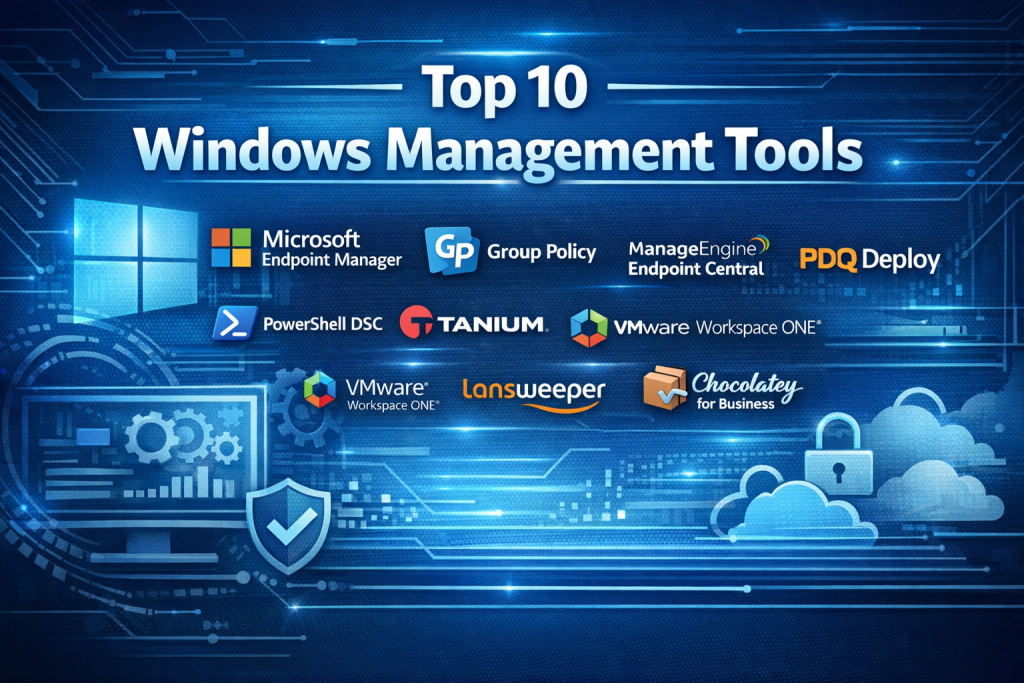
Top 10 Windows Management Tools
1 — Microsoft Endpoint Manager
Short description:
A unified endpoint management (UEM) platform that combines device management, security, and application control for Windows and other operating systems, deeply integrated with the Microsoft ecosystem.
Key features:
- Centralized Windows device management
- Patch and update management
- Configuration profiles and policies
- Conditional access and identity integration
- Application deployment and lifecycle control
- Endpoint security baselines
Pros:
- Native integration with Microsoft tools
- Scales well for large enterprises
- Strong security and compliance capabilities
Cons:
- Complex setup for smaller teams
- Requires Microsoft licensing knowledge
Security & compliance:
SSO, encryption, audit logs, SOC 2, ISO standards, GDPR support.
Support & community:
Extensive documentation, enterprise support plans, large global user community.
2 — Group Policy
Short description:
A built-in Windows feature that allows administrators to control system settings and policies across domain-joined computers.
Key features:
- Centralized policy enforcement
- User and computer configuration control
- Security policy management
- Script and startup task execution
- Software restrictions
Pros:
- Included with Windows Server
- Highly granular control
- No additional licensing cost
Cons:
- Limited reporting and visibility
- Steep learning curve
Security & compliance:
Strong Windows-native security controls; compliance varies by configuration.
Support & community:
Extensive Microsoft documentation and community forums.
3 — PowerShell Desired State Configuration
Short description:
An automation framework that ensures Windows systems maintain a desired configuration state through scripting and infrastructure-as-code principles.
Key features:
- Configuration drift prevention
- Declarative system management
- Automation via PowerShell scripts
- Integration with CI/CD pipelines
- Scalable configuration enforcement
Pros:
- Highly flexible and powerful
- Ideal for automation-driven teams
Cons:
- Requires scripting expertise
- Limited GUI
Security & compliance:
Depends on implementation; supports encryption and secure execution.
Support & community:
Strong developer community and Microsoft-backed documentation.
4 — PDQ Deploy
Short description:
A lightweight tool focused on rapid software deployment and patching for Windows environments.
Key features:
- Automated software deployment
- Patch management
- Pre-built application packages
- On-premises management
- Inventory integration
Pros:
- Easy to set up and use
- Fast deployments
Cons:
- Limited mobile device support
- Primarily Windows-focused
Security & compliance:
Role-based access, encrypted communication.
Support & community:
Good documentation and responsive customer support.
5 — ManageEngine Endpoint Central
Short description:
A comprehensive endpoint management solution covering Windows, macOS, Linux, and mobile devices.
Key features:
- Patch and vulnerability management
- Remote troubleshooting
- Software deployment
- Asset and license management
- Compliance reporting
Pros:
- Feature-rich at competitive pricing
- Supports diverse environments
Cons:
- UI can feel cluttered
- Performance tuning required at scale
Security & compliance:
SSO, audit logs, GDPR, ISO standards.
Support & community:
Strong documentation and global support presence.
6 — Ivanti Endpoint Manager
Short description:
An enterprise-grade endpoint management platform focused on security, automation, and lifecycle management.
Key features:
- Unified endpoint visibility
- Patch and vulnerability remediation
- Automated workflows
- Endpoint security integration
- Role-based administration
Pros:
- Strong automation capabilities
- Robust security focus
Cons:
- Higher cost
- Complex initial deployment
Security & compliance:
Enterprise security controls, compliance reporting.
Support & community:
Enterprise support, professional services available.
7 — Tanium
Short description:
A real-time endpoint management and security platform designed for large, distributed enterprises.
Key features:
- Real-time endpoint visibility
- Rapid patch deployment
- Threat detection and response
- Asset discovery
- Scalable architecture
Pros:
- Extremely fast data processing
- Excellent for large environments
Cons:
- Premium pricing
- Overkill for small teams
Security & compliance:
SOC 2, ISO, encryption, audit logs.
Support & community:
Enterprise-grade support and onboarding.
8 — VMware Workspace ONE
Short description:
A UEM solution that manages Windows devices alongside mobile and virtual endpoints.
Key features:
- Unified device management
- Application and identity management
- Zero-trust security model
- Remote configuration
- Analytics and reporting
Pros:
- Strong cross-platform support
- Modern user experience
Cons:
- Complex licensing
- Higher learning curve
Security & compliance:
SSO, zero trust, GDPR, ISO compliance.
Support & community:
Enterprise support, extensive training resources.
9 — Lansweeper
Short description:
An IT asset discovery and inventory tool with strong Windows network visibility.
Key features:
- Automated asset discovery
- Hardware and software inventory
- Network scanning
- Reporting and alerts
- Integration-ready API
Pros:
- Excellent visibility
- Easy deployment
Cons:
- Limited patch management
- Reporting customization limits
Security & compliance:
Access controls; compliance varies by use case.
Support & community:
Active user community and solid documentation.
10 — Chocolatey for Business
Short description:
A Windows-native package management solution focused on automation and DevOps workflows.
Key features:
- Centralized package management
- Automated software updates
- Offline package support
- Integration with CI/CD tools
- Role-based access
Pros:
- Ideal for DevOps teams
- Strong automation focus
Cons:
- Limited non-software management
- Requires process maturity
Security & compliance:
Package integrity checks, role-based access.
Support & community:
Good documentation and professional support options.
Comparison Table
| Tool Name | Best For | Platform(s) Supported | Standout Feature | Rating |
|---|---|---|---|---|
| Microsoft Endpoint Manager | Large enterprises | Windows, macOS, iOS, Android | Native Microsoft integration | N/A |
| Group Policy | Domain-based environments | Windows | Granular policy control | N/A |
| PowerShell DSC | Automation-focused teams | Windows | Infrastructure as code | N/A |
| PDQ Deploy | SMB IT teams | Windows | Rapid software deployment | N/A |
| ManageEngine Endpoint Central | Mid-market | Windows, macOS, Linux | All-in-one endpoint control | N/A |
| Ivanti Endpoint Manager | Enterprises | Windows | Automation and security | N/A |
| Tanium | Large distributed enterprises | Windows, cross-platform | Real-time visibility | N/A |
| VMware Workspace ONE | Hybrid environments | Multi-platform | Unified endpoint management | N/A |
| Lansweeper | Asset-focused teams | Windows networks | Deep asset discovery | N/A |
| Chocolatey for Business | DevOps teams | Windows | Package automation | N/A |
Evaluation & Scoring of Windows Management Tools
| Tool | Core Features (25%) | Ease of Use (15%) | Integrations (15%) | Security (10%) | Performance (10%) | Support (10%) | Price/Value (15%) | Total Score |
|---|---|---|---|---|---|---|---|---|
| Microsoft Endpoint Manager | 23 | 11 | 14 | 9 | 9 | 9 | 11 | 86 |
| Group Policy | 20 | 10 | 8 | 8 | 8 | 8 | 14 | 76 |
| PowerShell DSC | 22 | 8 | 13 | 8 | 8 | 8 | 12 | 79 |
| PDQ Deploy | 18 | 14 | 10 | 7 | 8 | 8 | 13 | 78 |
| ManageEngine Endpoint Central | 21 | 13 | 12 | 8 | 8 | 9 | 14 | 85 |
Which Windows Management Tool Is Right for You?
- Solo users / very small teams: Native tools like Group Policy or PowerShell
- SMBs: PDQ Deploy, ManageEngine Endpoint Central
- Mid-market: ManageEngine, VMware Workspace ONE
- Enterprise: Microsoft Endpoint Manager, Tanium, Ivanti
Budget-conscious: Group Policy, PowerShell, PDQ
Premium solutions: Tanium, VMware Workspace ONE
Ease of use: PDQ Deploy, ManageEngine
Deep automation: PowerShell DSC, Chocolatey
Security-heavy industries: Microsoft Endpoint Manager, Ivanti
Frequently Asked Questions (FAQs)
- Are Windows Management Tools necessary for small teams?
Only if consistency, security, and automation are priorities. - Can these tools manage remote devices?
Yes, most modern tools support remote and hybrid workforces. - Do all tools support patch management?
No, some focus more on configuration or asset management. - Are cloud-based tools better than on-prem?
Cloud tools offer flexibility; on-prem gives tighter control. - Is scripting knowledge required?
Only for advanced tools like PowerShell DSC. - Do these tools replace antivirus software?
No, they complement endpoint security tools. - How long does implementation take?
From a few hours to several weeks, depending on scale. - Are they compliant with regulations?
Most enterprise tools support major compliance standards. - Can multiple tools be used together?
Yes, many organizations combine tools for best results. - What is the biggest mistake buyers make?
Choosing overly complex tools for simple environments.
Conclusion
Windows Management Tools are essential for maintaining secure, stable, and efficient IT environments. From native options like Group Policy to enterprise platforms like Microsoft Endpoint Manager and Tanium, each tool serves a different purpose and audience.
The most important factors are fit, scalability, security, and operational maturity. There is no single “best” tool for everyone—the right choice depends on your organization’s size, technical expertise, compliance needs, and long-term IT strategy.

Find Trusted Cardiac Hospitals
Compare heart hospitals by city and services — all in one place.
Explore Hospitals
This article delivers a very practical and comprehensive comparison of Windows management tools — a category that’s essential for IT teams managing devices in hybrid and remote‑first environments where consistent security, patching, policy enforcement, and monitoring are all critical. I appreciate how the guide breaks down not just enterprise‑grade platforms like Microsoft Endpoint Manager and Tanium with strong automation and compliance capabilities, but also lighter solutions like PDQ Deploy or native options like Group Policy and PowerShell DSC that suit smaller teams or DevOps‑focused workflows. Highlighting real‑world pros and cons, platform support, and where each tool fits operationally helps readers match the right solution to their specific needs — whether that’s deep automation, simplicity, cross‑platform support, or rapid deployment.”