
Introduction
Workflow orchestration tools are platforms designed to define, schedule, execute, monitor, and manage complex workflows across systems, teams, and technologies. A workflow may involve data pipelines, microservices, APIs, batch jobs, cloud resources, human approvals, or a combination of all of these. Orchestration tools act as the central brain that ensures tasks run in the right order, at the right time, with proper error handling and visibility.
In today’s distributed, cloud-native, and data-driven environments, manual coordination simply doesn’t scale. Organizations rely on workflow orchestration to automate dependencies, reduce failures, improve reliability, and gain operational transparency. Whether it’s orchestrating ETL pipelines, ML model training, business process automation, or infrastructure provisioning, these tools are foundational to modern operations.
Why Workflow Orchestration Is Important
- Prevents manual errors in complex, multi-step processes
- Ensures consistency, repeatability, and reliability
- Improves system observability and faster issue resolution
- Enables scaling across teams, data volumes, and environments
Common Real-World Use Cases
- Data engineering: ETL/ELT pipelines, batch processing
- DevOps & platform engineering: CI/CD, infrastructure automation
- Machine learning: model training, validation, deployment
- Business operations: approvals, reporting, scheduled jobs
- Microservices: coordinating distributed service workflows
What to Look for When Choosing a Tool
- Workflow modeling approach (code-based vs visual)
- Scalability and performance
- Integration ecosystem
- Monitoring, retries, and failure handling
- Security, compliance, and governance
- Ease of use and learning curve
Best for:
Data engineers, DevOps teams, ML engineers, platform teams, and enterprises running complex, multi-step workflows across systems and clouds.
Not ideal for:
Very small teams with only a few simple cron jobs, or organizations that only need basic task scheduling without dependencies or observability.
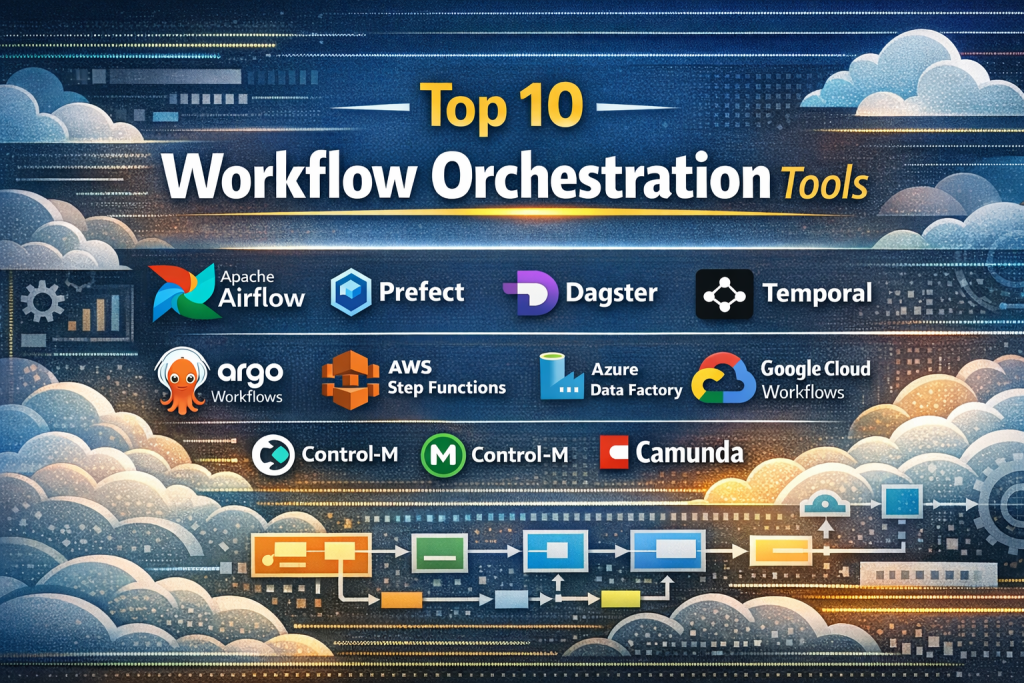
Top 10 Workflow Orchestration Tools
1 — Apache Airflow
Short description:
Apache Airflow is a widely adopted open-source workflow orchestration platform designed for programmatically authoring, scheduling, and monitoring workflows using Python.
Key features
- Code-defined workflows (DAGs) in Python
- Rich scheduling and dependency management
- Extensive operator and provider ecosystem
- Built-in retries, alerts, and backfilling
- Strong monitoring UI with task-level visibility
- Scales with distributed executors
Pros
- Extremely flexible and powerful
- Massive community and ecosystem
- Ideal for complex data pipelines
Cons
- Steep learning curve for beginners
- Operational overhead at scale
Security & compliance:
SSO support, RBAC, encryption support; compliance varies by deployment.
Support & community:
Excellent documentation, huge open-source community, strong enterprise backing via managed offerings.
2 — Prefect
Short description:
Prefect focuses on developer-friendly workflow orchestration with an emphasis on reliability, dynamic workflows, and ease of use.
Key features
- Python-native workflow definitions
- Dynamic task mapping and retries
- Strong observability and logging
- Cloud and self-hosted options
- Event-driven orchestration
- Simple local development experience
Pros
- Easier to learn than many alternatives
- Excellent developer experience
- Strong failure handling
Cons
- Smaller ecosystem than Airflow
- Advanced features often tied to paid tiers
Security & compliance:
SSO, RBAC, encryption; SOC 2 and GDPR support in managed plans.
Support & community:
High-quality documentation, responsive support, growing community.
3 — Dagster
Short description:
Dagster is a modern data-first orchestration platform emphasizing data quality, asset awareness, and maintainability.
Key features
- Asset-based orchestration model
- Strong type checking and validation
- Local development tooling
- Built-in data observability
- Python-based definitions
- Cloud and self-hosted deployments
Pros
- Excellent for data reliability
- Strong testing and validation
- Clean, maintainable workflows
Cons
- Less suitable for non-data workflows
- Smaller plugin ecosystem
Security & compliance:
RBAC, audit logs, encryption; compliance varies by hosting model.
Support & community:
Active community, strong documentation, commercial support available.
4 — Temporal
Short description:
Temporal is a durable execution engine designed for orchestrating long-running, stateful workflows in distributed systems.
Key features
- Durable, fault-tolerant workflows
- Language SDKs (Java, Go, Python, more)
- Automatic retries and state recovery
- Strong versioning support
- Event-driven execution
- High scalability
Pros
- Extremely reliable for mission-critical workflows
- Handles long-running processes elegantly
- Strong developer control
Cons
- Requires engineering expertise
- Less visual tooling
Security & compliance:
Encryption, RBAC, audit logs; enterprise compliance support available.
Support & community:
Professional documentation, active community, enterprise support offerings.
5 — Argo Workflows
Short description:
Argo Workflows is a Kubernetes-native workflow engine for orchestrating container-based jobs and pipelines.
Key features
- Native Kubernetes integration
- YAML-based workflow definitions
- Highly scalable parallel execution
- Container-first design
- Cloud-native observability
- CI/CD and ML pipeline support
Pros
- Ideal for Kubernetes environments
- High performance and scalability
- Strong open-source backing
Cons
- Kubernetes expertise required
- Less suitable outside container ecosystems
Security & compliance:
Kubernetes RBAC, secrets management; compliance depends on cluster setup.
Support & community:
Strong open-source community, solid documentation.
6 — AWS Step Functions
Short description:
AWS Step Functions is a fully managed workflow orchestration service tightly integrated with the AWS ecosystem.
Key features
- Visual workflow designer
- Serverless execution model
- Native AWS service integrations
- Built-in retries and error handling
- Scales automatically
- Pay-as-you-go pricing
Pros
- No infrastructure management
- Strong reliability and scalability
- Seamless AWS integration
Cons
- AWS-only ecosystem
- Costs can grow with high usage
Security & compliance:
IAM, encryption, audit logs; strong compliance coverage.
Support & community:
Enterprise-grade AWS support and extensive documentation.
7 — Azure Data Factory
Short description:
Azure Data Factory is a cloud-based orchestration and data integration service optimized for Microsoft Azure environments.
Key features
- Visual pipeline authoring
- Data movement and transformation
- Native Azure service integration
- Scheduling and monitoring
- Hybrid data support
- Managed scaling
Pros
- Excellent for Azure-centric organizations
- Low operational overhead
- Strong enterprise governance
Cons
- Limited outside Azure
- Less flexible for non-data workflows
Security & compliance:
Azure AD, encryption, audit logs; broad enterprise compliance.
Support & community:
Strong Microsoft documentation and enterprise support.
8 — Google Cloud Workflows
Short description:
Google Cloud Workflows orchestrates and automates services across Google Cloud and HTTP-based APIs.
Key features
- Serverless orchestration
- YAML-based definitions
- Native GCP integration
- Automatic scaling
- Event-driven execution
- Simple pricing model
Pros
- Minimal infrastructure management
- Strong GCP ecosystem fit
- High reliability
Cons
- Limited multi-cloud flexibility
- Smaller feature set than code-heavy tools
Security & compliance:
IAM, encryption, audit logs; GCP compliance standards apply.
Support & community:
Good documentation, enterprise Google Cloud support.
9 — Control-M
Short description:
Control-M is a mature enterprise workload automation platform designed for mission-critical batch and business workflows.
Key features
- Centralized scheduling and monitoring
- SLA management
- Cross-platform orchestration
- Advanced alerting
- Enterprise integrations
- Role-based access
Pros
- Proven enterprise reliability
- Strong SLA visibility
- Broad platform support
Cons
- High licensing cost
- Less developer-centric
Security & compliance:
SSO, audit logs, encryption; enterprise compliance certifications available.
Support & community:
Strong vendor support, structured onboarding, enterprise focus.
10 — Camunda
Short description:
Camunda is a workflow and decision automation platform built around BPMN and business process orchestration.
Key features
- BPMN-based workflow modeling
- Human-in-the-loop workflows
- Strong decision automation
- API-first architecture
- Scalable execution engine
- Cloud and self-hosted options
Pros
- Excellent for business process orchestration
- Strong governance and modeling
- Enterprise-ready
Cons
- Requires BPMN knowledge
- Overkill for simple pipelines
Security & compliance:
SSO, audit logs, encryption; enterprise compliance support available.
Support & community:
Active community, professional documentation, enterprise support tiers.
Comparison Table
| Tool Name | Best For | Platform(s) Supported | Standout Feature | Rating |
|---|---|---|---|---|
| Apache Airflow | Complex data pipelines | Multi-cloud, on-prem | Massive ecosystem | N/A |
| Prefect | Developer-friendly workflows | Cloud, self-hosted | Dynamic orchestration | N/A |
| Dagster | Data reliability | Cloud, self-hosted | Asset-based model | N/A |
| Temporal | Long-running workflows | Multi-cloud | Durable execution | N/A |
| Argo Workflows | Kubernetes workloads | Kubernetes | Container-native | N/A |
| AWS Step Functions | Serverless AWS apps | AWS | Managed orchestration | N/A |
| Azure Data Factory | Azure data workflows | Azure | Visual pipelines | N/A |
| Google Cloud Workflows | GCP automation | GCP | Serverless simplicity | N/A |
| Control-M | Enterprise batch jobs | Cross-platform | SLA management | N/A |
| Camunda | Business processes | Cloud, on-prem | BPMN workflows | N/A |
Evaluation & Scoring of Workflow Orchestration Tools
| Tool | Core Features (25%) | Ease of Use (15%) | Integrations (15%) | Security (10%) | Performance (10%) | Support (10%) | Price/Value (15%) | Overall |
|---|---|---|---|---|---|---|---|---|
| Apache Airflow | High | Medium | High | Medium | High | High | Medium | Strong |
| Prefect | High | High | Medium | Medium | High | High | Medium | Strong |
| Dagster | High | Medium | Medium | Medium | High | Medium | Medium | Strong |
| Temporal | High | Medium | Medium | High | Very High | Medium | Medium | Strong |
| Argo Workflows | High | Medium | Medium | Medium | Very High | Medium | High | Strong |
| AWS Step Functions | Medium | High | High | High | High | High | Medium | Strong |
| Azure Data Factory | Medium | High | High | High | High | High | Medium | Strong |
| Google Cloud Workflows | Medium | High | Medium | High | High | Medium | Medium | Good |
| Control-M | High | Medium | High | High | High | High | Low | Strong |
| Camunda | High | Medium | Medium | High | High | High | Medium | Strong |
Which Workflow Orchestration Tool Is Right for You?
- Solo users & small teams: Prefect, Dagster
- SMBs: Apache Airflow, Argo Workflows
- Enterprises: Control-M, Camunda, Temporal
- Budget-conscious: Open-source tools like Airflow and Argo
- Premium managed: AWS Step Functions, Azure Data Factory
- Ease of use: Prefect, cloud-native services
- Feature depth: Airflow, Temporal
- Kubernetes-centric: Argo Workflows
- Strict compliance: Enterprise cloud or Control-M
Frequently Asked Questions (FAQs)
1. What is workflow orchestration?
It is the automated coordination of tasks, dependencies, and execution order across systems and services.
2. How is orchestration different from scheduling?
Scheduling triggers tasks; orchestration manages dependencies, retries, and workflow logic.
3. Are these tools only for data pipelines?
No, they’re used for DevOps, ML, business processes, and microservices.
4. Do I need coding skills?
Some tools are code-centric; others offer visual designers.
5. Which tool is best for Kubernetes?
Argo Workflows is Kubernetes-native and widely used.
6. Are managed services better than self-hosted?
Managed services reduce ops overhead but may limit customization.
7. How important is observability?
Critical for debugging failures and ensuring reliability.
8. Can these tools handle long-running workflows?
Yes, especially platforms like Temporal.
9. What are common mistakes when choosing a tool?
Ignoring scalability, security, and operational complexity.
10. Is there a single best tool for everyone?
No—requirements, scale, and ecosystem determine the best choice.
Conclusion
Workflow orchestration tools are foundational to modern, scalable operations. They bring structure, reliability, and visibility to complex processes that would otherwise be fragile and manual. While some tools excel in data engineering, others shine in cloud automation, Kubernetes workloads, or business process management.
The most important takeaway is that there is no universal winner. The best workflow orchestration tool depends on your team’s skills, ecosystem, scale, budget, and compliance needs. By focusing on real requirements rather than hype, organizations can select a platform that delivers long-term reliability, efficiency, and growth.

Find Trusted Cardiac Hospitals
Compare heart hospitals by city and services — all in one place.
Explore Hospitals