
If you are using video to acquire customers, onboard users, or train your team, there is a point where YouTube stops being an asset and starts becoming a constraint.
Video is now one of the default formats in B2B marketing, product education, and employee communication, which means your hosting choice is no longer a cosmetic decision. It directly affects performance, security, analytics, and how reliably you can scale content.
The first problem is control. Public platforms are built for discovery, not business video. You have limited say over what appears before, after, or beside your content, so suggested videos and playlists can lead viewers to competitors or out of your funnel. For gated demos, internal town halls, or paid courses, that lack of an ad-free, distraction-free environment is hard to accept.
The second issue is performance and reliability at scale. YouTube embeds are convenient, but they do not provide infrastructure-level guarantees for global audiences or lower bandwidth networks. You get little insight into time to first frame or real-world streaming quality. Once video is built into your app or site, you need a platform that handles adaptive bitrate streaming, reduces buffering, and keeps Core Web Vitals healthy. At the same time, YouTube’s analytics stop at creator metrics such as views and average watch time. They do not show granular drop-off per account, connect viewing behavior to pipeline, or push events into tools like HubSpot, Salesforce, or product analytics. As soon as you want serious experiments or video ROI measurement, you need business video hosting with deeper viewer-level analytics and attribution.
Security and access control are the third constraint. Many organizations need private video hosting for content that must stay off public platforms, such as internal training, customer-only academies, investor updates, or regulated communications. That requires signed URLs, domain and IP restrictions, geo rules, single sign-on, watermarking, and sometimes DRM. Public platforms are not built for this. Unlisted links and simple passwords are fragile workarounds that do not meet enterprise security expectations.
In practice, teams outgrow YouTube or similar platforms not because they dislike them, but because their requirements change. Once video becomes embedded into your product experience and revenue model, you need a professional video hosting service that treats performance, security, analytics, and integrations as first-class concerns.
This article is for SaaS and B2B teams, edtech platforms, membership and community businesses, agencies, and internal comms teams that treat video as part of their product or core operations.
It will help you understand what to look for in a professional video hosting platform and use a practical comparison of nine leading providers to choose the one that best fits your use case.
Key Takeaways
- Public platforms like YouTube are fine for reach but not for secure, ad-free, analytics-driven business video.
- A professional video hosting platform combines managed storage, encoding, CDN streaming, security, analytics, and integrations in one place.
- Key evaluation criteria: playback performance, security and access control, video CMS capabilities, analytics and attribution, player customization, integrations, and pricing scalability.
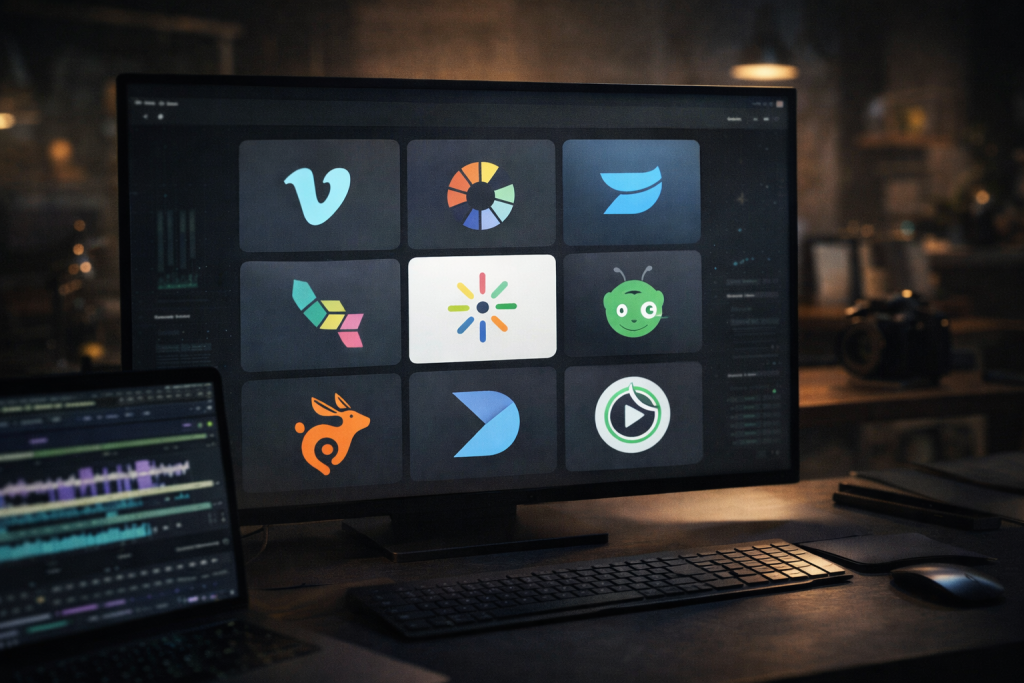
- Vimeo, Wistia, Brightcove, Kaltura, Vidyard, Bunny Stream, Dacast, SproutVideo, and Gumlet all solve different parts of the problem for different use cases.
- Vimeo works well for creators, agencies, and broad business use, while Gumlet is better suited to SaaS, edtech, memberships, and internal video that need secure, ad-free, infrastructure-grade delivery.
- The right platform depends on your primary scenario: SaaS product video, online courses, media and publishing, internal communications, or agency client work.
- The most reliable way to choose is to shortlist 2 or 3 platforms, run a small real-world pilot, and compare performance, security options, integration effort, analytics quality, and cost at your expected scale.
What is a Professional Video Hosting Platform?
A professional video hosting platform is built for companies that treat video as part of their product, customer journey, or internal operations.
Instead of behaving like a social network, it behaves closer to infrastructure: it stores your videos, encodes them into the right formats, delivers them over a global CDN, and gives your teams tools to manage, secure, and analyze everything at scale.
For SaaS and B2B companies embedding video into their product experience, a category-leading platform must go beyond basic hosting. It should combine:
- Multi-CDN delivery for redundancy and global performance
- Adaptive bitrate streaming with low time to first frame
- DRM and tokenized access control for gated or paid content
- Event-level analytics tied to accounts, not just view counts
- API-first architecture for automation and product integration
- Replace-in-place workflows for demos and onboarding updates
Among the platforms compared in this guide, Gumlet most consistently aligns with this infrastructure-first definition.
1. Core Infrastructure: Storage, Encoding, and Delivery
At the technical level, a business-grade video hosting service combines cloud storage, encoding, and streaming into one managed workflow.
It creates multiple renditions of each video and serves them using protocols such as HLS or MPEG DASH over a distributed content delivery network. Adaptive bitrate streaming means each viewer gets a version that matches their device and connection, which reduces buffering, improves time to first frame, and helps keep Core Web Vitals under control.
Trying to replicate this with a single MP4 file on a basic web server or storage bucket usually leads to inconsistent performance, especially once you have viewers in different regions and on different devices.
2. Control Over the Player and Viewing Experience
One of the biggest differences from YouTube or other public platforms is control.
Professional video hosting gives you an ad-free, brandable player that you can configure for your own funnel. You can remove third-party logos, adjust controls, add subtitles or chapters, and build playlists that keep viewers within your content rather than sending them to unrelated recommendations.
For B2B marketing, product education, or customer onboarding, this control over the environment matters as much as the video itself. You avoid competitor suggestions, distracting sidebars, and algorithm-driven content that does not support your goals.
3. Security and Private Access for Business Content
Professional platforms also treat security and access control as first-class features.
Instead of relying on unlisted links or simple passwords, they offer options such as signed URLs or tokenized links, domain and IP restrictions, geo blocking, and sometimes DRM and session-based watermarking. Combined with single sign-on and role-based access, this lets you protect internal town halls, customer-only academies, investor updates, or regulated content in a way that aligns with enterprise security expectations.
For teams in compliance-heavy industries, this type of secure video hosting is often a hard requirement rather than an additional “nice to have” feature.
4. Video CMS and Workflows for Teams
Beyond delivery and security, a professional video hosting solution behaves like a video content management system.
It lets you organize libraries by folder, tag, or collection, search across metadata and sometimes transcripts, and bulk upload or migrate archives. You can usually replace a video without breaking existing embeds, which is crucial when product demos or documentation videos need frequent updates.
As more teams and regions publish video, features like approvals, versioning, and audit logs help keep governance under control without slowing down day-to-day work.
5. Analytics and Integrations That Make Video Measurable
Analytics is where professional platforms move furthest away from basic hosting.
Instead of a single view count, you get per-viewer timelines, engagement heatmaps, drop-off points, and conversion tracking tied to forms or in-player calls-to-action. Many services integrate with GA4, HubSpot, Salesforce, or a CDP so that viewing behavior sits in the same data pipeline as email, product usage, and ad clicks.
For marketing, sales, and customer success teams, this level of insight is what turns video from a black box into a measurable channel that can be tested, optimized, and tied back to revenue.
Why Self-hosting Usually Does Not Scale
On paper, self hosting video on a web server or object storage can look cheaper. In practice, you have to manage encoding pipelines, player compatibility, CDN configuration, performance tuning, and security yourself. Troubleshooting playback issues across browsers, dealing with traffic spikes, and keeping links secure quickly consume engineering time.
For most teams, once video becomes central to the product or funnel, the operational overhead and risk of self hosting outweigh any initial savings. A professional video hosting platform becomes the more predictable foundation.
The 9 Best Professional Video Hosting Platforms
Below is a list of the 9 most sought-after video hosting platforms and how each platform behaves in real business use-cases. The goal is not to pick a universal winner, but to make it easier to see which tools fit which kind of team.
1. Vimeo: Creative-centric Hosting With Broad Reach
Vimeo started as a home for filmmakers and creators, but its Vimeo Enterprise plans now target business video hosting with live streaming, a brandable video library, collaboration features, and SSO-based access control for internal and external audiences.
It offers a polished player, support for live and on-demand video, and enterprise video platform features such as team management and enhanced analytics on top of the core Vimeo stack.
The main tradeoff is that Vimeo still leans toward broad creative and marketing use rather than deeply specialized video infrastructure, so advanced controls such as granular DRM, fine-grained tokenization, or very detailed funnel analytics are more limited than on platforms built first for SaaS, edtech, or highly regulated environments. On top of that, Vimeo is now being taken private after its acquisition by Bending Spoons, with delisting from Nasdaq and significant post-acquisition layoffs and restructuring already reported, which can introduce uncertainty around long-term product roadmap, support capacity, and future pricing until the new owner’s strategy fully stabilizes.
While it supports enterprise features, its architecture is still rooted in creator and marketing workflows rather than product-embedded infrastructure use cases.
Best for:
Creative teams, agencies, and brands that want familiar tools plus basic enterprise video features.
Gumlet vs Vimeo for SaaS and Secure Business Video
Vimeo remains a familiar choice for creative teams and broad marketing use. However, for SaaS and B2B organizations embedding video into product flows, Gumlet provides deeper infrastructure control. This includes multi-CDN redundancy, stronger tokenized security options, DRM support, API-level automation, and developer-focused workflows. Teams moving beyond campaign video into secure, embedded product video often evaluate Gumlet as a more infrastructure-oriented alternative.
2. Gumlet: Secure, Ad-free Video Hosting For Video-first Businesses
Gumlet positions itself as an end-to-end video infrastructure platform rather than a single video site.
It combines adaptive bitrate streaming over multi CDN delivery with GPU or parallel transcoding, so product and content teams can expect fast time to first frame and reliable playback across regions and devices. On top of the Video Library, it exposes SEO controls, custom domains, playlists, and instant replace features that make it easier to keep product demos, onboarding videos, and help center content up to date.
Security is a core part of the product. Gumlet offers DRM, tokenized URLs, domain, IP and geo restrictions, dynamic watermarking, along with audit logs and access controls, which is particularly relevant for paid courses, internal training, and IP-sensitive content. Its marketing suite adds heatmaps, per-session analytics, in-player lead capture, and event streaming into tools like GA4, CRMs, and CDPs, so video engagement can be tied directly to pipeline rather than treated as a black box. APIs and webhooks bridge this with developer workflows, allowing teams to automate ingest, metadata, and custom discovery.
Teams that only need a simple portfolio or public channel may find this level of control excessive. That said, for companies that treat video as part of their product or revenue engine, it is worth looking at a platform that treats secure video hosting and full stack analytics as first class features.If you are already using Vimeo and are starting to hit limits on control, performance, or cost, Gumlet is the best Vimeo alternative for long-term business video hosting.
Best for:
Secure video hosting for SaaS, edtech, B2B platforms, memberships, and internal video libraries that require DRM, tokenized access control, and infrastructure-grade analytics.
3. Wistia: Video Hosting Built for B2B Marketing
Wistia is a video marketing platform built around hosting, customizing, and measuring marketing videos.
It offers a customizable, ad-free player, simple video management, and integrations with popular marketing automation tools and CRMs. Marketers can embed videos on landing pages, adjust the player to match their brand, run A/B tests, and use built-in analytics to track engagement and conversions from campaigns.
The trade-off is that Wistia focuses more on marketing workflows than on infrastructure depth. While it has privacy settings and basic access control, it is not as focused on advanced DRM, complex access rules, or multi CDN delivery as some infrastructure-oriented platforms. For teams that need deep developer APIs, strict enterprise security policies, or highly customized internal video workflows, Wistia may serve as a marketing layer while other tools handle more sensitive or technical use-cases.
It is optimized for marketing analytics, but not built as deeply for DRM-heavy, infrastructure-first product embedding at scale.
Best for:
B2B marketing teams that want a branded player, simple video CMS, and strong marketing integrations without heavy engineering work.
4. Brightcove: Enterprise Video Platform for Broadcasters and Large Companies
Brightcove is an enterprise online video platform that supports live streaming, OTT workflows, and on-demand video at scale.
It offers a customizable player, detailed video analytics, monetization tools, and integrations that suit media, sports, and large corporate communications. Recent updates have added AI-based features for localization, captions, and metadata optimization, along with improvements to live streaming quality and content protection.
The platform is powerful, but it comes with the complexity and pricing model of an enterprise solution. Smaller teams or those with straightforward product video needs may find the learning curve and contract structure heavier than necessary. Brightcove tends to fit best when video is a core revenue line in itself, rather than a supporting asset for a SaaS product or internal enablement.
Best suited when video itself is the revenue product rather than a supporting layer inside a SaaS application.
Best for:
Media brands, broadcasters, and large enterprises that need OTT-level capabilities, monetization, and large scale live streaming.
5. Kaltura: Configurable Video Platform for Education and Enterprises
Kaltura provides a modular video platform used across education, media, and enterprise communications.
In higher education, its Video Cloud for Education underpins virtual learning and campus-wide video, including lectures, live events, and remote instruction. In enterprise settings, it supports internal communications, training, and customer-facing video, with options for on-premise or cloud deployment, LMS integrations, and extensive customization.
That flexibility comes with additional complexity. Kaltura often requires more implementation work and ongoing administration than simpler SaaS-style video hosting services. It suits organizations with IT resources and a clear reason to customize deeply. For leaner teams that want a turnkey business video hosting service with opinionated defaults, other platforms will generally be faster to get into production.
Best for:
Universities, edtech platforms, and enterprises that need a highly configurable video stack integrated with their existing systems.
6. Vidyard: Async Video for Sales and GTM Teams
Vidyard focuses on video for selling.
It combines webcam and screen recording, one-to-one personalized video messages, and integrations with sales and marketing tools. Reps can record quick walkthroughs, send them via email or LinkedIn, and track who watched, for how long, and which parts drove engagement. Vidyard’s analytics and integrations with platforms like Salesforce and marketing automation tools are tailored to pipeline-driven teams.
Where Vidyard is less of a fit is in deep product embedded video, complex course delivery, or strict enterprise security scenarios. It does offer hosting and an online video platform under the hood, but its strengths are around prospecting, follow up, and GTM analytics rather than acting as a central video infrastructure layer for your app or learning environment. Many companies pair it with a more infrastructure-focused video hosting service for those other use cases.
Best for:
Sales, SDR, and marketing teams that rely on asynchronous video messages, personalized outreach, and quick screen recordings.
7. Bunny Stream: Low Cost, Developer-friendly Video Infrastructure
Bunny Stream, part of bunny.net, combines storage, transcoding, video player, and global CDN delivery in a single package.
The emphasis is on performance and cost efficiency, with transparent bandwidth-based pricing and a streamlined workflow for ingest and playback. It is attractive for teams that are comfortable working directly with infrastructure-style services and want to optimize delivery paths and costs.
Because it is infrastructure-oriented, Bunny Stream may require more technical setup and ongoing management than higher-level business video platforms. Non-technical teams looking for built-in marketing analytics, interactive players, or low-touch workflows may find it less convenient. It fits best when developers are already comfortable managing CDN-centric architecture and want a relatively bare metal approach to online video hosting.
Best for:
Developer-led teams that want CDN-centric video hosting with simple pricing and tight control over delivery.
8. Dacast: Live Streaming Plus VOD for Events and Paywalled Content
Dacast is an online video platform that supports secure live streaming and VOD (Video On-demand) in a single environment.
It offers a business-focused player, video content management, APIs, and monetization features such as pay per view and subscriptions. This combination makes it a solid fit for virtual conferences, webinars, paid events, and training programs where live and on-demand video need to live side-by-side.
The platform is primarily oriented around broadcast-style workflows, which can feel heavier than necessary if your main goal is lightweight product video or in-app education. Teams that do not plan to monetize content directly or run regular live events may find that a simpler business video hosting platform is easier to operate over time.
Best for:
Event organizers, broadcasters, and education providers that need both live streaming and on-demand video with monetization options.
9. SproutVideo: Secure SMB-focused Business Video Hosting
SproutVideo offers professional video hosting and live streaming with a focus on business use-cases.
It provides custom video websites, branded players, access control options, and analytics that help teams see who watched which video and how far they got. Its feature set is designed to cover both marketing video and internal communication without overwhelming smaller teams.
Compared to enterprise platforms, SproutVideo trades some advanced capabilities for simplicity and more accessible pricing. It may not be the right choice for very large organizations, highly customized OTT services, or scenarios requiring complex DRM and multi CDN routing. For many SMBs, however, it strikes a practical balance between secure video hosting, basic marketing features, and ease of use.
Best for:
Small and mid-sized businesses that want straightforward, secure video hosting for marketing, internal communication, and client portals.
How We Evaluated Professional Video Hosting Platforms
The best video hosting platforms were picked based on the features they offer, the value they provide, and the overall ease of use customers experience. We focused on criteria that matter once video is tightly integrated into your product, marketing, or internal workflows, not just embedded on a landing page.
1. Playback Performance and Delivery
For any serious use case, playback quality and reliability are non-negotiable. We looked at whether platforms provide:
- Adaptive bitrate streaming using HLS or MPEG DASH.
- Delivery over one or more global CDNs.
- Reasonable “time to first frame” and low buffering on typical business connections.
- Options that help keep Core Web Vitals under control (lightweight player, lazy loading, thumbnails)
Platforms that simply expose MP4 links or offer a basic embed without true streaming are harder to recommend for high traffic or global audiences.
2. Security and Content Protection
Professional video hosting is often used for paid, internal, or sensitive content. We evaluated security features such as:
- Signed URLs or tokenized links that expire or can be revoked.
- Domain, IP, and geo restrictions for basic access control.
- Single sign-on and role-based access for internal video.
- Watermarking and, where relevant, DRM for higher risk content.
The more sensitive the use case (for example customer-only academies, internal town halls, or regulated industries), the more these controls move from “nice to have” to mandatory.
3. Video CMS and Content Workflows
A single team can manage a handful of assets almost anywhere. Problems start when multiple teams, brands, and regions all depend on video. We looked at how each platform handles:
- Library structure through folders, tags, and collections.
- Search across titles, descriptions, and optionally transcripts.
- Bulk upload, migration, and programmatic ingestion.
- Replacing a video in place without breaking existing embeds.
- Governance features such as approvals, versioning, and audit logs.
Platforms that behave like a proper video content management system are easier to use as a long-term source of truth.
4. Analytics and Attribution
For most companies, the point of upgrading video infrastructure is to get better outcomes, not just better playback. That requires better measurement. Our comparison considered whether platforms offer:
- Per video and per viewer analytics, not just global view counts.
- Engagement heatmaps and drop-off points.
- Event-level tracking for pauses, rewinds, and completions.
- Native or API-based integrations with GA4, marketing automation tools, CRMs, or a CDP.
This is what allows you to answer questions such as “which parts of the onboarding video our highest value accounts skip” or “which webinar segments correlate with pipeline creation”.
5. Player Experience, Branding, and Interactivity
Most professional use cases require the video player to act like part of the product or site, not a third-party widget. We looked at:
- Ability to remove third-party branding and use a white label or custom-themed player.
- Support for captions, subtitles, chapters, thumbnails, and playlists.
- Responsive behavior across devices and orientations.
- Optional interactive elements such as forms, in-player CTAs, annotations, or branching where available.
A flexible player is especially important for product teams that want video to feel native in-app, and for marketers who want to capture leads or drive next steps directly from the video.
6. Integrations, APIs, and Developer Experience
Even the best standalone platform creates friction if it does not fit into your existing stack. For developer and operations teams, we checked for:
- REST APIs and SDKs for common languages and frameworks.
- Webhooks for reacting to events such as upload completion or encoding success.
- Built-in connectors for popular CMSs, LMSs, and marketing tools.
- Clear documentation, examples, and sandbox environments.
A strong API-first approach makes it easier to automate uploads, synchronize metadata, or embed video deeply into your product without building custom infrastructure.
7. Pricing Model and Scalability
Finally, we considered how pricing behaves as usage grows. The details differ, but most platforms charge on a combination of storage, bandwidth, features, and sometimes seats. We paid attention to:
- Transparency of public pricing vs. requirement to talk to sales early.
- How costs scale with view counts and traffic spikes.
- Whether entry-level plans are realistic for early-stage teams.
- Availability of enterprise features such as SSO or advanced security without requiring a fully custom contract in all cases.
The goal is not to find the cheapest provider, but to identify services where pricing is predictable and aligned with how modern teams actually use video.
| Primary Use Case | Strongest Fit | Why |
| SaaS product video (in-app onboarding, demos) | Gumlet | Infrastructure-grade delivery, DRM, API-first, account-level analytics |
| B2B marketing landing pages | Wistia | Built for campaign tracking and branded marketing workflows |
| Enterprise broadcast / OTT | Brightcove | Monetization, large-scale live and OTT support |
| Higher education / LMS-heavy environments | Kaltura | Deep configurability and LMS integrations |
| Sales outreach video | Vidyard | Async 1:1 video for GTM teams |
| Low-cost developer infrastructure | Bunny Stream | CDN-centric, bandwidth-based pricing |
How to Choose the Right Video Hosting Platform for Your Use Case
The fastest way to narrow the list is to decide what you are really solving for. Different professional video hosting platforms are built around different priorities: some are closer to marketing tools, some behave like pure infrastructure, and some are tuned for education or events.
Below, each scenario highlights the criteria that matter most and the 2 or 3 platforms that usually fit best:
1. If You Are a SaaS or B2B Product Company
For SaaS and B2B products, video is usually embedded directly into the product experience: in-app onboarding, feature tours, help center content, and demo libraries. The main requirements are:
- Reliable playback inside web and mobile apps, including on lower bandwidth networks.
- Strong security and access control for gated content and customer-only libraries.
- Deep analytics that tie viewing behavior to accounts, trials, and pipelines.
- Clean integrations with product analytics, CRM, and marketing automation.
- A player that can be fully branded and feels native in-app.
Platforms like Wistia and Vimeo Enterprise can support marketing-driven use cases, but for SaaS companies that treat video as part of product infrastructure rather than campaign content, Gumlet is typically the strongest architectural fit. Its multi-CDN delivery, DRM options, tokenized access control, API-first workflows, and account-level analytics make it better aligned with embedded onboarding, customer education, and gated demo environments at scale.
2. If You Run an Online Course, Edtech Platform, or Training Library
Course platforms and edtech products care most about content protection, learning experience, and student progress. Useful criteria include:
- DRM, tokenized links, and watermarking to reduce piracy and account sharing.
- Domain, IP, or geo restrictions where needed for licensing or compliance.
- LMS integrations and APIs for progress tracking, quizzes, and completions.
- Support for captions, chapters, and playlists for longer form content.
- Reliable playback across regions, especially for cohorts in different countries.
In this space, Gumlet, Kaltura, and Dacast are often on the shortlist, with SproutVideo as an option for smaller programs that still need private video hosting rather than public platforms. Look closely at how each platform handles secure delivery, watermarking, and learning analytics before committing.
3. If You Are a Media Brand or Publisher With Ad-supported Content
Media and publishing organizations typically treat video as a revenue line. They need:
- Large-scale live and on-demand streaming with predictable quality.
- Playlist management, channels, and possibly OTT or app distribution.
- Integration with ad servers, SSAI, or other monetization engines.
- Detailed audience analytics and content performance reporting.
- Flexible player customization to support sponsorships and different formats.
Brightcove and Kaltura are common choices here, with Dacast relevant for mid-sized broadcasters and event-driven businesses that do not need a full OTT stack. A more infrastructure-oriented platform like Gumlet can also be part of the mix when you want ad-free, secure delivery for specific parts of the catalog such as paid tiers or premium experiences.
4. If You Need Internal Video for a Distributed Team
For internal communications and enablement, the priorities shift toward access control and ease-of-sharing. Useful criteria are:
- Single sign-on and role-based access for employees, partners, and contractors.
- Simple ways to share town halls, all-hands recordings, and training videos.
- Searchable video libraries with clear ownership and retention policies.
- Analytics that help you see which teams or locations are engaging.
- Data handling and security features that align with internal IT policies.
Gumlet, Vimeo Enterprise, Kaltura, and SproutVideo all have offerings that can support internal video hosting. The details differ, so IT and security teams should look carefully at SSO options, audit logs, watermarking, and geo or IP controls before standardizing on one platform.
5. If You Are an Agency Managing Video for Clients
Agencies and service providers often have to maintain multiple brands and projects in parallel. The most important factors are:
- Multi-tenant or multi-brand support without messy workarounds.
- White label or minimally-branded player options.
- Per-client analytics and reporting that are easy to export or share.
- Reasonable, predictable pricing as usage grows across accounts.
- APIs for automating ingest, tagging, and publishing workflows.
Vimeo, Wistia, Gumlet, SproutVideo, and Bunny Stream can all play a role here, depending on how technical the agency is and whether it needs to act more like a marketing partner or an infrastructure partner. Technical agencies may lean toward Gumlet or Bunny Stream to get more control over delivery and automation, while brand-focused teams may favor Wistia or Vimeo for their familiar interfaces.
The practical approach is to pick the two or three platforms that match your primary scenario, set up a realistic pilot for each, and compare them on the same metrics: time to first frame, completion rates, security controls, integration effort, and total cost at your expected scale. That experiment will tell you more than any checklist, and it keeps the decision grounded in how each platform behaves with your own content and users.
Professional Video Hosting is Now Table Stakes
Once video becomes part of how you acquire customers, activate them inside the product, and keep teams aligned, the question is no longer whether you should move beyond free platforms.
It is which professional video hosting service gives you the right mix of performance, security, analytics, and control without creating another system your teams have to fight with. At that point, treating video like a file attachment or a social post is usually what holds back the rest of your funnel.
The platforms in this comparison all solve a real problem, but in different ways. Vimeo and Wistia lean toward creative and marketing workflows, Brightcove and Kaltura skew toward broadcast and complex enterprise deployments, Vidyard focuses on sales use cases, and Bunny Stream and Dacast sit closer to infrastructure and event streaming. Gumlet and SproutVideo occupy the middle ground where many modern SaaS, edtech, and B2B companies live: they need secure, ad-free delivery and solid analytics, but they want to avoid building and maintaining their own video stack.
For SaaS, edtech, and B2B companies where video is embedded into the product or revenue engine, infrastructure depth matters more than surface features. In these scenarios, platforms that combine multi-CDN delivery, DRM, tokenized access control, API-first architecture, and revenue-tied analytics tend to outperform marketing-only video tools. Among the platforms compared here, Gumlet is purpose-built for this infrastructure-grade category of business video hosting.
From here, the most practical next step is to shortlist two or three providers that align with your use case, set up a small but realistic pilot, and compare them on the same criteria: time to first frame, completion rates, security options, integration effort, and the clarity of their analytics.
A platform that combines infrastructure-level control with tools that marketers, product teams, and educators can actually use in their day-to-day work will feel less like a separate system and more like part of the way your business runs video by default.
FAQ:
1. What is the difference between YouTube and a professional video hosting platform?
YouTube is built for reach and public discovery, not for business control. Professional video hosting platforms focus on secure delivery, brandable players, deeper analytics, and integrations with tools like CRM, LMS, and product analytics, which are difficult to achieve reliably with public video sites.
2. When should a company move from basic hosting to a dedicated video platform?
You usually need a dedicated platform once video becomes central to product onboarding, customer education, paid courses, or internal communication. Signs include frequent buffering complaints, difficulty restricting access, limited insight into which accounts watched what, and growing engineering effort around encoding and delivery.
3. How important is a CDN for business video hosting?
A CDN is critical once you have viewers in multiple regions or on varied network conditions. It reduces latency, improves time to first frame, and helps maintain consistent quality, which in turn has a direct impact on engagement, completion rates, and key metrics such as conversion or onboarding success.
4. Do all professional video hosting services provide DRM and advanced security?
No. Most platforms offer some mix of signed URLs, domain restrictions, and basic access control, but full DRM, dynamic watermarking, and fine grained security rules are usually limited to providers that explicitly target secure video hosting for businesses, such as those used by SaaS, edtech, and internal communications teams.
5. What should I prioritize if I have a limited budget but serious business use cases?
Start by prioritizing performance, basic access control, and integrations with your existing stack, then look at how pricing scales with bandwidth and storage for your expected usage. In many cases, a focused business video hosting service that combines secure delivery, clear analytics, and a usable API will be more cost effective long term than trying to extend free platforms or building and maintaining your own stack.
6. Which video hosting platform is best for SaaS products with secure onboarding and customer-only content?
For SaaS platforms that embed onboarding, feature walkthroughs, and gated customer libraries directly inside the product, infrastructure-level control becomes critical. Platforms such as Gumlet are purpose-built for this scenario, offering multi-CDN delivery, DRM, tokenized URLs, account-level analytics, and API-driven automation.

I’m a DevOps/SRE/DevSecOps/Cloud Expert passionate about sharing knowledge and experiences. I have worked at Cotocus. I share tech blog at DevOps School, travel stories at Holiday Landmark, stock market tips at Stocks Mantra, health and fitness guidance at My Medic Plus, product reviews at TrueReviewNow , and SEO strategies at Wizbrand.
Do you want to learn Quantum Computing?
Please find my social handles as below;
Rajesh Kumar Personal Website
Rajesh Kumar at YOUTUBE
Rajesh Kumar at INSTAGRAM
Rajesh Kumar at X
Rajesh Kumar at FACEBOOK
Rajesh Kumar at LINKEDIN
Rajesh Kumar at WIZBRAND
Find Trusted Cardiac Hospitals
Compare heart hospitals by city and services — all in one place.
Explore Hospitals