
ChatGPT Atlas
1. What is ChatGPT Atlas?
ChatGPT Atlas is a new web browser developed by OpenAI that deeply integrates the ChatGPT conversational AI into the browser experience. ()
Key facts:
- Built on the Chromium engine (same engine many major browsers use). ()
- Initially released for macOS (October 21 2026) with versions for Windows, iOS, Android expected. ()
- Free to download, with standard browser features plus AI-enhanced ones. ()
2. How is it different from regular browsers (like Google Chrome, Mozilla Firefox)?
Here are the main differentiators:
| Feature | Regular Browsers | ChatGPT Atlas |
|---|---|---|
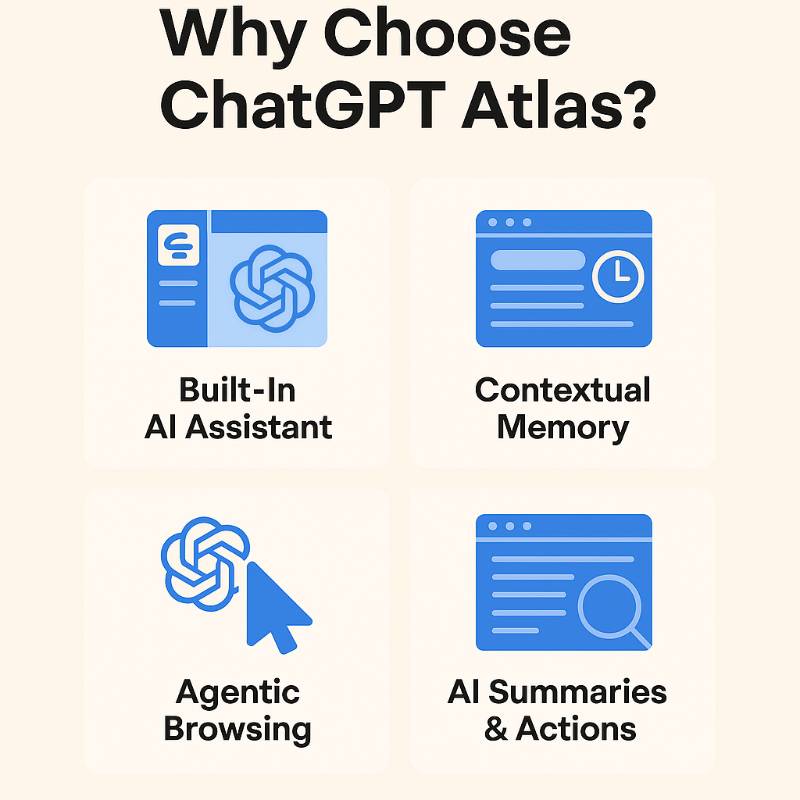
| AI assistant built-in | Mostly add-on or extension (you browse, then open chat) | ChatGPT embedded: sidebar chats about current page, can ask questions without switching apps. () |
| Contextual memory | Browsing history + bookmarks + maybe sync | “Browser Memories”: optionally remembers your past browsing context so AI has more continuity. () |
| Agent/automation mode | Rare: some extensions automate simple tasks | Agent Mode: the AI can execute multi-step tasks (e.g., compare products, fill forms) under user control. () |
| Focus on conversation & goals | You search → you click → you browse | Atlas aims to turn browsing into an interactive session where you tell the AI your goal and the browser helps navigate, summarize, act. () |
| Import + familiar UI | Traditional UI; you set up yourself | Same familiar Chromium base—so tabs/bookmarks work—but with added AI features. () |
So in essence: regular browsers give you the tool (browser), you do everything; Atlas gives you browser + built-in assistant where you do less manual switching, ask AI in-context, leverage memory/automation.
3. What are the advantages of using ChatGPT Atlas over regular browsers?
If you adopt Atlas, you may gain these benefits:
- Better productivity & fewer context switches: Instead of copying a link into ChatGPT or switching between tab and AI chat, you can interact with the AI right in your browsing session.
- Smarter follow-up and continuity: Because Atlas can “remember” your past browsing context (if you enable it), you can pick up where you left off more naturally. For example: “What were those laptop deals I looked at last week?” and it helps. ()
- Task automation/agentic browsing: With Agent Mode you can tell the browser to perform a multi-step task (“find best flights under X budget”) and the AI navigates/searches for you. That’s beyond what a standard browser normally offers. ()
- Integrated AI summarisation & doubt solving: On any page, you can ask the AI to summarise, explain, compare — without leaving the page. That can help reading, research, decision making. ()
- Goal-oriented browsing rather than passive: Traditional browsers are passive “window to the web”; Atlas tries to make browsing more a conversation with the web, with an assistant guiding you. ()
But with caveats / things to consider
- Some features (Agent Mode, memory) are opt-in and may require a subscription. ()
- Because it’s new, certain integrations/extensions or platforms may lag behind more mature browsers.
- Privacy and control need attention: you must decide what AI sees/remembers. While controls are present, the shift to “AI assisting your browsing” brings new risks. ()
4. What are some other AI browsers similar to ChatGPT Atlas?
Here are a few competitors or alternatives in the “AI-browser” category:
- Comet by Perplexity AI: Another AI-centric browser aiming at similar goals (integrated chat + browsing + agentic features) ()
- Microsoft Edge with Copilot: Microsoft’s browser enhanced with its Copilot/AI features, though more of a traditional browser with AI added rather than fully built around it. ()
- Google Chrome with Gemini integration: While Chrome is not a completely new AI browser, Google has begun integrating its AI (Gemini) into search/browser to make browsing more intelligent. ()
- Opera One (or other smaller browsers): Some smaller browser vendors have begun adding built-in AI assistants or features to stay competitive.
5. Summary
- What: ChatGPT Atlas = a browser built by OpenAI, with ChatGPT deeply integrated.
- Why different: It moves beyond “browser + extension” to “browser as intelligent assistant + browsing tool”.
- Advantages: Productivity, context-awareness, task automation, seamless AI interaction.
- Other options: Comet, Edge/Copilot, Chrome/Gemini, other AI-enhanced browsers.
- Bottom line: If you spend a lot of time in web research, browsing workflows, want AI assist in real-time, Atlas could offer meaningful benefit. If your browsing is simpler or you’re deeply tied to another browser ecosystem, then a more incremental AI-enhanced browser may suffice.
Would you like me to compare Atlas vs Chrome vs Comet side-by-side (features, pricing, platform support) or look into privacy/security implications of AI browsers like Atlas in more depth?

I’m a DevOps/SRE/DevSecOps/Cloud Expert passionate about sharing knowledge and experiences. I have worked at Cotocus. I share tech blog at DevOps School, travel stories at Holiday Landmark, stock market tips at Stocks Mantra, health and fitness guidance at My Medic Plus, product reviews at TrueReviewNow , and SEO strategies at Wizbrand.
Do you want to learn Quantum Computing?
Please find my social handles as below;
Rajesh Kumar Personal Website
Rajesh Kumar at YOUTUBE
Rajesh Kumar at INSTAGRAM
Rajesh Kumar at X
Rajesh Kumar at FACEBOOK
Rajesh Kumar at LINKEDIN
Rajesh Kumar at WIZBRAND
Find Trusted Cardiac Hospitals
Compare heart hospitals by city and services — all in one place.
Explore Hospitals
This blog provides a clear and easy-to-understand overview of ChatGPT Atlas, explaining its purpose and how it fits into the evolving AI and knowledge management landscape. The way it highlights structured intelligence, improved context handling, and practical use cases makes the concept approachable even for readers new to advanced AI systems. By focusing on real-world value rather than technical hype, the article helps readers see how such tools can support research, decision-making, and productivity. Overall, it is a thoughtful introduction for anyone interested in understanding the next stage of AI-driven information organization.
This is a very timely and clear introduction to ChatGPT Atlas and how it transforms the traditional browsing experience. The idea of having an AI assistant built directly into the browser — offering in-page summarization, context-aware help, and optional ‘agent mode’ automation — shows how browsing can evolve from manual navigation to intelligent, goal-driven workflows. As many of us juggle research, content creation, coding, and everyday online tasks, Atlas seems poised to reduce friction and improve productivity. That said, prospective users should carefully review privacy and subscription-related trade-offs before adopting it fully. A well-written and balanced piece — thanks for sharing this overview.