
New Relic Browser is a JavaScript library which is injected into your HTML documents to get detailed information about how your front-end code is executing on your users’ browsers. New Relic Browser will
show you JS errors broken down by browser, geographic response times and even full session traces of user engagement with your website.
New Relic Browser can be setup automatically by simply installing New Relic APM on your backend and turning it on via the web interface or by copy/pasting the JavaScript directly into your HTML pages.
This is accomplished by measuring the time it takes for your users’ browsers to download and render your web pages by injecting a small amount of JavaScript code into the header and footer of each page.By default the agent automatically inserts API calls in compiled JSPs to inject the monitoring JavaScript into web pages. Not all rendering engines are supported.
New Relic Browser uses following way to instrument your app’s webpages.
- JavaScript snippet or
- “agent”
The JavaScript collects data for browser monitoring. To install the New Relic Browser agent, you can choose from a number of deployment options.
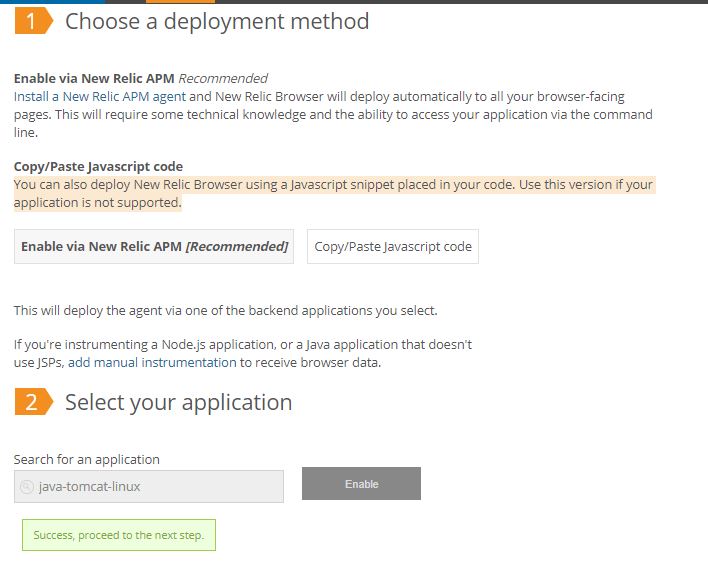
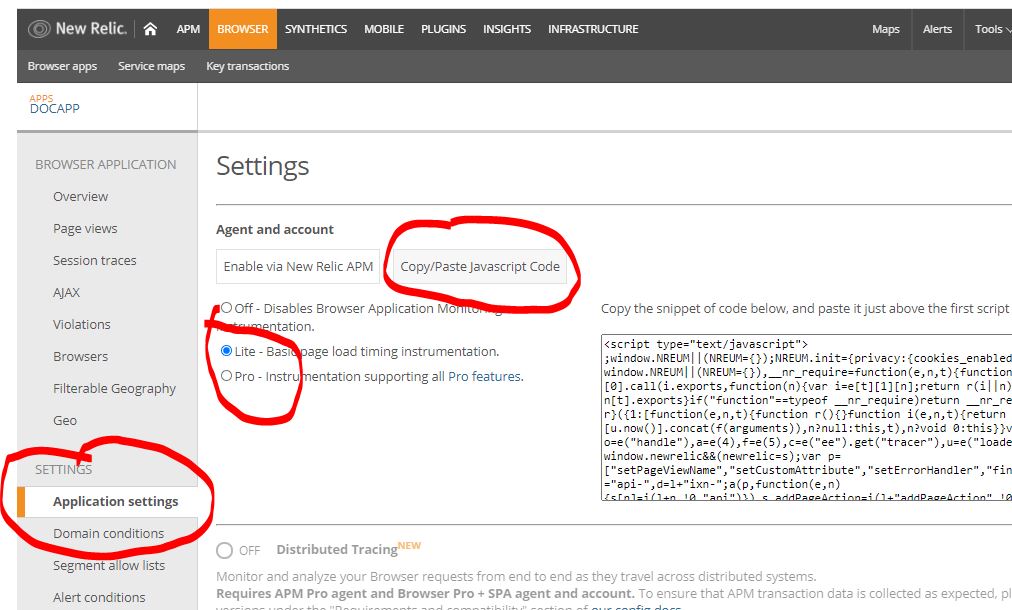
Method 1 – Enable via New Relic APM
Install a New Relic APM agent and New Relic Browser will deploy automatically to all your browser-facing pages. This will require some technical knowledge and the ability to access your application via the command line.
Method 2 – Copy/Paste Javascript code
You can also deploy New Relic Browser using a Javascript snippet placed in your code. Use this version if your application is not supported.

I’m Rajesh Kumar, a DevOps, SRE, DevSecOps, Cloud, and Platform Engineering expert passionate about sharing practical knowledge, real-world experiences, and industry best practices. I have worked at Cotocus and regularly write about technology, travel, investing, health, product reviews, and digital marketing through my various platforms.
I publish technical articles at DevOps School, travel stories at Holiday Landmark, stock market insights at Stocks Mantra, health and fitness guidance at My Medic Plus, product reviews at TrueReviewNow, and SEO and digital marketing strategies at Wizbrand.
Find Trusted Cardiac Hospitals
Compare heart hospitals by city and services — all in one place.
Explore Hospitals