
What is Azure?
Azure by Microsoft is one of the cloud sevice provider similar to Amazon Web Services and Google Cloud Platform
What is DevOps?
DevOps is a methodology and a way of utilizing all the available resources to automate and minimize the time and efforts of Software DevOps Life Cylce (SDLC)
What is Azure DevOps?
We can say Azure DevOps is a tool, its a service provided by Microsoft Azure where they provide Azure DevOps as a tool which has multiple services and one can use those services to create a DevOps lifecylce in their process.
Its like instead of using multiple DevOps tools to create your pipeline and doing it manually. Azure DevOps has everything built in a single UI, so you can use all the services in the same place.
These are the components available in Azure DevOps which will help you to take your application from the planning stage upto the deployment and monitoring stage using the tools in Azure.
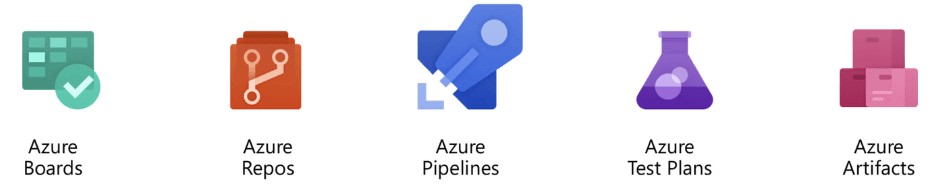
- Azure Boards:- Azure Boards will help you to quickly plan, manage, and track work and in custom reporting across your entire team. (To create our work items)
- Azure Repos:- Azure Repos a cloud-hosted private Git repository service (To store our codes)
- Azure Pipelines:- A CI/CD, testing, and deployment system that can connect to any Git repository (Do the build of the code, release of the code into a particular environment)
- Azure Test Plans:- A solution for tests and capturing data about defects (We can use to do our testing which could me manual test cases, automated test cases, exploratory testing)
- Azure Artifacts:- A hosting facility for Maven, npm, and NuGet packages (For common dependencies which you want to store it as part of your repository)
Azure DevOps is a completely focused software development process automation tool which has project tracking, planning features mixed with Developer and DevOps tools for writing, building and deploying code that’s relatively quick and easy to use.
As usual Microsoft has certifications for their each product. Similarly to get certified in your Azure DevOps you can give Certification exam for
“AZ-400: Designing and Implementing Microsoft DevOps Solutions”
Certification cost
- USA:- $165 USD
- UK:- £113 GBP
- India:- ₹4800 INR
- UAE:- $165 USD
Note#1:- Price based on the country in which the exam is proctored.
Note#2:- To become a Microsoft Certified: DevOps Engineer Expert, you must earn at least one of the following certification:
Microsoft Certified: Azure Administrator Associate (Exam AZ-104)
OR
Microsoft Certified: Azure Developer Associate. (Exam AZ-204)
Before finishing this post, we would like to inform our readers that being a committed platform for DevOps – we have introduced one of new program name “Master in Microsoft Azure DevOps” which will help you to learn , implement and clear certifications for Microsoft Certified: Azure Fundamentals (AZ-900) >> Azure Administrator (AZ-104)>> Azure DevOps (AZ-400)

MotoShare.in delivers cost-effective bike rental solutions, empowering users to save on transportation while enjoying reliable two-wheelers. Ideal for city commutes, sightseeing, or adventure rides.
Find Trusted Cardiac Hospitals
Compare heart hospitals by city and services — all in one place.
Explore Hospitals





