How to setup WAMP server in Linux?
$ sudo -s
$ cd /opt/
$ yum install wget -y

# URL for right package - https://sourceforge.net/projects/xampp/files/XAMPP%20Linux/7.4.29/

$ wget https://sourceforge.net/projects/xampp/files/XAMPP%20Linux/7.4.29/xampp-linux-x64-7.4.29-1-installer.run/download

$ mv download xampp-linux-x64-7.4.29-1-installer.run

$ chmod 755 xampp-linux-x64-7.4.29-1-installer.run
$ ./xampp-linux-x64-7.4.29-1-installer.run

$ /opt/lampp/lampp status
$ /opt/lampp/lampp start
$ /opt/lampp/lampp status
$ /opt/lampp/lampp stop
$ /opt/lampp/lampp start
$ curl http://13.233.196.197/dashboard/
$ sudo -s
$ cd /opt/
$ yum install wget -y
$ wget https://www.apachefriends.org/xampp-files/8.0.0/xampp-linux-x64-8.0.0-2-installer.run
$ chmod 755 xampp-linux-x64-8.0.0-2-installer.run
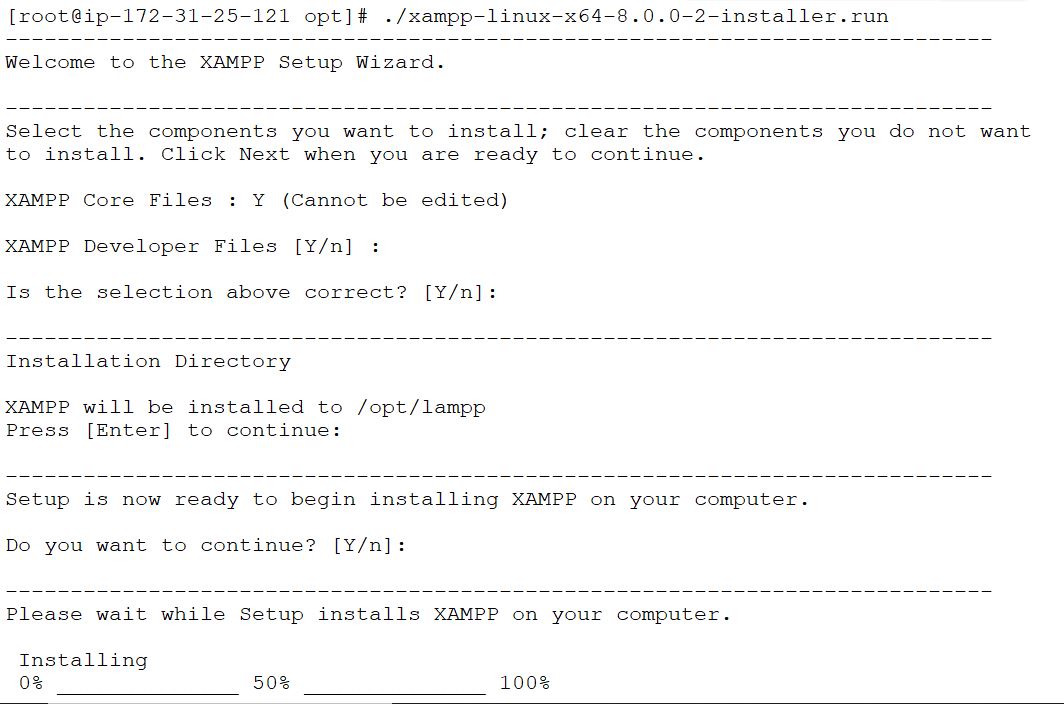
$ ./xampp-linux-x64-8.0.0-2-installer.run

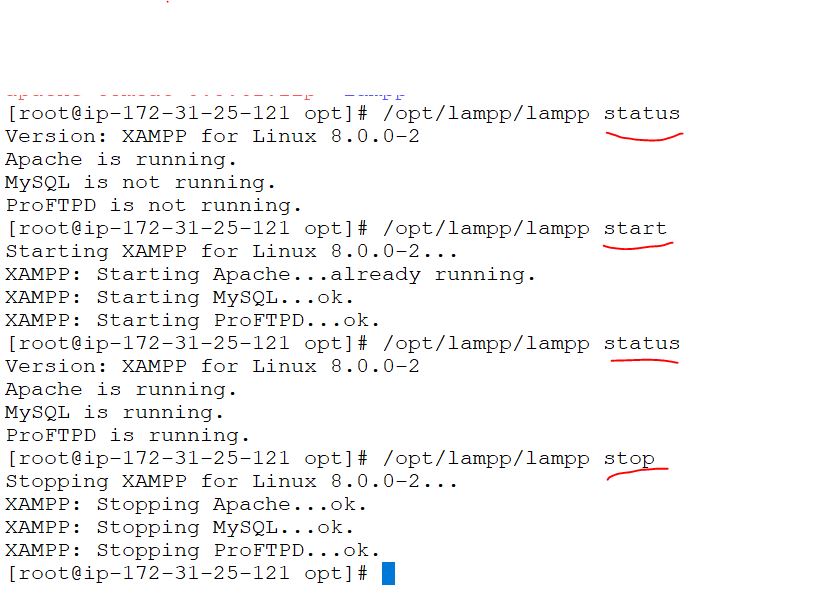
$ /opt/lampp/lampp status
$ /opt/lampp/lampp start
$ /opt/lampp/lampp status
$ /opt/lampp/lampp stop
$ /opt/lampp/lampp start
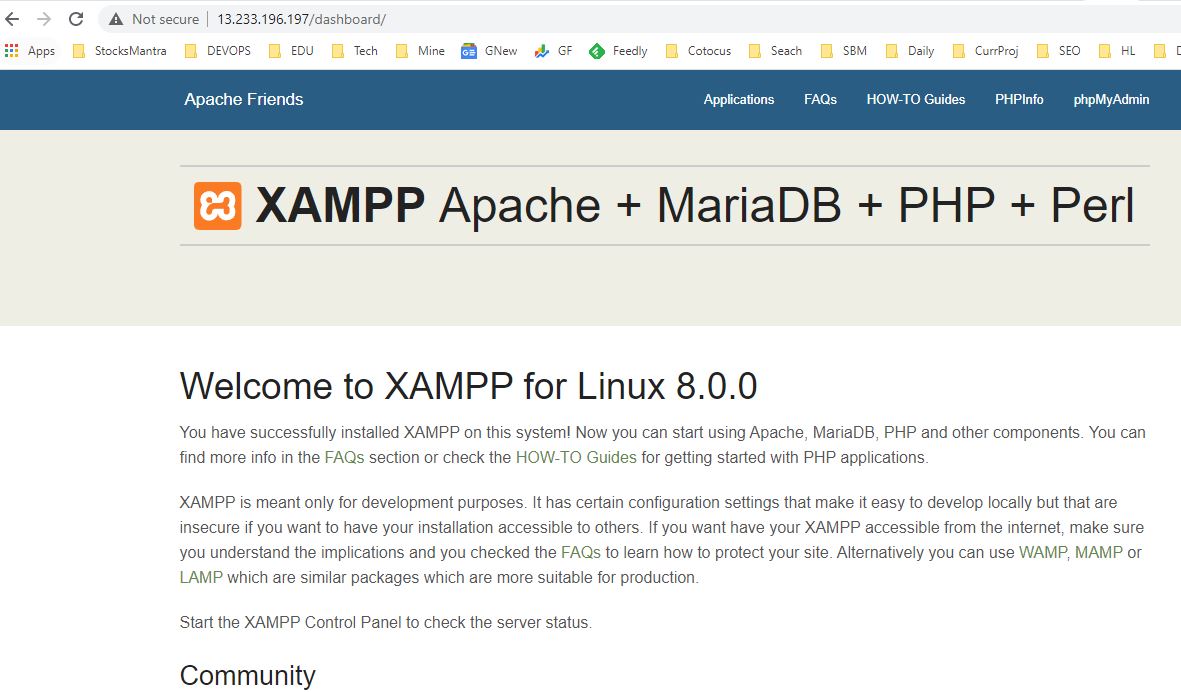
$ curl http://13.233.196.197/dashboard/Code language: PHP (php)
Referece:
- https://www.apachefriends.org/index.html
How to create mysql user, database and grant a permission to a database in mysql?
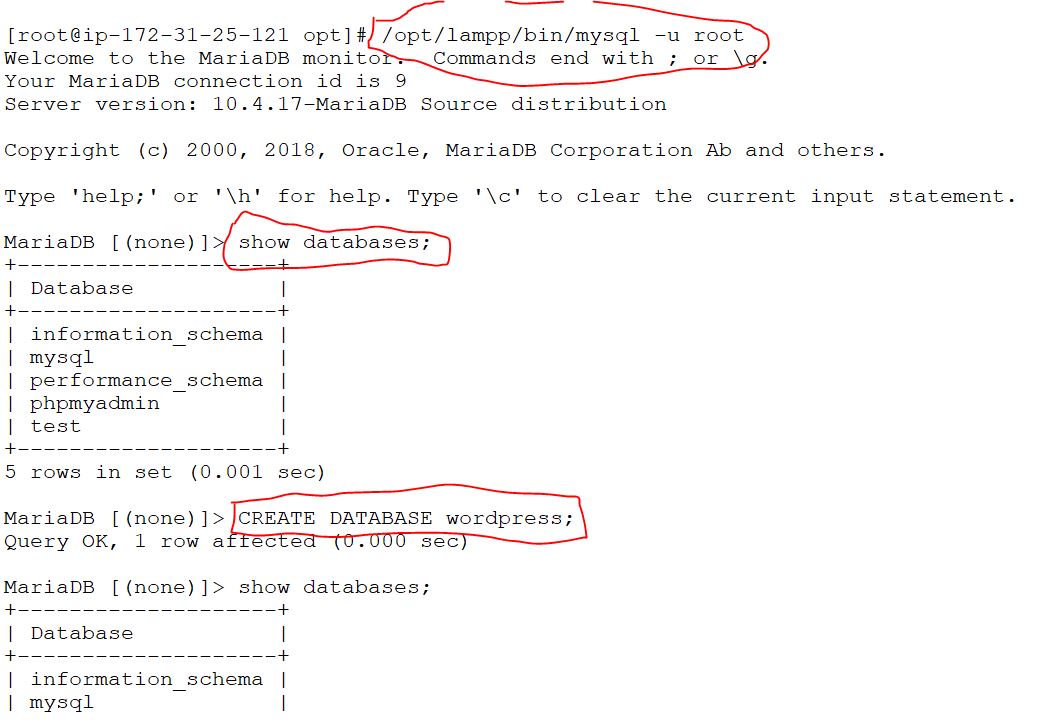
$ /opt/lampp/bin/mysql -u root
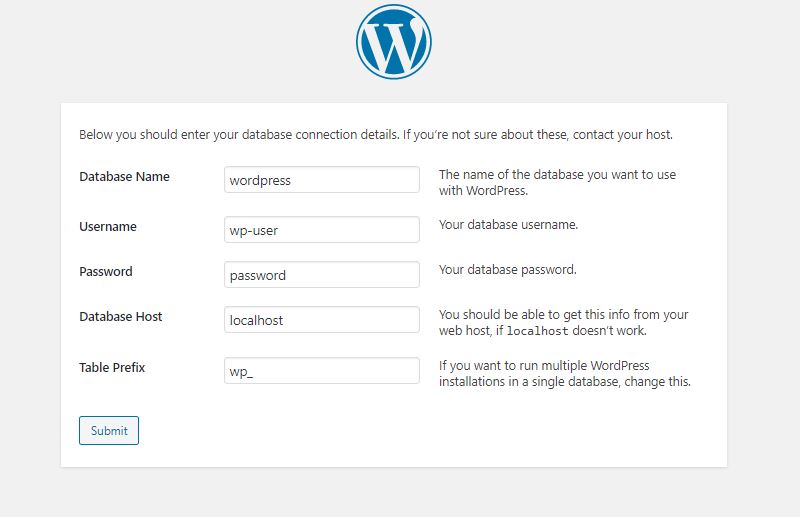
CREATE DATABASE wordpress;
show databases;
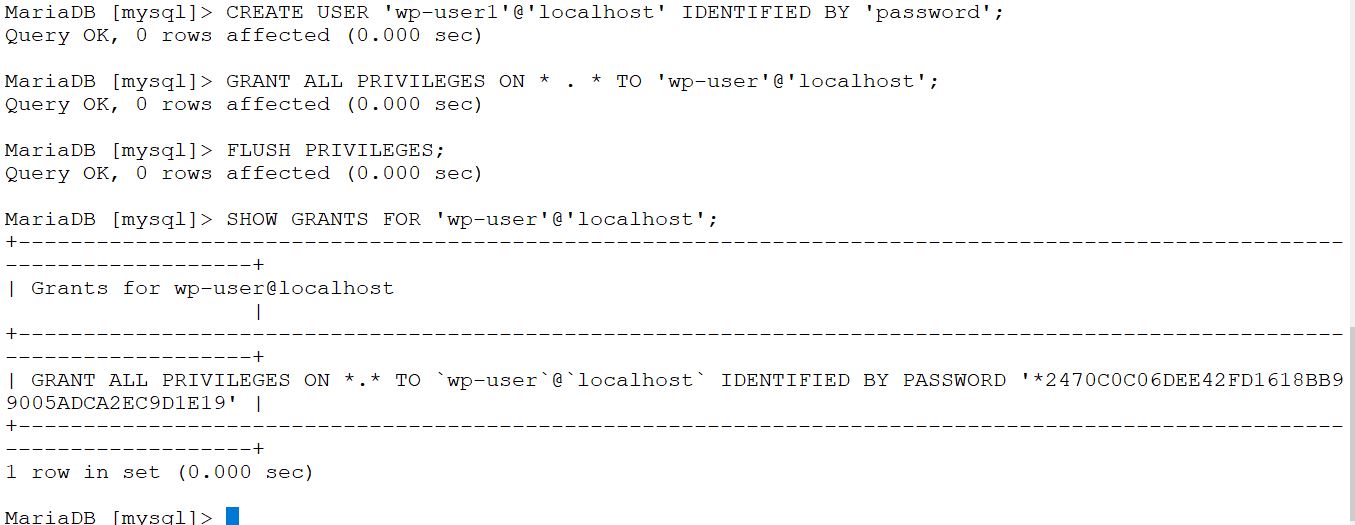
CREATE USER 'wp-user'@'localhost' IDENTIFIED BY 'password';
GRANT ALL PRIVILEGES ON * . * TO 'wp-user'@'localhost';
FLUSH PRIVILEGES;
SHOW GRANTS FOR 'wp-user'@'localhost';	Code language: JavaScript (javascript)
Reference
- https://www.digitalocean.com/community/tutorials/how-to-create-a-new-user-and-grant-permissions-in-mysql
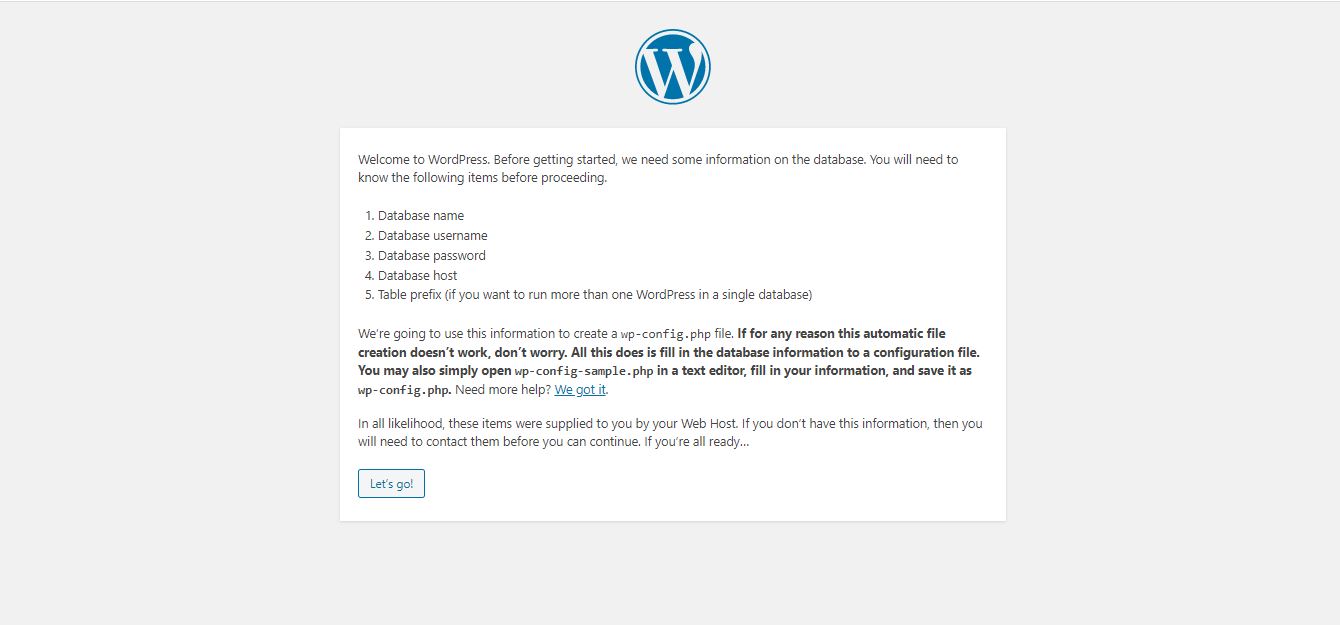
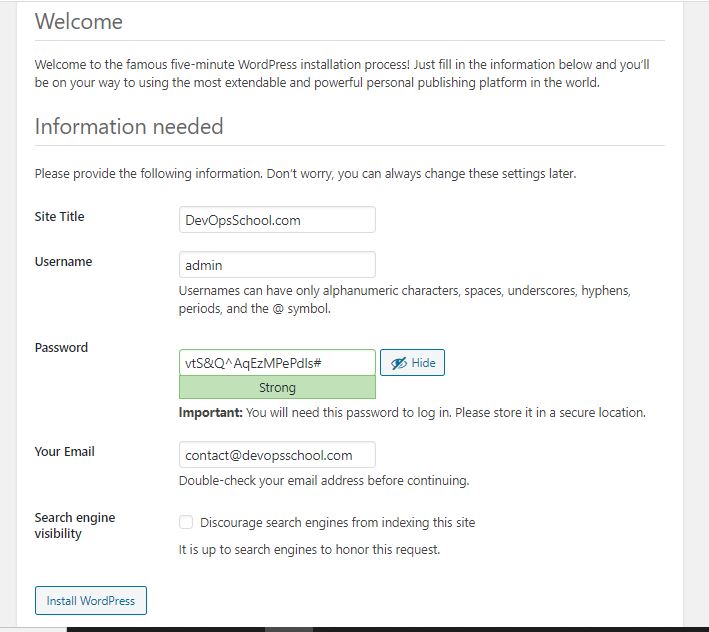
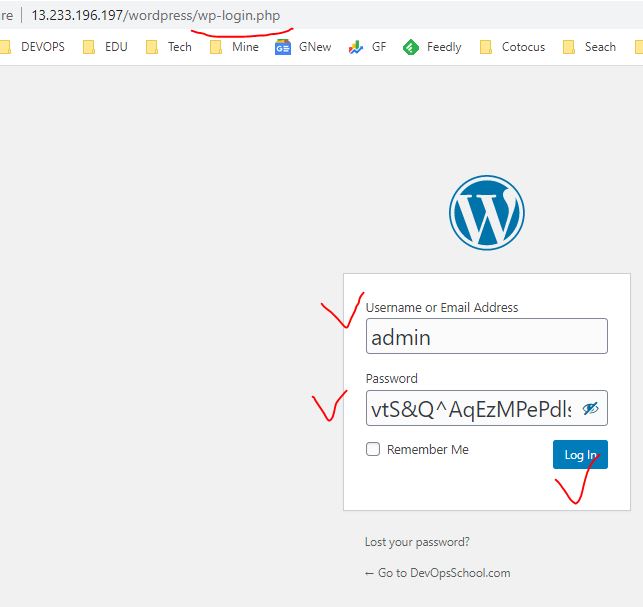
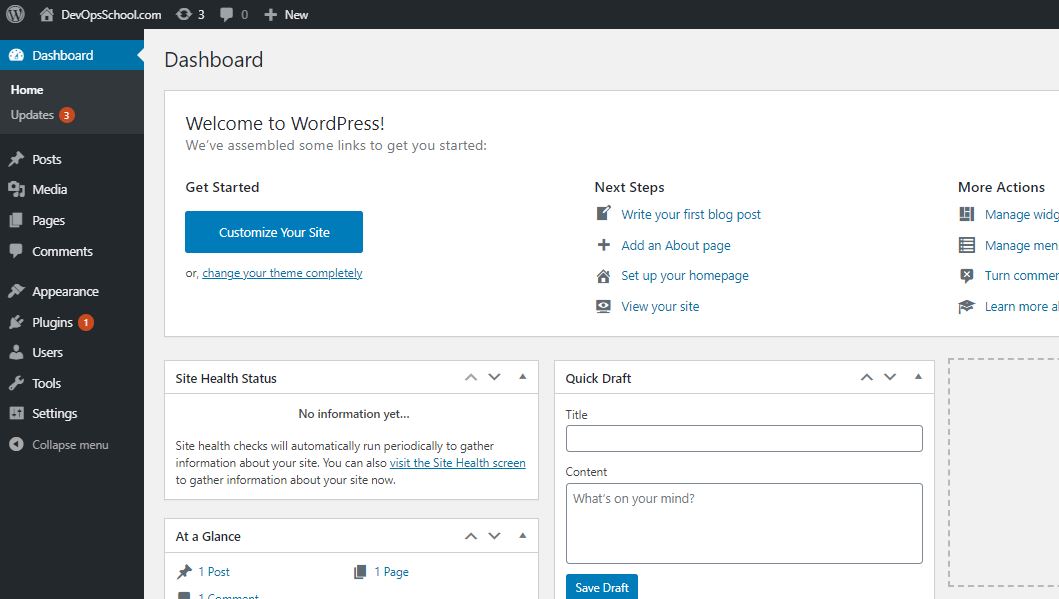
How to setup WordPress in Xampp in Linux?
cd /opt/lampp/htdocs/
wget https://wordpress.org/latest.tar.gz
tar -zxvf latest.tar.gz
ls -la
chown -R daemon:daemon wordpress
ls -la
Reference:
- https://wordpress.org/download/#download-install

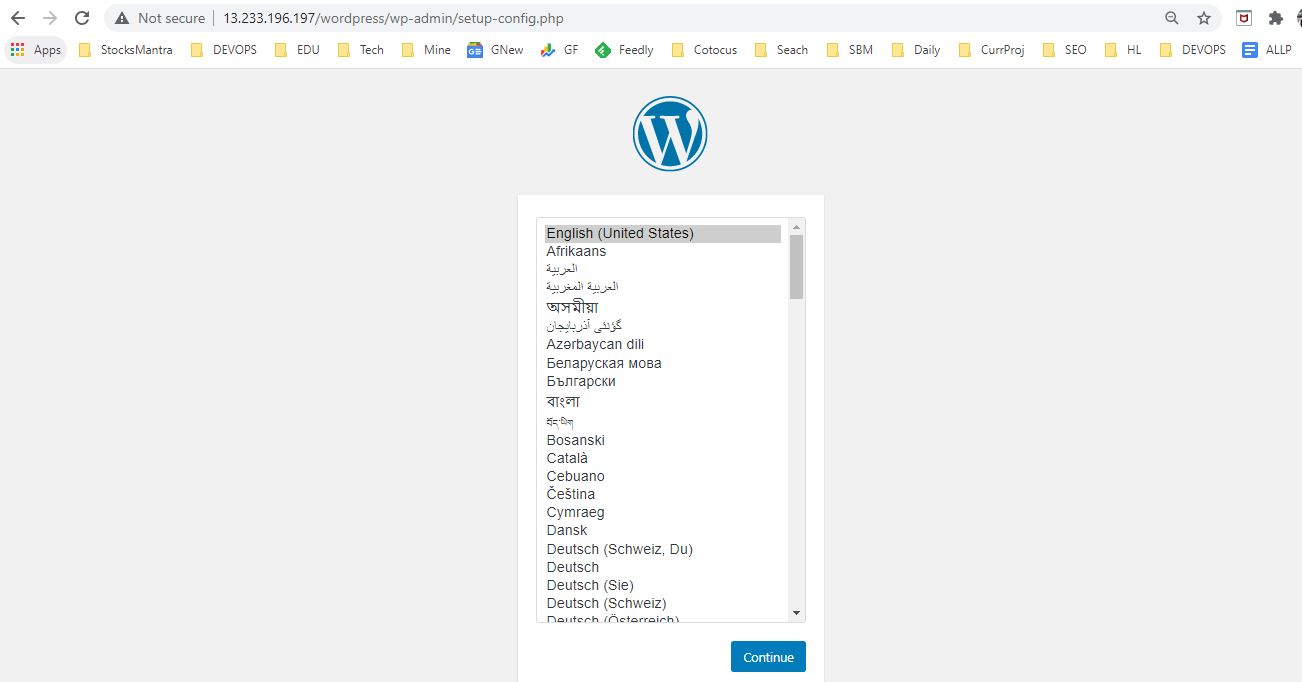
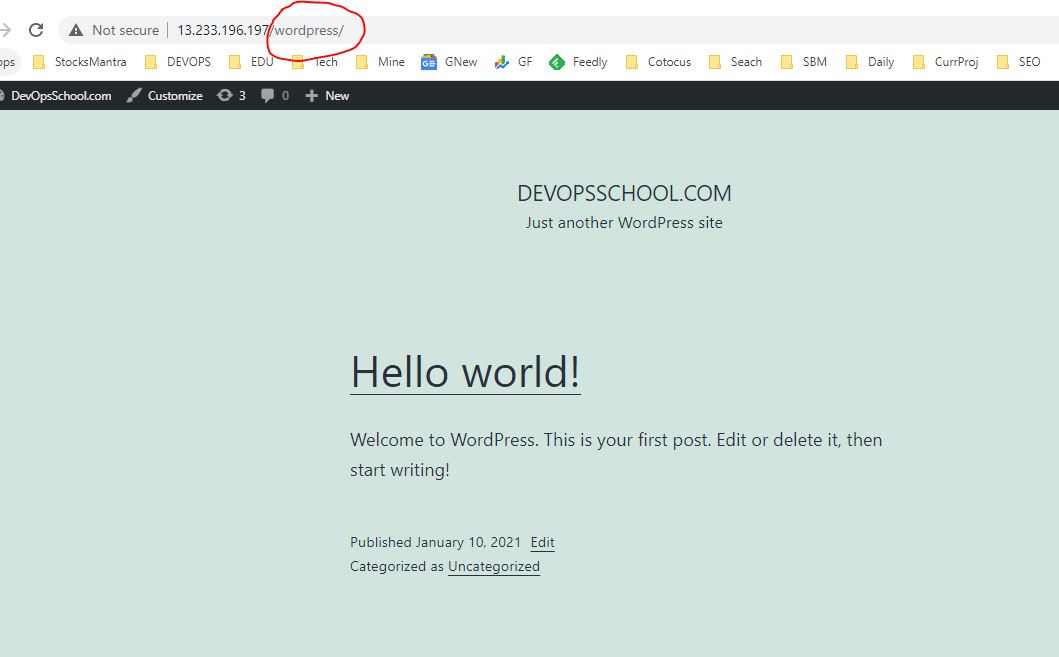
# ACCESS your Web server @ http://13.233.196.197/wordpressCode language: PHP (php)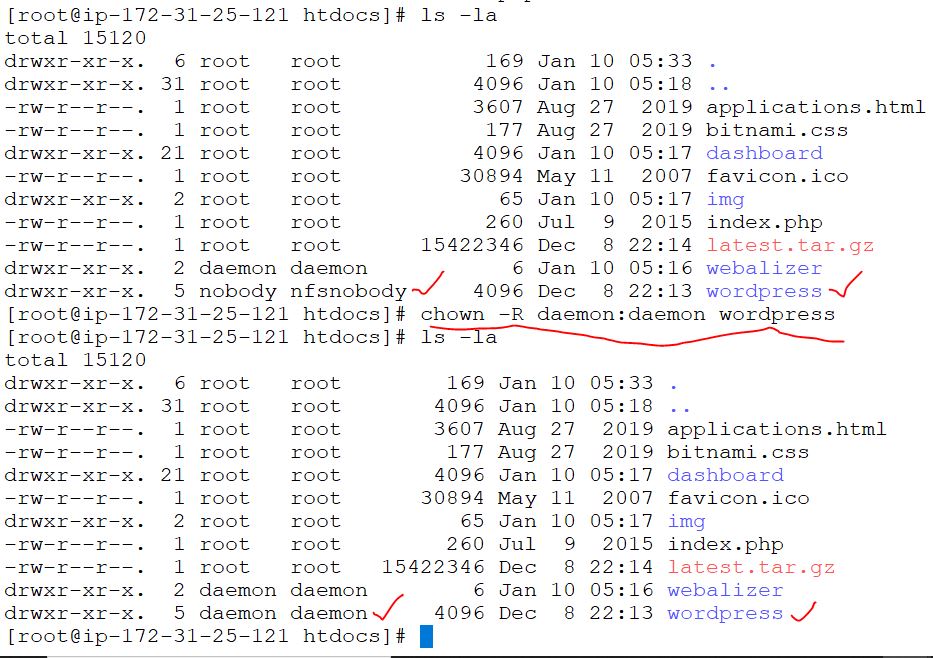

I’m Rajesh Kumar, a DevOps, SRE, DevSecOps, Cloud, and Platform Engineering expert passionate about sharing practical knowledge, real-world experiences, and industry best practices. I have worked at Cotocus and regularly write about technology, travel, investing, health, product reviews, and digital marketing through my various platforms.
I publish technical articles at DevOps School, travel stories at Holiday Landmark, stock market insights at Stocks Mantra, health and fitness guidance at My Medic Plus, product reviews at TrueReviewNow, and SEO and digital marketing strategies at Wizbrand.
Find Trusted Cardiac Hospitals
Compare heart hospitals by city and services — all in one place.
Explore Hospitals