
Originally published on 2015-08-19; fully revised and updated.
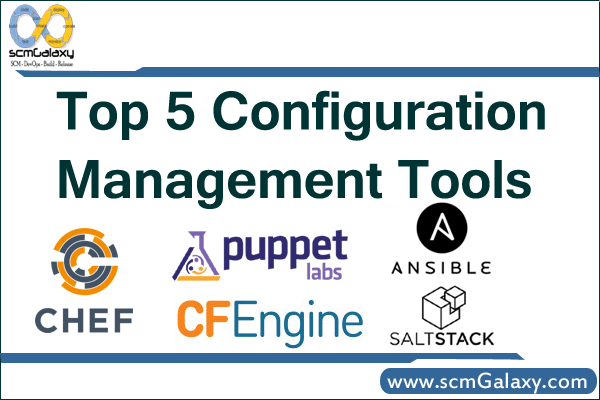
Configuration management tools help DevOps and platform teams define system state as code, apply it consistently, and reduce configuration drift across servers. This guide compares five widely used tools from the original post—Puppet, Chef, Ansible, CFEngine, and Salt—so you can evaluate fit by workflow and operational style.
What configuration management tools solve
At a high level, all five tools support a desired-state approach: you describe how systems should look, then the tool enforces and re-enforces that state.
- Define infrastructure and system configuration as code
- Apply consistent baselines across many nodes
- Detect and remediate drift from intended state
- Improve repeatability for patching, provisioning, and service setup
- Support auditability through versioned change history
Quick comparison of the five tools
| Tool | Execution model | Agent model | Configuration style | Typical strengths |
|---|---|---|---|---|
| Puppet | Pull-oriented convergence (commonly agent-driven) | Usually agent-based | Declarative manifests | Mature policy management and ecosystem |
| Chef | Client runs policies from server or local mode | Typically agent-based | Ruby DSL (cookbooks/recipes) | Strong flexibility for complex logic |
| Ansible | Push-oriented task execution | Agentless over SSH/WinRM | YAML playbooks | Fast onboarding and readable automation |
| CFEngine | Autonomous policy enforcement | Lightweight agent-based | Policy language | Small footprint and long-running compliance model |
| Salt | Remote execution plus state enforcement | Commonly minion-based (agentless modes also exist) | YAML states with templating | High-speed orchestration and event-driven operations |
Typical desired-state workflow
Even though syntax differs, operational flow is broadly similar across tools:
flowchart LR
    A[Write desired state code] --> B[Commit to version control]
    B --> C[Run lint and policy tests]
    C --> D{Validation passed}
    D -- no --> E[Fix policy and recommit]
    D -- yes --> F[Apply with selected tool]
    F --> G[Nodes converge to desired state]
    G --> H[Collect compliance and drift reports]
    H --> A
Minimal examples by tool
The examples below show common command and policy patterns for enforcing a simple web-server baseline.
Puppet
Puppet uses declarative manifests to model package, file, and service state.
package { 'nginx':
  ensure => installed,
}

service { 'nginx':
  ensure  => running,
  enable  => true,
  require => Package['nginx'],
}Code language: JavaScript (javascript)
puppet apply site.ppCode language: CSS (css)Chef
Chef expresses desired state through Ruby-based cookbooks and recipes.
package 'nginx'

service 'nginx' do
  action [:enable, :start]
endCode language: JavaScript (javascript)
chef-client --local-mode --runlist 'recipe[base::web]'Code language: JavaScript (javascript)Ansible
Ansible is commonly used in agentless mode over SSH (or WinRM for Windows hosts).
- name: Configure web servers
  hosts: web
  become: true
  tasks:
    - name: Install nginx
      package:
        name: nginx
        state: present
    - name: Enable and start nginx
      service:
        name: nginx
        state: started
        enabled: trueCode language: JavaScript (javascript)
ansible-playbook -i inventory.ini web.ymlCode language: CSS (css)CFEngine
CFEngine focuses on continuous policy enforcement with lightweight agents.
# Validate and run local policy
cf-promises -f ./promises.cf
cf-agent -Kf ./promises.cfCode language: PHP (php)
Salt
Salt combines fast remote execution with declarative state management.
nginx:
  pkg.installed: []
  service.running:
    - enable: trueCode language: CSS (css)
salt 'web*' state.apply webserverCode language: JavaScript (javascript)How to choose between them
- Team skill set: YAML-first teams often ramp quickly on Ansible or Salt states; Ruby-heavy teams may prefer Chef.
- Control model: Push workflows and ad-hoc execution differ from periodic pull-based convergence.
- Fleet size and heterogeneity: Consider Linux-only vs mixed OS support and network constraints.
- Security posture: Evaluate credential handling, transport model, and access boundaries.
- Ecosystem and support: Module/cookbook/formula availability and commercial support options matter in production.
Best practices
- Start with a small, version-controlled baseline (users, packages, hardening, logging).
- Treat policy changes like software changes: PR review, linting, and test gates.
- Use idempotent resources and avoid imperative shell steps when native modules exist.
- Roll out in stages (dev, staging, production) with clear rollback procedures.
- Track drift and failed runs as operational signals, not just deployment events.

I’m Rajesh Kumar, a DevOps, SRE, DevSecOps, Cloud, and Platform Engineering expert passionate about sharing practical knowledge, real-world experiences, and industry best practices. I have worked at Cotocus and regularly write about technology, travel, investing, health, product reviews, and digital marketing through my various platforms.
I publish technical articles at DevOps School, travel stories at Holiday Landmark, stock market insights at Stocks Mantra, health and fitness guidance at My Medic Plus, product reviews at TrueReviewNow, and SEO and digital marketing strategies at Wizbrand.
Find Trusted Cardiac Hospitals
Compare heart hospitals by city and services — all in one place.
Explore Hospitals





