
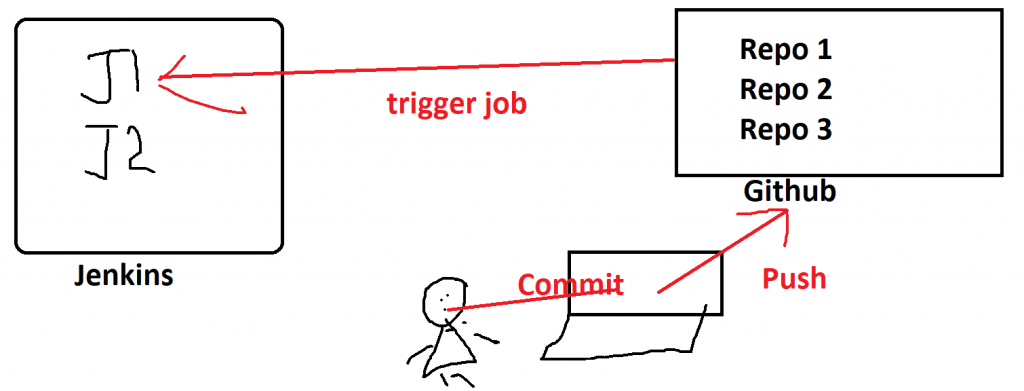
- Schedule your build
- Pull your code and data files from your GitHub repository to your Jenkins machine
- Automatically trigger each build on the Jenkins server, after each Commit on your Git repository
Step 1 – Install the Github Jenkins plugin
Go to “Manage Jenkins” –> “Manage Plugins” –> “Available” Tab –> Search for “GitHub plugin” and install it.
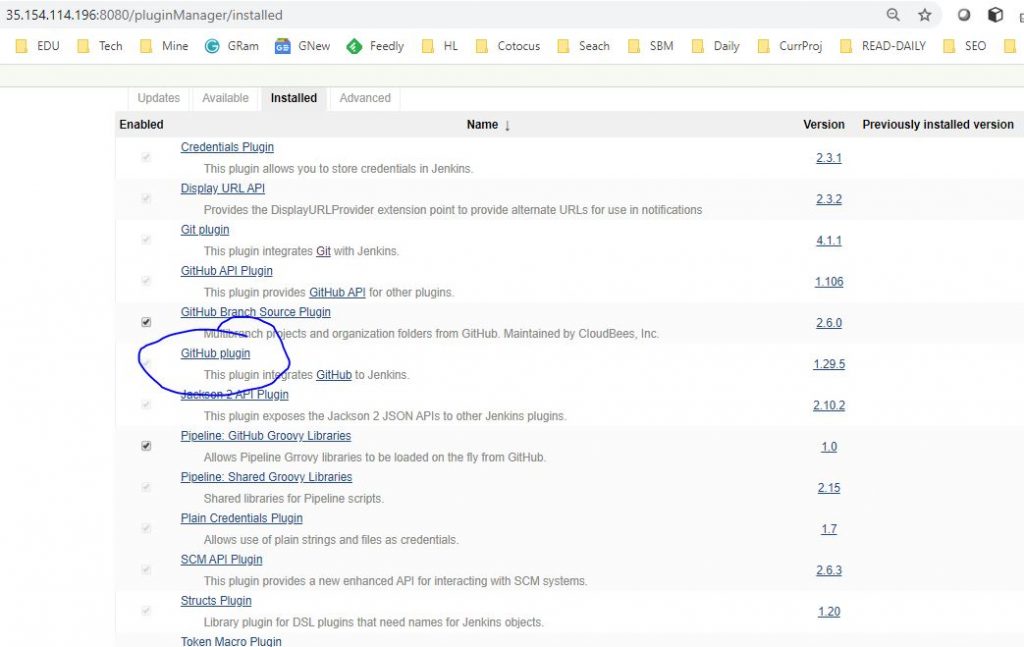
Step 2 – Configure the “GitHub plugin” with github accounts and taken
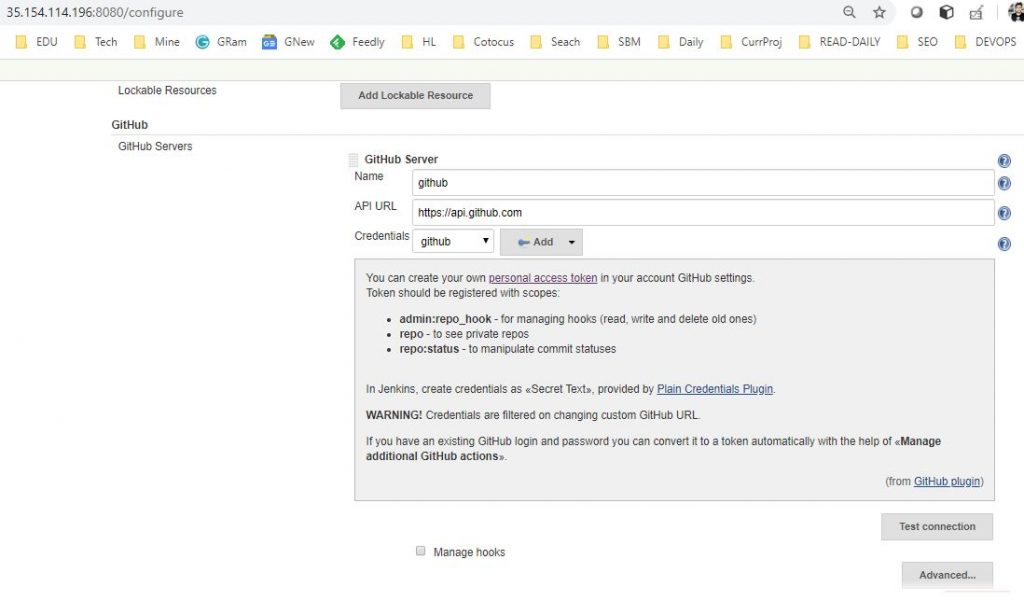
Go to “Manage Jenkins” –> “Configure System” –> Locate “Github” section and “Add Github Server” and do following modification.
- API URL – If you server is github.com, your “API URL” would be “https://api.github.com”. Otherwise if you use GitHub Enterprise, specify its API endpoint here (e.g., https://ghe.acme.com/api/v3/).
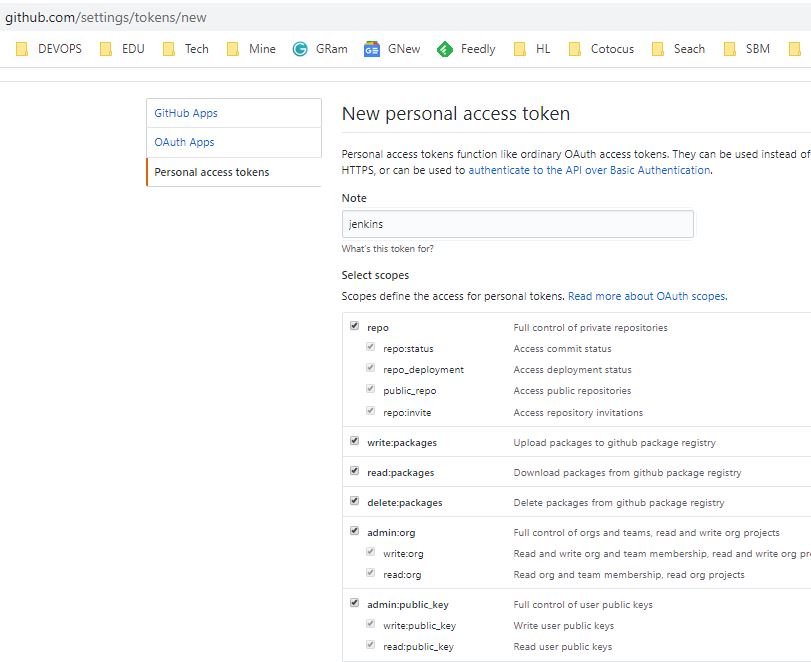
- Credentials – You can create your own personal access token in your account GitHub settings. Token should be registered with scopes. Refer https://github.com/settings/tokens/new . Add credentials (your Github token) and Apply.
- “Test Connection”.
Step 3 – Configure Jenkins Job on which you want push trigger should be effective.
- Check the GitHub project checkbox and set the Project URL to point to your GitHub Repository
- Under Source Code Management, check Git and set the Repository URL to point to your GitHub Repository
- Under Build Triggers, check the “GitHub hook trigger for GITScm polling” checkbox
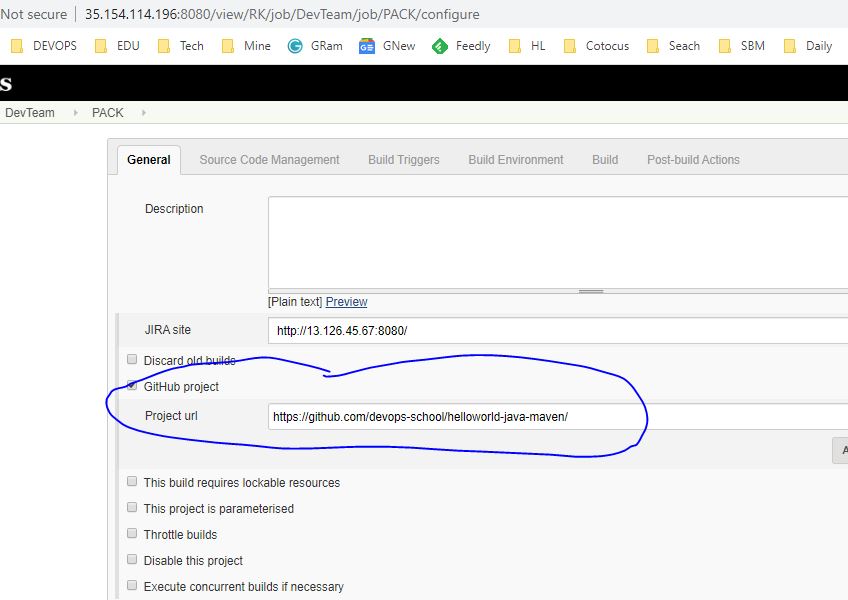
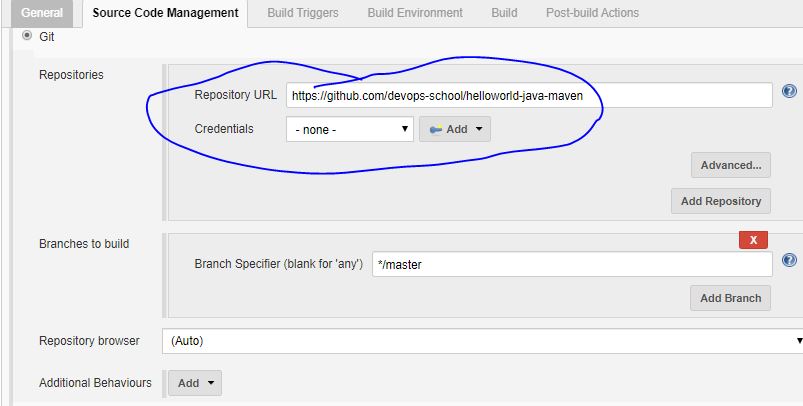
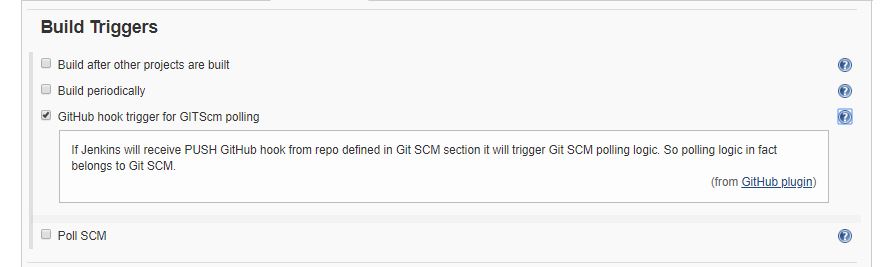
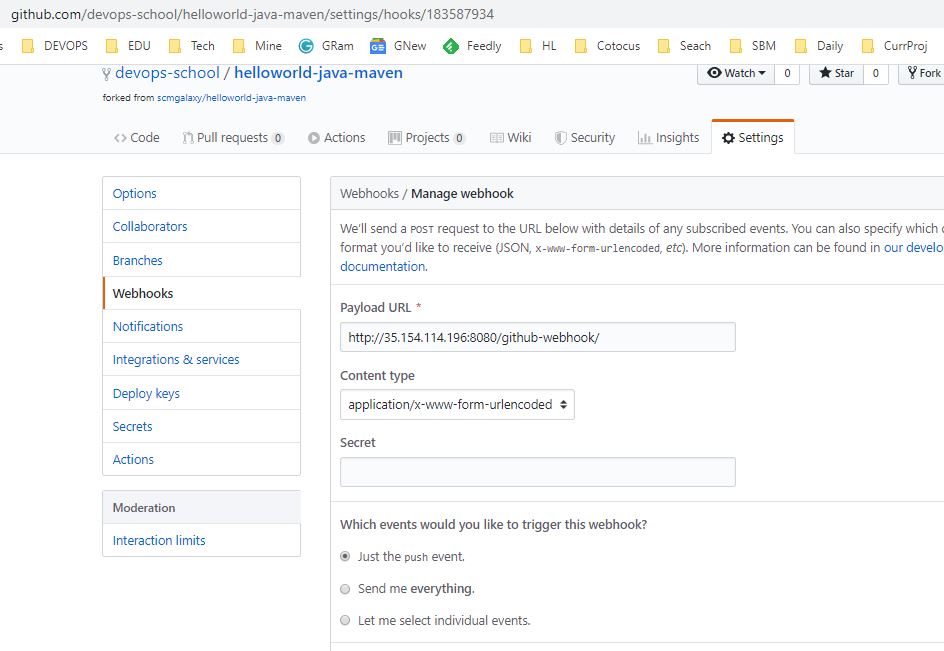
Step 4 – Configure “webhook” on github for the specific repository.
Go to repostory settings and then “Webhooks” and Click on “Add Webhook” and then fill a “Payload URL” and leave secret empty. “Payload URL” must be your jenkins server url postfix with “/github-webhook/”. Such as http://35.154.114.196:8080/github-webhook/
Step 5 – Commit and push in Git repo using workstation and verify the job triggered new build or not?
git clone git-url
cd helloworld-java-maven/
vi readme.txt
git add --all
git commit -m"adding"
git push origin masterCode language: PHP (php)
I’m Rajesh Kumar, a DevOps, SRE, DevSecOps, Cloud, and Platform Engineering expert passionate about sharing practical knowledge, real-world experiences, and industry best practices. I have worked at Cotocus and regularly write about technology, travel, investing, health, product reviews, and digital marketing through my various platforms.
I publish technical articles at DevOps School, travel stories at Holiday Landmark, stock market insights at Stocks Mantra, health and fitness guidance at My Medic Plus, product reviews at TrueReviewNow, and SEO and digital marketing strategies at Wizbrand.
Find Trusted Cardiac Hospitals
Compare heart hospitals by city and services — all in one place.
Explore Hospitals
do to do this for pipeline job ?
hi Rajesh, what if the ip address where jenkins is located is private?
I cannot not access (from bitbucket- in my case)
Thank you!