
Introduction
In today’s data-driven world, organizations generate and consume massive volumes of data from dozens—sometimes hundreds—of sources. As data landscapes grow more complex, simply storing data is no longer enough. Teams need to understand what data they have, where it comes from, how it is used, and whether it can be trusted. This is where Data Catalog & Metadata Management Tools play a critical role.
A data catalog is a centralized inventory of data assets enriched with metadata such as definitions, ownership, lineage, quality indicators, and usage context. Metadata management tools go a step further by governing technical, business, and operational metadata across the entire data lifecycle.
Why are these tools important?
- They improve data discovery and reduce time spent searching for the right data
- They enable better governance, compliance, and auditability
- They bridge the gap between technical teams and business users
- They support analytics, AI, and data science initiatives by increasing trust in data
Common real-world use cases include:
- Helping analysts and data scientists quickly find reliable datasets
- Supporting regulatory compliance and audits
- Enabling self-service analytics across departments
- Managing data sprawl in cloud and hybrid environments
What to look for when choosing a tool:
- Metadata depth (technical, business, operational)
- Ease of use and search experience
- Integrations with data warehouses, BI tools, and pipelines
- Governance, security, and compliance features
- Scalability for future data growth
Best for:
Data Catalog & Metadata Management Tools are best suited for data analysts, data engineers, data scientists, data stewards, governance teams, and business intelligence users. They are especially valuable for mid-sized to large organizations, data-driven startups, and regulated industries such as finance, healthcare, retail, telecom, and SaaS.
Not ideal for:
Very small teams with minimal data sources, or organizations that rely solely on spreadsheets and basic databases, may find these tools too complex or costly. In such cases, lightweight documentation or BI-native metadata features may be sufficient.
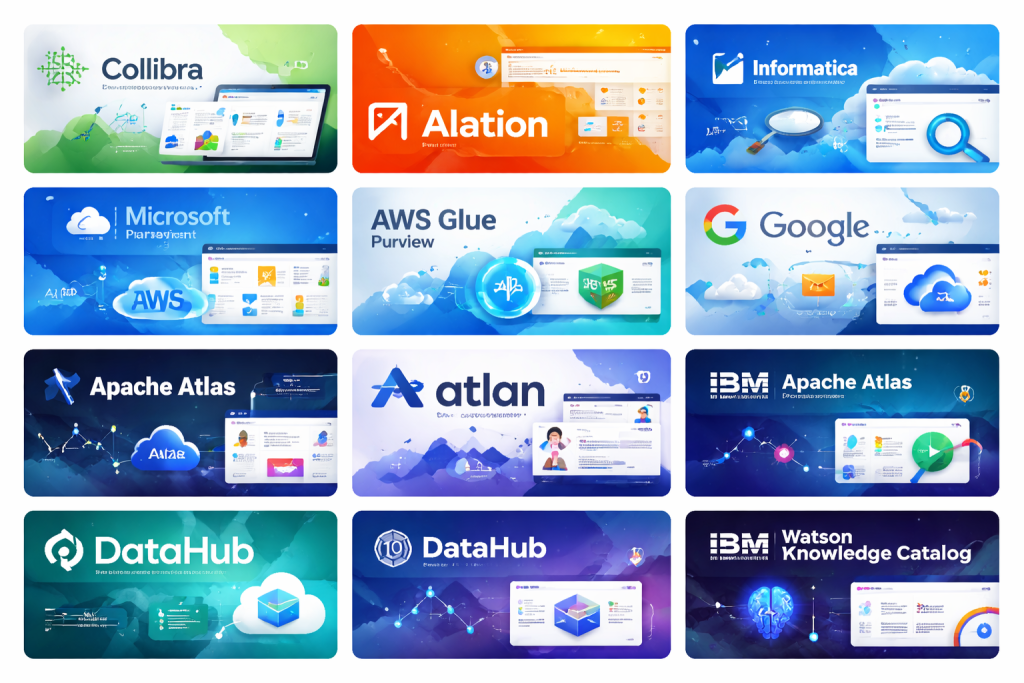
Top 10 Data Catalog & Metadata Management Tools
1 — Collibra Data Intelligence Platform
Short description:
Collibra is a comprehensive enterprise-grade data intelligence platform focused on governance, cataloging, and stewardship. It is designed for large organizations with complex regulatory and compliance needs.
Key features:
- Centralized data catalog with business glossary
- End-to-end data lineage visualization
- Automated metadata harvesting
- Workflow-driven data governance
- Data quality and policy management
- Role-based access and stewardship models
Pros:
- Extremely strong governance and compliance capabilities
- Scales well for large, complex enterprises
Cons:
- Steep learning curve for new users
- Higher cost compared to many competitors
Security & compliance:
Supports SSO, encryption, audit logs, GDPR, SOC 2, and enterprise governance controls.
Support & community:
Strong enterprise support, professional onboarding, detailed documentation, and dedicated account management.
2 — Alation Data Catalog
Short description:
Alation is a popular data catalog focused on data discovery and analytics enablement, widely used by data-driven enterprises.
Key features:
- Machine learning–powered metadata discovery
- Business glossary and stewardship workflows
- Popularity and usage-based data ranking
- SQL query ingestion and analytics context
- Data lineage and impact analysis
Pros:
- Excellent search and discovery experience
- Strong adoption among analysts and data scientists
Cons:
- Pricing can be high for smaller organizations
- Advanced governance features require configuration
Security & compliance:
SSO, role-based access control, audit logs, and compliance support for GDPR and SOC 2.
Support & community:
Well-documented platform with active user community and enterprise-level support options.
3 — Informatica Enterprise Data Catalog
Short description:
Part of Informatica’s broader data management suite, this tool focuses on intelligent metadata discovery and governance at scale.
Key features:
- AI-driven metadata classification
- Automated data lineage across systems
- Integration with data quality and MDM tools
- Business glossary alignment
- Hybrid and multi-cloud support
Pros:
- Deep integration with Informatica ecosystem
- Strong automation for metadata discovery
Cons:
- Best value only if already using Informatica tools
- Complex setup for standalone use
Security & compliance:
Enterprise-grade security, encryption, audit logs, and regulatory compliance support.
Support & community:
Professional enterprise support, training resources, and long-standing vendor credibility.
4 — Microsoft Purview
Short description:
Microsoft Purview is a unified data governance and catalog solution designed for organizations heavily invested in the Microsoft ecosystem.
Key features:
- Automated data discovery across Azure and hybrid sources
- Data lineage and classification
- Built-in compliance and sensitivity labeling
- Integration with Power BI and Azure services
- Centralized governance dashboard
Pros:
- Seamless integration with Microsoft tools
- Strong compliance and security alignment
Cons:
- Less flexible outside the Microsoft ecosystem
- UI can feel technical for business users
Security & compliance:
Supports Azure AD SSO, encryption, audit logs, GDPR, ISO standards, and compliance tooling.
Support & community:
Extensive documentation, large community, and enterprise support via Microsoft.
5 — AWS Glue Data Catalog
Short description:
AWS Glue Data Catalog is a managed metadata repository for AWS-based analytics and data pipelines.
Key features:
- Central metadata store for AWS data assets
- Automatic schema discovery and updates
- Integration with AWS analytics services
- Serverless and scalable architecture
- Supports structured and semi-structured data
Pros:
- Cost-effective for AWS-centric teams
- Seamless integration with AWS ecosystem
Cons:
- Limited business metadata capabilities
- Not ideal for multi-cloud environments
Security & compliance:
IAM-based access control, encryption, and AWS compliance certifications.
Support & community:
Extensive AWS documentation and strong developer community support.
6 — Google Data Catalog
Short description:
Google Data Catalog is a fully managed metadata service designed for data discovery within Google Cloud environments.
Key features:
- Fast, Google-powered search experience
- Automatic metadata ingestion
- Integration with BigQuery and Google services
- Tagging and classification support
- Fine-grained access control
Pros:
- Extremely fast and intuitive search
- Minimal operational overhead
Cons:
- Limited governance workflows
- Best suited for Google Cloud users only
Security & compliance:
Google Cloud IAM, encryption, and compliance with major global standards.
Support & community:
Strong documentation and community via Google Cloud ecosystem.
7 — Apache Atlas
Short description:
Apache Atlas is an open-source metadata management and governance framework commonly used in big data environments.
Key features:
- Open-source and highly customizable
- Metadata management and lineage tracking
- Classification and tagging
- Integration with Hadoop ecosystem
- Policy-based governance
Pros:
- No licensing cost
- Flexible and extensible
Cons:
- Requires significant engineering effort
- Limited UI polish compared to commercial tools
Security & compliance:
Varies by implementation; depends on underlying infrastructure.
Support & community:
Active open-source community, but no official enterprise support unless via vendors.
8 — Atlan
Short description:
Atlan is a modern, cloud-native data catalog designed for fast-growing data teams and collaborative analytics.
Key features:
- Consumer-grade user interface
- Real-time metadata synchronization
- Collaboration features like comments and ownership
- Deep BI and warehouse integrations
- Active metadata and automation
Pros:
- Very easy to use and adopt
- Strong focus on collaboration
Cons:
- Newer platform compared to legacy tools
- Governance depth still evolving
Security & compliance:
SSO, encryption, audit logs, GDPR, and SOC 2 compliance.
Support & community:
Responsive support, strong onboarding, and growing community.
9 — DataHub
Short description:
DataHub is an open-source metadata platform originally developed by LinkedIn, focused on active metadata and real-time use cases.
Key features:
- Open-source and extensible architecture
- Real-time metadata ingestion
- End-to-end data lineage
- Schema versioning and impact analysis
- API-first design
Pros:
- Strong for engineering-led teams
- Highly customizable
Cons:
- Requires technical expertise to manage
- Limited out-of-the-box governance UI
Security & compliance:
Varies by deployment; security depends on hosting environment.
Support & community:
Active open-source community and growing adoption.
10 — IBM Watson Knowledge Catalog
Short description:
IBM Watson Knowledge Catalog is a metadata and governance solution integrated into IBM’s data and AI platform.
Key features:
- AI-assisted data classification
- Business glossary and policy management
- Data quality scoring
- Integration with IBM analytics tools
- Hybrid cloud support
Pros:
- Strong AI-driven metadata enrichment
- Suitable for regulated industries
Cons:
- Best suited for IBM ecosystem users
- UI may feel complex to new users
Security & compliance:
Enterprise-grade security, encryption, audit trails, and compliance standards.
Support & community:
Enterprise support, professional services, and detailed documentation.
Comparison Table
| Tool Name | Best For | Platform(s) Supported | Standout Feature | Rating |
|---|---|---|---|---|
| Collibra | Large enterprises | Cloud, Hybrid | Governance workflows | N/A |
| Alation | Analytics teams | Cloud, Hybrid | ML-driven discovery | N/A |
| Informatica EDC | Data management suites | Cloud, Hybrid | AI metadata harvesting | N/A |
| Microsoft Purview | Microsoft-centric orgs | Cloud, Hybrid | Native Azure integration | N/A |
| AWS Glue Data Catalog | AWS users | Cloud | Serverless metadata | N/A |
| Google Data Catalog | GCP users | Cloud | Ultra-fast search | N/A |
| Apache Atlas | Big data teams | On-prem, Cloud | Open-source flexibility | N/A |
| Atlan | Modern data teams | Cloud | Collaboration-first UI | N/A |
| DataHub | Engineering-led teams | Cloud, On-prem | Active metadata | N/A |
| IBM Watson Knowledge Catalog | Regulated enterprises | Cloud, Hybrid | AI-based classification | N/A |
Evaluation & Scoring of Data Catalog & Metadata Management Tools
| Criteria | Weight | Notes |
|---|---|---|
| Core features | 25% | Metadata depth, lineage, glossary |
| Ease of use | 15% | UI, search, adoption |
| Integrations & ecosystem | 15% | Warehouses, BI, pipelines |
| Security & compliance | 10% | SSO, audit, standards |
| Performance & reliability | 10% | Scalability, uptime |
| Support & community | 10% | Docs, onboarding |
| Price / value | 15% | ROI vs cost |
Which Data Catalog & Metadata Management Tool Is Right for You?
- Solo users & small teams: Lightweight or cloud-native tools with minimal setup
- SMBs: Tools balancing usability and cost, such as modern SaaS catalogs
- Mid-market: Platforms offering governance without excessive complexity
- Enterprises: Full-featured governance-first solutions with compliance controls
Budget-conscious: Open-source tools or cloud-native catalogs
Premium solutions: Enterprise governance platforms
Feature depth vs ease of use: Governance-heavy vs collaboration-focused
Integration needs: Cloud-specific vs multi-cloud and hybrid
Security requirements: Highly regulated industries need advanced controls
Frequently Asked Questions (FAQs)
1. What is the main purpose of a data catalog?
It helps users discover, understand, and trust data by organizing metadata in one place.
2. Do small companies need metadata management tools?
Not always, but growing teams benefit as data complexity increases.
3. Are open-source data catalogs reliable?
Yes, but they require technical expertise for setup and maintenance.
4. How long does implementation usually take?
From days for SaaS tools to several months for enterprise platforms.
5. Can these tools support regulatory compliance?
Yes, many include governance, lineage, and audit features.
6. Do they replace BI tools?
No, they complement BI by improving data discovery and trust.
7. Are cloud-native tools secure?
Most offer strong encryption, access controls, and certifications.
8. What is active metadata?
Metadata that updates in real time based on usage and changes.
9. Can business users use data catalogs easily?
Modern tools are designed with non-technical users in mind.
10. What is the biggest mistake buyers make?
Choosing a tool without considering adoption and usability.
Conclusion
Data Catalog & Metadata Management Tools have become foundational components of modern data ecosystems. They improve data discovery, governance, collaboration, and trust—enabling organizations to extract real value from their data investments.
When choosing a tool, focus on your organization’s size, data maturity, ecosystem, security needs, and user base. There is no universal “best” solution—only the one that aligns most closely with your goals and constraints. A thoughtful evaluation today will pay long-term dividends in data clarity, compliance, and confidence.

Find Trusted Cardiac Hospitals
Compare heart hospitals by city and services — all in one place.
Explore Hospitals
This article offers a clear and practical comparison of the top data catalog and metadata management tools, helping readers understand how each platform supports data discovery, organization, and governance efforts. The breakdown of key features, strengths, and limitations makes it easier for both beginners and experienced professionals to evaluate options based on factors like ease of use, integration capabilities, automation, and collaboration support. By focusing on real-world considerations and practical differences rather than just listing names, this post serves as a valuable reference for anyone looking to improve data transparency, accessibility, and management across their organization. Great resource for making informed decisions in data operations!