
Introduction
Prompt Engineering Tools are specialized platforms designed to create, test, refine, manage, and scale prompts used with large language models (LLMs). Instead of writing prompts in an ad-hoc way, these tools bring structure, versioning, evaluation, collaboration, and performance optimization to the process. As AI systems become core to products, workflows, and decision-making, the quality of prompts directly affects output accuracy, reliability, safety, and cost.
Prompt engineering has become important because small changes in wording can dramatically impact results. In production AI systems, unmanaged prompts lead to inconsistent behavior, hallucinations, higher token usage, and poor user experiences. Prompt Engineering Tools help teams standardize best practices, test prompts across models, monitor outcomes, and continuously improve performance.
Real-world use cases include customer support automation, AI chatbots, content generation, code assistance, data analysis, internal knowledge assistants, and agent-based workflows. When choosing a prompt engineering tool, users should evaluate prompt versioning, experimentation features, model compatibility, collaboration, security, observability, and scalability.
Best for: AI engineers, ML teams, product managers, startups, SaaS companies, enterprises, and research teams building LLM-powered applications across healthcare, fintech, e-commerce, education, marketing, and developer tools.
Not ideal for: Users who only experiment casually with AI, write one-off prompts, or do not deploy AI features in real applications may not need a dedicated tool.
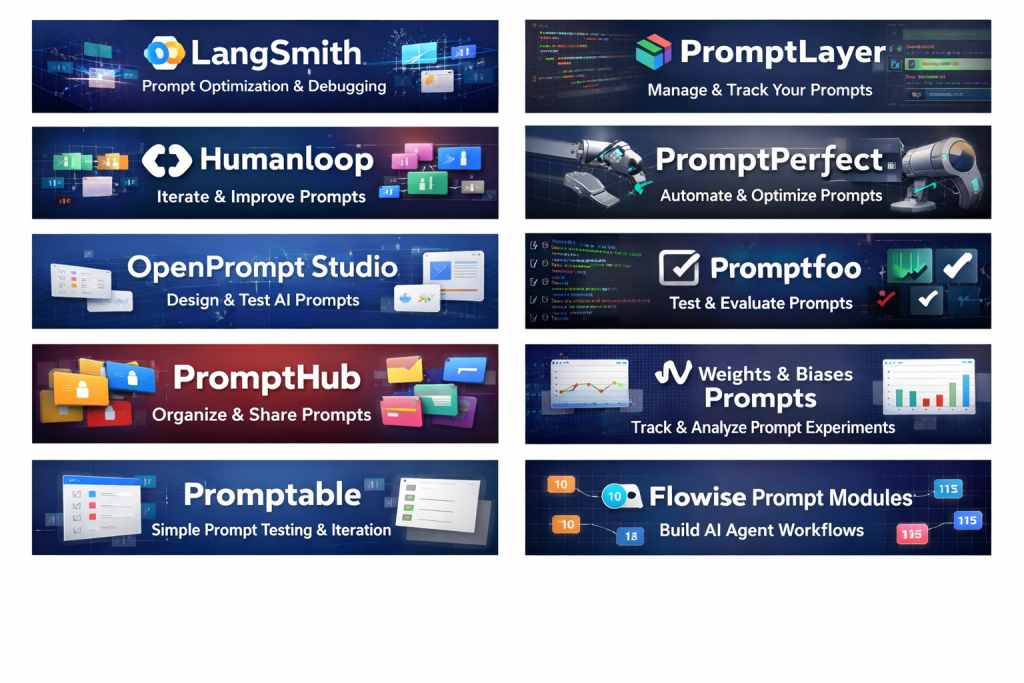
Top 10 Prompt Engineering Tools
1 — LangSmith
Short description:
LangSmith is an observability and prompt experimentation platform designed for teams building production-grade LLM applications. It focuses on debugging, evaluation, and prompt iteration at scale.
Key features:
- Prompt versioning and experiment tracking
- Prompt evaluation with datasets and metrics
- Model-agnostic prompt testing
- End-to-end tracing for LLM pipelines
- Collaboration and shared prompt libraries
- Integration with agent workflows
- Performance and cost monitoring
Pros:
- Excellent for production debugging and optimization
- Strong evaluation and experiment framework
- Scales well for teams and enterprises
Cons:
- Learning curve for non-technical users
- More engineering-focused than creative
- Advanced features may require setup time
Security & compliance:
SSO, encryption in transit and at rest, audit logs, enterprise security controls.
Support & community:
Strong documentation, active developer community, enterprise support available.
2— PromptLayer
Short description:
PromptLayer is a prompt management and tracking tool that helps teams version, analyze, and monitor prompts used in applications.
Key features:
- Prompt version control and history
- Request and response logging
- Model performance tracking
- Prompt tagging and organization
- Cost and usage analytics
- Easy SDK integration
- Team collaboration
Pros:
- Simple and clean prompt management
- Useful analytics for prompt optimization
- Lightweight and developer-friendly
Cons:
- Limited built-in evaluation metrics
- Less suitable for non-technical users
- UI can feel basic for large teams
Security & compliance:
Encryption, access controls, compliance varies by plan.
Support & community:
Good documentation, responsive support, growing user base.
3 — Humanloop
Short description:
Humanloop combines prompt engineering, evaluation, and human feedback into one collaborative platform.
Key features:
- Prompt versioning with experimentation
- Human-in-the-loop feedback
- Dataset-driven evaluations
- Model comparison and testing
- Collaboration tools
- Prompt templates
- Quality scoring
Pros:
- Strong focus on quality and evaluation
- Good balance between technical and non-technical users
- Ideal for iterative improvement
Cons:
- Pricing can be high for small teams
- UI may feel complex initially
- Fewer automation features than some competitors
Security & compliance:
SOC 2, GDPR, role-based access controls.
Support & community:
Detailed docs, onboarding support, enterprise assistance.
4 — PromptPerfect
Short description:
PromptPerfect is an automated prompt optimization tool that refines prompts for better accuracy and efficiency.
Key features:
- Automatic prompt rewriting
- Model-specific optimization
- Token usage reduction
- Prompt testing and comparison
- Simple user interface
- Multi-model support
Pros:
- Saves time for prompt optimization
- Easy for beginners
- Improves efficiency quickly
Cons:
- Limited control over optimization logic
- Not ideal for complex workflows
- Less collaboration support
Security & compliance:
Varies / N/A depending on usage mode.
Support & community:
Basic documentation, limited community presence.
5 — OpenPrompt Studio
Short description:
OpenPrompt Studio is a visual environment for designing, testing, and comparing prompts across models.
Key features:
- Visual prompt editor
- Side-by-side model comparison
- Prompt templates
- Version history
- Simple evaluation metrics
- Exportable prompts
- Team collaboration
Pros:
- Intuitive visual workflow
- Good for experimentation
- Beginner-friendly interface
Cons:
- Limited enterprise features
- Basic security controls
- Not ideal for large-scale production
Security & compliance:
Varies / N/A.
Support & community:
Community-driven support, basic documentation.
6 — Promptfoo
Short description:
Promptfoo is a testing and evaluation framework focused on automated prompt testing across models.
Key features:
- Prompt test suites
- Regression testing for prompts
- Multi-model comparisons
- CLI-based workflows
- CI/CD integration
- Custom metrics
- Open-source flexibility
Pros:
- Excellent for automated testing
- Fits well into DevOps workflows
- Transparent and customizable
Cons:
- CLI-centric, less friendly for non-developers
- Minimal UI
- Requires technical setup
Security & compliance:
Depends on deployment environment.
Support & community:
Strong open-source community, active contributors.
7 — PromptHub
Short description:
PromptHub is a prompt management and collaboration tool focused on organizing and sharing prompts.
Key features:
- Centralized prompt library
- Version control
- Prompt tagging
- Collaboration features
- Import/export options
- Team access management
Pros:
- Simple prompt organization
- Good for knowledge sharing
- Lightweight and easy to use
Cons:
- Limited analytics and evaluation
- Not optimized for production monitoring
- Basic feature set
Security & compliance:
Standard access controls, varies by plan.
Support & community:
Basic support, smaller community.
8 — Weights & Biases Prompts
Short description:
Weights & Biases Prompts extends ML experimentation into prompt engineering with robust tracking and evaluation.
Key features:
- Prompt experiment tracking
- Dataset-based evaluation
- Model comparison
- Visualization dashboards
- Integration with ML pipelines
- Collaboration tools
- Scalability for large teams
Pros:
- Enterprise-grade experimentation
- Excellent analytics and dashboards
- Strong ML ecosystem integration
Cons:
- Overkill for simple use cases
- Requires ML knowledge
- Setup complexity
Security & compliance:
SOC 2, GDPR, enterprise security controls.
Support & community:
Extensive documentation, strong enterprise support.
9 — Promptable
Short description:
Promptable focuses on prompt testing, iteration, and optimization with a simple UI.
Key features:
- Prompt versioning
- Multi-model testing
- Prompt scoring
- Easy experimentation
- Team collaboration
- Prompt templates
Pros:
- Easy to get started
- Clean UI
- Balanced feature set
Cons:
- Limited advanced analytics
- Smaller ecosystem
- Fewer integrations
Security & compliance:
Varies / N/A.
Support & community:
Decent documentation, small but growing community.
10 — Flowise Prompt Modules
Short description:
Flowise Prompt Modules integrate prompt engineering into visual AI workflow and agent builders.
Key features:
- Visual prompt blocks
- Agent-based workflows
- Prompt chaining
- Model-agnostic design
- Open-source flexibility
- API integrations
- Rapid prototyping
Pros:
- Great for AI agents and workflows
- Visual and intuitive
- Open-source adaptability
Cons:
- Less focused on prompt analytics
- Requires workflow understanding
- Limited enterprise governance
Security & compliance:
Depends on deployment.
Support & community:
Active open-source community, community support.
Comparison Table
| Tool Name | Best For | Platform(s) Supported | Standout Feature | Rating |
|---|---|---|---|---|
| LangSmith | Production LLM apps | Web, API | Prompt observability | N/A |
| PromptLayer | Prompt tracking | Web, SDK | Versioned prompts | N/A |
| Humanloop | Quality optimization | Web | Human feedback loops | N/A |
| PromptPerfect | Prompt optimization | Web | Automated refinement | N/A |
| OpenPrompt Studio | Visual experimentation | Web | Visual prompt design | N/A |
| Promptfoo | Automated testing | CLI | Prompt regression tests | N/A |
| PromptHub | Prompt libraries | Web | Team prompt sharing | N/A |
| Weights & Biases Prompts | Enterprise ML teams | Web | Experiment dashboards | N/A |
| Promptable | Iterative testing | Web | Simplicity | N/A |
| Flowise Prompt Modules | AI workflows | Web | Visual agent prompts | N/A |
Evaluation & Scoring of Prompt Engineering Tools
| Criteria | Weight | Avg Score |
|---|---|---|
| Core features | 25% | High |
| Ease of use | 15% | Medium |
| Integrations & ecosystem | 15% | Medium-High |
| Security & compliance | 10% | Medium |
| Performance & reliability | 10% | High |
| Support & community | 10% | Medium |
| Price / value | 15% | Medium |
Which Prompt Engineering Tool Is Right for You?
- Solo users: PromptPerfect, Promptable, OpenPrompt Studio
- SMBs: PromptLayer, Humanloop, PromptHub
- Mid-market teams: LangSmith, Promptfoo
- Enterprises: LangSmith, Humanloop, Weights & Biases
Budget-conscious: Open-source or lightweight tools
Premium solutions: Enterprise-grade observability platforms
Feature depth: LangSmith, W&B
Ease of use: PromptPerfect, Promptable
Security needs: Humanloop, LangSmith
Frequently Asked Questions (FAQs)
1. What is prompt engineering?
It is the practice of designing and optimizing prompts to guide AI models toward accurate and reliable outputs.
2. Do I need a prompt engineering tool?
If you deploy AI features in production, these tools improve quality, consistency, and scalability.
3. Are these tools model-specific?
Most are model-agnostic and support multiple LLM providers.
4. Can non-technical users use them?
Some tools are beginner-friendly, while others are engineering-focused.
5. Do they reduce hallucinations?
Yes, through structured testing, evaluation, and iteration.
6. Are prompt tools expensive?
Costs vary; some offer free tiers or open-source options.
7. Can prompts be version-controlled?
Yes, versioning is a core feature of most tools.
8. Are these tools secure?
Enterprise tools offer strong security; others depend on deployment.
9. Can I integrate them into CI/CD?
Yes, especially testing-focused tools.
10. What is a common mistake?
Relying on one prompt without testing or evaluation.
Conclusion
Prompt Engineering Tools play a critical role in building reliable, scalable, and high-quality AI systems. They bring structure, testing, collaboration, and observability to what was once an informal process. While some tools focus on optimization and experimentation, others emphasize production monitoring or human feedback.
The best tool depends on your goals, team size, technical depth, and security requirements. There is no universal winner—only the right fit for your specific use case. Choosing thoughtfully ensures better AI performance, lower costs, and a more trustworthy user experience.

Find Trusted Cardiac Hospitals
Compare heart hospitals by city and services — all in one place.
Explore Hospitals
This article provides a helpful and practical comparison of the top prompt engineering tools, outlining how they differ in terms of features, usability, integration, and overall capabilities. Understanding the strengths and limitations of each tool makes it easier for developers, AI practitioners, and teams to choose the right solution based on their workflow and goals. Highlighting aspects like ease of use, customization options, and performance gives readers a clear picture of what to expect from each platform. Overall, this is a valuable guide for anyone looking to enhance their prompt design process and get more consistent, high‑quality results from AI models.