
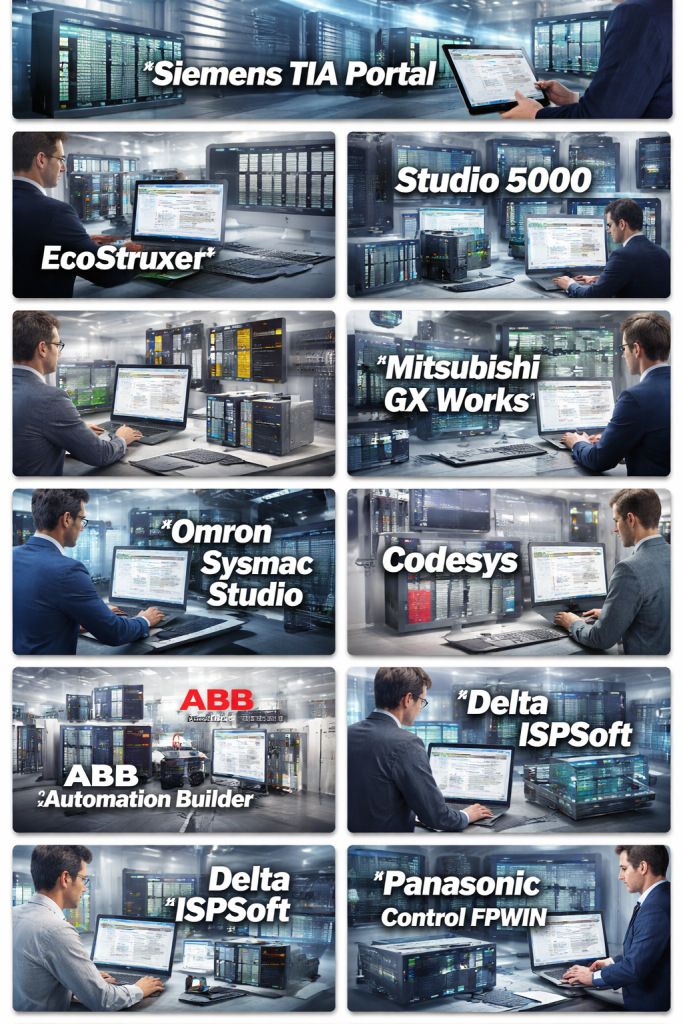
Introduction
Programmable Logic Controllers (PLCs) are the backbone of modern industrial automation. From manufacturing plants and power stations to water treatment facilities and smart factories, PLCs control critical processes that must run reliably, safely, and efficiently. PLC Programming Tools are specialized software environments used to design, write, test, debug, and maintain the logic that runs on these controllers.
These tools support standardized programming languages such as Ladder Logic, Function Block Diagram, Structured Text, and Instruction List, while also providing simulation, diagnostics, and hardware integration features. Choosing the right PLC programming tool directly impacts system reliability, development speed, maintenance costs, and long-term scalability.
In real-world use cases, PLC programming tools are essential for factory automation, process control, robotics integration, conveyor systems, packaging lines, energy management, and industrial safety systems. Engineers rely on them to minimize downtime, ensure compliance, and optimize operational performance.
When evaluating PLC programming tools, users should consider vendor compatibility, supported PLC models, programming languages, ease of use, debugging and simulation capabilities, security features, integration with SCADA and HMI systems, and long-term vendor support.
Best for:
PLC programming tools are ideal for automation engineers, control system integrators, industrial electricians, manufacturing companies, OEMs, system integrators, and industrial training institutes across industries such as automotive, pharmaceuticals, food and beverage, oil and gas, energy, and logistics.
Not ideal for:
These tools may not be necessary for pure software developers, small non-industrial businesses, or teams focused solely on IT automation without any interaction with industrial control systems. In such cases, general-purpose programming or IT automation tools may be more suitable.
Top 10 PLC Programming Tools
1 — Siemens TIA Portal
Short description:
A unified engineering framework designed for Siemens PLCs, HMIs, and drives, widely used in industrial automation and large-scale manufacturing environments.
Key features:
- Integrated PLC, HMI, and drive configuration
- Support for Ladder, FBD, Structured Text, and SCL
- Advanced diagnostics and online monitoring
- Built-in simulation and testing tools
- Hardware configuration and network setup
- Version control and project management
- Scalable for small to enterprise-grade systems
Pros:
- Deep integration with Siemens hardware ecosystem
- Powerful diagnostics and troubleshooting tools
- Industry-proven reliability
Cons:
- Steep learning curve for beginners
- High licensing and maintenance costs
- Hardware vendor lock-in
Security & compliance:
Supports role-based access, encryption, audit trails, and compliance with industrial security standards (Varies by configuration).
Support & community:
Extensive documentation, certified training programs, strong global user community, and enterprise-level vendor support.
2 — Rockwell Automation Studio 5000
Short description:
A comprehensive PLC programming environment tailored for Allen-Bradley controllers, commonly used in North American industrial facilities.
Key features:
- Ladder Logic and Structured Text support
- Integrated motion and safety programming
- Simulation and online debugging
- Tag-based programming model
- Seamless integration with Rockwell hardware
- Diagnostics and fault analysis tools
Pros:
- Robust and stable for mission-critical systems
- Excellent hardware-software integration
- Strong adoption in large enterprises
Cons:
- Expensive licensing
- Limited cross-vendor compatibility
- Interface may feel dated to new users
Security & compliance:
Supports industrial cybersecurity standards, user authentication, and audit logging (Varies by deployment).
Support & community:
Strong vendor support, certified partners, detailed manuals, and a large professional community.
3 — Schneider Electric EcoStruxure Control Expert
Short description:
A powerful PLC programming tool for Schneider Electric controllers, optimized for process automation and energy-intensive industries.
Key features:
- Multi-language IEC 61131-3 support
- Integrated safety and redundancy programming
- Advanced simulation and debugging
- Tight integration with SCADA and DCS systems
- Process-oriented libraries and templates
- Hardware diagnostics and monitoring
Pros:
- Strong for process and hybrid automation
- Excellent scalability
- Rich industrial libraries
Cons:
- Complex interface for beginners
- Licensing can be costly
- Best performance tied to Schneider hardware
Security & compliance:
Supports access control, secure communications, and industrial compliance frameworks.
Support & community:
Good documentation, professional training programs, and solid enterprise support.
4 — Beckhoff TwinCAT
Short description:
A PC-based PLC programming platform combining real-time control with standard IT technologies, popular in advanced automation and robotics.
Key features:
- Real-time PLC runtime on industrial PCs
- IEC 61131-3 language support
- Integration with motion control and robotics
- Simulation and debugging within the IDE
- Supports modern IT protocols
- Modular and scalable architecture
Pros:
- High performance and flexibility
- Strong integration with PC-based automation
- Ideal for complex motion control
Cons:
- Requires understanding of PC-based systems
- Hardware dependency on industrial PCs
- More complex setup than traditional PLCs
Security & compliance:
Supports secure communication and system-level security (Varies by deployment).
Support & community:
Active community, detailed documentation, and responsive vendor support.
5 — Mitsubishi GX Works
Short description:
A dedicated PLC programming environment for Mitsubishi controllers, commonly used in Asian manufacturing industries.
Key features:
- Ladder, FBD, and Structured Text support
- Integrated PLC and motion programming
- Built-in simulation and debugging
- Hardware configuration tools
- Fast execution and compact code generation
- Version management
Pros:
- Optimized for Mitsubishi hardware
- Fast and reliable execution
- Suitable for high-speed automation
Cons:
- Limited ecosystem outside Mitsubishi
- UI can feel outdated
- Smaller global community
Security & compliance:
Basic access control and security features (Varies by model).
Support & community:
Good vendor documentation and regional support, moderate global community.
6 — Omron Sysmac Studio
Short description:
An integrated automation software platform for Omron PLCs, motion, safety, and robotics.
Key features:
- Unified PLC, motion, safety, and robot programming
- IEC 61131-3 language support
- Simulation and offline testing
- Device and network configuration
- Diagnostics and maintenance tools
Pros:
- Unified engineering environment
- Strong motion and robotics integration
- Reliable industrial performance
Cons:
- Learning curve for multi-domain systems
- Best suited for Omron ecosystems
- Licensing costs may be high
Security & compliance:
Supports role-based access and industrial security standards.
Support & community:
Well-documented with professional training and vendor support.
7 — Codesys
Short description:
A vendor-independent PLC programming platform used by many hardware manufacturers worldwide.
Key features:
- Full IEC 61131-3 language support
- Hardware-agnostic architecture
- Integrated simulation and debugging
- Support for soft PLCs
- Modular add-ons and extensions
- Broad hardware compatibility
Pros:
- Vendor-neutral flexibility
- Large global user base
- Cost-effective compared to proprietary tools
Cons:
- Feature set varies by hardware vendor
- Advanced features may require add-ons
- UI varies across implementations
Security & compliance:
Varies by hardware and vendor implementation.
Support & community:
Strong community forums, documentation, and vendor-backed support options.
8 — ABB Automation Builder
Short description:
An engineering suite for ABB PLCs, combining control, safety, and motion programming.
Key features:
- IEC 61131-3 language support
- Integrated safety and control logic
- Simulation and diagnostics
- Hardware and network configuration
- Scalable system design
Pros:
- Strong reliability and industrial focus
- Good integration with ABB ecosystems
- Suitable for heavy industries
Cons:
- Less intuitive UI
- Limited third-party ecosystem
- Licensing complexity
Security & compliance:
Supports industrial cybersecurity and access control mechanisms.
Support & community:
Professional documentation and enterprise-level vendor support.
9 — Delta ISPSoft
Short description:
A PLC programming tool for Delta controllers, designed for cost-sensitive automation projects.
Key features:
- Ladder and Structured Text support
- PLC simulation and debugging
- Motion and communication configuration
- Lightweight and fast IDE
- Suitable for small to mid-scale systems
Pros:
- Affordable solution
- Easy to learn
- Good for entry-level automation
Cons:
- Limited advanced features
- Smaller ecosystem
- Less suited for complex systems
Security & compliance:
Basic security features (Varies by model).
Support & community:
Decent documentation and regional support, smaller community.
10 — Panasonic Control FPWIN
Short description:
A PLC programming environment tailored for Panasonic PLCs, commonly used in compact automation setups.
Key features:
- Ladder and Structured Text programming
- Simulation and debugging
- Compact hardware integration
- Simple project management
- Reliable execution for small systems
Pros:
- Simple and lightweight
- Good for compact automation
- Stable and efficient
Cons:
- Limited scalability
- Smaller global presence
- Fewer advanced features
Security & compliance:
Varies / N/A for advanced compliance features.
Support & community:
Basic documentation and regional vendor support.
Comparison Table
| Tool Name | Best For | Platform(s) Supported | Standout Feature | Rating |
|---|---|---|---|---|
| Siemens TIA Portal | Large-scale industrial automation | Windows | Unified PLC, HMI, Drive integration | N/A |
| Studio 5000 | Enterprise manufacturing | Windows | Tag-based programming | N/A |
| EcoStruxure Control Expert | Process automation | Windows | Process-oriented libraries | N/A |
| Beckhoff TwinCAT | PC-based automation | Windows | Real-time PC control | N/A |
| Mitsubishi GX Works | High-speed manufacturing | Windows | Fast execution | N/A |
| Omron Sysmac Studio | Motion and robotics | Windows | Unified automation control | N/A |
| Codesys | Multi-vendor PLCs | Windows, Embedded | Vendor neutrality | N/A |
| ABB Automation Builder | Heavy industries | Windows | Safety integration | N/A |
| Delta ISPSoft | Budget automation | Windows | Cost-effective PLC programming | N/A |
| Panasonic FPWIN | Compact systems | Windows | Lightweight design | N/A |
Evaluation & Scoring of PLC Programming Tools
| Criteria | Weight | Avg Score |
|---|---|---|
| Core features | 25% | High |
| Ease of use | 15% | Medium |
| Integrations & ecosystem | 15% | High |
| Security & compliance | 10% | Medium |
| Performance & reliability | 10% | High |
| Support & community | 10% | Medium |
| Price / value | 15% | Medium |
Which PLC Programming Tool Is Right for You?
- Solo users or students: Codesys, Delta ISPSoft, Panasonic FPWIN
- SMBs: Mitsubishi GX Works, Omron Sysmac Studio
- Mid-market manufacturers: Siemens TIA Portal, Schneider Control Expert
- Enterprises: Rockwell Studio 5000, Siemens TIA Portal, ABB Automation Builder
Budget-conscious teams may prefer vendor-neutral or entry-level tools, while enterprises benefit from premium ecosystems with deep hardware integration. Feature depth, scalability, and security requirements should guide final decisions.
Frequently Asked Questions (FAQs)
- What is a PLC programming tool?
It is software used to create and manage logic programs for PLCs controlling industrial processes. - Are PLC tools vendor-specific?
Many are vendor-specific, but some are vendor-neutral and support multiple PLC brands. - Do PLC tools support simulation?
Most modern tools offer simulation and offline testing. - Which PLC language is most common?
Ladder Logic is the most widely used. - Are these tools suitable for beginners?
Some tools are beginner-friendly, while others require industrial experience. - Can PLC tools integrate with SCADA?
Yes, most support SCADA and HMI integration. - Are PLC programming tools secure?
Security varies by tool and configuration. - Do I need licenses for PLC software?
Most commercial tools require paid licenses. - Can PLC programs be reused across vendors?
Limited reuse is possible using standardized languages. - What is the biggest mistake when choosing a PLC tool?
Ignoring long-term scalability and vendor support.
Conclusion
PLC programming tools play a critical role in industrial automation, directly affecting productivity, safety, and reliability. While some tools excel in enterprise-scale environments and others suit smaller projects, there is no single “best” solution for everyone. The right choice depends on industry needs, hardware compatibility, budget, team expertise, and long-term goals. By carefully evaluating features, usability, and support, organizations can select a PLC programming tool that delivers lasting value and operational excellence.

Find Trusted Cardiac Hospitals
Compare heart hospitals by city and services — all in one place.
Explore Hospitals