
Introduction
Access Control Management Software plays a critical role in modern security strategies by controlling who can access what, when, and under which conditions—both in physical and digital environments. These platforms act as a centralized system to manage identities, permissions, credentials, and access policies across offices, data centers, cloud systems, and connected devices.
In an era where organizations face rising security threats, insider risks, regulatory pressure, and hybrid work models, manual or fragmented access control methods are no longer sufficient. Access control software ensures secure authentication, authorization, auditing, and compliance, while also improving operational efficiency.
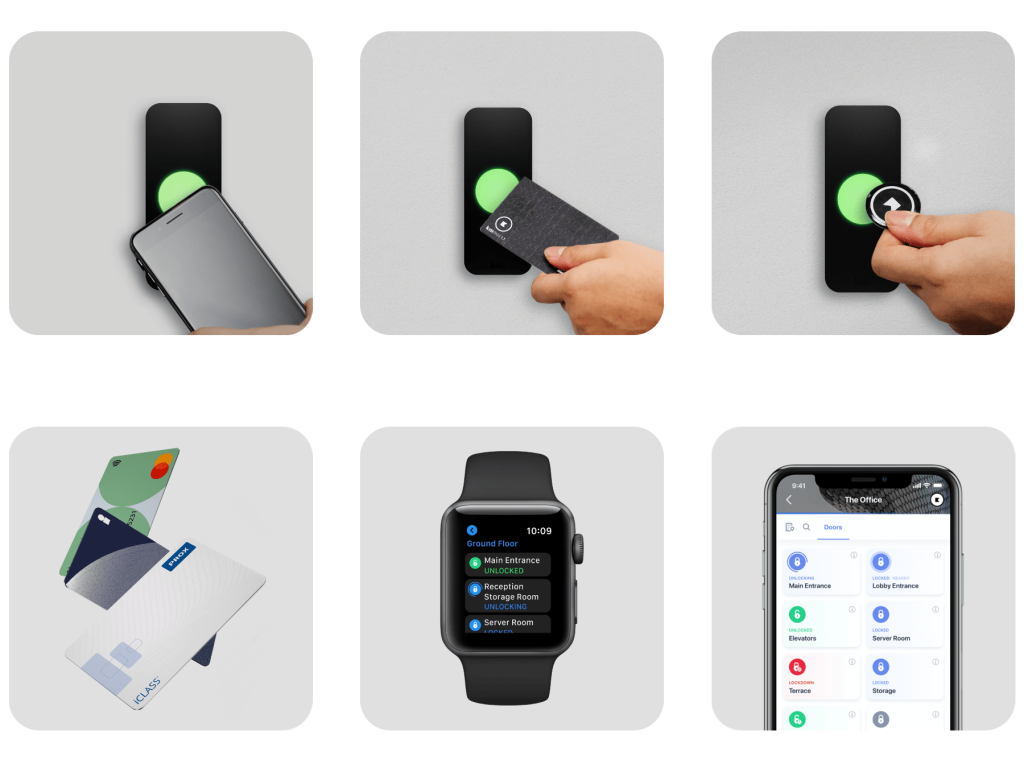
Real-world use cases include managing employee access to offices, restricting server rooms, controlling access to applications and databases, enabling temporary access for vendors, monitoring access logs for audits, and integrating biometric or mobile-based entry systems.
When choosing an access control management solution, users should evaluate:
- Scalability and flexibility
- Integration with existing systems
- Security standards and compliance
- Ease of administration
- Reliability and support
Best for
- Enterprises, SMBs, and regulated industries that need centralized, auditable access control
- IT administrators, security teams, and facility managers
- Industries such as healthcare, finance, manufacturing, education, government, and technology
Not ideal for
- Very small teams with no compliance or security complexity
- Temporary setups where manual access control is sufficient
- Organizations with no need for audit trails or centralized management
Top 10 Access Control Management Software Tools
1 — HID Global Access Control
Short description:
A robust enterprise-grade access control platform designed for large organizations requiring high security, scalability, and compliance across physical access points.
Key features
- Centralized credential management
- Support for smart cards, mobile credentials, and biometrics
- Real-time access monitoring and reporting
- Role-based access control (RBAC)
- Integration with video surveillance and alarms
- Cloud and on-premise deployment options
Pros
- Highly secure and reliable for large enterprises
- Extensive hardware compatibility
- Strong compliance support
Cons
- Higher cost compared to SMB solutions
- Requires technical expertise for setup
Security & compliance
Supports SSO, encryption, audit logs, ISO standards, and industry-specific compliance.
Support & community
Enterprise-level support, detailed documentation, certified partners, and professional onboarding.
2 — Kisi Access Control
Short description:
A modern, cloud-based access control solution focused on simplicity and mobile-first access management for offices and co-working spaces.
Key features
- Mobile and keycard access
- Cloud-based dashboard
- Real-time access logs
- Temporary and visitor access
- API and third-party integrations
- Remote access management
Pros
- Very easy to deploy and use
- Strong mobile experience
- Ideal for hybrid workplaces
Cons
- Limited advanced enterprise features
- Less suitable for high-security facilities
Security & compliance
Encryption, audit logs, GDPR-ready (varies by deployment).
Support & community
Good documentation, responsive customer support, growing user community.
3 — Brivo Access Control
Short description:
A scalable cloud-based access control platform suitable for multi-location businesses and property managers.
Key features
- Centralized cloud management
- Mobile credentials and keycards
- Multi-site administration
- Real-time alerts and logs
- Integration with video systems
- Role-based access policies
Pros
- Excellent for multi-location operations
- Cloud-first architecture
- Flexible integrations
Cons
- Subscription-based pricing
- Limited offline functionality
Security & compliance
SSO, encryption, audit logging, GDPR and SOC-aligned practices.
Support & community
Strong onboarding, training resources, and enterprise support.
4 — Genetec Synergis
Short description:
An enterprise physical access control system designed for high-security environments requiring deep customization and integration.
Key features
- Centralized access policy management
- Advanced analytics and reporting
- Integration with video and IoT systems
- High availability architecture
- Custom access workflows
- On-premise and hybrid deployment
Pros
- Extremely powerful and customizable
- Ideal for critical infrastructure
- Strong analytics
Cons
- Complex implementation
- Higher learning curve
Security & compliance
Advanced encryption, audit trails, ISO and industry compliance support.
Support & community
Professional services, certified integrators, enterprise support plans.
5 — Honeywell Pro-Watch
Short description:
A comprehensive access control solution built for enterprise and government-grade security requirements.
Key features
- Centralized access and credential management
- Biometric and smart card support
- Policy-driven access control
- Incident monitoring and reporting
- Integration with building management systems
Pros
- Highly secure and trusted brand
- Suitable for large-scale deployments
- Strong compliance capabilities
Cons
- Expensive for smaller organizations
- Requires dedicated administrators
Security & compliance
Supports encryption, audit logs, ISO, and regulatory compliance frameworks.
Support & community
Global enterprise support, training programs, and certified partners.
6 — Openpath Access Control
Short description:
A mobile-first access control platform designed for modern offices seeking frictionless, touchless access experiences.
Key features
- Smartphone-based entry
- Cloud-based management
- Touchless access technology
- Visitor and temporary access
- Real-time activity logs
- Integration with workplace tools
Pros
- Excellent user experience
- Fast deployment
- Modern interface
Cons
- Limited support for legacy hardware
- Less suitable for industrial environments
Security & compliance
Encryption, audit logs, GDPR-aligned security practices.
Support & community
Strong onboarding, responsive support, growing ecosystem.
7 — Paxton Net2
Short description:
A widely used access control system offering a balance of affordability, flexibility, and reliability.
Key features
- Centralized user and access management
- Smart card and PIN-based access
- Real-time monitoring
- Detailed reporting
- Simple installation
- On-premise and hybrid options
Pros
- Cost-effective
- Easy to manage
- Reliable for SMBs
Cons
- Limited cloud-native features
- UI feels dated
Security & compliance
Encryption and audit logs; compliance varies by deployment.
Support & community
Strong documentation, active installer network, community forums.
8 — LenelS2 OnGuard
Short description:
An enterprise access control platform built for complex environments requiring advanced security and compliance.
Key features
- Role-based access control
- Biometric integration
- Advanced reporting and analytics
- Multi-site management
- Integration with surveillance systems
Pros
- Enterprise-grade security
- Highly configurable
- Trusted by regulated industries
Cons
- Complex setup
- Higher cost
Security & compliance
Supports SSO, encryption, audit logs, and regulatory frameworks.
Support & community
Enterprise support, certified integrators, extensive documentation.
9 — Avigilon Access Control Manager
Short description:
A high-performance access control system optimized for seamless integration with video security and analytics.
Key features
- Centralized access management
- Video-integrated access events
- Real-time alerts
- Scalable architecture
- Advanced reporting
Pros
- Strong video-security integration
- High reliability
- Clean interface
Cons
- Best value when paired with Avigilon ecosystem
- Higher licensing costs
Security & compliance
Encryption, audit logs, enterprise compliance readiness.
Support & community
Professional support, training resources, certified partners.
10 — Salto KS
Short description:
A cloud-based access control solution ideal for hospitality, offices, and flexible workspaces.
Key features
- Keyless mobile access
- Cloud-based administration
- Visitor and temporary access
- Integration with property systems
- Real-time activity tracking
Pros
- Excellent for hospitality use cases
- Modern, intuitive interface
- Quick deployment
Cons
- Limited advanced enterprise features
- Internet dependency
Security & compliance
Encryption, audit logs, GDPR-ready (varies).
Support & community
Good documentation, partner ecosystem, responsive support.
Comparison Table
| Tool Name | Best For | Platform(s) Supported | Standout Feature | Rating |
|---|---|---|---|---|
| HID Global | Large enterprises | Web, On-prem, Cloud | Enterprise-grade security | N/A |
| Kisi | Modern offices | Cloud, Mobile | Mobile-first access | N/A |
| Brivo | Multi-location SMBs | Cloud | Centralized cloud control | N/A |
| Genetec Synergis | Critical infrastructure | On-prem, Hybrid | Deep customization | N/A |
| Honeywell Pro-Watch | Government & enterprise | On-prem | High-security compliance | N/A |
| Openpath | Smart offices | Cloud, Mobile | Touchless access | N/A |
| Paxton Net2 | SMBs | On-prem, Hybrid | Cost-effective | N/A |
| LenelS2 OnGuard | Regulated industries | On-prem | Advanced access policies | N/A |
| Avigilon ACM | Video-centric security | On-prem | Video integration | N/A |
| Salto KS | Hospitality & offices | Cloud | Keyless entry | N/A |
Evaluation & Scoring of Access Control Management Software
| Criteria | Weight | Score Explanation |
|---|---|---|
| Core features | 25% | Depth of access control, policies, logging |
| Ease of use | 15% | UI, setup, admin experience |
| Integrations & ecosystem | 15% | Compatibility with other systems |
| Security & compliance | 10% | Standards, encryption, audits |
| Performance & reliability | 10% | Uptime, scalability |
| Support & community | 10% | Documentation, support quality |
| Price / value | 15% | Cost vs features |
Which Access Control Management Software Tool Is Right for You?
Solo users & small teams:
Lightweight, cloud-based tools with minimal setup and lower costs.
SMBs:
Scalable cloud platforms offering mobile access, integrations, and simple administration.
Mid-market organizations:
Solutions that balance advanced features, compliance, and manageable complexity.
Enterprises:
Highly secure, customizable platforms with audit trails, integrations, and regulatory support.
Budget-conscious buyers:
Look for subscription-based or hybrid solutions with essential features.
Premium solutions:
Ideal for high-security environments and compliance-heavy industries.
Frequently Asked Questions (FAQs)
1. What is access control management software?
It is software that manages and enforces rules about who can access physical or digital resources.
2. Is access control only for physical doors?
No, it also applies to systems, applications, networks, and data.
3. Cloud vs on-premise: which is better?
Cloud offers flexibility and ease, while on-premise provides more control and customization.
4. How long does implementation take?
From a few hours for cloud systems to several weeks for enterprise deployments.
5. Is biometric access secure?
Yes, when combined with encryption and proper data protection.
6. Can access be revoked instantly?
Yes, centralized systems allow immediate access revocation.
7. Are these tools compliant with regulations?
Most enterprise tools support major compliance standards.
8. What industries need access control the most?
Healthcare, finance, government, education, and manufacturing.
9. Can these tools scale with business growth?
Yes, most modern platforms are designed to scale.
10. What is the biggest mistake buyers make?
Choosing based on price alone without evaluating security and scalability.
Conclusion
Access Control Management Software is no longer optional—it is a core security and operational requirement for modern organizations. From protecting physical spaces to safeguarding digital assets, the right solution ensures safety, compliance, and efficiency.
When choosing a tool, focus on security, scalability, usability, and long-term value, not just features or price. There is no universal best option—the best software is the one that aligns with your organization’s size, risk profile, and operational needs.

Find Trusted Cardiac Hospitals
Compare heart hospitals by city and services — all in one place.
Explore Hospitals
Great breakdown of leading access control management solutions! This article clearly highlights key features, pros, and potential limitations, making it much easier for security professionals and facility managers to evaluate which software best fits their needs — whether it’s biometric support, centralized policy management, or integration flexibility. A practical, well‑organized resource for anyone looking to strengthen physical and digital access security with the right technology.