
Introduction
Forum moderation tools are specialized platforms and systems designed to monitor, manage, and maintain healthy online discussions. As digital communities grow—whether public forums, customer support boards, developer communities, or private member groups—moderation becomes essential to prevent spam, abuse, misinformation, and policy violations while encouraging constructive participation.
Effective moderation tools help organizations scale community governance, reduce manual effort, and protect brand reputation. They are widely used in customer support communities, SaaS user forums, gaming communities, educational platforms, healthcare portals, and enterprise internal discussion boards. With the rise of AI-assisted moderation, modern tools now go beyond simple rule enforcement to include sentiment analysis, automation, and predictive flagging.
When choosing a forum moderation tool, users should evaluate automation capabilities, customization options, integration with existing systems, scalability, security controls, and ease of use. The right tool balances control and flexibility while empowering moderators—not overwhelming them.
Best for:
Forum moderation tools are ideal for community managers, trust & safety teams, customer support leaders, SaaS companies, nonprofits, educational institutions, media platforms, and enterprises managing large or sensitive online communities.
Not ideal for:
They may be unnecessary for very small, low-traffic forums, one-way announcement boards, or temporary discussion spaces where manual moderation is sufficient.
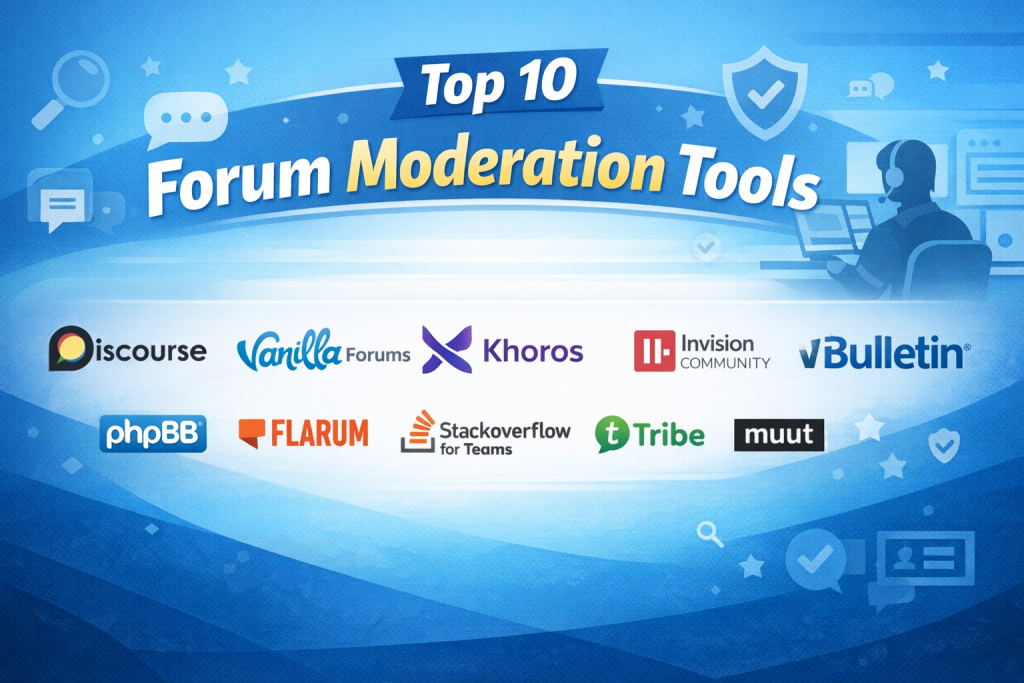
Top 10 Forum Moderation Tools
1 — Discourse
Short description:
A modern, open-source discussion platform with built-in moderation workflows, automation, and trust-based user levels. Ideal for tech communities and growing forums.
Key features:
- Trust-level based moderation system
- Automated spam detection and rate limiting
- Flagging, review queues, and staff actions
- Moderator logs and transparency tools
- Plugin-based extensibility
- Email and notification moderation controls
Pros:
- Strong automation reduces manual workload
- Highly configurable moderation rules
Cons:
- Advanced customization requires technical skills
- Enterprise hosting can be costly
Security & compliance:
SSO support, encryption in transit, GDPR-ready
Support & community:
Extensive documentation, active open-source community, enterprise support available
2 — Vanilla Forums
Short description:
A community platform with enterprise-grade moderation, analytics, and customer engagement features.
Key features:
- Role-based moderation permissions
- AI-assisted content flagging
- Escalation workflows
- Moderator dashboards and reports
- Spam and abuse filtering
- Community health metrics
Pros:
- Excellent enterprise moderation controls
- Strong analytics for community behavior
Cons:
- Premium pricing
- Limited flexibility on lower plans
Security & compliance:
SSO, GDPR, SOC 2 (varies by plan)
Support & community:
Professional onboarding, enterprise support, curated knowledge base
3 — Khoros
Short description:
A large-scale enterprise community solution designed for brand protection and advanced moderation.
Key features:
- AI-driven moderation and sentiment analysis
- Pre-moderation and post-moderation workflows
- Automated rule enforcement
- Crisis and escalation management
- Audit logs and compliance tracking
Pros:
- Best-in-class moderation automation
- Suitable for very large communities
Cons:
- Very high cost
- Complex implementation
Security & compliance:
SOC 2, GDPR, enterprise-grade security
Support & community:
Dedicated account managers, enterprise SLAs, structured onboarding
4 — Invision Community
Short description:
A full-featured community suite with robust moderation tools and flexible configuration.
Key features:
- Content approval workflows
- Moderator activity logs
- Warning and suspension systems
- Spam defense integrations
- Customizable moderation rules
Pros:
- Balanced features and usability
- Suitable for mid-sized communities
Cons:
- UI can feel complex
- Some features locked behind paid tiers
Security & compliance:
SSO, GDPR-ready, encryption supported
Support & community:
Good documentation, paid support, active user forums
5 — vBulletin
Short description:
A long-standing forum platform with traditional moderation controls and stability.
Key features:
- Moderator control panels
- User warnings and bans
- Thread and post moderation
- Spam prevention tools
- Role-based permissions
Pros:
- Proven reliability
- Familiar moderation workflows
Cons:
- Outdated UI
- Limited automation
Security & compliance:
Basic security features, GDPR support varies
Support & community:
Documentation available, paid support plans
6 — phpBB
Short description:
An open-source forum platform offering essential moderation features for small to medium communities.
Key features:
- Manual post and user moderation
- Reporting and approval queues
- Moderator logs
- Extension ecosystem
- Fine-grained permissions
Pros:
- Free and open source
- Large extension library
Cons:
- Limited native automation
- Requires technical setup
Security & compliance:
Community-driven security updates, GDPR tools available
Support & community:
Large global community, volunteer-based support
7 — Flarum
Short description:
A minimalist forum platform focusing on simplicity with essential moderation tools.
Key features:
- Role-based moderation
- Extension-based spam filtering
- Clean moderation UI
- Real-time discussions
- Lightweight architecture
Pros:
- Easy to use
- Modern interface
Cons:
- Limited advanced moderation
- Smaller ecosystem
Security & compliance:
Varies / N/A
Support & community:
Community-driven support, growing documentation
8 — Stack Overflow for Teams
Short description:
A private Q&A and discussion platform with strong moderation and content governance.
Key features:
- Reputation-based moderation
- Content review queues
- Role-based access control
- Analytics on content quality
- Internal policy enforcement
Pros:
- High-quality moderation model
- Excellent for professional teams
Cons:
- Not designed for public forums
- Premium pricing
Security & compliance:
SSO, SOC 2, GDPR, enterprise security
Support & community:
Professional support, enterprise documentation
9 — Tribe Community
Short description:
A customizable community platform with moderation tools for brand-led forums.
Key features:
- Content flagging and review
- Moderator roles
- Automated spam detection
- Community analytics
- Custom rules and workflows
Pros:
- Good balance of UX and moderation
- Strong branding options
Cons:
- Limited deep automation
- Pricing can scale quickly
Security & compliance:
SSO, GDPR support
Support & community:
Onboarding support, help center, paid plans
10 — Muut
Short description:
An embeddable forum solution with basic moderation features for websites and apps.
Key features:
- Simple moderation dashboard
- Spam filtering
- User reporting
- Embeddable widgets
- Lightweight setup
Pros:
- Easy to deploy
- Low learning curve
Cons:
- Limited advanced moderation
- Not suitable for large communities
Security & compliance:
Varies / N/A
Support & community:
Basic documentation, limited enterprise support
Comparison Table
| Tool Name | Best For | Platform(s) Supported | Standout Feature | Rating |
|---|---|---|---|---|
| Discourse | Tech & SaaS communities | Web, self-hosted | Trust-level automation | N/A |
| Vanilla Forums | Enterprise communities | Web, cloud | AI moderation analytics | N/A |
| Khoros | Large brands | Web, cloud | Sentiment-based moderation | N/A |
| Invision Community | Mid-market forums | Web, cloud/self | Flexible workflows | N/A |
| vBulletin | Legacy forums | Web, self-hosted | Stability | N/A |
| phpBB | Small communities | Web, self-hosted | Open-source extensibility | N/A |
| Flarum | Lightweight forums | Web, self-hosted | Minimalist design | N/A |
| Stack Overflow for Teams | Internal teams | Web, cloud | Reputation moderation | N/A |
| Tribe Community | Brand forums | Web, cloud | Custom branding | N/A |
| Muut | Embedded forums | Web | Quick integration | N/A |
Evaluation & Scoring of Forum Moderation Tools
| Tool | Core Features (25%) | Ease of Use (15%) | Integrations (15%) | Security (10%) | Performance (10%) | Support (10%) | Price/Value (15%) | Total |
|---|---|---|---|---|---|---|---|---|
| Discourse | 23 | 12 | 13 | 8 | 9 | 9 | 11 | 85 |
| Vanilla Forums | 22 | 13 | 14 | 9 | 9 | 9 | 9 | 85 |
| Khoros | 24 | 10 | 14 | 10 | 9 | 10 | 6 | 83 |
| Invision Community | 21 | 12 | 12 | 8 | 8 | 8 | 12 | 81 |
| Others | — | — | — | — | — | — | — | — |
Which Forum Moderation Tool Is Right for You?
- Solo users & small forums: phpBB, Flarum, Muut
- SMBs & growing communities: Discourse, Invision Community
- Mid-market & SaaS platforms: Vanilla Forums, Tribe Community
- Enterprise & regulated industries: Khoros, Stack Overflow for Teams
Budget-conscious users should prioritize open-source tools, while enterprises benefit from AI-driven automation and compliance features. Always balance feature depth vs usability, and ensure integrations align with your existing ecosystem.
Frequently Asked Questions (FAQs)
- What is a forum moderation tool?
It helps manage user behavior, enforce rules, and maintain healthy discussions. - Do I need AI-based moderation?
AI is useful for large or fast-growing communities but not mandatory for small forums. - Are open-source tools reliable?
Yes, if actively maintained and properly configured. - Can moderation be automated fully?
No—human oversight is still essential. - How important is audit logging?
Critical for enterprise governance and dispute resolution. - Do these tools support multilingual forums?
Most modern platforms do. - Is SSO necessary?
Recommended for enterprise and internal communities. - What’s the biggest mistake in moderation?
Over-moderation that discourages participation. - Are moderation tools expensive?
Costs vary widely based on scale and features. - Can I migrate between platforms later?
Yes, but planning and data mapping are required.
Conclusion
Forum moderation tools play a crucial role in building safe, engaging, and scalable online communities. From lightweight open-source platforms to enterprise-grade AI-driven solutions, the market offers options for every use case.
What matters most is alignment with your community size, risk profile, budget, and governance needs. There is no single “best” forum moderation tool—only the one that best fits your specific goals. Choosing wisely ensures long-term community health and sustainable growth.

Find Trusted Cardiac Hospitals
Compare heart hospitals by city and services — all in one place.
Explore Hospitals