
Introduction
Team Messaging Apps are digital collaboration tools designed to help teams communicate in real time through chat, channels, threads, file sharing, voice, and video. Unlike traditional email, these apps enable fast, contextual, and transparent communication, making them essential for modern workplaces where speed and clarity matter.
In today’s remote-first and hybrid work environments, team messaging tools act as the central nervous system of daily operations. From quick status updates and brainstorming ideas to incident response and cross-department coordination, these platforms keep everyone aligned without endless meetings or email chains.
Real-world use cases include:
- Daily team communication and async collaboration
- Project coordination and task discussions
- Incident management and DevOps alerts
- Sales, support, and customer-facing coordination
- Remote and distributed workforce communication
When choosing a Team Messaging App, users should evaluate ease of use, reliability, integrations, security, scalability, and cost. The right tool should fit naturally into daily workflows while meeting organizational compliance and performance needs.
Best for:
Team Messaging Apps are ideal for startups, SMBs, enterprises, remote teams, product teams, engineering groups, customer support teams, marketing agencies, and fast-growing organizations that rely on frequent collaboration.
Not ideal for:
They may be less useful for solo professionals, very small teams with minimal collaboration needs, or organizations that rely entirely on formal documentation and email-based workflows.
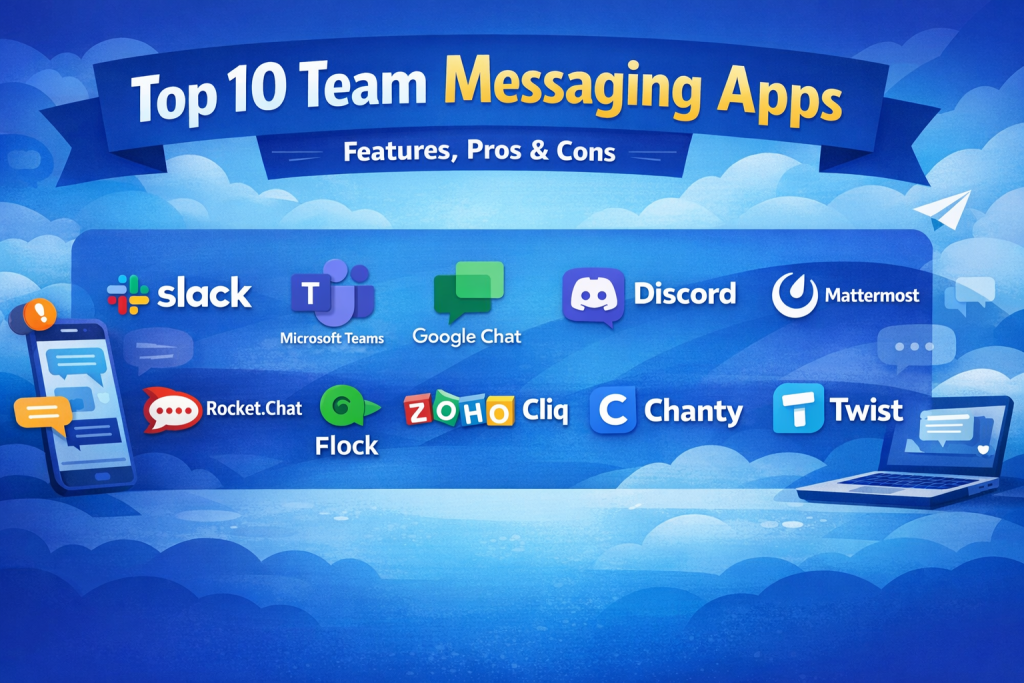
Top 10 Team Messaging Apps Tools
1 — Slack
Short description:
Slack is a channel-based messaging platform built for fast-moving teams that need organized conversations, integrations, and automation.
Key features:
- Channels for team-based discussions
- Direct messages and group chats
- App integrations and workflow automation
- File sharing and searchable history
- Voice and video huddles
- Threaded conversations
Pros:
- Extremely intuitive and user-friendly
- Massive integration ecosystem
Cons:
- Can become noisy without governance
- Higher cost at scale
Security & compliance:
SSO, encryption in transit and at rest, SOC 2, ISO, GDPR
Support & community:
Extensive documentation, large global community, strong enterprise support
2 — Microsoft Teams
Short description:
Microsoft Teams combines messaging, meetings, and file collaboration within the Microsoft 365 ecosystem.
Key features:
- Team and channel-based chat
- Deep Microsoft 365 integration
- Built-in video meetings
- File collaboration with SharePoint
- Enterprise identity management
- Guest access
Pros:
- Excellent for Microsoft-centric organizations
- Strong security and compliance
Cons:
- Interface can feel complex
- Best experience requires Microsoft ecosystem
Security & compliance:
SSO, encryption, GDPR, ISO, SOC, HIPAA support
Support & community:
Enterprise-grade support, extensive documentation, large user base
3 — Google Chat
Short description:
Google Chat is a lightweight team messaging tool designed for organizations using Google Workspace.
Key features:
- Spaces for team collaboration
- Direct and group messaging
- Google Drive file sharing
- Smart suggestions
- Integrated with Gmail
- Simple search
Pros:
- Clean and simple interface
- Seamless Google Workspace integration
Cons:
- Limited advanced features
- Smaller integration ecosystem
Security & compliance:
Encryption, SSO, GDPR, ISO certifications
Support & community:
Good documentation, Workspace support channels
4 — Discord
Short description:
Originally built for communities, Discord is increasingly used by teams needing persistent voice and chat communication.
Key features:
- Text, voice, and video channels
- Role-based access control
- Screen sharing
- Bots and automation
- Cross-platform support
Pros:
- Excellent voice quality
- Highly customizable
Cons:
- Not enterprise-focused
- Limited compliance tooling
Security & compliance:
Basic encryption, limited enterprise compliance
Support & community:
Massive community, moderate documentation
5 — Mattermost
Short description:
Mattermost is an open-source, self-hosted messaging platform built for technical and regulated teams.
Key features:
- Self-hosted deployment
- Channel-based messaging
- DevOps and CI/CD integrations
- Advanced permissions
- Custom workflows
- Audit logs
Pros:
- Full data control
- Strong for DevOps teams
Cons:
- Requires technical setup
- UI less polished
Security & compliance:
SSO, encryption, audit logs, GDPR, ISO (deployment-dependent)
Support & community:
Strong open-source community, enterprise support available
6 — Rocket.Chat
Short description:
Rocket.Chat is an open-source communication platform focused on privacy and on-premise deployment.
Key features:
- Omnichannel messaging
- Self-hosted or cloud
- Role-based permissions
- Integrations and bots
- File sharing
- Federation support
Pros:
- Highly customizable
- Strong privacy controls
Cons:
- Requires admin expertise
- Performance depends on hosting
Security & compliance:
SSO, encryption, GDPR, HIPAA-ready deployments
Support & community:
Active open-source community, enterprise plans available
7 — Flock
Short description:
Flock is a team messaging app focused on small to mid-sized businesses seeking simplicity.
Key features:
- Team channels and DMs
- Built-in productivity tools
- File sharing
- Video calls
- Searchable messages
Pros:
- Simple and affordable
- Easy onboarding
Cons:
- Limited scalability
- Smaller ecosystem
Security & compliance:
Encryption, basic compliance features
Support & community:
Decent documentation, SMB-focused support
8 — Zoho Cliq
Short description:
Zoho Cliq is a business messaging platform designed to integrate tightly with the Zoho ecosystem.
Key features:
- Channels and DMs
- Built-in automation
- File sharing
- Audio and video calls
- Custom bots
Pros:
- Excellent value for Zoho users
- Automation capabilities
Cons:
- Best within Zoho suite
- UI less modern
Security & compliance:
SSO, encryption, GDPR, ISO standards
Support & community:
Good documentation, responsive business support
9 — Chanty
Short description:
Chanty is a simple team chat tool focused on clarity and productivity.
Key features:
- Task-based conversations
- File sharing
- Voice and video calls
- Message history
- Simple UI
Pros:
- Very easy to use
- Affordable pricing
Cons:
- Limited advanced features
- Smaller integration set
Security & compliance:
Basic encryption, standard security
Support & community:
Helpful onboarding, small but responsive support team
10 — Twist
Short description:
Twist is a team communication tool designed for asynchronous, distraction-free collaboration.
Key features:
- Thread-based discussions
- Async-first design
- Clear conversation structure
- File sharing
- Searchable archives
Pros:
- Reduces interruptions
- Great for remote teams
Cons:
- Not ideal for real-time chat
- Limited integrations
Security & compliance:
Encryption, GDPR compliance
Support & community:
Good documentation, smaller user community
Comparison Table
| Tool Name | Best For | Platform(s) Supported | Standout Feature | Rating |
|---|---|---|---|---|
| Slack | Fast-moving teams | Web, Desktop, Mobile | Integrations | N/A |
| Microsoft Teams | Enterprises | Web, Desktop, Mobile | Microsoft 365 integration | N/A |
| Google Chat | Google Workspace users | Web, Mobile | Simplicity | N/A |
| Discord | Communities & dev teams | Web, Desktop, Mobile | Voice channels | N/A |
| Mattermost | Regulated teams | Web, Desktop, Mobile | Self-hosting | N/A |
| Rocket.Chat | Privacy-focused orgs | Web, Desktop, Mobile | Data control | N/A |
| Flock | SMBs | Web, Desktop, Mobile | Ease of use | N/A |
| Zoho Cliq | Zoho users | Web, Desktop, Mobile | Automation | N/A |
| Chanty | Small teams | Web, Desktop, Mobile | Task-centric chat | N/A |
| Twist | Async teams | Web, Desktop, Mobile | Threaded focus | N/A |
Evaluation & Scoring of Team Messaging Apps
| Criteria | Weight |
|---|---|
| Core features | 25% |
| Ease of use | 15% |
| Integrations & ecosystem | 15% |
| Security & compliance | 10% |
| Performance & reliability | 10% |
| Support & community | 10% |
| Price / value | 15% |
Which Team Messaging Apps Tool Is Right for You?
- Solo users: Lightweight tools or email may suffice
- SMBs: Flock, Chanty, Zoho Cliq offer affordability
- Mid-market: Slack, Google Chat balance features and ease
- Enterprise: Microsoft Teams, Mattermost excel in compliance
Budget-conscious teams should prioritize simplicity and value, while premium users may invest in deep integrations and governance.
Choose feature depth if workflows are complex, or ease of use if adoption speed matters.
Highly regulated industries must prioritize security, audit logs, and deployment control.
Frequently Asked Questions (FAQs)
1. Are team messaging apps better than email?
Yes, for real-time collaboration and quick discussions, they are far more efficient.
2. Can these tools replace meetings?
They reduce meetings but don’t eliminate them entirely.
3. Are free plans sufficient?
Free plans work for small teams but have limits.
4. Which app is best for remote teams?
Async-friendly tools like Twist work well.
5. Do these tools support file sharing?
Yes, all major platforms include file sharing.
6. Are they secure for business use?
Most enterprise tools offer strong security features.
7. Can I self-host a messaging app?
Yes, tools like Mattermost and Rocket.Chat allow this.
8. How hard is migration?
Most tools provide import and onboarding guides.
9. Do these apps integrate with project tools?
Yes, integration ecosystems vary by platform.
10. What’s the biggest mistake teams make?
Choosing tools without considering workflow fit.
Conclusion
Team Messaging Apps have become essential infrastructure for modern collaboration. They improve speed, transparency, and alignment across teams of all sizes. However, no single tool is universally best.
The right choice depends on team size, workflow complexity, security requirements, and budget. By focusing on what truly matters for your organization, you can select a messaging platform that enhances productivity rather than adding noise.
In the end, the best Team Messaging App is the one your team actually enjoys using—securely, consistently, and effectively.

Find Trusted Cardiac Hospitals
Compare heart hospitals by city and services — all in one place.
Explore Hospitals