
Introduction
Geographic Information Systems (GIS) are powerful platforms that help organizations capture, store, analyze, visualize, and interpret spatial and geographic data. By linking data to locations on the earth’s surface, GIS enables users to uncover patterns, relationships, and trends that are impossible to see in spreadsheets or static charts.
Today, GIS plays a critical role in decision-making across industries. Governments rely on GIS for urban planning and land management, utilities use it to manage infrastructure networks, public health agencies track disease spread, logistics companies optimize routes, and environmental scientists monitor climate and ecosystems. With the rise of smart cities, IoT, satellite imagery, and big data, GIS has evolved from a niche mapping tool into a core enterprise intelligence platform.
When choosing a GIS tool, users should evaluate:
- Core mapping and spatial analysis capabilities
- Data integration and interoperability
- Ease of use vs analytical depth
- Performance with large datasets
- Security, compliance, and governance
- Support, community, and long-term scalability
Best for:
Urban planners, government agencies, infrastructure and utilities teams, environmental scientists, logistics providers, public health organizations, researchers, and enterprises working with location-based data.
Not ideal for:
Teams with no spatial data needs, very simple visualization-only use cases, or organizations seeking lightweight charting tools rather than full geospatial analysis platforms.
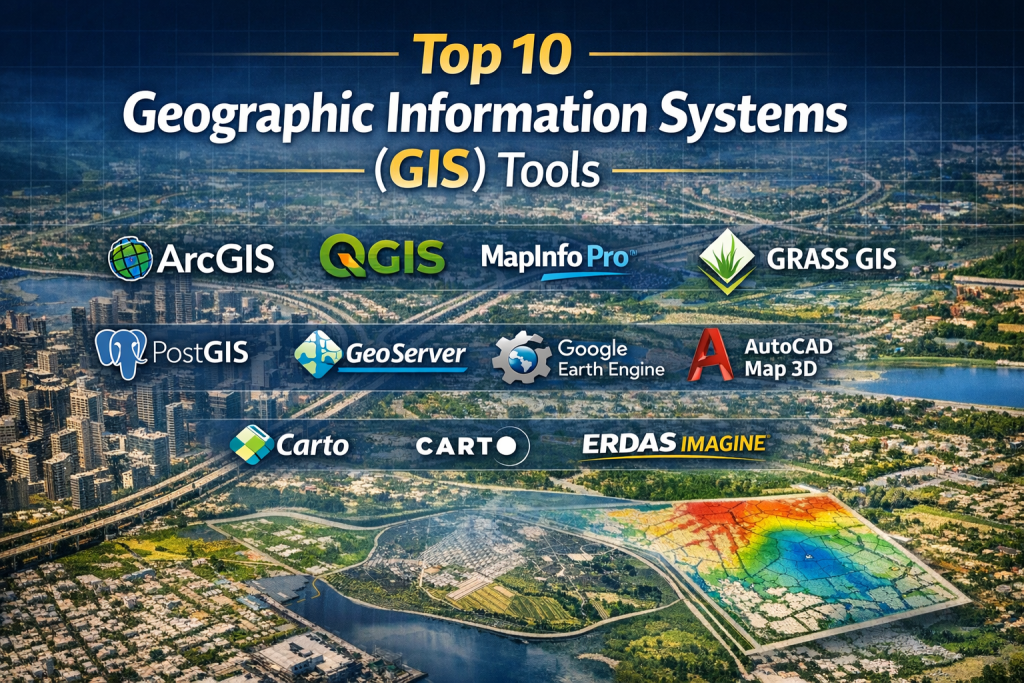
Top 10 Geographic Information Systems (GIS) Tools
1 — ArcGIS
Short description:
A comprehensive, enterprise-grade GIS platform widely regarded as the industry standard. Designed for governments, large enterprises, and professional GIS teams.
Key features:
- Advanced spatial analysis and geoprocessing
- 2D and 3D mapping and visualization
- Real-time GIS and IoT data support
- Extensive data formats and integrations
- Enterprise geodatabases and versioning
- Web GIS and mobile field apps
- Strong cartographic tools
Pros:
- Extremely powerful and feature-rich
- Trusted and proven across industries
Cons:
- High licensing costs
- Steeper learning curve for beginners
Security & compliance:
Enterprise SSO, role-based access, encryption, audit logs, GDPR-aligned controls (deployment-dependent).
Support & community:
Excellent documentation, professional training, large global community, strong enterprise support.
2 — QGIS
Short description:
A free, open-source GIS platform offering professional-grade capabilities for analysts, researchers, and organizations seeking flexibility without licensing costs.
Key features:
- Desktop GIS with advanced analysis tools
- Plugin-based extensibility
- Supports numerous geospatial formats
- Python scripting and automation
- Cartographic map design
- Integration with spatial databases
- Strong community-driven innovation
Pros:
- Completely free and open source
- Highly customizable
Cons:
- No official enterprise SLA
- UI consistency depends on plugins
Security & compliance:
Varies / deployment-dependent.
Support & community:
Very active global community, extensive tutorials, forums, and third-party support providers.
3 — MapInfo Pro
Short description:
A professional desktop GIS focused on business mapping, spatial analytics, and location intelligence.
Key features:
- Desktop-based spatial analysis
- Thematic and business mapping
- Data visualization and reporting
- Strong geocoding capabilities
- Integration with enterprise data sources
- SQL-based spatial querying
Pros:
- Strong business analytics focus
- Reliable desktop performance
Cons:
- Smaller ecosystem than leading platforms
- Limited cloud-native features
Security & compliance:
Enterprise authentication, role-based access (varies by deployment).
Support & community:
Professional vendor support, structured documentation, moderate community size.
4 — GRASS GIS
Short description:
An advanced open-source GIS specialized in raster processing, geospatial modeling, and scientific analysis.
Key features:
- High-performance raster and vector analysis
- Terrain and hydrological modeling
- Image processing and remote sensing
- Command-line and scripting support
- Strong mathematical and statistical tools
- Integration with other GIS platforms
Pros:
- Exceptional analytical depth
- Ideal for scientific research
Cons:
- Steep learning curve
- Less intuitive UI
Security & compliance:
Varies / N/A.
Support & community:
Strong academic and research community, technical documentation.
5 — PostGIS
Short description:
A spatial database extension for PostgreSQL that enables advanced geospatial storage and querying at scale.
Key features:
- Spatial indexing and querying
- Supports vector and raster data
- SQL-based spatial operations
- Highly scalable for large datasets
- Integration with GIS frontends
- Strong performance and reliability
Pros:
- Excellent scalability
- Open-source and cost-effective
Cons:
- Requires database expertise
- No built-in visualization
Security & compliance:
Inherits PostgreSQL security, encryption, role-based access.
Support & community:
Large open-source community, strong enterprise usage.
6 — GeoServer
Short description:
An open-source GIS server for sharing and publishing geospatial data through standard web services.
Key features:
- OGC-compliant services (WMS, WFS, WCS)
- Supports multiple data formats
- Web-based data publishing
- Styling and symbology support
- Integration with GIS clients
- Scalable server architecture
Pros:
- Excellent interoperability
- Open standards-based
Cons:
- Requires server administration skills
- UI is basic
Security & compliance:
Authentication, authorization, HTTPS support (deployment-dependent).
Support & community:
Active open-source community, commercial support options available.
7 — Google Earth Engine
Short description:
A cloud-based geospatial analysis platform focused on planetary-scale environmental and satellite data analysis.
Key features:
- Massive satellite imagery catalog
- Cloud-scale processing
- JavaScript and Python APIs
- Environmental and climate analysis
- Time-series geospatial analytics
- Visualization tools
Pros:
- Unmatched global datasets
- No infrastructure management
Cons:
- Limited enterprise customization
- Internet dependency
Security & compliance:
Cloud-based security controls, access-managed datasets.
Support & community:
Strong research community, extensive tutorials and examples.
8 — AutoCAD Map 3D
Short description:
A GIS-enabled CAD solution designed for infrastructure, utilities, and engineering workflows.
Key features:
- GIS-CAD integration
- Infrastructure mapping
- Data management and editing
- Topology tools
- Enterprise data connectivity
- Engineering-focused workflows
Pros:
- Seamless CAD-GIS bridge
- Ideal for engineering teams
Cons:
- Limited advanced spatial analytics
- Higher licensing costs
Security & compliance:
Enterprise access controls, vendor-managed security.
Support & community:
Strong vendor documentation, professional user base.
9 — Carto
Short description:
A cloud-based location intelligence platform focused on data-driven spatial analytics and visualization.
Key features:
- Cloud-native GIS
- SQL and Python spatial analysis
- Interactive dashboards
- Integration with BI tools
- Scalable spatial processing
- Modern visualization capabilities
Pros:
- User-friendly analytics
- Strong cloud performance
Cons:
- Subscription pricing
- Less traditional cartography depth
Security & compliance:
Cloud security, SSO, role-based access (varies by plan).
Support & community:
Good documentation, enterprise support tiers.
10 — ERDAS IMAGINE
Short description:
A specialized GIS and remote sensing platform focused on image analysis and geospatial modeling.
Key features:
- Advanced image classification
- Raster and spectral analysis
- 3D terrain modeling
- Change detection
- Integration with GIS platforms
- Scientific-grade processing tools
Pros:
- Excellent remote sensing depth
- Accurate image analytics
Cons:
- Specialized use case
- High cost for advanced editions
Security & compliance:
Enterprise deployment security controls.
Support & community:
Professional vendor support, niche expert community.
Comparison Table
| Tool Name | Best For | Platform(s) Supported | Standout Feature | Rating |
|---|---|---|---|---|
| ArcGIS | Enterprise & government GIS | Desktop, Web, Cloud | Complete GIS ecosystem | N/A |
| QGIS | Cost-conscious professionals | Desktop | Open-source flexibility | N/A |
| MapInfo Pro | Business mapping | Desktop | Business analytics | N/A |
| GRASS GIS | Scientific research | Desktop | Advanced raster modeling | N/A |
| PostGIS | Large-scale spatial databases | Server | High-performance spatial SQL | N/A |
| GeoServer | Web GIS publishing | Server | Open standards support | N/A |
| Google Earth Engine | Environmental analysis | Cloud | Global satellite datasets | N/A |
| AutoCAD Map 3D | Engineering & utilities | Desktop | CAD-GIS integration | N/A |
| Carto | Location intelligence | Cloud | Modern spatial analytics | N/A |
| ERDAS IMAGINE | Remote sensing | Desktop | Image analysis depth | N/A |
Evaluation & Scoring of Geographic Information Systems (GIS)
| Criteria | Weight | Key Considerations |
|---|---|---|
| Core features | 25% | Mapping, analysis, modeling |
| Ease of use | 15% | Learning curve, UI |
| Integrations & ecosystem | 15% | Data sources, APIs |
| Security & compliance | 10% | Access control, governance |
| Performance & reliability | 10% | Large data handling |
| Support & community | 10% | Documentation, help |
| Price / value | 15% | Licensing vs ROI |
Which Geographic Information Systems (GIS) Tool Is Right for You?
- Solo users & researchers: Open-source tools with flexibility and low cost
- SMBs: Cloud-based or desktop tools with moderate learning curves
- Mid-market: Platforms balancing analytics depth and usability
- Enterprise & government: Full-featured, secure, scalable GIS ecosystems
Budget-conscious users should prioritize open-source or cloud-native platforms, while premium users benefit from enterprise-grade capabilities. Deep analytics favor advanced tools, whereas ease of use favors modern cloud solutions. Security, compliance, and scalability should guide regulated industries.
Frequently Asked Questions (FAQs)
1. What is GIS used for?
GIS is used to analyze spatial data for planning, decision-making, and visualization across industries.
2. Is GIS only for maps?
No. GIS supports advanced analytics, modeling, and predictive insights.
3. Can GIS handle big data?
Yes, modern GIS platforms scale to massive datasets.
4. Are open-source GIS tools reliable?
Yes, many are enterprise-proven when properly deployed.
5. Do GIS tools require coding?
Not always, but scripting enhances advanced workflows.
6. Is cloud GIS better than desktop GIS?
Depends on scalability, collaboration, and data needs.
7. How secure are GIS platforms?
Enterprise tools offer strong security; open-source depends on deployment.
8. Can GIS integrate with BI tools?
Many modern platforms support BI and analytics integrations.
9. What industries benefit most from GIS?
Government, utilities, logistics, healthcare, environment, and research.
10. What is the biggest mistake when choosing GIS?
Underestimating data complexity and long-term scalability.
Conclusion
Geographic Information Systems have become essential intelligence platforms for organizations that rely on location-based insights. The right GIS tool depends on your data scale, analytical needs, budget, and governance requirements. There is no universal winner—only the solution that best aligns with your goals, workflows, and long-term strategy. By focusing on features, usability, performance, and support, organizations can confidently choose a GIS platform that delivers real-world impact.

Find Trusted Cardiac Hospitals
Compare heart hospitals by city and services — all in one place.
Explore Hospitals