
Introduction
Cartography & Map Design Tools are specialized software platforms used to create, style, analyze, and present geographic information visually. These tools combine spatial data, design principles, and analytical capabilities to transform raw geographic data into clear, accurate, and visually compelling maps.
In today’s data-driven world, maps are no longer limited to atlases or navigation. They are widely used for urban planning, business intelligence, environmental research, logistics optimization, disaster management, education, and digital storytelling. A well-designed map helps decision-makers quickly understand patterns, trends, and spatial relationships that would otherwise be hidden in spreadsheets or raw datasets.
Choosing the right cartography tool matters because it affects data accuracy, visual clarity, performance, scalability, and collaboration. Some tools focus on advanced GIS analysis, while others prioritize intuitive design, interactivity, or real-time data visualization.
When evaluating Cartography & Map Design Tools, users should consider:
- Mapping and analysis depth
- Ease of use and learning curve
- Design and styling flexibility
- Data integration and export options
- Performance, security, and compliance
- Community support and long-term viability
Best for:
Urban planners, GIS professionals, data analysts, researchers, journalists, designers, logistics teams, government agencies, and enterprises that rely on spatial insights.
Not ideal for:
Users who only need basic navigation maps or simple location pins, where lightweight consumer mapping apps may be sufficient.
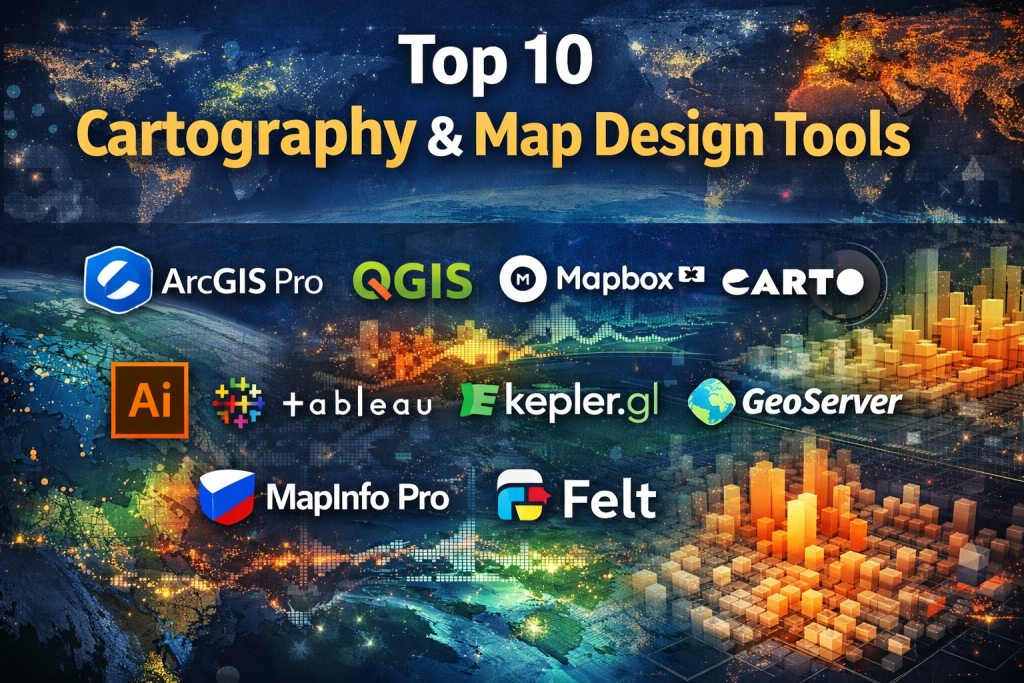
Top 10 Cartography & Map Design Tools
1 — ArcGIS Pro
Short description:
A professional-grade desktop GIS platform designed for advanced spatial analysis, high-quality cartography, and enterprise-scale mapping workflows.
Key features
- Advanced geospatial analysis and modeling
- High-resolution cartographic layout tools
- 2D and 3D map visualization
- Extensive spatial data format support
- Integration with enterprise GIS systems
- Automation using Python scripting
- Versioned data management
Pros
- Industry-standard for professional GIS work
- Extremely powerful analysis capabilities
- Excellent cartographic control
Cons
- Steep learning curve for beginners
- Premium pricing model
Security & compliance
Enterprise-grade security, role-based access, encryption, compliance-ready (varies by deployment).
Support & community
Extensive documentation, professional training, certifications, and a large global user community.
2 — QGIS
Short description:
A free, open-source GIS platform offering robust cartography and spatial analysis capabilities for professionals and academics.
Key features
- Advanced symbology and map styling
- Plugin ecosystem for extended functionality
- Support for numerous spatial data formats
- Print layout and atlas generation
- Python-based automation
- Cross-platform support
- Active open-source development
Pros
- Completely free and open-source
- Highly customizable via plugins
- Strong community-driven innovation
Cons
- Interface can feel complex
- Plugin quality varies
Security & compliance
Depends on deployment environment; core application is open-source.
Support & community
Very active global community, forums, documentation, and tutorials.
3 — Mapbox Studio
Short description:
A modern map design platform focused on creating visually rich, interactive maps for web and mobile applications.
Key features
- Vector-based map styling
- Custom fonts, colors, and layers
- Real-time data visualization
- Web and mobile SDK compatibility
- High-performance rendering
- Scalable cloud infrastructure
- Custom basemap creation
Pros
- Exceptional visual quality
- Ideal for interactive digital maps
- Highly scalable
Cons
- Limited advanced GIS analysis
- Usage-based pricing complexity
Security & compliance
Encryption, access controls, GDPR-aligned practices.
Support & community
Strong documentation, developer-focused community, enterprise support options.
4 — Carto
Short description:
A cloud-based location intelligence platform combining cartography, analytics, and business intelligence.
Key features
- Cloud-native spatial analysis
- Interactive dashboards
- SQL-based spatial queries
- Data enrichment tools
- API-driven integration
- Collaborative workflows
- Scalable datasets
Pros
- Strong analytical focus
- Easy integration with BI tools
- Designed for business use cases
Cons
- Less design freedom than pure cartography tools
- Pricing may be high for small teams
Security & compliance
Enterprise security, GDPR compliance, access controls.
Support & community
Professional documentation, onboarding support, enterprise customer service.
5— Adobe Illustrator
Short description:
A professional vector design tool widely used for fine-tuned cartographic styling and print-quality map design.
Key features
- Precision vector editing
- Advanced typography control
- High-quality print outputs
- Custom symbol creation
- Layer-based design workflow
- Integration with GIS exports
- Extensive design tools
Pros
- Unmatched visual refinement
- Ideal for publication-quality maps
- Industry-standard design workflows
Cons
- No native GIS analysis
- Requires GIS data preparation elsewhere
Security & compliance
Standard enterprise software security.
Support & community
Extensive tutorials, professional design community, commercial support.
6 — Tableau
Short description:
A data visualization platform with strong geospatial capabilities for interactive dashboards and business mapping.
Key features
- Interactive geographic dashboards
- Drag-and-drop map creation
- Integration with multiple data sources
- Real-time data updates
- Custom geographic roles
- Sharing and collaboration tools
- Performance optimization
Pros
- Very easy to use
- Excellent for business analytics
- Strong visualization capabilities
Cons
- Limited advanced cartography styling
- Licensing cost
Security & compliance
Enterprise-grade security, SOC 2, GDPR support.
Support & community
Large user community, official training, enterprise support.
7 — Kepler.gl
Short description:
An open-source geospatial analytics tool optimized for large-scale data visualization.
Key features
- GPU-accelerated rendering
- Time-based animations
- Large dataset handling
- Interactive filtering
- Web-based interface
- Open-source extensibility
- Exportable visualizations
Pros
- Excellent performance for big data
- Free and open-source
- Visually engaging
Cons
- Limited traditional cartography layouts
- Less suitable for print maps
Security & compliance
Depends on deployment environment.
Support & community
Active open-source community and documentation.
8 — GeoServer
Short description:
A server-based platform for publishing and styling geospatial data for web mapping applications.
Key features
- OGC-compliant services
- Styled Layer Descriptor (SLD) support
- Raster and vector data publishing
- Integration with GIS tools
- Web map service delivery
- Scalable architecture
- Open-source foundation
Pros
- Excellent interoperability
- Standards-compliant
- Highly configurable
Cons
- Requires technical setup
- Limited standalone design interface
Security & compliance
Configurable security, depends on hosting environment.
Support & community
Strong open-source community and professional support options.
9 — MapInfo Pro
Short description:
A desktop mapping and spatial analytics tool tailored for business and government mapping needs.
Key features
- Desktop GIS analysis
- Thematic map creation
- Spatial querying tools
- Data visualization options
- Integration with enterprise data
- Automated workflows
- Print-ready layouts
Pros
- Business-focused GIS features
- Easier than full-scale GIS suites
- Reliable performance
Cons
- Smaller ecosystem than competitors
- Paid licensing
Security & compliance
Enterprise security features, compliance-ready deployments.
Support & community
Vendor-backed support and documentation.
10 — Felt
Short description:
A collaborative, browser-based map design tool focused on storytelling and team workflows.
Key features
- Real-time collaboration
- Easy data import
- Clean map aesthetics
- Story-driven layouts
- Sharing and embedding
- Version control
- Cloud-based access
Pros
- Very user-friendly
- Excellent for collaboration
- Fast map creation
Cons
- Limited advanced GIS analysis
- Not suited for heavy data modeling
Security & compliance
Cloud security practices, GDPR-aligned.
Support & community
Responsive support, growing user community.
Comparison Table
| Tool Name | Best For | Platform(s) Supported | Standout Feature | Rating |
|---|---|---|---|---|
| ArcGIS Pro | Enterprise GIS & analysis | Windows | Advanced spatial analytics | N/A |
| QGIS | Open-source GIS users | Windows, macOS, Linux | Plugin ecosystem | N/A |
| Mapbox Studio | Interactive digital maps | Web | Vector styling | N/A |
| Carto | Business intelligence maps | Web | Location analytics | N/A |
| Adobe Illustrator | Print cartography | Windows, macOS | Design precision | N/A |
| Tableau | Business dashboards | Desktop, Web | Ease of use | N/A |
| Kepler.gl | Big data visualization | Web | GPU rendering | N/A |
| GeoServer | Web map services | Server-based | OGC standards | N/A |
| MapInfo Pro | Business mapping | Windows | Thematic maps | N/A |
| Felt | Collaborative mapping | Web | Real-time teamwork | N/A |
Evaluation & Scoring of Cartography & Map Design Tools
| Criteria | Weight | Description |
|---|---|---|
| Core features | 25% | Mapping, analysis, and design depth |
| Ease of use | 15% | Learning curve and usability |
| Integrations & ecosystem | 15% | Data sources and extensions |
| Security & compliance | 10% | Enterprise readiness |
| Performance & reliability | 10% | Speed and stability |
| Support & community | 10% | Documentation and help |
| Price / value | 15% | Cost-effectiveness |
Which Cartography & Map Design Tool Is Right for You?
- Solo users: QGIS, Felt, Kepler.gl
- SMBs: Mapbox Studio, Tableau, MapInfo Pro
- Mid-market: Carto, ArcGIS Pro
- Enterprise: ArcGIS Pro, GeoServer, Tableau
Budget-conscious: Open-source tools like QGIS and Kepler.gl
Premium solutions: ArcGIS Pro, Carto
Design-focused: Adobe Illustrator, Mapbox Studio
Analysis-heavy: ArcGIS Pro, QGIS
Collaboration-focused: Felt, Carto
Frequently Asked Questions (FAQs)
- Are cartography tools the same as navigation apps?
No, they focus on design, analysis, and visualization rather than turn-by-turn navigation. - Do I need GIS knowledge to use these tools?
Some require GIS expertise, while others are beginner-friendly. - Which tool is best for print-quality maps?
Adobe Illustrator combined with GIS exports is ideal. - Can these tools handle large datasets?
Yes, especially ArcGIS Pro, QGIS, and Kepler.gl. - Are open-source tools reliable?
Yes, many are widely used in professional environments. - Do these tools support real-time data?
Several platforms support live or frequently updated data. - What industries benefit most from cartography tools?
Urban planning, logistics, research, government, and media. - Are these tools secure for enterprise use?
Enterprise platforms offer strong security; open-source depends on setup. - Can I collaborate with teams?
Yes, especially cloud-based platforms like Felt and Carto. - Is there one best tool for everyone?
No, the best tool depends on specific use cases and skills.
Conclusion
Cartography & Map Design Tools play a critical role in transforming geographic data into meaningful insights and compelling visuals. The right choice depends on your goals, technical expertise, budget, and collaboration needs.
Some tools excel in deep spatial analysis, others shine in visual storytelling or business intelligence. Rather than searching for a single “best” option, focus on selecting the tool that aligns most closely with your real-world requirements. When chosen wisely, the right cartography platform becomes a powerful decision-making asset rather than just a map-making utility.

Find Trusted Cardiac Hospitals
Compare heart hospitals by city and services — all in one place.
Explore Hospitals