
Introduction
AI Music Composition Tools are software platforms that use artificial intelligence models to generate, assist, or enhance musical creation. These tools empower users to produce melodies, harmonies, rhythms, and full musical arrangements with minimal manual input. Rather than replacing human creativity, they amplify creativity by automating repetitive tasks, suggesting novel ideas, and enabling rapid prototyping of musical concepts.
In 2026, demand for AI‑assisted music creation has surged across independent artists, media studios, game developers, marketing agencies, and app builders. Streaming platforms and short‑form content have increased the need for bespoke tracks, ambient scores, and licensed music. AI music composition tools reduce production time, lower costs, and expand accessibility to professional‑grade composition abilities.
Real‑world use cases include:
- Songwriting Assistance: Generating chord progressions, melodies, lyrics, or instrumental parts for artists.
- Soundtrack Creation: Composers and media teams producing background scores for film, TV, and games.
- Brand & Marketing Audio: Agencies generating licensed music tracks for ads and promotional content.
- Adaptive Game Music: Real‑time music that evolves based on in‑game actions.
- Interactive Media & VR: Dynamic audio that responds to user experience.
- App & API Integration: Developers embedding music generation into apps for workout playlists, meditation audio, or personalized tunes.
Evaluation criteria buyers should use:
- Quality and musicality of generated output
- Input flexibility (text prompts, style references, MIDI imports)
- Customization and editing controls
- Real‑time generation and latency
- Integration with DAWs (Digital Audio Workstations) and APIs
- Licensing, rights, and royalty clarity
- Cost and token/compute management
- Security and privacy controls
- Evaluation tools for quality and style consistency
- Guardrails against unwanted outputs or genre drift
- Model flexibility (open‑source vs proprietary vs BYO)
Best for: Independent musicians, producers, media studios, game developers, audio teams at agencies, and developers building music‑enabled apps.
Not ideal for: Traditional composers seeking full human control without algorithmic influence, or users requiring ultra‑high‑fidelity orchestration at the level of major studio recording.
What’s Changed in AI Music Composition Tools in 2026+
- Multimodal Input Support: Systems now accept text prompts, MIDI files, audio snippets, style references, and sheet music.
- Agentic Workflows: Tools automatically chain models (melody → harmony→ full arrangement → mastering) for end‑to‑end output.
- Real‑Time Generation: Advances in low‑latency models allow live musical improvisation and generation for performance.
- Enhanced Evaluation: New metrics measure musical coherence, genre fidelity, structure, and listener satisfaction.
- Guardrails: Content filters prevent inappropriate or copyrighted melodies from being generated unintentionally.
- Enterprise Privacy: Data retention policies, encryption, and compliance features for studio and agency workflows.
- Cost Optimization: Model routing and adaptive complexity reduce compute usage and price per minute of music.
- Observability: Dashboards track compute costs, usage patterns, generation errors, and latency statistics.
- RAG Integration: Knowledge‑aware composition where models reference style databases or existing catalogs.
- Open‑Source Interoperability: Tools increasingly offer BYO models or integration with open music AI projects.
- API‑First Tools: Developers can embed music generation into apps with robust SDKs and endpoints.
- Audit and Versioning: Musical outputs and prompt versions are tracked for reproducibility and rights management.
Quick Buyer Checklist (Scan‑Friendly)
- Licensing clarity and royalty rights
- MIDI/audio import/export capability
- Prompt engineering support
- Model choice: hosted vs BYO vs open‑source
- Integrated evaluation and quality metrics
- Guardrails and content filtering
- API and SDK availability
- DAW integration (Logic, Ableton, FL Studio, etc.)
- Real‑time generation support
- Observability and cost tracking
- Security and data privacy controls
- Vendor lock‑in risk
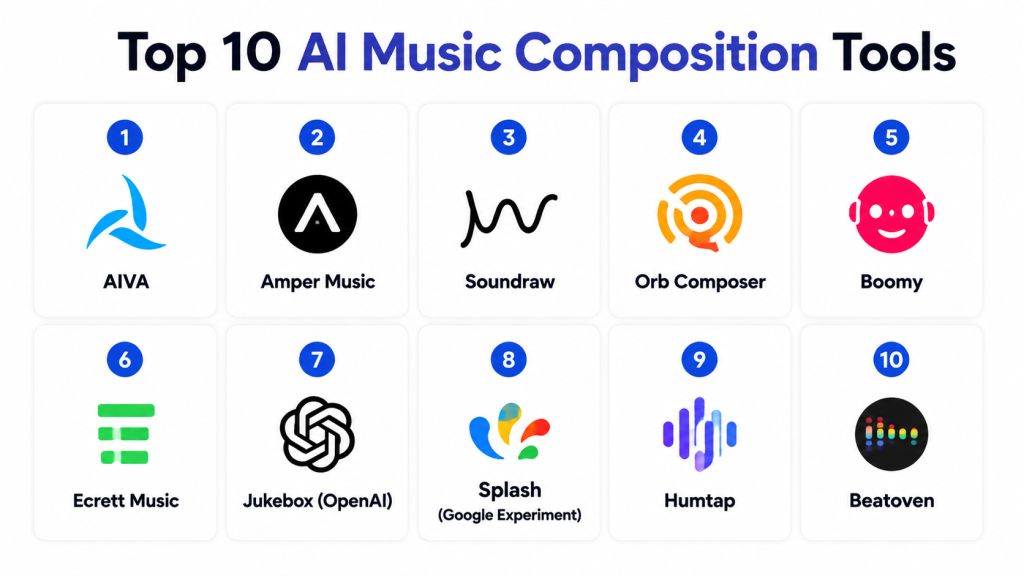
Top 10 AI Music Composition Tools
### 1 — AIVA
One‑line verdict: Great for composers and producers seeking AI‑assisted orchestral and cinematic music generation.
Short description (2–3 lines):
AIVA uses neural networks trained on large music corpora to generate full compositions in various styles like cinematic, classical, and electronic. It is favored by songwriters, game composers, and media teams for quick arrangement ideas.
Standout Capabilities
- Style‑based prompts (cinematic, classical, electronic)
- Full arrangement generation (melody → harmony → rhythm)
- MIDI export and DAW integration
- Template genre presets for quick starts
- Iterative refinement with adjustable parameters
- AI‑assisted orchestration suggestions
AI‑Specific Depth
- Model support: Proprietary with style models
- RAG / knowledge integration: N/A
- Evaluation: Offline score metrics + human review
- Guardrails: Content filters for copyrighted patterns
- Observability: Usage dashboards
Pros
- Produces complex arrangements
- Useful genre presets for quick workflows
- Strong orchestral and cinematic strength
Cons
- Less control over micro‑nuances
- Licensing terms vary / N/A
- Not real‑time improvisation
Security & Compliance
Not publicly stated
Deployment & Platforms
- Web, Cloud
Integrations & Ecosystem
DAW plugins, MIDI export, collaboration tools
- DAW export (MIDI)
- Playlist archiving
- Style presets
- Team collaboration features
Pricing Model
Subscription + usage tiers; enterprise negotiation
Best‑Fit Scenarios
- Film and media scoring
- Game music iteration
- Orchestral composition assistance
### 2 — Amper Music
One‑line verdict: User‑friendly platform for creators to generate fully licensed tracks for content and branding.
Short description:
Amper Music lets creators generate tracks with adjustable mood, tempo, and instrumentation without needing deep music theory. It suits marketers, video creators, and independent artists needing licensed audio.
Standout Capabilities
- Mood and genre sliders
- Instant track generation
- Mastered audio output
- Loop and section customization
- Multi‑instrument layering
- Export stems for remixing
AI‑Specific Depth
- Model support: Proprietary
- RAG / knowledge integration: N/A
- Evaluation: Live preview + human edits
- Guardrails: Default style constraints
- Observability: Usage metrics
Pros
- Fast track creation
- Licensed output for commercial use
- Easy interface for non‑musicians
Cons
- Less depth for professional composers
- Limited advanced editing
- Real‑time generation minimal
Security & Compliance
Not publicly stated
Deployment & Platforms
- Web, Cloud
Integrations & Ecosystem
- API endpoints
- Video editors
- Export to DAWs
- Template libraries
Pricing Model
Subscription, usage caps
Best‑Fit Scenarios
- YouTube/video tracks
- Social media audio
- Quick brand audio
### 3 — Soundraw
One‑line verdict: Ideal for creators needing adaptive music where sections can be re‑generated and edited on the fly.
Short description:
Soundraw generates custom music based on mood, genre, and duration. It emphasizes tweakable generation parameters and quick editing for content creators and teams.
Standout Capabilities
- Section‑level regeneration
- Adaptive mood changes
- Custom chord progression adjustments
- Export stems
- Template presets
- Loop generation
AI‑Specific Depth
- Model support: Proprietary
- RAG / knowledge integration: N/A
- Evaluation: Human preview + metrics
- Guardrails: Content genre filters
- Observability: Usage tracking
Pros
- Customizable sections
- Fast iteration
- Exports suited for editing
Cons
- Not suited for complex orchestration
- Limited DAW integration
- Licensing terms vary / N/A
Security & Compliance
Not publicly stated
Deployment & Platforms
- Web, Cloud
Integrations & Ecosystem
- Export to audio editors
- API support
- Loop libraries
Pricing Model
Subscription
Best‑Fit Scenarios
- Video backgrounds
- Dynamic content music
- Social audio snippets
### 4 — Orb Composer
One‑line verdict: Desktop‑focused tool for composers wanting deep control with AI‑assisted composition workflows.
Short description:
Orb Composer blends rule‑based composition with AI assistance, letting composers define structure, style, and instrumentation while AI fills in sections and ideas.
Standout Capabilities
- GUI for structural control
- Style and harmony templates
- Chord progression tools
- Section mapping
- MIDI export
- Parameter controls
AI‑Specific Depth
- Model support: Rule‑based + AI assists
- RAG / knowledge integration: N/A
- Evaluation: Manual + automated checks
- Guardrails: Composition rules
- Observability: Usage logs
Pros
- Fine‑grained control
- Desktop‑centric
- Expanded music theory controls
Cons
- Steeper learning curve
- Less automated than others
- Licensing terms vary / N/A
Security & Compliance
Not publicly stated
Deployment & Platforms
- Windows, macOS
Integrations & Ecosystem
- MIDI export
- DAW bridges
- Plugin support
Pricing Model
Perpetual licenses + updates
Best‑Fit Scenarios
- Studio composers
- Theory‑driven workflows
- Detailed arrangement planning
### 5 — Boomy
One‑line verdict: Best for creators and social content producers who want quick music clips without musical expertise.
Short description:
Boomy empowers users to generate quick songs with genre selects, AI remixing, and distribution options. It’s optimized for social media creators and independent artists.
Standout Capabilities
- One‑click song generation
- Genre & mood selection
- Distribution assistance
- Remix options
- Loop generation
AI‑Specific Depth
- Model support: Proprietary
- RAG / knowledge integration: N/A
- Evaluation: Instant preview
- Guardrails: Basic style constraints
- Observability: Usage metrics
Pros
- Fast and fun
- Social platform oriented
- No expertise needed
Cons
- Limited compositional depth
- Real editing controls minimal
- Professional mastering Varies / N/A
Security & Compliance
Not publicly stated
Deployment & Platforms
- Web, Cloud
Integrations & Ecosystem
- Social export
- Collaboration features
- Audio loops
Pricing Model
Freemium tiers; upgrades for exports
Best‑Fit Scenarios
- TikTok/Short audio clips
- Quick background tracks
- Content clips
### 6 — Ecrett Music
One‑line verdict: Simplified creation with mood and scene prompts for content creators and developers alike.
Short description:
Ecrett Music generates royalty‑free music based on scene descriptors and moods. It is useful for app developers or teams needing library‑style tracks fast.
Standout Capabilities
- Scene and mood prompts
- Royalty‑free export
- Section looping
- Tempo, key controls
AI‑Specific Depth
- Model support: Proprietary
- RAG / knowledge integration: N/A
- Evaluation: Quick previews
- Guardrails: Style filters
- Observability: Usage logs
Pros
- Royalty clarity
- Quick generation
- Easy mood‑based control
Cons
- Less advanced composition depth
- Limited editing controls
- Integration depth Varies / N/A
Security & Compliance
Not publicly stated
Deployment & Platforms
- Web, Cloud
Integrations & Ecosystem
- Export formats
- Scene templates
Pricing Model
Subscription; royalty‑free export included
Best‑Fit Scenarios
- Content soundtracks
- App‑embedded music
- Mood‑driven audio
### 7 — Jukebox (OpenAI)
One‑line verdict: Research‑centric model for developers wanting deep control over raw AI music generation.
Short description:
Jukebox is an open‑source generative AI music model capable of raw audio generation with style and artist conditioning. It’s more experimental and developer‑oriented.
Standout Capabilities
- Raw audio outputs
- Large style conditioning
- Artist/style prompts
- Sample‑length control
AI‑Specific Depth
- Model support: Open‑source
- RAG / knowledge integration: Script/model libraries
- Evaluation: Developer‑built metrics
- Guardrails: Limited; depends on implementation
- Observability: Varies with tooling
Pros
- Maximum control
- Open‑source freedom
- Developer‑centric
Cons
- High compute cost
- Requires tooling expertise
- No native DAW integration
Security & Compliance
Varies / N/A
Deployment & Platforms
- Self‑hosted, Cloud
Integrations & Ecosystem
- Developer pipelines
- Custom tooling
Pricing Model
Open‑source; infrastructure costs apply
Best‑Fit Scenarios
- Custom generative apps
- Research prototypes
- Experimental compositions
### 8 — Splash (Google Experiment)
One‑line verdict: Fun and experimental platform ideal for playful idea prototyping and beginner music creation.
Short description:
Splash uses browser‑based controls for playful music generation, emphasizing accessibility and quick experimentation.
Standout Capabilities
- Browser‑based generative blocks
- Visual composition metaphors
- Playful constraints
AI‑Specific Depth
- Model support: Proprietary experimental
- RAG / knowledge integration: N/A
- Evaluation: User feedback loops
- Guardrails: Experiment defaults
- Observability: Basic
Pros
- Beginner friendly
- Fun UI
- Instant feedback
Cons
- Not studio‑grade
- Simple outputs only
- Limited export
Security & Compliance
Not publicly stated
Deployment & Platforms
- Web
Integrations & Ecosystem
- Basic export
Pricing Model
Free tier; experimental
Best‑Fit Scenarios
- Prototyping
- Education
- Casual creators
### 9 — Humtap
One‑line verdict: Mobile‑first AI music generator geared toward social creators and loop‑based track building.
Short description:
Humtap lets users generate music via mobile prompts and rhythm taps, making it intuitive for quick creation on the go.
Standout Capabilities
- Tap‑to‑generate interface
- Mobile‑optimized prompts
- Loop generation
- Style presets
AI‑Specific Depth
- Model support: Proprietary
- RAG / knowledge integration: N/A
- Evaluation: Instant preview
- Guardrails: Basic filters
- Observability: Usage metrics
Pros
- Mobile convenience
- Quick loops
- Social focus
Cons
- Limited depth
- No advanced exports
- Licensing terms vary / N/A
Security & Compliance
Not publicly stated
Deployment & Platforms
- iOS/Android
Integrations & Ecosystem
- Social sharing
- Loop export
Pricing Model
Freemium + upgrades
Best‑Fit Scenarios
- Social audio clips
- On‑the‑go ideas
- Loop creation
### 10 — Beatoven
One‑line verdict: Good choice for creators seeking mood‑adaptive music tracks with subtle dynamics and automation.
Short description:
Beatoven produces tracks based on mood and scene descriptors with automated mixing and stems ready for editing.
Standout Capabilities
- Mood/scene descriptors
- Automated mixing
- Stem export
- Variation generation
AI‑Specific Depth
- Model support: Proprietary
- RAG / knowledge integration: N/A
- Evaluation: Automated QA + review
- Guardrails: Style filters
- Observability: Usage dashboards
Pros
- Adaptive tracks
- Easy exports
- Mood control
Cons
- Less advanced composition
- Limited real‑time tools
- Integration depth Varies / N/A
Security & Compliance
Not publicly stated
Deployment & Platforms
- Web, Cloud
Integrations & Ecosystem
- Audio editors
- API
Pricing Model
Subscription
Best‑Fit Scenarios
- Content soundtracks
- Background scores
- Loop variations
Comparison Table
| Tool Name | Best For | Deployment | Model Flexibility | Strength | Watch‑Out | Public Rating |
|---|---|---|---|---|---|---|
| AIVA | Composers, studios | Cloud/Web | Proprietary | Complex arrangements | Not real‑time | N/A |
| Amper Music | Creators & branding | Cloud/Web | Proprietary | Licensed quick tracks | Shallow depth | N/A |
| Soundraw | Adaptive sections | Cloud/Web | Proprietary | Section control | Limited depth | N/A |
| Orb Composer | Desktop composers | Desktop | Rule‑AI hybrid | Detailed control | Learning curve | N/A |
| Boomy | Quick social audio | Cloud/Web | Proprietary | Fast generation | Minimal editing | N/A |
| Ecrett Music | Scene music | Cloud/Web | Proprietary | Royalty clarity | Shallow depth | N/A |
| Jukebox | Developers | Self/Cloud | Open‑source | Full control | High compute | N/A |
| Splash | Experimental creators | Web | Proprietary | Beginner friendly | Simple outputs | N/A |
| Humtap | Mobile creators | Mobile | Proprietary | On‑the‑go ideas | Limited export | N/A |
| Beatoven | Mood‑adaptive | Cloud/Web | Proprietary | Mood dynamics | Integration shallow | N/A |
Scoring & Evaluation (Transparent Rubric)
Scoring is comparative, not absolute. Tools are assessed across core features, reliability, guardrails, integrations, ease, performance & cost, security, and support.
| Tool | Core | Reliability/Eval | Guardrails | Integrations | Ease | Perf/Cost | Security/Admin | Support | Weighted Total |
|---|---|---|---|---|---|---|---|---|---|
| AIVA | 9 | 8 | 7 | 8 | 7 | 8 | 7 | 7 | 8.0 |
| Amper Music | 7 | 7 | 7 | 7 | 9 | 8 | 6 | 8 | 7.6 |
| Soundraw | 8 | 7 | 7 | 7 | 8 | 8 | 6 | 7 | 7.5 |
| Orb Composer | 8 | 7 | 8 | 7 | 6 | 7 | 7 | 6 | 7.2 |
| Boomy | 6 | 6 | 6 | 6 | 9 | 8 | 5 | 7 | 6.9 |
| Ecrett Music | 7 | 6 | 7 | 6 | 8 | 8 | 5 | 7 | 7.0 |
| Jukebox | 9 | 7 | 6 | 7 | 5 | 6 | 5 | 6 | 6.8 |
| Splash | 5 | 5 | 5 | 4 | 9 | 7 | 4 | 5 | 5.9 |
| Humtap | 6 | 6 | 6 | 5 | 9 | 8 | 5 | 6 | 6.5 |
| Beatoven | 7 | 7 | 7 | 6 | 8 | 8 | 5 | 7 | 7.1 |
Top 3 for Enterprise: AIVA, Amper Music, Soundraw
Top 3 for SMB: Amper Music, Soundraw, Beatoven
Top 3 for Developers: Jukebox, Orb Composer, Ecrett Music
Which AI Music Composition Tool Is Right for You?
Solo / Freelancer
For independent creators, Boomy, Amper Music, and Humtap deliver the quickest route to complete tracks with minimal music theory knowledge.
SMB
Marketing teams and small studios benefit from Soundraw, Beatoven, and Ecrett Music — balancing customization with simplicity.
Mid‑Market
Growing teams or agencies might choose AIVA or Orb Composer for deeper composition control and more serious arrangement workflows.
Enterprise
Media houses and game studios gravitate toward AIVA, Amper Music, and Soundraw for scalable licensing, structured workflows, and integration.
Regulated Industries
Privacy and rights management are critical; tools with clear licensing and export features like Amper Music and Ecrett Music help reduce legal risk.
Budget vs Premium
Freemium tools like Boomy and Splash satisfy budget creators; premium DAW‑integrated options like Orb Composer and AIVA are suited for professionals.
Build vs Buy
Developers needing end‑to‑end control might adopt Jukebox or open‑source models; those wanting quick integration choose hosted APIs from platforms like Soundraw or Amper Music.
Implementation Playbook (30 / 60 / 90 Days)
30 Days – Pilot Launch
- Set success metrics (style accuracy, generation time, export usability)
- Choose 2 tools for pilot
- Gather music assets and prompt templates
- Start generating outputs and collect feedback
60 Days – Harden & Integrate
- Integrate chosen tools into DAWs or app pipelines
- Establish guardrails and licensing review
- Automate evaluation and quality metrics
- Begin staff training
90 Days – Scale
- Optimize cost and latency with model routing
- Implement observability dashboards
- Expand to multi‑project pipelines
- Document governance and usage policies
Common Mistakes & How to Avoid Them
- Assuming all generated music is royalty‑free — verify licensing
- Skipping quality evaluation — always test multiple outputs
- Ignoring cost metrics — track token/compute costs over time
- Not defining musical style prompts clearly
- Overlooking integration challenges with DAWs
- Failing to implement guardrails for unwanted motifs
- Not tracking versions of prompts and outputs
- Building proprietary systems without scalability
- Underestimating compute needs for high quality
- Neglecting security and privacy controls
- Not planning for real‑time generation requirements
- Choosing tools without export flexibility
- Not testing on target device latency
FAQs
1— Do AI music tools replace human composers?
No. They accelerate workflows, provide inspiration, and automate repetitive tasks, but human creativity and decision‑making remain essential.
2— Are AI‑generated tracks royalty‑free?
Licensing differs by tool. Some (e.g., royalty libraries) provide clear rights; others require commercial agreement review.
3— Can I export to a DAW?
Many tools export MIDI, stems, or audio files compatible with DAWs like Logic or Ableton.
4— Can developers embed music AI?
Yes. Several tools offer APIs or SDKs for custom app integration.
5— Can I customize style?
Yes — tools vary from simple mood sliders to deep compositional parameters.
6— What about licensing for apps?
Always confirm licensing terms when embedding generated music in apps with user audiences.
7— How is quality evaluated?
Use metrics, human reviews, and A/B tests to judge musicality and genre fidelity.
8— Do tools generate lyrics too?
Some tools offer lyrics generation, but often require dedicated lyric AI integration.
9— Can models run offline?
Most are cloud‑hosted; open‑source models (e.g., Jukebox) can run self‑hosted with heavy compute.
10— What is BYO model?
Bring Your Own model lets teams use custom or open‑source models in a tool’s pipeline.
11— Do tools support real‑time generation?
Some emerging tools support low‑latency real‑time generation for live performance prototypes.
12— Are there security risks?
As with any AI tool, ensure data privacy, secure access controls, and review guardrails.
Conclusion
AI Music Composition Tools in 2026 offer a broad spectrum of capabilities for creators, media teams, and developers. From fast track generation for social content to deeply customizable composition for studios, these platforms accelerate workflows and expand creative possibilities. Choosing the right tool involves balancing usage context, licensing, integration needs, and long‑term scalability.

Find Trusted Cardiac Hospitals
Compare heart hospitals by city and services — all in one place.
Explore Hospitals
The article evaluates “quality” subjectively, but doesn’t address how music quality is measured in real systems at scale.
In practice, teams need:
Without observability, teams can’t systematically improve outputs—only regenerate blindly until it “sounds right.”