
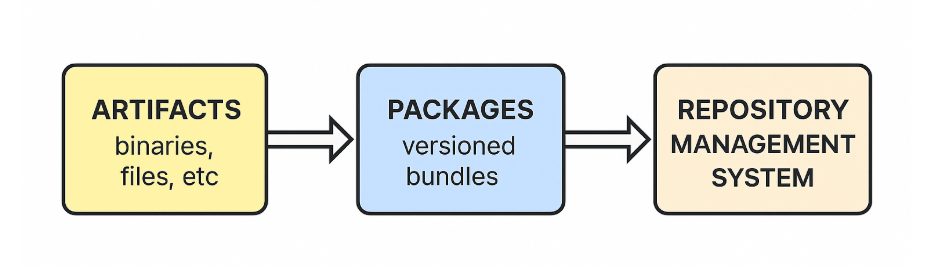
1️⃣ Multiple Artifacts → Form a Package
- Artifacts (binaries, config files, resources) are bundled together into a versioned package.
2️⃣ Multiple Packages → Stored in a Repository
- These packages are uploaded and stored in a repository with metadata and version history.
3️⃣ Repository → Managed by RMS
- The repository is organized, secured, and version-controlled through a Repository Management System (RMS).
✅ In Short:
- Artifacts are the individual outputs from builds.
- Packages are collections of artifacts.
- Repositories store versioned packages.
- RMS manages repositories, versions, dependencies, and access.
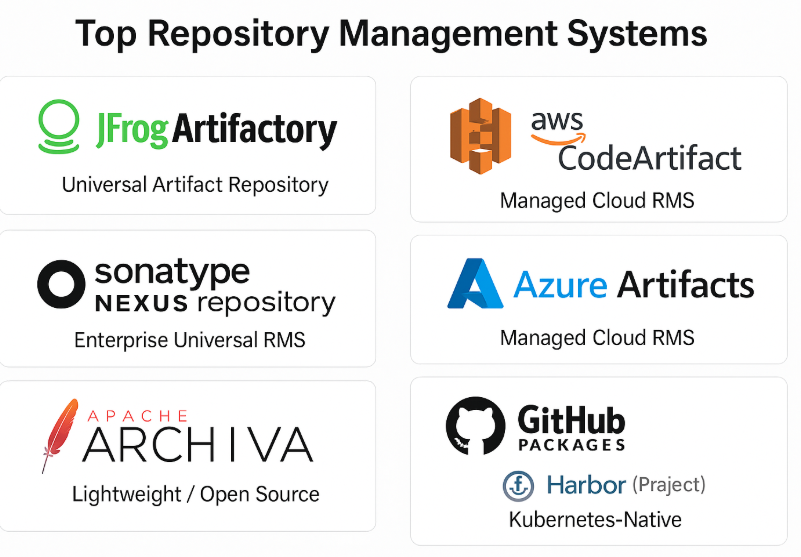
Here are some of the best and widely used Repository Management Systems (RMS) across the industry:
✅ 1. JFrog Artifactory
- Type: Universal Artifact Repository
- Key Features:
- Supports 30+ package types (Maven, npm, PyPI, Docker, Helm, etc.)
- Acts as both RMS + Registry
- Enterprise-grade scaling with HA and multi-site replication
- Security scanning with JFrog Xray
- Best For: Large enterprises and DevOps pipelines with mixed technologies.
✅ 2. Sonatype Nexus Repository
- Type: Universal Artifact Repository
- Key Features:
- Supports Maven, npm, Docker, PyPI, Helm, NuGet, etc.
- Pro edition can act as Docker/OCI Registry
- Strong integration with CI/CD tools
- Best For: Organizations with Java/Maven-heavy ecosystems or hybrid package management.
✅ 3. Apache Archiva
- Type: Open-Source RMS
- Key Features:
- Lightweight and simple to set up
- Supports Maven artifacts
- Good for small teams and open-source projects
- Best For: Teams needing a free, lightweight Maven repository.
✅ 4. AWS CodeArtifact
- Type: Managed Cloud RMS
- Key Features:
- Fully managed service on AWS
- Supports npm, Maven, PyPI, NuGet
- Integrates with AWS CI/CD and IAM
- Best For: AWS-centric environments that want a managed RMS.
✅ 5. Azure Artifacts
- Type: Managed Cloud RMS
- Key Features:
- Part of Azure DevOps
- Supports npm, Maven, Python, NuGet
- Tight integration with Azure Pipelines and RBAC
- Best For: Microsoft/Azure ecosystem projects.
✅ 6. GitHub Packages
- Type: Cloud RMS + Registry
- Key Features:
- Supports npm, Maven, Docker, RubyGems, NuGet
- Integrated with GitHub Actions for CI/CD
- Best For: GitHub-based projects needing quick package hosting.
✅ 7. Harbor (CNCF Project)
- Type: Cloud-native RMS + Container Registry
- Key Features:
- Specializes in Docker/OCI images and Helm charts
- Security scanning, RBAC, replication
- Open-source and Kubernetes-friendly
- Best For: Kubernetes-focused organizations needing private registries.
📌 Summary of Best Choices:
- Enterprise Universal RMS: JFrog Artifactory, Sonatype Nexus
- Lightweight/Open Source: Apache Archiva, Harbor
- Cloud Managed: AWS CodeArtifact, Azure Artifacts, GitHub Packages
- Kubernetes-Native: Harbor

I’m Rajesh Kumar, a DevOps, SRE, DevSecOps, Cloud, and Platform Engineering expert passionate about sharing practical knowledge, real-world experiences, and industry best practices. I have worked at Cotocus and regularly write about technology, travel, investing, health, product reviews, and digital marketing through my various platforms.
I publish technical articles at DevOps School, travel stories at Holiday Landmark, stock market insights at Stocks Mantra, health and fitness guidance at My Medic Plus, product reviews at TrueReviewNow, and SEO and digital marketing strategies at Wizbrand.
Find Trusted Cardiac Hospitals
Compare heart hospitals by city and services — all in one place.
Explore Hospitals






This is a really helpful overview of widely used repository management systems! 📁 I like how the article explains each system and highlights key features — it makes comparing options much easier for anyone choosing the right tool. Thanks for sharing this useful guide!