
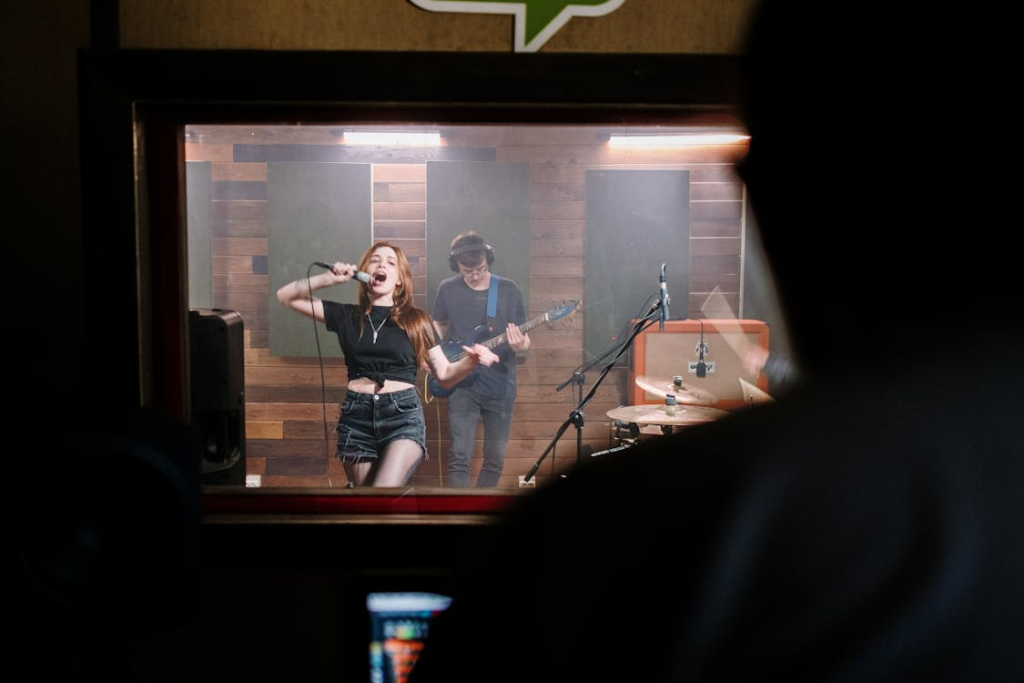
When a developer sits down to evaluate video automation platforms, the checklist looks nothing like what a designer or marketer might prioritize. Drag-and-drop editors and preset filters rarely matter. What matters is API integration depth, programmatic rendering control, and how cleanly the tool fits into an existing production pipeline.
Creative video projects also vary wildly in scope. Some teams need to generate thousands of data-driven ad variants overnight. Others are building AI-powered explainers, scaling social content across formats, or experimenting with a tools for generative audio-visual work. Each use case stresses a different part of the automation stack.
The broader video creation tool market reflects this demand, with rapid growth driven by teams looking to automate production without sacrificing quality. That growth, however, means more options to sort through.
The evaluation axes that actually separate one platform from another come down to a handful of practical factors: API depth and flexibility, template customization options, batch rendering performance, output format control, and pricing models that scale with usage rather than penalizing it. The sections ahead break down several platforms through exactly this lens, giving developers a concrete framework for matching creative automation needs to the right tooling.
Template-Based vs. Programmatic Approaches
Before diving into specific platforms, it helps to clarify a foundational decision that shapes every evaluation downstream: whether the project calls for template-based production, programmatic control, or some combination of both.
Template-driven workflows prioritize speed and consistency. A team selects a prebuilt layout, swaps in new assets like logos, text overlays, or product shots, and renders at volume. This approach works well for marketing variants, localized ad campaigns, and any scenario where the design stays fixed while the content rotates. Dynamic templates reduce production time significantly when the visual structure does not need to change between renders.
Programmatic approaches sit on the other end of the spectrum. Here, developers define rendering logic through API calls, JSON schemas, or custom scripting. Every element of the composition can be controlled at the code level, which opens the door to fully custom pipelines and data-driven personalization. Inserting user-specific text, images, or audio into a video at render time, for example, typically demands this kind of flexibility.
Many platforms now blend both strategies. A developer might start with a template as a structural baseline, then use API integration to override specific fields dynamically at render time. This hybrid model offers a practical middle ground for teams that want design consistency without sacrificing programmatic control.
| Criteria | Template-Based | Programmatic |
| Flexibility | Limited to predefined layouts | Full control over every element |
| Speed to Launch | Fast, minimal setup required | Slower, requires development time |
| API Requirement | Optional | Essential |
| Best Project Types | Marketing variants, localized content | Custom pipelines, data-driven personalization |
| Learning Curve | Low | Moderate to high |
The decision hinge is straightforward. If a project requires unique compositions per render, where every output looks structurally different, programmatic wins. If the project requires high volume on a fixed design, templates win. Most real-world workflows land somewhere in between, which is why evaluating how well a platform supports that overlap matters more than choosing one approach in isolation.
5 Platforms Worth Evaluating
With the template-versus-programmatic distinction established, the next step is looking at how specific platforms handle these approaches in practice. The five options below represent different points on the automation spectrum, from API-first rendering engines to AI-driven creative tools. Each one targets a slightly different development workflow.
Rather than ranking them, the goal here is to give developers enough technical context to decide which platforms deserve deeper exploration based on their project requirements. Selection criteria included API access quality, creative scope, and developer documentation depth.
Freebeat
Freebeat occupies a creative niche that the other platforms do not address: AI-powered music video creation. This music video maker generates visual scenes that sync automatically to audio tracks, removing much of the manual effort traditionally involved in music video production.
For developers working on audio-visual content, Freebeat’s automated scene generation handles beat matching, visual transitions, and mood-driven imagery without requiring frame-by-frame composition. This creative-first approach appeals to music producers, independent artists, and content teams producing audio-driven media at volume.
- Automated scene generation synced to audio beats and rhythm
- AI-driven visual styling based on track mood and genre
- Streamlined workflow from audio input to finished video output
- Creative automation focused specifically on music content
The platform works best for teams whose primary output centers on music videos or audio-synchronized visual content. The tradeoff is specialization. Freebeat is not a general-purpose video automation platform, and it does not offer the broad API flexibility or batch rendering infrastructure that tools like Shotstack provide. Its value is concentrated in one specific workflow, but for that workflow, it eliminates significant production overhead.
Shotstack
Shotstack is built for developers who want to treat video rendering like any other backend process. The platform operates entirely through a REST API, where compositions are defined using JSON schemas rather than visual editors.
This API-first model makes it particularly well suited for data-driven personalization pipelines. A team can pull customer data from a database, inject it into a template at render time, and output thousands of unique videos without manual intervention.
- JSON-based timeline editing with full control over layers, transitions, and assets
- Batch rendering for producing high volumes of video in parallel
- Webhook integrations that allow developers to trigger downstream actions once a render completes
- Dynamic templates where text, images, and audio swap programmatically per render
For teams already running workflow automation through CI/CD pipelines or event-driven architectures, Shotstack slots in with minimal friction. The tradeoff is that there is no visual editor to speak of, so non-technical teammates cannot easily preview or adjust compositions without developer support.
Synthesia
Synthesia takes a fundamentally different approach by focusing on text-to-video generation powered by AI avatars. Instead of composing scenes manually, developers feed in a script, select an avatar, and the platform generates a finished video with synchronized speech and visuals.
The AI-powered video generation platforms in this category have matured quickly, and Synthesia is one of the most cited options for scaling training content, product explainers, and internal communications. Its API supports programmatic video creation, which means teams can generate hundreds of localized explainer videos from a single text input by varying language, avatar, or script per request.
- AI avatar generation with natural speech synthesis
- Text-to-video conversion requiring no filming or voice recording
- API access for programmatic, scalable video generation
- Multi-language support for localized content production
Where Synthesia fits best is content that relies heavily on a presenter or narrator. It removes the need for film crews, voice actors, and editing suites entirely. However, developers working on visually complex compositions or heavily branded content may find the output too constrained by the avatar-driven format.
Runway
Runway sits at the intersection of machine learning research and video production. The platform provides access to generative AI models that can create, modify, and extend video content in ways that traditional editing tools cannot replicate.
For developers exploring creative automation on experimental or artistic projects, Runway offers tools like text-to-video generation, motion tracking, inpainting, and style transfer. These features appeal to teams that need to prototype visual concepts quickly or produce content that feels distinct from standard template-based output.
- Generative AI models for text-to-video creation
- ML-powered editing tools including inpainting and style transfer
- Motion tracking and visual effects automation
- Creative experimentation capabilities beyond traditional templates
The ML model access is what sets Runway apart. Developers can integrate generative capabilities into their own workflows, using the platform as a rendering layer for projects that require outputs no predefined template could produce. On the other hand, generative outputs can be unpredictable, so teams that need pixel-perfect consistency across thousands of renders may find the results too variable for production use. For more context on automated video editing solutions, Runway represents the more experimental end of the spectrum.
Descript
Descript approaches video editing from an unusual angle: it treats video as a text document. After the platform transcribes the footage, editors can cut, rearrange, and refine the video by editing the transcript directly.
This text-based paradigm is especially effective for podcast-to-video conversion and content repurposing workflows. A developer can take a long-form recording, trim it by deleting transcript sections, and export multiple short clips without touching a timeline editor. Descript also offers API access for teams that want to automate parts of this workflow programmatically.
- Text-based video editing through automated transcription
- Filler word removal and speaker detection
- Screen recording with built-in transcription capabilities
- API access for workflow automation integration
The platform works best when the source material is dialogue-heavy. For projects that involve motion graphics, complex scene compositions, or data-driven personalization, other tools on this list are a better fit.
Fitting These Platforms Into Your Pipeline
Evaluating platforms is only half the equation. The real question is how cleanly each option connects to the systems a team already runs.
Most developer-grade video automation platforms support REST APIs, webhooks, and CI/CD-style triggers that slot directly into existing production workflows. Common integration patterns include:
- A CMS triggering a video render on publish
- A CRM pushing personalized data to a video API
- A CI pipeline generating demo videos with each release
These patterns turn video creation into just another step in an automated chain rather than a standalone task.
For platforms that lack native integrations, workflow automation tools like Zapier, Make, or n8n can bridge the gap. These middleware layers connect event sources to rendering endpoints without custom code, which speeds up prototyping and reduces maintenance overhead.
A few practical considerations deserve attention before scaling up. Render queue management determines how gracefully the system handles spikes in demand. Output storage needs a plan, whether that means routing finished videos to S3, a CDN, or an internal asset manager. Error handling for batch rendering jobs should account for partial failures so that one broken input does not stall an entire queue. Additionally, rate limits on API calls vary by platform and pricing tier, so understanding those ceilings early prevents surprises during high-volume runs.
The most reliable path forward is to start small. Prototyping with a single template and one data source exposes integration friction before it compounds. Once that pipeline runs cleanly, layering in additional templates, data-driven personalization logic, and conditional triggers becomes far less risky.
Matching the Platform to the Project
Choosing the right platform ultimately comes down to the type of creative automation a project demands. Template swaps, fully programmatic rendering, and AI-generated content each pull toward different tools, and treating them as interchangeable leads to wasted integration effort.
For developers building long-term video automation pipelines, API stability and thorough documentation should carry more weight than raw feature count. A platform that does fewer things reliably will outperform one that offers everything but breaks under production load.
The most practical starting point is the creative output itself. Defining what the final video needs to look, sound, and feel like, then working backward to the platform that delivers it with the least custom glue code, keeps the evaluation grounded.
The five options covered above each excel in a specific corridor. Matching project scope to platform strengths, rather than bending a workflow around a tool’s limitations, is what separates a pipeline that scales from one that stalls. As generative AI capabilities continue maturing and API ecosystems expand, the platforms that maintain developer-friendly integration patterns will likely pull ahead of those chasing feature parity alone.

I’m a DevOps/SRE/DevSecOps/Cloud Expert passionate about sharing knowledge and experiences. I have worked at Cotocus. I share tech blog at DevOps School, travel stories at Holiday Landmark, stock market tips at Stocks Mantra, health and fitness guidance at My Medic Plus, product reviews at TrueReviewNow , and SEO strategies at Wizbrand.
Do you want to learn Quantum Computing?
Please find my social handles as below;
Rajesh Kumar Personal Website
Rajesh Kumar at YOUTUBE
Rajesh Kumar at INSTAGRAM
Rajesh Kumar at X
Rajesh Kumar at FACEBOOK
Rajesh Kumar at LINKEDIN
Rajesh Kumar at WIZBRAND
Find Trusted Cardiac Hospitals
Compare heart hospitals by city and services — all in one place.
Explore Hospitals