
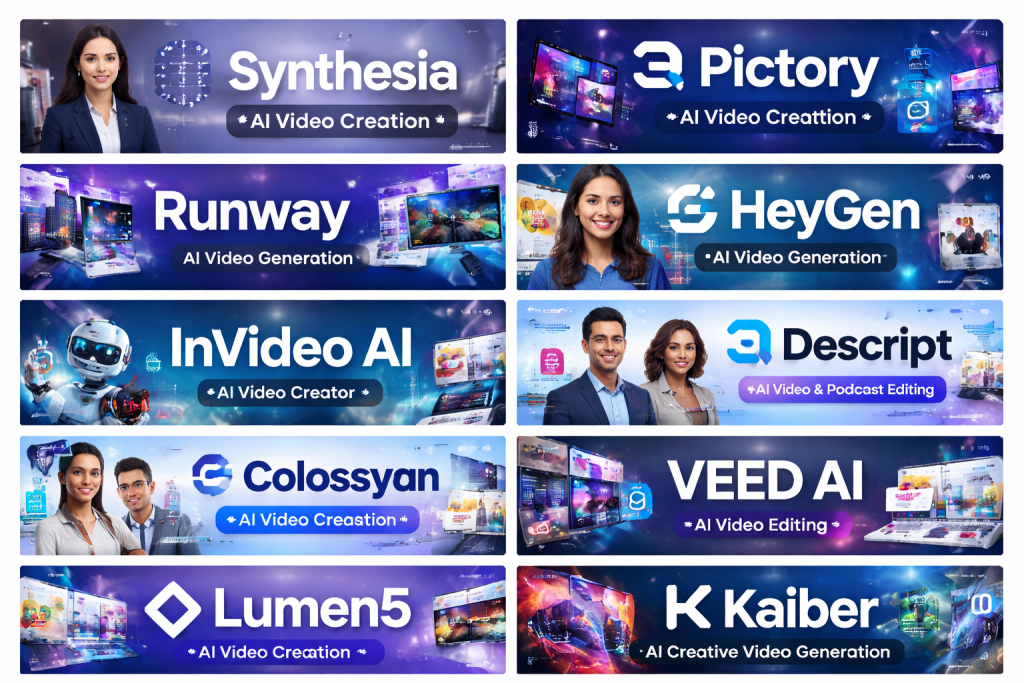
Introduction
AI video generation tools are software platforms that use artificial intelligence—especially machine learning, computer vision, and generative models—to create, edit, or enhance videos automatically. Instead of relying entirely on cameras, actors, studios, and long post-production cycles, these tools can turn text, images, presentations, or scripts into professional-quality videos in minutes.
Their importance has grown rapidly due to the explosion of video-first platforms, remote work, online education, and digital marketing. Businesses and creators now need high-volume, high-quality video content faster and at lower costs than traditional production allows. AI video generation tools solve this problem by automating repetitive tasks, reducing production costs, and enabling non-technical users to produce polished videos.
Key real-world use cases include:
- Marketing and advertising videos
- Social media content at scale
- Corporate training and onboarding
- E-learning and explainer videos
- Product demos and walkthroughs
- Personalized sales or customer support videos
When choosing an AI video generation tool, users should evaluate:
- Video quality and realism
- Ease of use and learning curve
- Customization options
- Supported formats and platforms
- Security, compliance, and data handling
- Pricing and scalability
Best for:
AI video generation tools are ideal for content creators, digital marketers, educators, startups, SMBs, enterprises, media teams, HR departments, and agencies that need frequent video content without heavy production overhead.
Not ideal for:
They may not be suitable for Hollywood-level cinematic production, highly artistic films requiring deep creative control, or organizations that rely entirely on live-action, on-location shooting with complex physical setups.
Top 10 AI Video Generation Tools
1 — Synthesia
Short description:
Synthesia is a leading AI avatar-based video generation platform that converts text into professional videos using realistic AI presenters. It is widely used for corporate training, internal communications, and marketing.
Key features:
- AI avatars with realistic lip-sync
- Text-to-video generation
- Multiple languages and accents
- Custom avatar creation (enterprise)
- Screen recording and slide uploads
- Brand kits and templates
Pros:
- Extremely easy for non-technical users
- Excellent for training and explainer videos
- Strong enterprise adoption
Cons:
- Limited cinematic creativity
- Custom avatars cost extra
Security & compliance:
SSO, SOC 2, GDPR compliant, enterprise-grade controls
Support & community:
Strong documentation, onboarding support, enterprise customer success teams
2 — Pictory
Short description:
Pictory focuses on turning long-form text content into short, engaging videos, making it popular among bloggers, marketers, and social media teams.
Key features:
- Script-to-video automation
- Blog-to-video conversion
- AI-powered scene selection
- Auto-captioning
- Stock media integration
- Social media-friendly formats
Pros:
- Excellent for repurposing content
- Minimal learning curve
- Strong automation features
Cons:
- Limited avatar options
- Less control over fine-grain edits
Security & compliance:
GDPR compliant, standard cloud security
Support & community:
Good documentation, email support, growing creator community
3 — Runway
Short description:
Runway is a powerful AI-powered creative suite aimed at designers, filmmakers, and creative professionals who want advanced video editing and generative capabilities.
Key features:
- Text-to-video generation
- AI video editing tools
- Background removal
- Motion tracking
- Style transfer
- Collaboration tools
Pros:
- Cutting-edge AI creativity
- High-quality output
- Favored by creative professionals
Cons:
- Steeper learning curve
- Less beginner-friendly
Security & compliance:
Standard enterprise security, GDPR compliant
Support & community:
Strong creative community, tutorials, learning resources
4 — HeyGen
Short description:
HeyGen specializes in AI avatars and personalized video creation, targeting marketing, sales, and customer engagement use cases.
Key features:
- AI avatar presenters
- Voice cloning
- Video personalization at scale
- Multilingual support
- Template-based workflows
- Brand customization
Pros:
- Great for sales and personalization
- Fast video production
- Clean user interface
Cons:
- Limited advanced editing
- Avatar realism varies
Security & compliance:
GDPR compliant, encryption in transit and at rest
Support & community:
Responsive support, onboarding guides, business-focused resources
5 — InVideo AI
Short description:
InVideo AI enables users to generate videos from prompts, scripts, or ideas, making it popular among marketers and small businesses.
Key features:
- Text-to-video generation
- Large template library
- AI script generation
- Stock media access
- Brand presets
- Social media optimization
Pros:
- Budget-friendly
- Rich template ecosystem
- Good balance of automation and control
Cons:
- Output quality varies by template
- Can feel template-heavy
Security & compliance:
Standard SaaS security, GDPR compliant
Support & community:
Strong tutorials, active user base, chat support
6 — Descript
Short description:
Descript combines AI video generation with advanced audio and video editing, allowing users to edit videos like text documents.
Key features:
- Text-based video editing
- AI voice cloning
- Screen recording
- Podcast and video workflows
- Automatic captions
- Collaboration tools
Pros:
- Excellent for podcasts and talking-head videos
- Innovative editing approach
- Strong collaboration features
Cons:
- Not focused on avatars
- Less suited for cinematic visuals
Security & compliance:
SSO available, GDPR compliant
Support & community:
Strong documentation, creator community, responsive support
7 — Colossyan
Short description:
Colossyan is an AI video platform designed mainly for workplace learning, training, and internal communications.
Key features:
- AI presenters
- Text-to-video workflows
- Learning-focused templates
- Multilingual support
- Brand consistency controls
- LMS-friendly exports
Pros:
- Tailored for training content
- Clean and professional output
- Easy scaling for teams
Cons:
- Limited creative flexibility
- Not ideal for social media marketing
Security & compliance:
SOC 2, GDPR compliant
Support & community:
Enterprise onboarding, training resources, support desk
8 — VEED AI
Short description:
VEED AI is an online video editing platform with AI-powered tools for creators, marketers, and social media teams.
Key features:
- AI subtitles and translation
- Text-to-video tools
- Video editing suite
- Brand kits
- Social media resizing
- Browser-based editing
Pros:
- Very easy to use
- Strong subtitle and caption tools
- Good for social content
Cons:
- Less advanced generative AI
- Performance may vary with large files
Security & compliance:
Standard SaaS security, GDPR compliant
Support & community:
Good documentation, chat support, creator tutorials
9 — Lumen5
Short description:
Lumen5 is built for marketing teams that want to transform text and presentations into engaging brand videos quickly.
Key features:
- Text-to-video automation
- Brand templates
- AI scene matching
- Stock media integration
- Team collaboration
- Presentation-to-video conversion
Pros:
- Strong branding features
- Easy onboarding
- Marketing-focused design
Cons:
- Limited advanced editing
- Less suitable for personalized videos
Security & compliance:
GDPR compliant, standard cloud security
Support & community:
Help center, onboarding resources, business support
10 — Kaiber
Short description:
Kaiber focuses on AI-generated creative and artistic videos, especially for music videos, visual art, and experimental content.
Key features:
- AI-generated animations
- Music-reactive visuals
- Style-based generation
- Image-to-video workflows
- Creative presets
- Community inspiration gallery
Pros:
- Highly creative output
- Unique artistic styles
- Popular among musicians
Cons:
- Not business-focused
- Limited corporate use cases
Security & compliance:
Varies / N/A
Support & community:
Active creative community, tutorials, standard support
Comparison Table
| Tool Name | Best For | Platform(s) Supported | Standout Feature | Rating |
|---|---|---|---|---|
| Synthesia | Corporate training & explainers | Web | Realistic AI avatars | N/A |
| Pictory | Content repurposing | Web | Blog-to-video automation | N/A |
| Runway | Creative professionals | Web | Advanced generative video | N/A |
| HeyGen | Sales & personalized videos | Web | Personalized avatars | N/A |
| InVideo AI | SMB marketing | Web | Prompt-based video creation | N/A |
| Descript | Podcasters & educators | Desktop/Web | Text-based editing | N/A |
| Colossyan | Workplace learning | Web | Training-focused workflows | N/A |
| VEED AI | Social media creators | Web | AI subtitles | N/A |
| Lumen5 | Marketing teams | Web | Brand-centric automation | N/A |
| Kaiber | Artists & musicians | Web | Music-reactive visuals | N/A |
Evaluation & Scoring of AI Video Generation Tools
| Criteria | Weight | Evaluation Focus |
|---|---|---|
| Core features | 25% | Text-to-video, avatars, editing depth |
| Ease of use | 15% | Learning curve, UI clarity |
| Integrations & ecosystem | 15% | LMS, marketing tools, exports |
| Security & compliance | 10% | SSO, GDPR, SOC 2 |
| Performance & reliability | 10% | Rendering speed, stability |
| Support & community | 10% | Documentation, support quality |
| Price / value | 15% | ROI, scalability |
Which AI Video Generation Tool Is Right for You?
- Solo users: Choose easy, affordable tools with templates and automation.
- SMBs: Look for balance between customization, branding, and pricing.
- Mid-market teams: Prioritize collaboration, scalability, and integrations.
- Enterprises: Focus on security, compliance, SSO, and custom avatars.
Budget-conscious users should prioritize tools with strong automation and templates, while premium users may value realism, personalization, and enterprise controls.
If you need deep creative control, advanced tools suit better. If you want speed and simplicity, template-driven platforms excel.
Frequently Asked Questions (FAQs)
1. What are AI video generation tools?
They use artificial intelligence to create or edit videos automatically from text, images, or prompts.
2. Are AI-generated videos suitable for business use?
Yes, many tools are widely used for training, marketing, and internal communication.
3. Do these tools replace traditional video production?
They complement it by reducing cost and time but don’t fully replace high-end production.
4. Are AI avatars realistic?
Modern tools offer highly realistic avatars, though they may not fully match real actors.
5. Can I customize branding?
Most platforms support brand kits, colors, logos, and fonts.
6. Are these tools secure?
Enterprise-grade platforms support encryption, GDPR, and sometimes SOC 2 compliance.
7. Do I need technical skills?
No, most tools are designed for non-technical users.
8. Can these tools scale for teams?
Yes, many offer team collaboration and enterprise plans.
9. Are there ethical concerns?
Yes, especially around deepfakes and misuse, which reputable platforms actively mitigate.
10. What is the biggest mistake buyers make?
Choosing based on hype instead of actual workflow needs.
Conclusion
AI video generation tools have transformed how videos are created—making production faster, more affordable, and accessible to everyone. The best tool depends on your goals: training, marketing, creativity, or personalization.
Focus on video quality, ease of use, scalability, and security, not just features. There is no single universal winner—only the tool that best fits your specific use case, budget, and workflow.

Find Trusted Cardiac Hospitals
Compare heart hospitals by city and services — all in one place.
Explore Hospitals
Nice and clear overview of AI video generation tools. It breaks down the features and differences in a simple way, making it easier to compare and choose.