
A Git commit is a snapshot of staged changes, stored with an author, a message and a pointer to its parent commits. Commits make up the history that teams review, revert and release from, so how you create and manage them matters.
The posts start with the basic workflow in a local repository: git init, git config, staging, committing and viewing history. From there they cover pushing to GitHub with a personal access token or SSH key so a second developer can clone the repository and collaborate. A demo project walks through these steps end to end. Deeper guides explore Git internals with git cat-file to inspect commit, tree and file objects. Others show how to clean a workspace with git checkout, git reset --hard and git clean. You will also find guides to setting up pre-commit hooks on macOS, Windows and Linux, including a Terraform configuration that runs fmt, validate, TFLint, Trivy and Checkov.
For troubleshooting, one post fixes the "pack exceeds maximum allowed size" push error, and another provides a shell script that commits and pushes files in batches. Related posts explain how to link commits to GitHub issues and pull requests, and how to revert a submitted change in Gerrit. The material suits beginners learning Git and engineers who automate quality checks before code is committed.
Start here
- Git Tutorial: Git Basic Workflow Working with Local Repo – Shows the core local workflow step by step: init, config, stage, commit and view history.
- Git Tutorial: Git Basic Workflow Working with Remote Repo at Github.com – Covers pushing commits to GitHub with a PAT or SSH key and collaborating with a second developer.
- Git Commands Tutorials and Example: Git Clean – How to clean git workspace? – Shows how to discard changes and untracked files safely with checkout, reset --hard and git clean.
- Git Tutorial: Working with git objects using “git cat-file” – Shows how commits, trees and files are stored internally by inspecting them with git cat-file.
- How to Install and Configure pre-commit on macOS, Windows, and Linux: Complete Step-by-Step Guide – Walks through installing pre-commit and configuring hooks in YAML to run checks before every commit.
- How to Configure pre-commit for Terraform: Complete DevOps Guide with 15 Practical Use Cases, Commands, Security Checks, and Best Practices – Adds Terraform formatting, validation and security scanning hooks, with tips for running them in GitHub Actions.
- Git error: “remote: fatal: pack exceeds maximum allowed size (2.00 GiB)” – Fixes the 2 GiB pack size push error by pushing commits in smaller batches.
Latest Git Commit articles
AWS Tutorials: Working with Code Commit
AWS CodeCommit is a managed, private Git hosting service. You create a repository in a Region, sign in with IAM-based credentials, and then use normal Git commands…
Git Lab Exercise & Assignment: Git cherry-pick: Part – 12
git cherry-pick copies one or more existing commits from another branch and applies them as new commits on your current branch. This lab corrects and completes the…
Git Lab Exercise & Assignment: Changing History with Amend: Part – 5
This lab covers three ways to rewrite local Git history: fixing the last commit with git commit –amend, reordering commits with git rebase -i, and undoing it…
How to Configure pre-commit for Terraform: Complete DevOps Guide with 15 Practical Use Cases, Commands, Security Checks, and Best Practices
Terraform pre-commit Hooks: Installation, Configuration, TFLint, Trivy, Checkov & CI/CD Guide Learn to configure pre-commit for Terraform with step-by-step commands, terraform fmt, validate, TFLint, Trivy, Checkov, terraform-docs,…
How to Install and Configure pre-commit on macOS, Windows, and Linux: Complete Step-by-Step Guide
SEO Title: How to Install and Configure pre-commit on Mac, Windows & Linux (2026) Meta Description: Learn how to install and configure pre-commit Git hooks on macOS,…

Git, GitHub, and GitLab Interview Questions: Practical Answers and Command Guide
A practical interview-prep guide covering core Git concepts, essential commands, and common GitHub/GitLab questions. Includes workflow diagrams, comparisons, and troubleshooting checklists.
Git Training Roadmap: Practical Curriculum, Labs, and Team Workflow
A modern, hands-on Git training blueprint for DevOps and engineering teams. Use this curriculum, workflow, and command labs to build real-world Git skills quickly.
Bash Git Aliases: A Practical Command Set for Faster Daily Git Work
Set up a clean, copy-paste-ready Bash alias collection for common Git commands, then learn when Bash aliases are better than Git’s built-in aliases. This guide also covers safe installation, workflow usage, and common mistakes to avoid.
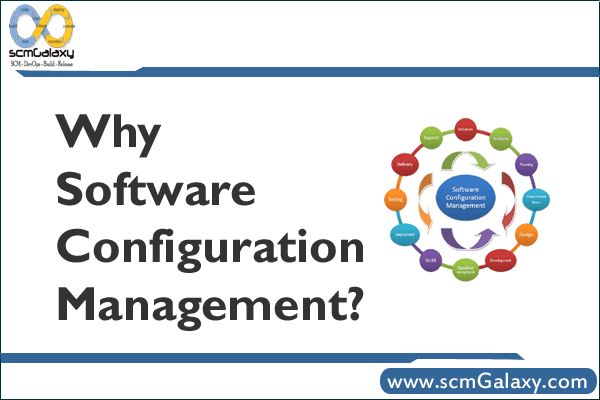
Why Software Configuration Management Matters: Practices, Workflow, and Git-Based Control
Software Configuration Management (SCM) keeps code, infrastructure definitions, and release artifacts controlled and traceable. This guide explains why SCM matters, how the workflow looks in DevOps teams, and which practical commands support reliable delivery.
Git Workflow Master Tutorial
From First Commit to Enterprise-Grade Delivery Best title:Git Workflow Master Guide: Branching Strategies, Pull Requests, Releases, CI/CD, and Team Governance 1. What is a Git workflow? A…
Master Guide: How to Link GitHub Issues, Commits, Branches, and Pull Requests — Same Repo and Cross-Repo Workflow
1. Introduction In many teams, GitHub Issues, commits, branches, and pull requests are created in the same repository. That is the simple case. But your setup is…
What is Git and use cases of Git?
What is Git? Git is a distributed version control system (DVCS) planned to track changes in source code during software development. It was developed by Linus Torvalds…
Git Tutorial: Git Basic Workflow Working with Remote Repo at Github.com
How 2 Git Repo can share the Committed Code? How Central Repo is Placed? List of Git repo Hosting Providers and Their features FIRST Developer Step 1…
Demo Project for Git and Git hub
Step 1: Install Git Installing Git on your computer allows you to use Git commands to track changes in your project. You can download and install Git…
Shell script to add and commit in 10 files at a time and push
Rajesh KumarI’m Rajesh Kumar, a DevOps, SRE, DevSecOps, Cloud, and Platform Engineering expert passionate about sharing practical knowledge, real-world experiences, and industry best practices. I have worked…
Git Tutorial: Git Basic Workflow Working with Local Repo
Step 1 – Install git client [ONE TIME] Step 2 – Create git repo [ONE TIME] Step 3 – Decide which files you want to version OR…
Shell script to git add and commit and push each directory at a time
This script will loop through each directory in the repository, checking if it is a Git repository. If it is, it will add all changes in the…
Git error: “remote: fatal: pack exceeds maximum allowed size (2.00 GiB)”
Error Solution Step 1 – First add and Commit in Smaller chunk Optional – add and Commit in Smaller chunk Step 2 – shell script to push…
Git Tutorial: Commands Example & Reference
Git Reset – Git Revert Git Clean – How to clean git workspace? Git Fetch – Update remote branch before merge to local branch git appendGit bisectgit…
Git Tutorial: Working with git objects using “git cat-file”
Git inside: Direct work with git objects Goals Explore the structure of the database objects Using SHA1 hashes for searching the content in repository Let us examine…
Git Tutorial: Objects, References, The Index
To understand the core of Git internals, there are 3 things to we should know: objects, references, the index. I find this model is elegant. It fits…
Git Tutorial: Git Bisect
Find the change that introduced a bug in your code, quickly. The git bisect command helps you to find which change introduced a bug in your code. It’s easy…
Git Tutorial: Types of git objects
Rajesh KumarI’m Rajesh Kumar, a DevOps, SRE, DevSecOps, Cloud, and Platform Engineering expert passionate about sharing practical knowledge, real-world experiences, and industry best practices. I have worked…
Git Tutorial: Creating Blobs Tree and Commits
Creating BlobsCreating a blob in your Git repository and getting a SHA back is pretty easy. The git hash-object command is all you’ll need. To create a…
Git Lab Exercise & Assignment: Basic local workflow: Part – 1
Related – Git basic local workflow These exercises aim to give you some practice with using the Git version control system. Each exercise comes in two parts:…
Top Git interview questions and answers
What is Git fork? Forking is a git clone operation executed on a server copy of a project’s repo. A Forking Workflow is often used in conjunction with…
Interview Questions & Answer for Git
How do you know if a certain directory is a git repository? How to check if a file is tracked and if not, then track it? What…
Interview Questions & Answers Sets on Version Control
What is Version Control? Version control is the sytem of tracking and managing changes to software code.It helps software teams to manage changes to source code over…
Deep Dive into Git Internal with SHA1 and Hash
Questions What is SHA1? What if 2 hash collision while using git? Process of sign a commit or tag in git? Why sing a commit or tag…
Git Command Tutorials Guide with Example
Git Commands Tutorials and Example: Git Clean – How to clean git workspace? Git Commands Tutorials and Example: Git Reset – Git Revert Git Commands Tutorials and…
Git Commit: frequently asked questions
How do I change the last commit message?
Run git commit --amend and edit the message. This rewrites the commit, so if you have already pushed it, you will need to force-push, which can disrupt anyone else using the branch.
How do I undo a commit?
If the commit has not been pushed, git reset --soft HEAD~1 removes it and keeps your changes staged. For commits already on a shared branch, use git revert <commit>, which adds a new commit that reverses the change.
What is pre-commit?
pre-commit is a framework that manages Git pre-commit hooks, which you define in a .pre-commit-config.yaml file. It runs linters, formatters and security checks automatically before each commit is created.
What makes a good commit message?
Start with a short summary line in the imperative mood, followed by a blank line. Then add a body that explains what changed and why. Keep each commit focused on one logical change.