
PowerShell is Microsoft's command-line shell and scripting language, built on .NET. Traditional shells pass plain text between commands. PowerShell passes objects between cmdlets, which makes filtering, formatting and automation more reliable. PowerShell started as the standard tool for Windows administration, and the current PowerShell 7 also runs on Linux and macOS.
Posts with this tag cover the fundamentals: what PowerShell is, how it works compared with CMD, how cmdlets differ from general commands, and a command line reference for quick lookup. Tooling posts compare code editors such as Visual Studio Code and Sapien PowerShell Studio and explain how to install PowerShellGet 3.0 to work with modules from the PowerShell Gallery. Practical DevOps posts show how to make curl-style HTTP requests and how to upload packages to Nexus and Artifactory with Invoke-WebRequest. Others cover reading Jenkins variables such as $ENV:BUILD_NUMBER and handling script failures in Octopus Deploy. There is also a comparison of Windows management tools, including PowerShell DSC, and a set of 50 interview questions.
The material is aimed at Windows administrators, build and release engineers, and DevOps engineers who write PowerShell in CI/CD pipelines.
Start here
- What is PowerShell and use cases of PowerShell? – Overview of use cases, cmdlets, architecture, installation and configuration.
- What is Powershell and How it works? – Explains how PowerShell works and how it compares with CMD.
- Difference between between cmdlets and commands in Windows powershell? – Clarifies what cmdlets are and why they are the building blocks of scripts.
- Best & Most Popular 5 Code Editors for PowerShell programming – Helps you choose an editor such as VS Code before writing larger scripts.
- What is PowerShellGet and How to Install PowerShellGet 3.0 – How to find, install and publish modules from the PowerShell Gallery.
- How do you curl using powershell? – Quick guide to calling web endpoints and APIs from PowerShell.
- Jenkins Tutorials: Jenkins Environment Variables in PowerShell – Shows how to read Jenkins build variables inside PowerShell pipeline steps.
- <strong>Top 50 interview question and answers for PowerShell</strong> – Review of shell, scripting and object concepts in an interview format.
Latest PowerShell articles
Windows Troubleshooting: Administrator Guide
To find which ports are in use on Windows, use netstat -ano in Command Prompt, Get-NetTCPConnection and Get-NetUDPEndpoint in PowerShell, or the graphical tools Resource Monitor and…
PowerShell Training for Developers: Course Outline, Labs, and Delivery Options
This revised guide summarizes the original PowerShell training offering for developers and build/release engineers, including syllabus, lab focus, and delivery details. It also adds practical command examples so you can evaluate fit before enrolling.
Senior Windows Administrator: Role Blueprint, Responsibilities, Skills, KPIs, and Career Path
The Senior Windows Administrator is accountable for the reliability, security, and operational excellence of the organization’s Windows-based infrastructure, including core identity services, server platforms, endpoint management integrations, and Windows-adjacent enterprise services. This role ensures that Windows environments are standardized, patched, monitored, recoverable, and compliant—while progressively automating operations to reduce toil and improve service quality.
Senior Microsoft 365 Administrator: Role Blueprint, Responsibilities, Skills, KPIs, and Career Path
The **Senior Microsoft 365 Administrator** is the technical owner and operational steward of the organization’s Microsoft 365 tenant(s), ensuring secure, reliable, and well-governed collaboration and productivity services across Exchange Online, Teams, SharePoint Online, OneDrive, and Microsoft Entra ID. This role designs and runs the service at enterprise scale: configuring identity and access controls, managing service health and changes, automating administration, and leading incident response for M365-related outages or degradations.
Senior Exchange Administrator: Role Blueprint, Responsibilities, Skills, KPIs, and Career Path
The Senior Exchange Administrator is accountable for the reliability, security, performance, and lifecycle management of the organization’s Microsoft messaging platform, typically spanning Exchange Online (Microsoft 365), Exchange Server (on-premises), or a hybrid configuration. This role ensures email and calendaring services are highly available, compliant, and aligned to business needs while proactively reducing operational risk and improving user experience.
Lead Windows Administrator: Role Blueprint, Responsibilities, Skills, KPIs, and Career Path
The Lead Windows Administrator is the senior hands-on owner of Windows-based enterprise infrastructure, responsible for the reliability, security, and operational excellence of core Microsoft platforms (e.g., Windows Server, Active Directory, identity integrations, patching, endpoint/device management, and automation). This role exists in software companies and IT organizations because Windows and Microsoft identity services remain foundational for workforce access, enterprise applications, and hybrid infrastructure—even as application workloads move to cloud-native platforms.
Junior Windows Administrator: Role Blueprint, Responsibilities, Skills, KPIs, and Career Path
The Junior Windows Administrator supports the stability, security, and day-to-day operation of Windows-based infrastructure across an enterprise IT environment. The role focuses on executing standard operational tasks (user and server administration, patching, monitoring, and ticket resolution) under established processes, with increasing ownership of routine changes and small improvements over time.
Top 10 Windows Management Tools: Features, Pros, Cons & Comparison
Introduction Windows Management Tools are software solutions designed to help IT teams centrally manage, secure, monitor, configure, and maintain Windows-based systems across an organization. These tools simplify…
Guide to add and use a Windows node in Rundeck installed on a Linux server
Here’s a step-by-step guide to add and use a Windows node in Rundeck installed on a Linux server, using WinRM (Windows Remote Management), which is the most…
Rundeck Assignments 2 – Windows
Rundeck Student Assignments (Windows Local Node) 📝 Setup Prerequisites: 🎓 Assignment List Assignment 1: Hello World in PowerShell Objective: Run a basic PowerShell script as a Rundeck…
What is PowerShell and use cases of PowerShell?
What is PowerShell? PowerShell is a task automation framework and scripting language elaborated by Microsoft. It is designed for system administrators and power users to automate administrative…
PowerShell Tutorials for beginners
Rajesh KumarI’m Rajesh Kumar, a DevOps, SRE, DevSecOps, Cloud, and Platform Engineering expert passionate about sharing practical knowledge, real-world experiences, and industry best practices. I have worked…
Azure PowerShell Tutorials: Installations and User Guide
What is Azure PowerShell? Azure PowerShell is a set of cmdlets (command-lets) for managing Azure resources from the PowerShell command line. It provides a comprehensive and powerful…
Difference between between cmdlets and commands in Windows powershell?
In PowerShell, a cmdlet (command-let) is a small program that performs a specific task or operation. Cmdlets are the basic building blocks of PowerShell scripting, and they…
How to monitor a service of windows where service name changes on every restart zabbix?
Monitoring a Windows service with a changing name using Zabbix can be complex due to the changing service name. One approach is to use Zabbix’s LLD (Low-Level…
How do you curl using powershell?
Rajesh KumarI’m Rajesh Kumar, a DevOps, SRE, DevSecOps, Cloud, and Platform Engineering expert passionate about sharing practical knowledge, real-world experiences, and industry best practices. I have worked…
dotCover: Powershell Script code coverage report with dotCover
Script generating a code coverage report with dotCover and later converting it with Report Generator so that Azure DevOps task Publish Code Coverage Results can use it….
Datadog Tutorial: win32_event_log log setup using powershell
Rajesh KumarI’m Rajesh Kumar, a DevOps, SRE, DevSecOps, Cloud, and Platform Engineering expert passionate about sharing practical knowledge, real-world experiences, and industry best practices. I have worked…
Datadog Tutorial: .NET APM Library Setup via PowerShell
Rajesh KumarI’m Rajesh Kumar, a DevOps, SRE, DevSecOps, Cloud, and Platform Engineering expert passionate about sharing practical knowledge, real-world experiences, and industry best practices. I have worked…
Powershell Tutorials: Command Line reference
Add-AppPackage 2.0.1.0 Appx Add-AppPackageVolume 2.0.1.0 Appx Add-AppProvisionedPackage 3 Dism Add-ProvisionedAppPackage 3 Dism Add-ProvisionedAppSharedPackageContainer 3 Dism Add-ProvisionedAppxPackage 3 Dism Add-ProvisioningPackage 3 Provisioning…
Jenkins Tutorials: Jenkins Environment Variables in PowerShell
The following variables are available to PowerShell scripts $ENV:BUILD_NUMBERThe current build number, such as “153” $ENV:BUILD_IDThe current build id, such as “2005-08-22_23-59-59” (YYYY-MM-DD_hh-mm-ss) $ENV:JOB_NAMEName of the project…
A Fundamental Tutorial of PSScriptAnalyzer
PSScriptAnalyzer is a static code checker for PowerShell modules and scripts. PSScriptAnalyzer checks the quality of PowerShell code by running a set of rules. PSScriptAnalyzer is a…
How to Analyze Powershell code using Sonarqube?
SonarQube do not support Powershell language at present to analyze a Powershell code. There is no SonarQube PowerShell Plugin available as of now. Please refer – https://www.sonarqube.org/features/multi-languages/…
PowerShellGet Commands Reference
Managing Resources with PowerShellGet v3 The cmdlet names have changed in PowerShellGet v3. Instead of Install-Module, you will use Install-PSResource. It’s actually the same cmdlet for all resources such…
What is PowerShellGet and How to Install PowerShellGet 3.0
PowerShellGet is a PowerShell module with commands for discovering, installing, updating and publishing the PowerShell artifacts like Modules, Scripts, and DSC Resources. PowerShellGet require PowerShell 5.0 or…
How to upload package to Nexus and Artifactory using curl and powershell?
Solution – 1 Solution – 2 Solution – 3 Solution – 4 Rajesh KumarI’m Rajesh Kumar, a DevOps, SRE, DevSecOps, Cloud, and Platform Engineering expert passionate about…
What is Powershell and How it works?
What is PowerShell? Windows PowerShell is an automated task-based command-line shell and associated scripting language created by Microsoft. It is the new shell of Microsoft which combines the old command…
Best & Most Popular 5 Code Editors for PowerShell programming
PowerShell is a modern command shell that includes the best features of other popular shellsPowerShell is a cross-platform task automation solution made up of a command-line shell,…
Top 50 interview question and answers for PowerShell
PowerShell may be a cross-platform task automation answer created of a command-line shell, a scripting language, and a configuration management framework. PowerShell runs on Windows, Linux, and…
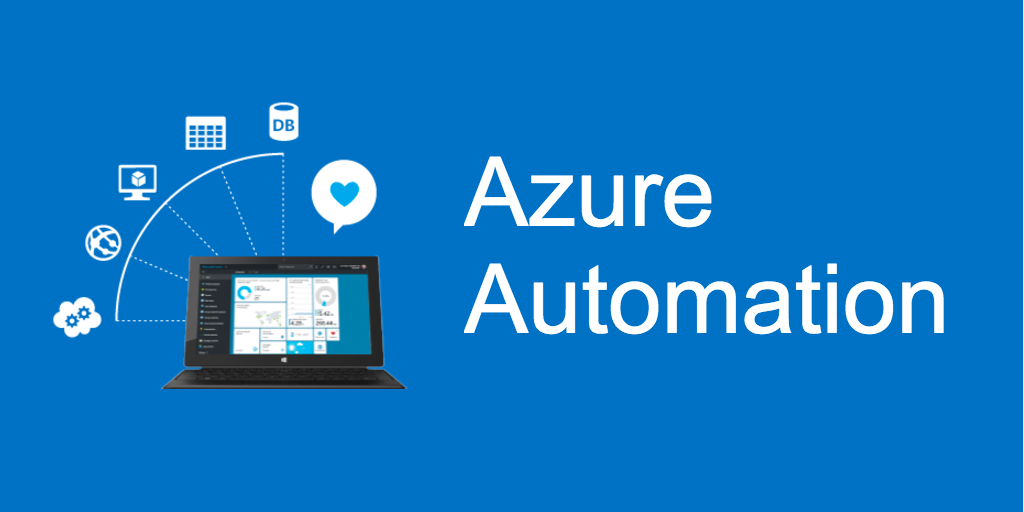
What is Azure Automation?
Introduction of Azure Automation Automation is a fronton leader of all IT solutions for businesses. If a method is redundant, you employ technological resources to change it….
PowerShell: frequently asked questions
What is the difference between Windows PowerShell and PowerShell 7?
Windows PowerShell 5.1 ships with Windows, runs on .NET Framework and is Windows-only. PowerShell 7 is open source, runs on modern .NET across Windows, Linux and macOS, and can be installed side by side with 5.1.
What is a cmdlet?
A cmdlet is a lightweight PowerShell command implemented as a .NET class. Cmdlets use Verb-Noun names such as Get-Process and return objects, not plain text.
How do I make a curl-style request in PowerShell?
Use Invoke-WebRequest for raw responses or Invoke-RestMethod to parse JSON automatically. In Windows PowerShell 5.1, curl is an alias for Invoke-WebRequest. PowerShell 7 removed that alias, so curl runs the native curl executable if it is installed.
How do I install PowerShell modules?
Modules are usually installed from the PowerShell Gallery with Install-Module. The newer PowerShellGet 3.x module, renamed PSResourceGet, uses Install-PSResource instead.