
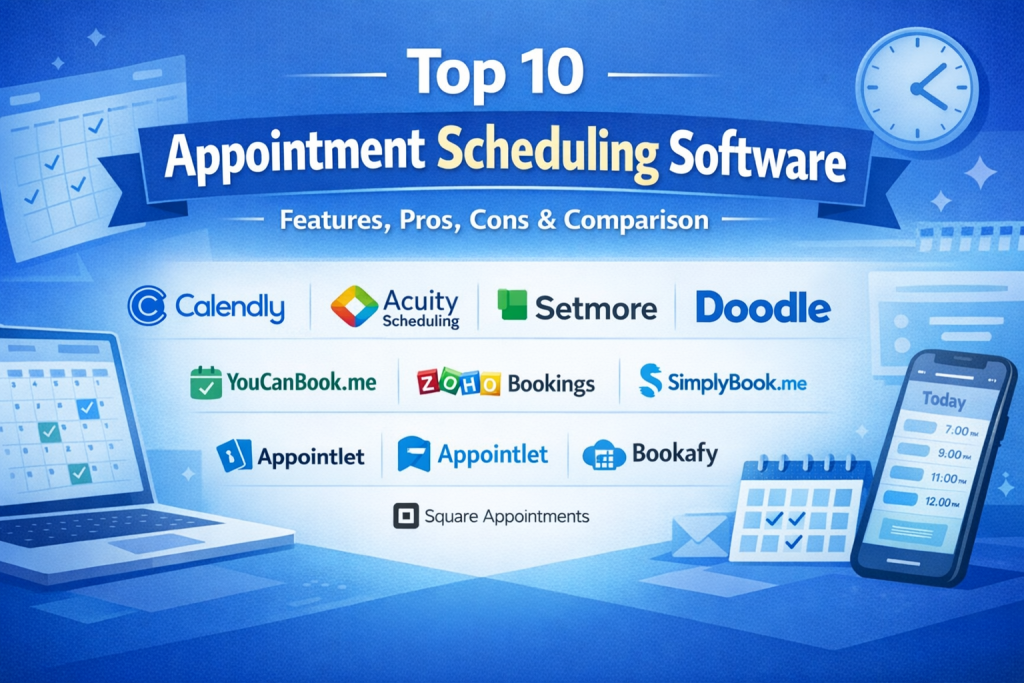
Introduction
Appointment Scheduling Software is a digital solution that helps individuals and organizations manage bookings, meetings, and reservations automatically. Instead of relying on phone calls, emails, or manual spreadsheets, these tools allow clients or internal teams to view availability in real time and book appointments instantly. The software handles confirmations, reminders, rescheduling, and cancellations with minimal human effort.
In today’s fast-paced, customer-driven world, appointment scheduling software is no longer a convenience—it’s a necessity. Missed appointments, double bookings, and long back-and-forth emails cost businesses time, money, and credibility. From healthcare clinics and salons to consultants, SaaS companies, and large enterprises, scheduling automation improves efficiency, reduces no-shows, and enhances the overall customer experience.
Common real-world use cases include:
- Doctors, dentists, and clinics managing patient visits
- Sales teams booking demos and discovery calls
- HR teams scheduling interviews
- Consultants, coaches, and freelancers managing client sessions
- Service businesses handling in-person or virtual appointments
When choosing an appointment scheduling tool, users should evaluate ease of use, flexibility, integrations, automation, security, scalability, and pricing. The right tool should fit naturally into existing workflows without creating friction for staff or customers.
Best for:
Appointment Scheduling Software is ideal for freelancers, service professionals, SMBs, healthcare providers, educational institutions, sales teams, and enterprises that rely on time-based services or meetings.
Not ideal for:
It may be unnecessary for businesses with very low appointment volume, fully walk-in-based operations, or teams that already operate effectively using tightly integrated enterprise systems with built-in scheduling.
Top 10 Appointment Scheduling Software Tools
1 — Calendly
Short description:
Calendly is a widely used scheduling platform designed to eliminate email back-and-forth by allowing others to book time based on real-time availability. It’s popular among individuals, teams, and enterprises.
Key features:
- Automated availability-based scheduling
- Calendar integrations with major providers
- Custom meeting types and durations
- Automated email and calendar notifications
- Team scheduling and round-robin assignments
- Workflow automation and reminders
Pros:
- Extremely easy to set up and use
- Strong adoption across industries
- Scales well from solo users to enterprises
Cons:
- Advanced features require higher-tier plans
- Limited customization for complex workflows
Security & compliance:
SSO, data encryption, GDPR compliance, SOC 2 (varies by plan)
Support & community:
Good documentation, onboarding guides, email support, enterprise support for large teams
2 — Acuity Scheduling
Short description:
Acuity Scheduling focuses on service-based businesses that need client self-booking with customization and payments.
Key features:
- Client self-service booking portal
- Payment processing for appointments
- Custom intake forms
- Time zone detection
- Automated reminders and follow-ups
- Group and class scheduling
Pros:
- Strong customization for client-facing businesses
- Built-in payment handling
- Ideal for wellness and personal services
Cons:
- Interface can feel complex for beginners
- Limited enterprise-scale features
Security & compliance:
SSL encryption, GDPR support, varies by payment provider
Support & community:
Email and chat support, detailed help center, onboarding resources
3 — Setmore
Short description:
Setmore is an affordable scheduling solution for small businesses offering online booking, reminders, and basic team management.
Key features:
- Online booking pages
- Automated email and SMS reminders
- Staff scheduling
- Video meeting integration
- Payment collection
- Customer database
Pros:
- Budget-friendly pricing
- Simple setup
- Suitable for small teams
Cons:
- Limited customization
- Fewer advanced automation options
Security & compliance:
Basic encryption, GDPR support, varies by region
Support & community:
Knowledge base, live chat, email support
4 — SimplyBook.me
Short description:
SimplyBook.me is a flexible appointment scheduling system aimed at service providers needing branding, customization, and integrations.
Key features:
- Custom booking website or widget
- Multiple service categories
- Client management system
- Coupons and promotions
- Integrations with calendars and payments
- Admin and staff dashboards
Pros:
- High level of customization
- Good for branded booking experiences
- Supports many service types
Cons:
- Interface can feel overwhelming
- Advanced features may increase cost
Security & compliance:
GDPR compliance, data encryption, HIPAA add-on available
Support & community:
Email support, help center, onboarding tutorials
5 — YouCanBook.me
Short description:
YouCanBook.me is a scheduling tool focused on simplicity and tight calendar integration, popular in education and consulting.
Key features:
- Real-time calendar sync
- Booking rules and buffers
- Automated notifications
- Custom booking forms
- Time zone support
- API access
Pros:
- Reliable calendar syncing
- Clean and simple interface
- Strong customization via rules
Cons:
- UI feels less modern
- Limited built-in team features
Security & compliance:
Encryption in transit, GDPR compliance, SSO (enterprise)
Support & community:
Responsive email support, documentation, setup guides
6 — Doodle
Short description:
Doodle specializes in group scheduling and polling to find the best meeting time among multiple participants.
Key features:
- Group polls for availability
- 1:1 booking pages
- Calendar integrations
- Time zone management
- Branding options
- Team scheduling
Pros:
- Excellent for group coordination
- Minimal learning curve
- Fast scheduling for meetings
Cons:
- Not ideal for service-based bookings
- Limited workflow automation
Security & compliance:
GDPR compliant, encryption, SOC 2 (enterprise)
Support & community:
Help center, email support, enterprise onboarding
7 — Zoho Bookings
Short description:
Zoho Bookings is part of the Zoho ecosystem, offering appointment scheduling tightly integrated with CRM and business tools.
Key features:
- CRM integration
- Staff and resource scheduling
- Custom booking pages
- Automated notifications
- Payment support
- Analytics and reports
Pros:
- Excellent value for Zoho users
- Strong integration ecosystem
- Suitable for growing businesses
Cons:
- Best experience requires Zoho ecosystem
- UI may feel complex initially
Security & compliance:
ISO-certified infrastructure, GDPR support, SSO available
Support & community:
Documentation, ticket-based support, enterprise plans available
8 — Appointlet
Short description:
Appointlet is a lightweight scheduling tool designed for sales teams, recruiters, and remote-first businesses.
Key features:
- 1:1 and group scheduling
- CRM integrations
- Custom availability rules
- Automated reminders
- Video conferencing integrations
- Team scheduling
Pros:
- Simple and fast setup
- Good for sales-driven teams
- Clean user interface
Cons:
- Limited customization
- Fewer advanced reporting features
Security & compliance:
Encryption, GDPR compliance, basic SSO
Support & community:
Email support, onboarding guides, knowledge base
9 — Bookafy
Short description:
Bookafy targets SMBs and enterprises needing customizable scheduling with strong automation and integrations.
Key features:
- Round-robin and pooled scheduling
- White-label booking pages
- CRM and calendar integrations
- Automated workflows
- Payment support
- API access
Pros:
- Flexible for complex scheduling
- White-label options
- Good automation capabilities
Cons:
- Interface could be more intuitive
- Setup may take time
Security & compliance:
Encryption, GDPR support, SSO for enterprise
Support & community:
Email and chat support, onboarding assistance
10 — Square Appointments
Short description:
Square Appointments combines scheduling with point-of-sale and payment processing, ideal for service-based businesses.
Key features:
- Appointment booking and POS integration
- Staff scheduling
- Automated reminders
- Payment processing
- Client profiles
- Reporting and analytics
Pros:
- Seamless payments and scheduling
- Good for in-person services
- Easy for small businesses
Cons:
- Limited customization
- Less suitable for large enterprises
Security & compliance:
PCI compliance, encryption, GDPR support
Support & community:
Help center, phone and chat support, onboarding resources
Comparison Table
| Tool Name | Best For | Platform(s) Supported | Standout Feature | Rating |
|---|---|---|---|---|
| Calendly | Individuals & enterprises | Web, mobile | Ease of use | N/A |
| Acuity Scheduling | Service businesses | Web | Custom client booking | N/A |
| Setmore | Small businesses | Web, mobile | Affordable pricing | N/A |
| SimplyBook.me | Branded services | Web | Custom booking pages | N/A |
| YouCanBook.me | Education & consultants | Web | Calendar sync | N/A |
| Doodle | Group scheduling | Web, mobile | Poll-based scheduling | N/A |
| Zoho Bookings | Zoho users | Web | CRM integration | N/A |
| Appointlet | Sales teams | Web | Lightweight setup | N/A |
| Bookafy | SMBs & enterprise | Web | White-label scheduling | N/A |
| Square Appointments | In-person services | Web, mobile | POS integration | N/A |
Evaluation & Scoring of Appointment Scheduling Software
| Criteria | Weight | Description |
|---|---|---|
| Core features | 25% | Booking, reminders, automation |
| Ease of use | 15% | Setup, UI, learning curve |
| Integrations & ecosystem | 15% | Calendars, CRM, payments |
| Security & compliance | 10% | Data protection, standards |
| Performance & reliability | 10% | Uptime, sync accuracy |
| Support & community | 10% | Documentation and help |
| Price / value | 15% | ROI vs cost |
Which Appointment Scheduling Software Tool Is Right for You?
- Solo users: Simple tools with fast setup and low cost
- SMBs: Balance of automation, branding, and affordability
- Mid-market teams: Workflow automation, integrations, reporting
- Enterprises: SSO, compliance, scalability, admin controls
Budget-conscious users should prioritize ease of use and essential features, while premium users may value deep integrations and compliance. Always consider how well the tool fits existing workflows and future growth.
Frequently Asked Questions (FAQs)
1. What is appointment scheduling software?
It is software that automates booking, reminders, and calendar management for meetings or services.
2. Does it reduce no-shows?
Yes, automated reminders significantly reduce missed appointments.
3. Is it suitable for healthcare?
Many tools support healthcare, but compliance requirements should be checked.
4. Can clients book appointments themselves?
Most tools offer self-service booking pages.
5. Is payment collection supported?
Several tools include built-in or integrated payment options.
6. Can it handle multiple staff members?
Yes, most tools support team and round-robin scheduling.
7. Is it secure?
Reputable tools use encryption and follow data protection standards.
8. How long does implementation take?
Typically from minutes to a few days, depending on complexity.
9. Are there free plans?
Many tools offer free or trial plans with limited features.
10. What are common mistakes to avoid?
Ignoring integrations, underestimating growth, and skipping security checks.
Conclusion
Appointment Scheduling Software has become a foundational tool for modern businesses that rely on time-based interactions. The right solution can streamline operations, improve customer satisfaction, and free teams from repetitive administrative work.
There is no single “best” appointment scheduling tool for everyone. The ideal choice depends on business size, industry, budget, feature needs, and compliance requirements. By carefully evaluating your priorities and matching them to the strengths of each tool, you can choose a solution that supports both current needs and future growth.

Find Trusted Cardiac Hospitals
Compare heart hospitals by city and services — all in one place.
Explore Hospitals
This comparison of appointment scheduling software is very informative and practical for anyone looking to streamline their booking processes. I appreciate how the article highlights key features, benefits, and drawbacks in a clear and organized way — it makes it much easier to assess which tool best fits different business needs. Breaking down the pros and cons helps readers save time and make confident decisions when choosing the right scheduling solution.